







AI has made it dramatically easier to generate insights, but getting real work done still means switching tabs, opening apps, and re‑creating context across tools. A marketer drafts a campaign in Copilot, then needs to jump into a design app to create the asset. A seller summarizes an opportunity, only to open their CRM to log it. A manager reviews a request in one window but approves it in a different one.
The insight lives in one place. The action belongs somewhere else. Microsoft 365 Copilot agents change that. They bring business apps directly into the flow of conversation, so intent becomes execution without ever leaving Copilot chat.
Interruptions are a steady drag on the flow of work, and the cognitive cost of re-establishing context after every interruption and with every tool switch can hold businesses back from achieving the productivity gains they are working hard to capture. Moreover, employees want to bring rich content and data from services they use every day into their work with Copilot.
Microsoft 365 Copilot can now bring your business apps directly into the conversation, which closes the gap between AI-powered insight and real, in-app action, allowing you to visualize content and do real work right from the chat, narrowing this fragmentation.
Agents in Microsoft 365 Copilot, connected to content-rich apps like Adobe Express, Figma, Optimizely, or Dynamics 365, can now surface visually rich, interactive experiences right inside Copilot, so marketing teams can turn briefs into assets, operations teams can update records, and project teams can iterate on documents, all within the conversation.
The control stays with you throughout. Interact directly with the app’s in-chat interface or prompt the agent with your directions and let it perform the task under your supervision. Either way, the result is the same: work can move faster within a single conversation, with reduced context-switching and fewer interruptions.
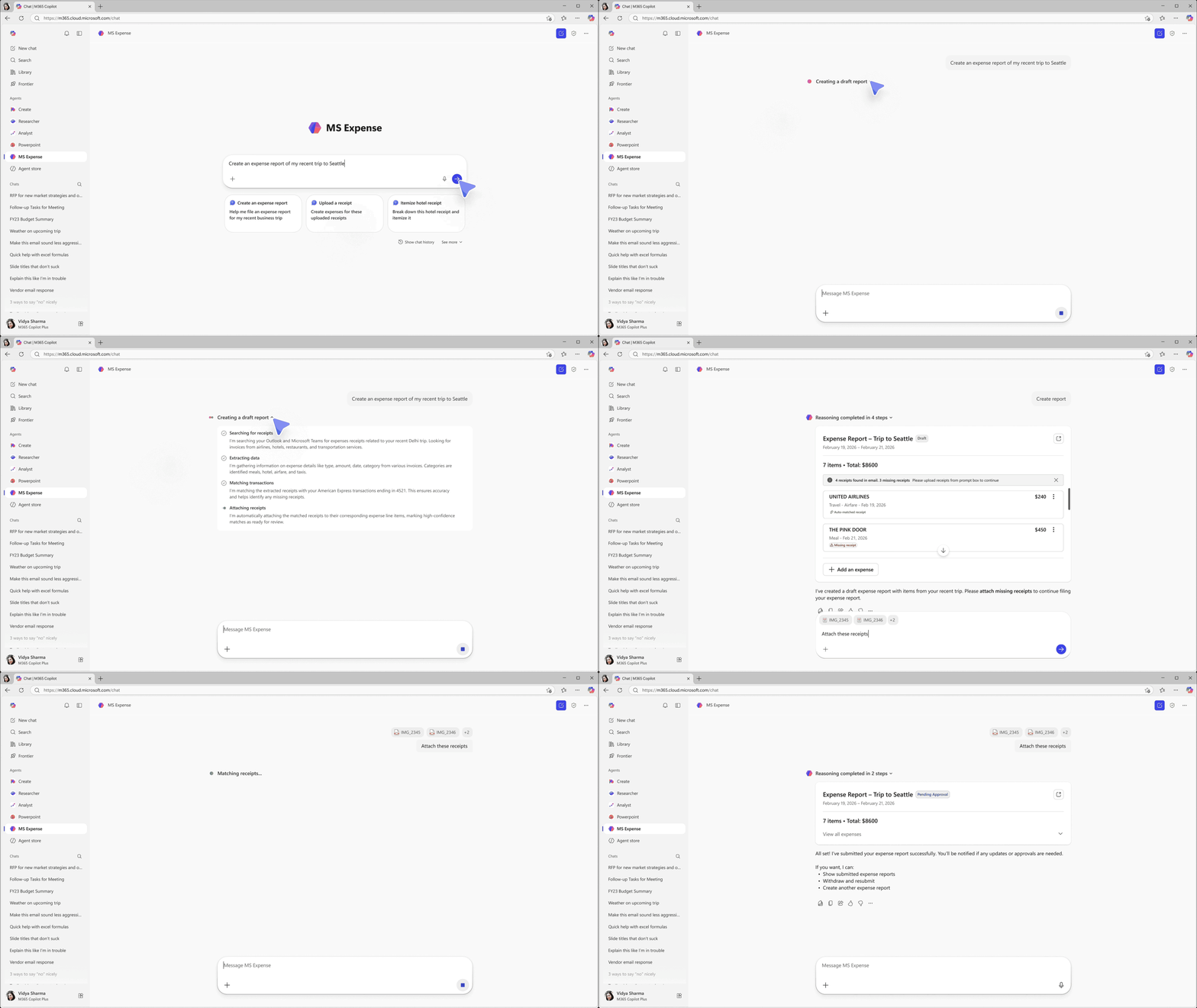
Partners are already showing what’s possible when apps are in the Copilot experience. Until now, integrating a third-party tool into your workflow meant navigating between applications, each of which has its own context and interface. Now that equation has changed, and tools can be surfaced within the conversation.
Here’s a snapshot of what you can find today in the Microsoft 365 Agent Store.
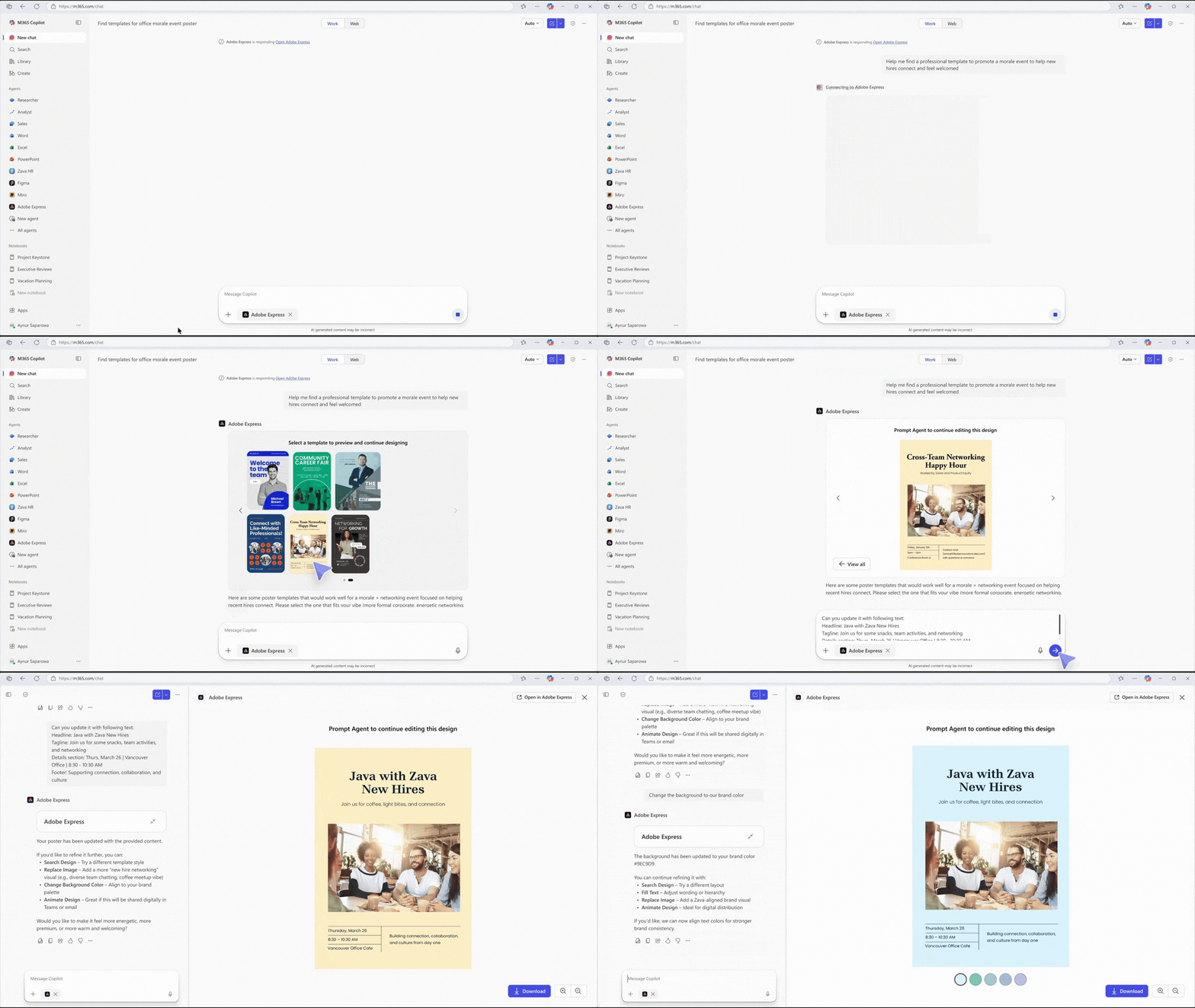
Adobe embeds creative and document workflows from Adobe Express, and soon Acrobat, natively into Copilot, enabling users to generate, review, and refine content without context switching. Users can preview Adobe assets in an interactive widget and apply real-time layered edits—like refining text, adjusting text and colors, and adding animations—directly within the Copilot experience, including Word, PowerPoint, and Excel files.
The Copilot integration allows Box AI Agent users to streamline previewing Box files right in the conversation, while also unlocking richer model context protocol (MCP)-powered workflows beyond search—with capabilities like Box Hubs creation and data extraction coming soon.

As teams take on new tools and new ways of working, the ability to build skills quickly becomes a competitive advantage. With Coursera in Microsoft 365 Copilot, employees can access trusted, job‑relevant learning in the flow of work—building critical skills connected to real work and organizational priorities, helping teams turn learning into impact.

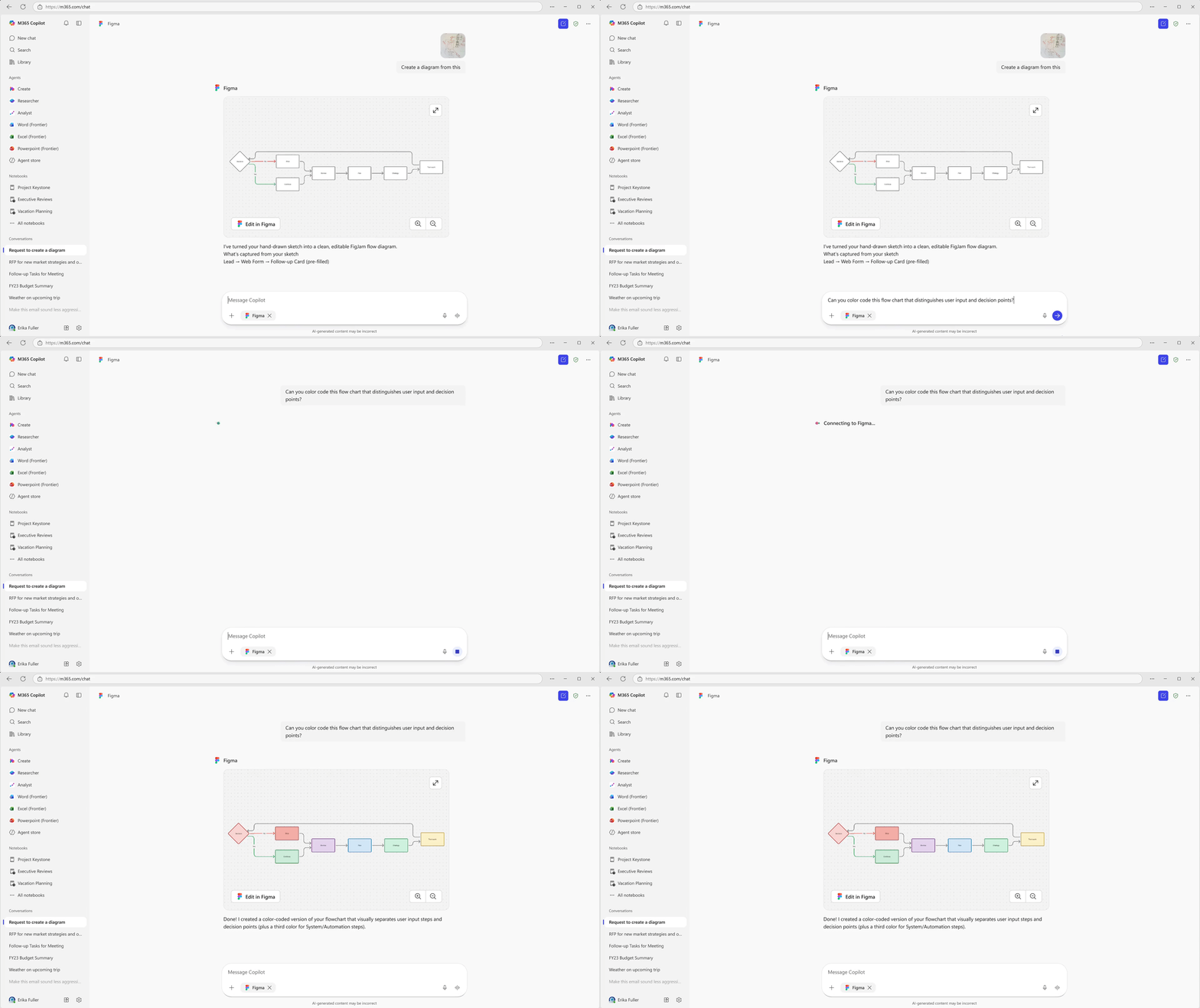
With the Figma app in Copilot, you can turn conversations into AI-generated FigJam diagrams to take ideas further. By connecting Figma with your favorite tools, it’s easier than ever to visualize, iterate, and collaborate with your entire team.
Your team can now create Miro boards—diagrams, flowcharts, timelines, sticky notes and more—directly from a Copilot conversation. No tab switching, no copy-pasting. Just prompt, visualize, and keep moving.

monday.com’s app in Copilot brings your boards and items into an interactive in-chat experience. With monday.com visual components surfaced directly in Copilot, employees can quickly grasp project status, act in context, and use AI to keep work moving.

Optimizely in Copilot allows users to create and manage campaigns, generate and edit images, analyze experiment results, and execute AI agents, without having to leave chat.
Wix Harmony in Copilot enables users to create and manage their website using natural language, directly from a Copilot conversation.
Base44 in Copilot enables users to create and build their application using natural language, directly from a Copilot conversation.
Once the apps your teams depend on are part of the conversation, the flow of work doesn’t have to stop at insight. Marketing teams can turn briefs into assets. Operations teams can update records. Project leads can approve requests, all without leaving Copilot or losing context along the way.
You can get started today by exploring what’s available in the Microsoft 365 Agent Store, and adding your organization’s approved apps directly into Copilot. For integrations that don’t exist yet, MCP Apps and Apps SDK provide a flexible path for development teams to build agents that connect Copilot to the tools and workflows unique to your business.
At the same time, IT administrators can deploy and manage these experiences confidently through the Microsoft 365 admin center, which provides the visibility and controls to scale agents securely across the organization.
AI shouldn’t just help you understand what to do next, it should help you do it. With Microsoft 365 Copilot, the same conversation that surfaces an idea can now carry it forward into action. The place where work begins is now the place where work gets done, bringing your apps into the flow of work and closing the gap between inspiration and outcome.
此内容由惯性聚合(RSS阅读器)自动聚合整理,仅供阅读参考。 原文来自 — 版权归原作者所有。