



惯性聚合 高效追踪和阅读你感兴趣的博客、新闻、科技资讯
阅读原文 在惯性聚合中打开

推荐订阅源

A
Arctic Wolf
T
Tenable Blog
T
Troy Hunt's Blog
Exploit-DB.com RSS Feed
P
Privacy & Cybersecurity Law Blog
NISL@THU
NISL@THU
Application and Cybersecurity Blog
H
Hacker News: Front Page
S
Secure Thoughts
AWS News Blog
AWS News Blog
L
LINUX DO - 最新话题
D
Darknet – Hacking Tools, Hacker News & Cyber Security
M
MIT News - Artificial intelligence
T
Tor Project blog
S
Schneier on Security
PCI Perspectives
PCI Perspectives
OSCHINA 社区最新新闻
OSCHINA 社区最新新闻
美团技术团队
Google DeepMind News
V
Visual Studio Blog
爱范儿
爱范儿
Google DeepMind News
Cyberwarzone
Cyberwarzone
T
The Exploit Database - CXSecurity.com
罗磊的独立博客
T
Threat Research - Cisco Blogs
Recent Commits to openclaw:main
V
V2EX
C
CXSECURITY Database RSS Feed - CXSecurity.com
Stack Overflow Blog
Stack Overflow Blog
freeCodeCamp Programming Tutorials: Python, JavaScript, Git & More
G
GRAHAM CLULEY
L
LINUX DO - 热门话题
D
Docker
J
Java Code Geeks
GbyAI
GbyAI
H
Heimdal Security Blog
The Hacker News
The Hacker News
MongoDB | Blog
MongoDB | Blog
V
Vulnerabilities – Threatpost
T
Tailwind CSS Blog
Cloudbric
Cloudbric
TaoSecurity Blog
TaoSecurity Blog
C
CERT Recently Published Vulnerability Notes
Y
Y Combinator Blog
Recorded Future
Recorded Future
Cisco Talos Blog
Cisco Talos Blog
T
Threatpost
The Register - Security
Hacker News - Newest:
Hacker News - Newest: "LLM"

博客园 - Adam.Zhao

简单示例理解神闭包 ejs 模板使用方法 我使用的开源组件汇总,以备学习使用 了不起的Node.js--之五 TCP连接 Windows7下Java运行时环境搭建 了不起的Node.js--之四 了不起的Node.js--之二 了不起的Node.js--之一 请大家有需要购物的到我的网站上吧。 AngularJS应用骨架 最近在研究google的angularjs 好久没有来写博客了 c#二进制文件数据转换base64字符串文本代码 ActionFilterAttribute做切面编程的Url的格式化例子 学习content-type 网站性能优化之服务端(一) 艺龙旅行网招聘了 关于项目管理的几点建议 HP CQ35 Windows7声卡驱动安装不上问题
了不起的Node.js--之三
Adam.Zhao · 2014-04-15 · via 博客园 - Adam.Zhao

开发工具:

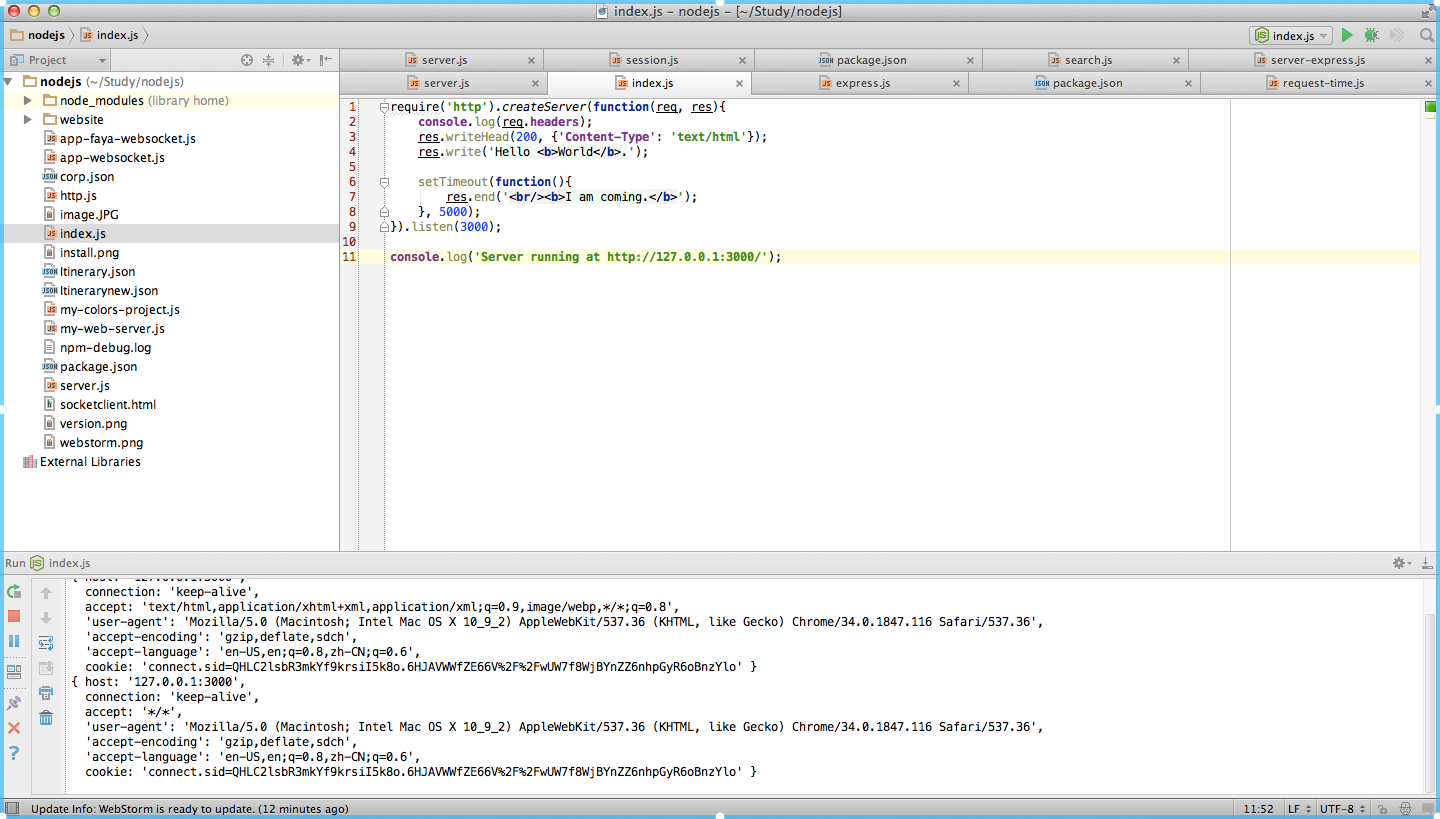
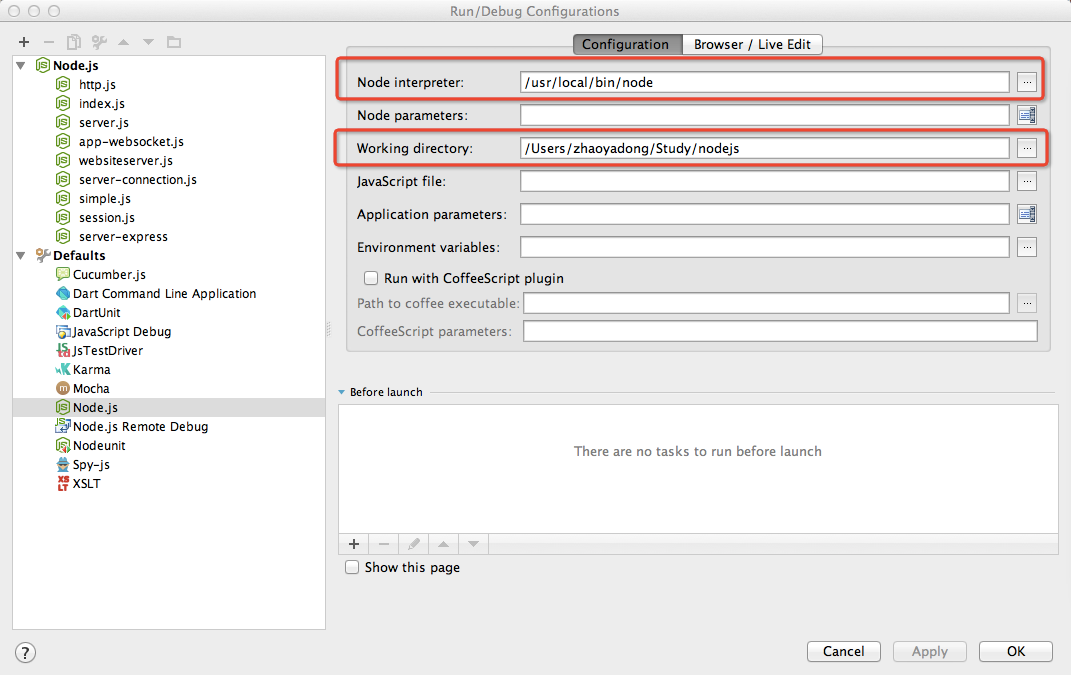
我使用的开发工具是Mac版的WebStorm,这个工具支持Nodejs,只要按照如下步骤设置即可以支持

1、WebStorm的开发界面,这个开发工具还是非常好用的。
2、WebStorm的Nodejs配置
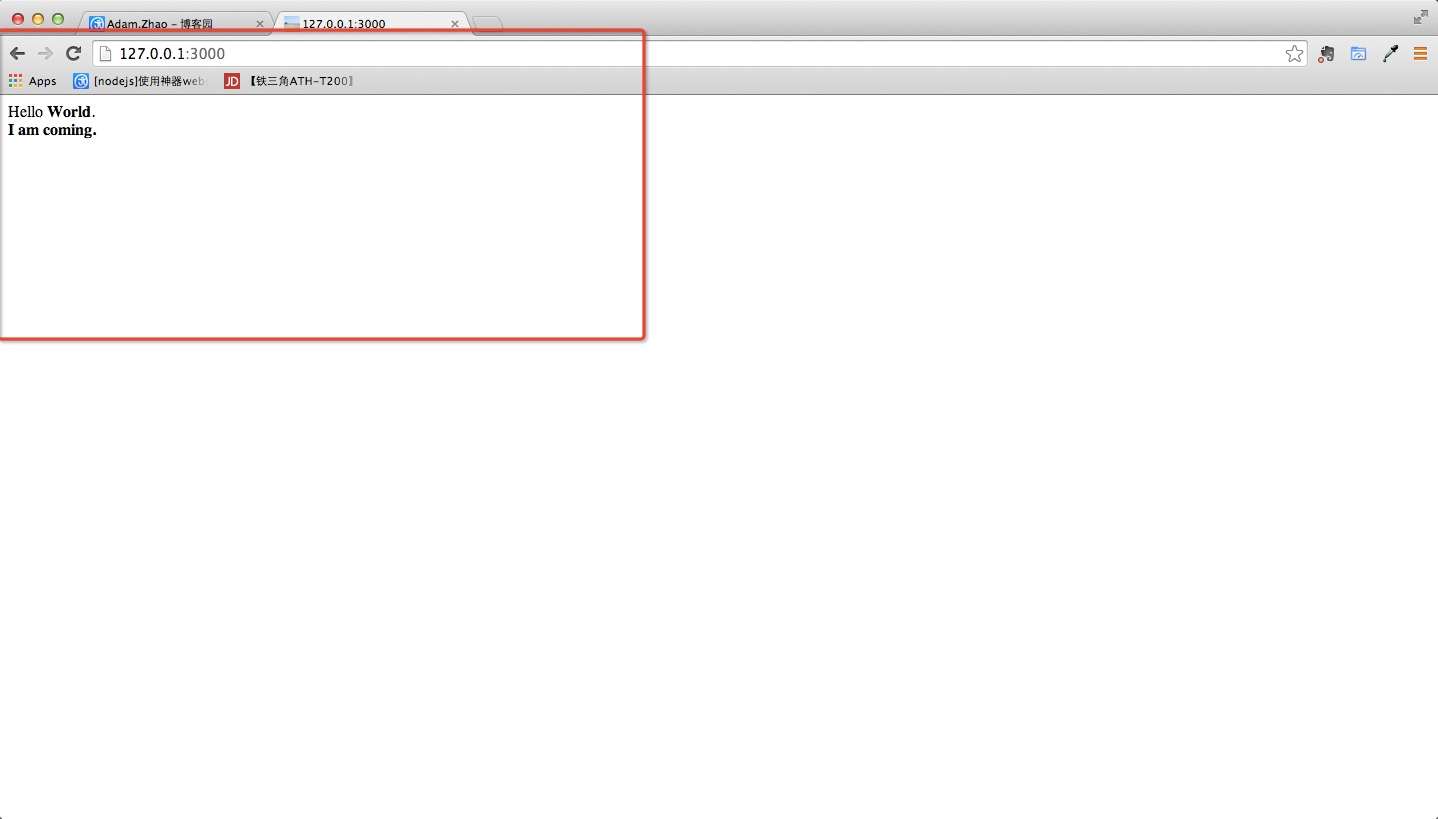
3、开始运行了,看看效果
4、最简单的测试程序的源代码:

require('http').createServer(function(req, res){
    console.log(req.headers);
    res.writeHead(200, {'Content-Type': 'text/html'});
    res.write('Hello <b>World</b>.');

    setTimeout(function(){
        res.end('<br/><b>I am coming.</b>');
    }, 5000);
}).listen(3000);

console.log('Server running at http://127.0.0.1:3000/');

posted @ 2014-04-15 21:23  Adam.Zhao  阅读(287)  评论(0)    收藏  举报