惯性聚合 高效追踪和阅读你感兴趣的博客、新闻、科技资讯
阅读原文 在惯性聚合中打开

推荐订阅源

S
Secure Thoughts
T
The Exploit Database - CXSecurity.com
C
CERT Recently Published Vulnerability Notes
P
Palo Alto Networks Blog
T
Threatpost
cs.AI updates on arXiv.org
T
Tenable Blog
F
Full Disclosure
TaoSecurity Blog
TaoSecurity Blog
I
InfoQ
AI
AI
云风的 BLOG
云风的 BLOG
K
Kaspersky official blog
Microsoft Azure Blog
S
SegmentFault 最新的问题
Y
Y Combinator Blog
GbyAI
GbyAI
Cyber Security Advisories - MS-ISAC
P
Privacy International News Feed
aimingoo的专栏
aimingoo的专栏
罗磊的独立博客
酷 壳 – CoolShell
酷 壳 – CoolShell
I
Intezer
L
Lohrmann on Cybersecurity
博客园_首页
量子位
Blog — PlanetScale
Blog — PlanetScale
The Last Watchdog
The Last Watchdog
Cisco Talos Blog
Cisco Talos Blog
博客园 - 叶小钗
Application and Cybersecurity Blog
Help Net Security
Help Net Security
Security Archives - TechRepublic
Apple Machine Learning Research
W
WeLiveSecurity
N
News and Events Feed by Topic
S
Schneier on Security
T
Tor Project blog
MongoDB | Blog
MongoDB | Blog
博客园 - 三生石上(FineUI控件)
V
Visual Studio Blog
T
Threat Research - Cisco Blogs
H
Help Net Security
V
V2EX
cs.CV updates on arXiv.org
Exploit-DB.com RSS Feed
S
Security @ Cisco Blogs
博客园 - Franky
有赞技术团队
有赞技术团队
Martin Fowler
Martin Fowler

博客园 - 害羞的狮子王

无责任Windows Azure SDK .NET开发入门篇三[使用Azure AD 管理用户信息--3.5 Delete删除用户] 无责任Windows Azure SDK .NET开发入门篇三[使用Azure AD 管理用户信息--3.4 Edit修改用户信息] 无责任Windows Azure SDK .NET开发入门篇三[使用Azure AD 管理用户信息--3.3 Details用户详细信息] 无责任Windows Azure SDK .NET开发入门篇三[使用Azure AD 管理用户信息--3.2 Create创建用户] 无责任Windows Azure SDK .NET开发入门篇三[使用Azure AD 管理用户信息--3.1 Index用户列表] 无责任Windows Azure SDK .NET开发入门篇三[使用Azure AD 管理用户信息] 无责任Windows Azure SDK .NET开发入门篇二[使用Azure AD 进行身份验证-2.2身份验证开发] 无责任Windows Azure SDK .NET开发入门篇二[使用Azure AD 进行身份验证--2.1使用Azure AD需要了解几个概念] 无责任Windows Azure SDK .NET开发入门篇二[使用Azure AD 进行身份验证] 无责任Windows Azure SDK .NET开发入门篇一[Windows Azure开发前准备工作] 建立小型开发团队的工作协作:翻译工作 建立小型开发团队的工作协作:讨论区 建立小型开发团队的工作协作:BugList 建立小型开发团队的工作协作:简单的文档管理 建立小型开发团队的工作协作:管理调查和投票 建立小型开发团队的工作协作:管理链接 建立小型开发团队的工作协作:总览效果图 感谢微软BPOS4China技术支持组 远程为服务器安装Windows 2008 Server
建立小型开发团队的工作协作:任务日历
害羞的狮子王 · 2009-10-21 · via 博客园 - 害羞的狮子王

要记住最近的任务安排,或者在答应一个任务前考虑到资源的独占性向来是一个比较头痛的问题。BPOS的日历可以非常好的帮助我们实现。

这里还是先说下简单的日历实现方式。

在创建页面选择日历
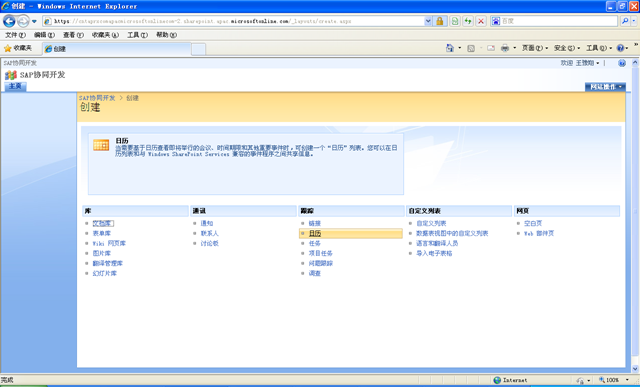
image

简单的日历创建没有过多的选择,你仅可以输入日历的名称和是否可以在快速启动栏上出现
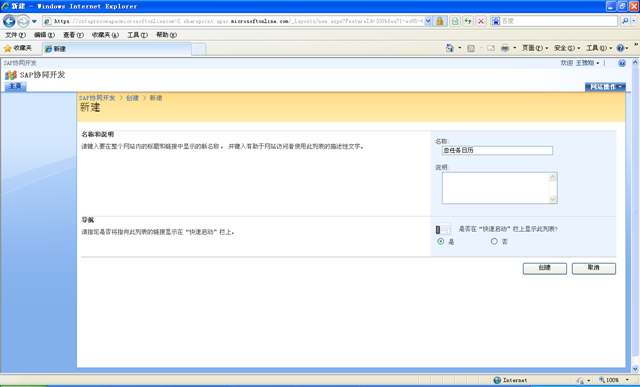
image

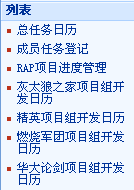
你可以根据任务或分配对象设计多个不同的日历,以便可以管理不同种类的任务

image

日历默认的样式是月历模式的

image

其中的内容是怎么添加的呢?也很简单。对日历新建(他的新建默认就一项,以后我们会讨论复杂的方式)

image

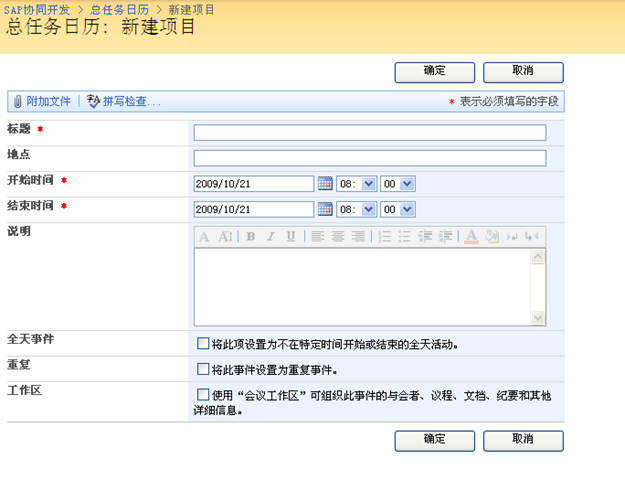
进入新项目的页面

image

这个页面需要关注的有三个地方

开始和结束时间:默认是需要填写 年月日 时分秒的
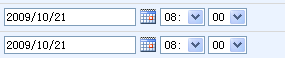
image

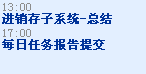
这种标准的任务结果在日历的呈现大致如下

image

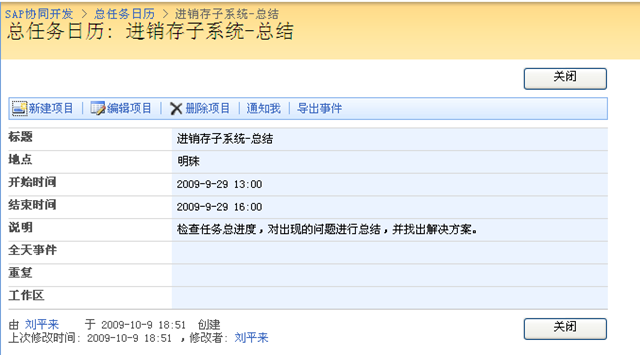
点击任务可以查看任务的详细信息

image

要是如果我们选择了

image

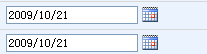
那么我们就不需要填写具体的时分秒了,日期的样式就成了

image

在日历中呈现任务的时候,就没有了具体的时间

image

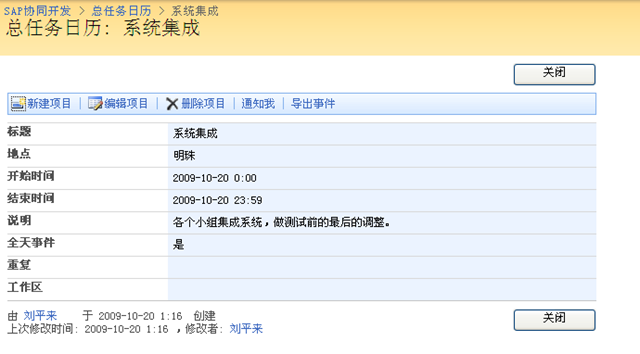
点击这个任务我们可以看到,任务被安排的周期其实是0:0到23:59

image

如果我们选择了image

则没有开始和结束日期,而是出现另一种日期配置

image

那么他自己会在相应的每一天中加入一的任务,看下面的重复任务

image

你可以看到,日历自动的为每天添加了这个任务,作为提醒是非常不错的选择

image

如果你的任务的日期是跨日的,那么显示的情况就是

image

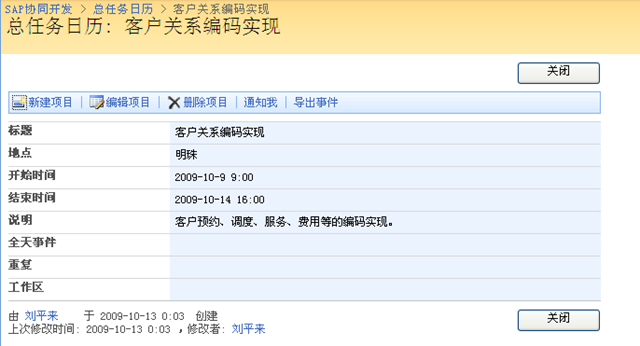
点击你可以看到

image