












来自:http://www.hjgode.de/wp/2010/10/11/windows-mobile-hide-startbutton-in-winmo-6-5-x/
Here is a very short tip based on a finding at xda-developers.com
For kiosk mode applications you dont want the user access the device settings or the start menu and all the programs and games accessible from there. One step to this kiosk mode is disabling the Start Button, the button that opens a menu to access programs and settings.
In versions of windows mobile before 6.5.3, you could disable access to the start button by subclassing HHTaskbar and discard clicks in the Start button area or simply disable the whole HHTaskbar window.
Now, with windows mobile 6.5.3 the start button is part of the menu bar and no longer part of the taskbar (which is now called MenuBar). To hide the start button on a windows Mobile 6.5.x device you can use following registry change:
[HKEY_LOCAL_MACHINE\Software\Microsoft\Shell\BubbleTiles] "TextModeEnabled"=dword:00000001 "HardwareStartKeyEnabled"=dword:00000001 "HardwareDoneKeyEnabled"=dword:00000001
With this change the “MenuBar” will no longer show the Start Button graphic nor the Done button, Windows Mobile will no longer decorate the menu texts . Only two menu entries will now show on bottom of the today screen.
TextModeEnabled switches the display of soft menu entries from the default graphic tiles display to a text only display as it was and is in windows mobile 6.1.
HardwareStartKeyEnabled controls the display of the Start button (the big windows start symbol on the left of the soft menu). If you change to enabled (0×01) you dont get a start button and have to use a key on your keypad to launch the start screen!
HardwareDoneButton controls the display of the Done button at the right of the menu bar (the big (X)). When enabled, you have no chance to close apps that do not have an exit option in there menu, except you have a key on on your keyboard assigned to the Done function! Done now not only hides an app, with winmo 6.5 the app is closed and removed from memory now.
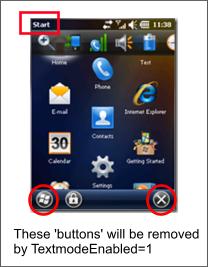 The Start entry at top left corner remains there but is only an indicator.
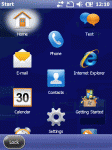
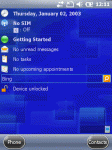
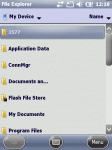
NO more Start Button, No more Done (X) Button
When you reboot the device, the change will be applied and you will see the Today screen with two menu shortcuts in the menubar at the bottom. On a prof. device this may be (Phone) and (Contacts). These buttons are also called SoftKeys and you can change there behaviour using the registry:
[HKLM\Software\Microsoft\CHome\SK1URL] "Open"= <handling app> [HKEY_CURRENT_USER\SOFTWARE\Microsoft\Today\Keys\112] @="<SK label>" "Open"= <handling app>
(use SK2 for the second softkey)
So you may use these SoftKeys to enable the user to start your Kios application.
You should be aware of that if you dont have a key assigned to VK_LWIN (the Win key), you will never be able to switch to the Start Menu or now called Home Screen!
If an application is started and does not have a Exit menu, you will not be able to get back to the today screen. If you disable the TitleBar (HHTaskbar) you will also not be able to open any of the settings and informations available thru the TitleBar (ie battery status, clock settings, volume settings).
The TitleBar normally will get a “Start Menu” entry to the left. But with TextmodeEnabled=1 this will not be the case! So no way back to Today Screen and no way to get to the Start Menu with all the programs or the Home Screen.
Happy kiosk mode coding.
此内容由惯性聚合(RSS阅读器)自动聚合整理,仅供阅读参考。 原文来自 — 版权归原作者所有。