惯性聚合 高效追踪和阅读你感兴趣的博客、新闻、科技资讯
阅读原文 在惯性聚合中打开

推荐订阅源

P
Privacy International News Feed
A
Arctic Wolf
Security Latest
Security Latest
雷峰网
雷峰网
V2EX - 技术
V2EX - 技术
钛媒体:引领未来商业与生活新知
钛媒体:引领未来商业与生活新知
S
Schneier on Security
WordPress大学
WordPress大学
J
Java Code Geeks
宝玉的分享
宝玉的分享
T
The Exploit Database - CXSecurity.com
T
Troy Hunt's Blog
Scott Helme
Scott Helme
爱范儿
爱范儿
罗磊的独立博客
Apple Machine Learning Research
Application and Cybersecurity Blog
I
Intezer
博客园 - 【当耐特】
T
Threat Research - Cisco Blogs
L
LINUX DO - 最新话题
W
WeLiveSecurity
K
Kaspersky official blog
Google Online Security Blog
IT之家
IT之家
N
News and Events Feed by Topic
The Hacker News
The Hacker News
Know Your Adversary
Know Your Adversary
小众软件
小众软件
博客园 - 叶小钗
Latest news
Latest news
P
Proofpoint News Feed
G
GRAHAM CLULEY
Schneier on Security
T
Tor Project blog
cs.CL updates on arXiv.org
T
Tailwind CSS Blog
让小产品的独立变现更简单 - ezindie.com
Recent Commits to openclaw:main
Project Zero
Project Zero
The Cloudflare Blog
美团技术团队
大猫的无限游戏
大猫的无限游戏
S
Secure Thoughts
量子位
奇客Solidot–传递最新科技情报
奇客Solidot–传递最新科技情报
博客园_首页
Jina AI
Jina AI
V
Visual Studio Blog
Help Net Security
Help Net Security

博客园 - 电电儿

FME Cloud 账号申请流程 FME中通过HTMLExtractor向HTML要数据 在windows 2003下安装 django + apache + mod_python arcgis中坐标系统的简单描述 arcgis 中利用txt坐标文件创建要素的办法,含txt文件详细格式~ Django静态文件配置备忘录 【转】ARCSDE+ORACLE备份 测量坐标系中单个多边形面积解析法计算的程序源代码 - 电电儿 - 博客园 测试oracle with as System.Data.SQLite测试 oracle左右连接的另外表示方法 Oracle 函数大全(字符串函数,数学函数,日期函数,逻辑运算函数,其他函数) Oracle中的Union、Union All、Intersect、Minus inner join,full outer join,left join,right join,cross join Oracle中的自连接(self join) Oracle 中的natural join (自然连接) ORACLE JOIN 用正则表达式分析正则表达式!求正则表达式组数~ - 电电儿 - 博客园 BoooLee pyretoolkit -- 一个基于python re模块的在线正则表达式测试工具
GDAL 在windows python环境下的安装步骤
电电儿 · 2009-09-01 · via 博客园 - 电电儿

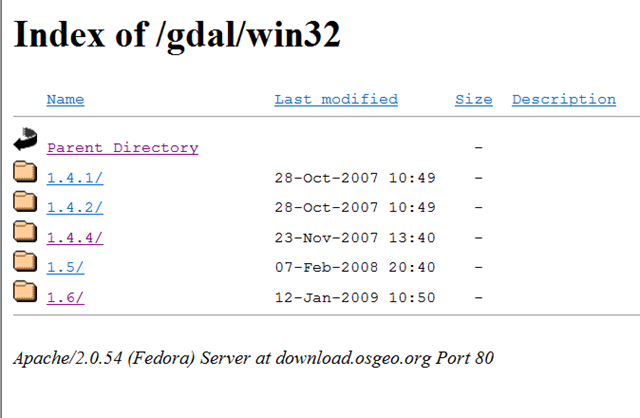
1、去http://www.gdal.org/下载GDAL库,如果你对C++代码编译也很在行可以下载源代码,然后本地自行编译,这个方法网上介绍很多了,我不是C++程序员,所以我选择另外一种方式,去http://download.osgeo.org/gdal/win32/下载已经编译好的代码,这个地址的内容类似下面:
image

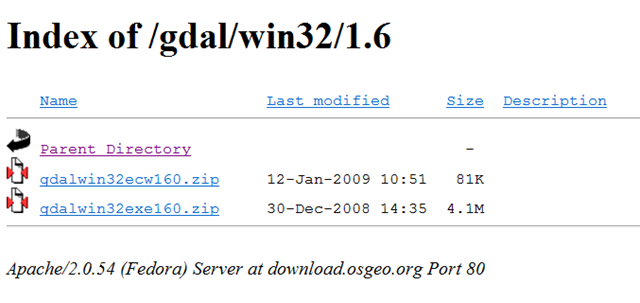
根据需要下载进入相应版本的目录,比如1.6这个版本的目录里,内容如下

image

qdalwin32exe160.zip就是已经编译好的库文件,下载解压到一个目录里,比如c:\qdal,然后设置系统PATH,追加这个目录c:\qdal\bin,再添加一个名为GDAL_DATA系统变量,值为c:\qdal\data。

前往http://pypi.python.org/pypi/GDAL/,下载python的绑定库并安装。

为了验证是否安装成功,可以执行下列命令:

>>>from osgeo import gdal

>>>from osgeo.gdalconst import *

>>>dataset=gdal.Open(‘d:/test.jpg’,GA_ReadOnly)

>>>dataset.GetDriver().ShortName

>>>'JPEG’

如果没有错误提示,就表明库已经安装好了。