




开发过程中,经常遇到html被压缩了无法查看,需要对html进行格式化,
或者html写的比较乱,需要格式化, 那么HTML格式化的方式有哪些?
总结下来有几种:
1.手动编辑:使用编辑器手动对HTML代码进行格式化和缩进。
2.在线工具:使用在线HTML格式化工具,如Code Beautify、HTML Formatter等。
3.文本编辑器插件:使用文本编辑器插件,如Notepad++等。
4.代码编辑器:使用代码编辑器,如Sublime Text、Atom等,这些编辑器都有插件或扩展可用于格式化HTML代码。
5.命令行工具:使用命令行工具,如HTML Tidy、HTML Beautifier等。
6.自动化工具:使用自动化工具,如Gulp、Grunt等,这些工具可以自动化地格式化HTML代码
其实,基本上没有必要自己实现,比如 这些在线工具可以直接实现, 直接打开:
https://www.guud.cn/tools/html-formatter.html
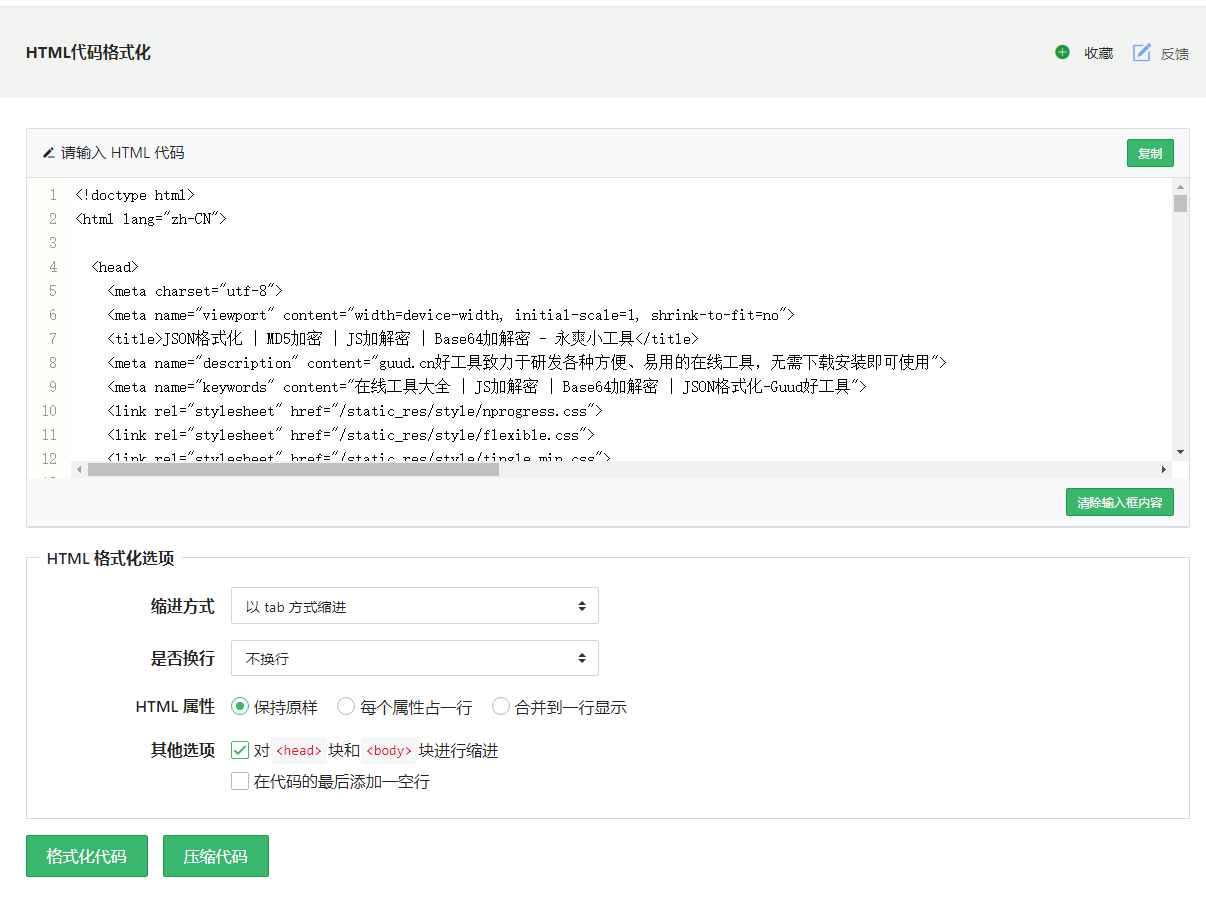
查看源码可知,使用的是
 1 /*
 2   源码地址
 3   https://www.guud.cn/tools/html-formatter.html
 4 */
 5 var options = {
 6     "indent_size": indent_size,
 7     "indent_char": indent_char,
 8     "max_preserve_newlines": "5",
 9     "preserve_newlines": true,
10    "keep_array_indentation": false,
11    "break_chained_methods": false,
12    "indent_scripts": "normal",
13    "brace_style": "collapse",
14    "space_before_conditional": true,
15    "unescape_strings": false,
16    "jslint_happy": false,
17    "end_with_newline": end_with_newline,
18    "wrap_line_length": wrap_line_length,
19    "indent_inner_html": indent_inner_html,
20    "comma_first": false,
21    "e4x": false,
22    "indent_empty_lines": false
23 };
24
25
26 sFormat = html_beautify(text, options);
使用的是 beautify-html 组件
此内容由惯性聚合(RSS阅读器)自动聚合整理,仅供阅读参考。 原文来自 — 版权归原作者所有。