



惯性聚合 高效追踪和阅读你感兴趣的博客、新闻、科技资讯
阅读原文 在惯性聚合中打开

推荐订阅源

WordPress大学
WordPress大学
The Register - Security
Hugging Face - Blog
Hugging Face - Blog
博客园 - 聂微东
GbyAI
GbyAI
Recent Commits to openclaw:main
博客园_首页
D
Docker
S
Security @ Cisco Blogs
K
Kaspersky official blog
爱范儿
爱范儿
Simon Willison's Weblog
TaoSecurity Blog
TaoSecurity Blog
V
V2EX
C
CXSECURITY Database RSS Feed - CXSecurity.com
T
Troy Hunt's Blog
Cloudbric
Cloudbric
博客园 - 三生石上(FineUI控件)
Cyber Security Advisories - MS-ISAC
The Hacker News
The Hacker News
美团技术团队
S
SegmentFault 最新的问题
L
Lohrmann on Cybersecurity
cs.AI updates on arXiv.org
宝玉的分享
宝玉的分享
The Last Watchdog
The Last Watchdog
Y
Y Combinator Blog
M
MIT News - Artificial intelligence
钛媒体:引领未来商业与生活新知
钛媒体:引领未来商业与生活新知
奇客Solidot–传递最新科技情报
奇客Solidot–传递最新科技情报
CTFtime.org: upcoming CTF events
Martin Fowler
Martin Fowler
Google Online Security Blog
K
KPMG report finds enterprise disconnect between AI and its ROI | CIO
C
Cybersecurity and Infrastructure Security Agency CISA
T
Tor Project blog
Vercel News
Vercel News
The Cloudflare Blog
G
Google Developers Blog
T
Threat Research - Cisco Blogs
AI
AI
Stack Overflow Blog
Stack Overflow Blog
I
InfoQ
Scott Helme
Scott Helme
S
Schneier on Security
大猫的无限游戏
大猫的无限游戏
The GitHub Blog
The GitHub Blog
S
Securelist
IT之家
IT之家
Microsoft Azure Blog

博客园 - Timothy Ye

扩展方法使用小结 IIS7中Host WCF遇到的问题 博客园字体美化小技巧 - Timothy Ye - 博客园 个人闲置物品挥泪处理(8月27日更新) Visual Studio IDE配色方案 HTC Touch Pro 的重力感应功能 C# IDE Mobile – Write your C# code anywhere! Visual Studio 2010 Beta1 is available for download 小黑降温记 Windows 7 新特性体验 Unity 学习笔记(3) -- 生命周期管理 换了新鼠标 Unity 学习笔记(2) -- 配置文件的使用 Unity 学习笔记(1) -- Unity简介及简单使用 SQL中的日期计算 快速开启、屏蔽Vista下的UAC提示 Dynamic Plugins Manager (五) Plugins Manager 源码下载 Dynamic Plugins Manager (四) 插件及Demo源码下载 Dynamic Plugins Manager (三) Demo
Microsoft My Phone 体验
Timothy Ye · 2009-03-07 · via 博客园 - Timothy Ye

2009-03-07 23:40  Timothy Ye  阅读(296)  评论()    收藏  举报

21世纪什么最重要?当然是手机里面的联系人和电话号码!没法想象,当你的手机遗失的时候,往往令人遗憾的或许不是手机本身,而是手机上成百上千联系人号码的丢失,就算你重新换了手机,你的朋友、同事的电话号码也只有一个一个的重新录入,那真是相当的折磨人啊……

不过现在Windows Mobile的用户有福气了,微软新推出的MyPhone服务,能彻底让你远离这样的噩梦,使用MyPhone,能自动帮你同步你的联系人电话号码、短信、手机里面的相片、音乐到网上,就算你的手机不幸遗失了,联系人还在,这可方便多了。不过现在MyPhone刚开放Beta版本供用户使用,使用前需要申请排队。

等了几天,终于等到了申请回复的邮件,于是今天我也打算来MyPhone一把。不说了,直接上图体验!
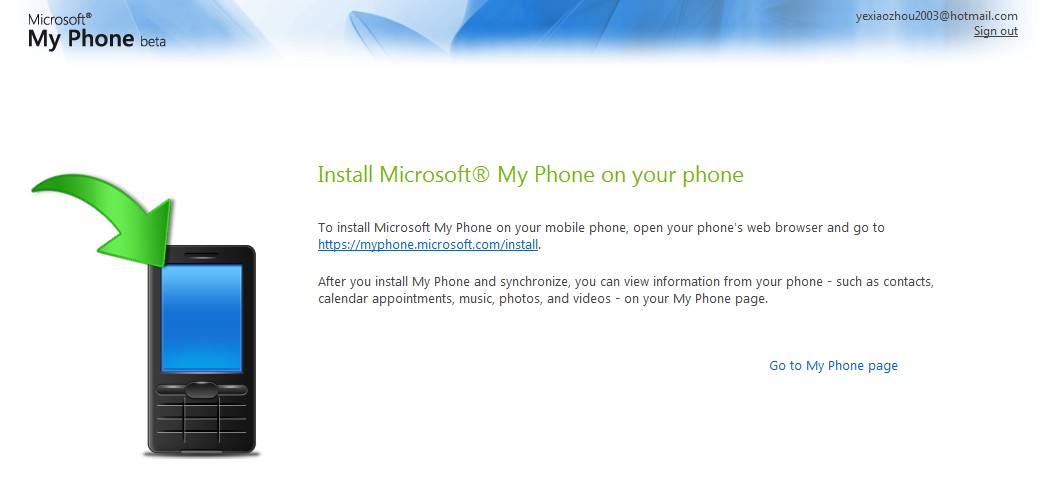
 

MyPhone的安装界面,需要下载相应的软件到你的Windows Mobile手机并安装
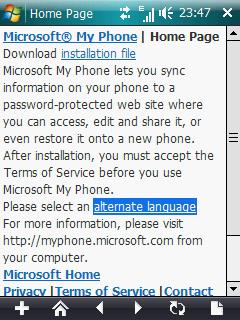
 

手机访问安装包的网址,下载安装包到手机并安装
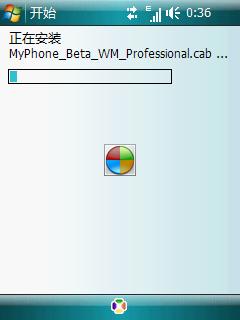
 

安装过程
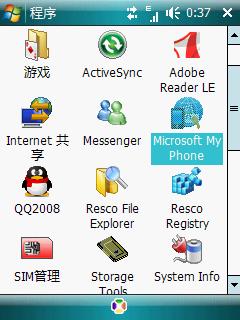
 

安装过后的程序图标


初次运行


使用MyPhone需要Windows Live ID登录
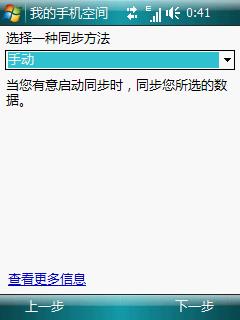
 

选择同步方法
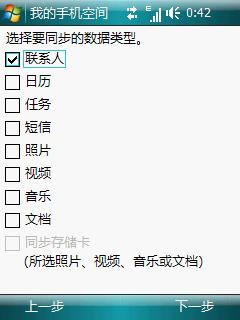
 

选择需要同步的内容


开始同步了
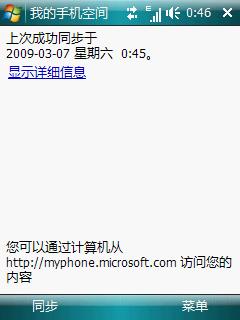
 

同步完成,这样也可以通过PC上的浏览器查看同步到网上的内容了
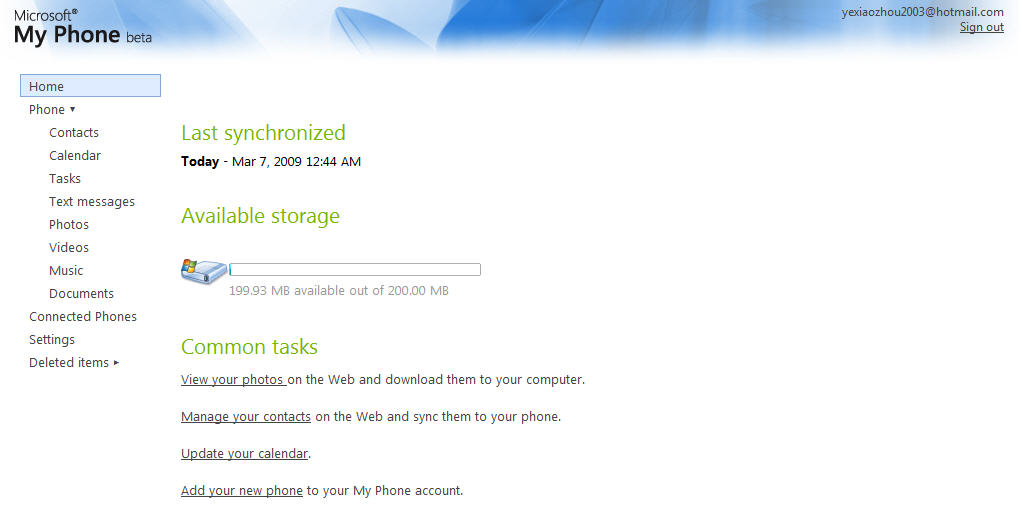
 

MyPhone的Web登录界面,左边的菜单项目,和手机上同步的内容选项一致
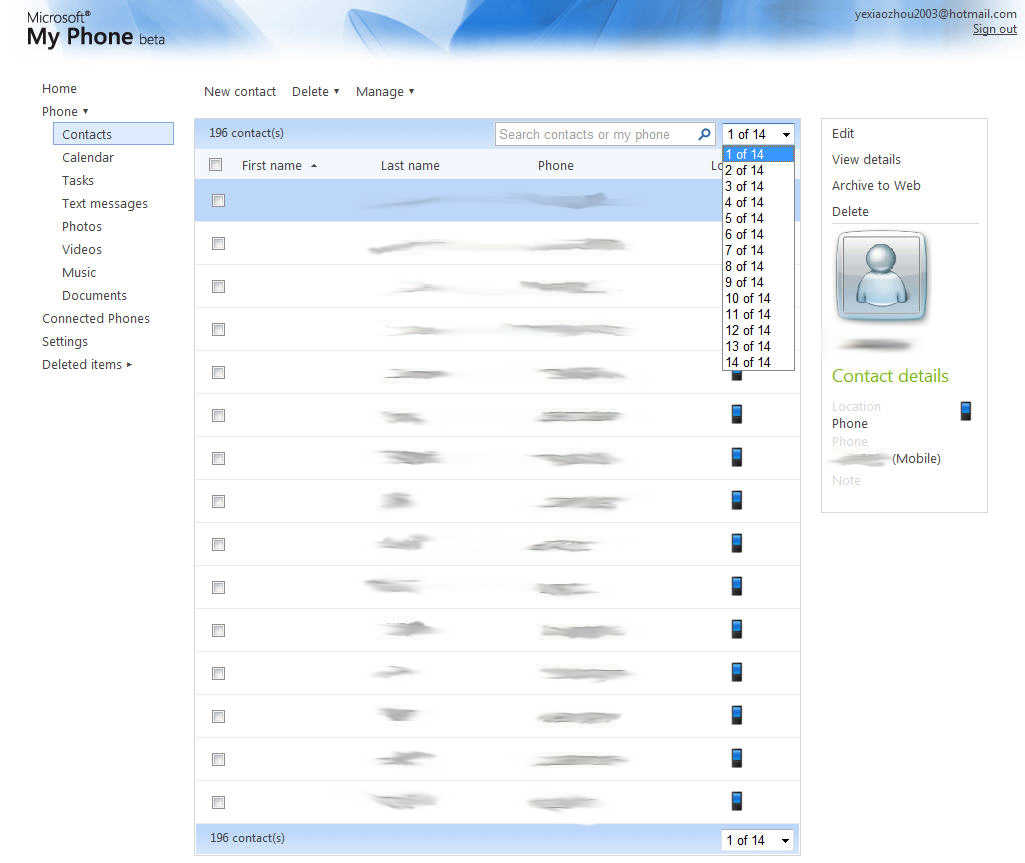
 

这就是从手机自动同步到网上的联系人列表,具体的内容被我PS掉了。呵呵