









2009-04-25 20:24 Timothy Ye 阅读(952) 评论() 收藏 举报
在Unity的配置中,使用配置文件也是一种非常灵活的方式,毕竟能够通过修改配置文件的文本就能达到改动的目的,而不需要对源码进行改动、重新编译。使用配置文件对Unity进行配置,需要增加两个程序集的引用:System.Configuration和Microsoft.Practices.Unity.Configration,并且在代码中用相应的两个命名空间:
1: using System.Configuration;
2: using Microsoft.Practices.Unity.Configuration;
此外,需要修改应用程序的配置文件:
在configSections节点中,加入Unity的section配置信息
1: <configSections> 2: ... 3: <section name="unity"
4: type="Microsoft.Practices.Unity.Configuration.UnityConfigurationSection, Microsoft.Practices.Unity.Configuration, Version=1.2.0.0, Culture=neutral, PublicKeyToken=31bf3856ad364e35"/>
5: </configSections>其中name是section的名称,type就是处理该section的程序类型,Unity提供了UnityConfigurationSection,负责处理配置文件信息,它包含在程序集Microsoft.Practices.Unity.Configuration中
接下来,需要在configuration节点中增加Unity配置节点,格式如下:
1: <unity> 2: <typeAliases> 3: <typeAlias alias="" type="" />
4: <typeAliases /> 5: <containers > 6: <container> 7: <types> 8: <type type="" mapTo="" />
9: </types> 10: <instances> 11: <add name="" type="" value="" />
12: </instances> 13: </container> 14: </containers> 16: </unity> unity的子元素,包含节点大致如上,其宗typeAliases是type别名,能够简化下面types中type的配置。containers节点中可以包含多个container的配置。container主要包含的子元素有types元素,instance元素,types元素可以包含多个type元素,用以添加注册类型,instance主要用来添加实例到容器中。type元素,主要包含四个属性:
name:表示注册类型的名称,此属性在配置中可选。
type:注册的源类型
mapto:注册的目标类型
lifetime:设置注册类型的生命周期
此外,还有instances元素,包括name,type,value,typeConverter四个属性。value表示注册实例的初始值,typeConverter是用以转换提供的值到实例的匹配类型的类型转换器。
具体的元素含义,可以参考Unity的帮助文档。
下面我们还是采用Monitor的例子,来实现用配置文件注册类型,配置文件示例:
1: <?xml version="1.0" encoding="utf-8" ?>
2: <configuration> 3: <configSections> 4: <section name="unity" type="Microsoft.Practices.Unity.Configuration.UnityConfigurationSection, Microsoft.Practices.Unity.Configuration" />
5: </configSections> 6: 7: <unity> 8: <containers> 9: <container> 10: <types> 11: <type type="UnityDemo.IMonitor,UnityDemo" mapTo="UnityDemo.Monitor,UnityDemo" />
12: <type type="UnityDemo.INotify,UnityDemo" mapTo="UnityDemo.EmailNotify,UnityDemo" />
13: </types> 14: </container> 15: </containers> 16: </unity> 17: 18: </configuration>程序代码修改如下:
1: using System;
2: 3: using Microsoft.Practices.Unity;
4: using Microsoft.Practices.Unity.Configuration;
5: using System.Configuration;
6: 7: namespace UnityDemo
8: { 9: class Program
10: { 11: static void Main(string[] args)
12: { 13: IUnityContainer container = new UnityContainer();
14: UnityConfigurationSection section = (UnityConfigurationSection)ConfigurationManager.GetSection("unity");
15: section.Containers.Default.Configure(container); 16: 17: IMonitor monitor = container.Resolve<IMonitor>(); 18: monitor.Alarm(); 19: 20: Console.ReadLine(); 21: } 22: } 23: }编译运行结果: 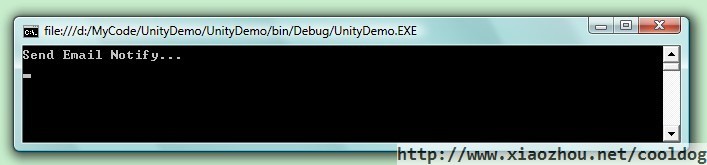
使用配置文件,还有许多方便的地方,比如对于程序的扩展而言,新增的模块不再需要修改已编译好的程序,而只需要修改配置文件就可以方便的实现新模块的注册,对于系统的稳定性和可维护性都非常有好处。
此内容由惯性聚合(RSS阅读器)自动聚合整理,仅供阅读参考。 原文来自 — 版权归原作者所有。