惯性聚合 高效追踪和阅读你感兴趣的博客、新闻、科技资讯
阅读原文 在惯性聚合中打开

推荐订阅源

酷 壳 – CoolShell
酷 壳 – CoolShell
H
Hacker News: Front Page
P
Palo Alto Networks Blog
T
ThreatConnect
Apple Machine Learning Research
博客园_首页
T
True Tiger Recordings
P
Privacy & Cybersecurity Law Blog
B
Blog
IT之家
IT之家
Last Week in AI
Last Week in AI
F
Full Disclosure
Hacker News: Ask HN
Hacker News: Ask HN
C
Comments on: Blog
Microsoft Azure Blog
C
Cybersecurity and Infrastructure Security Agency CISA
Microsoft Security Blog
博客园 - 【当耐特】
N
News and Events Feed by Topic
NISL@THU
NISL@THU
腾讯CDC
雷峰网
雷峰网
Security Latest
Security Latest
李成银的技术随笔
M
Microsoft Research Blog - Microsoft Research
L
LangChain Blog
L
Lohrmann on Cybersecurity
cs.CL updates on arXiv.org
C
Check Point Blog
Y
Y Combinator Blog
Recent Announcements
博客园 - Franky
N
News | PayPal Newsroom
V
V2EX
A
About on SuperTechFans
The Register - Security
月光博客
月光博客
奇客Solidot–传递最新科技情报
奇客Solidot–传递最新科技情报
Google Online Security Blog
MyScale Blog
MyScale Blog
Cisco Talos Blog
Cisco Talos Blog
Vercel News
Vercel News
WordPress大学
WordPress大学
C
Cyber Attacks, Cyber Crime and Cyber Security
The Hacker News
The Hacker News
IntelliJ IDEA : IntelliJ IDEA – the Leading IDE for Professional Development in Java and Kotlin | The JetBrains Blog
爱范儿
爱范儿
A
Arctic Wolf
L
LINUX DO - 最新话题
freeCodeCamp Programming Tutorials: Python, JavaScript, Git & More

博客园 - sdxd.bgl

将SQL Server中的数据显示到SharePoint中 - sdxd.bgl 拓展训练总结 在PowerShell中,如何获取SharePoint的默认数据库服务器 在SharePoint页面中如何显示来自其他网站的List 恢复导出XSLT List View WebPart - sdxd.bgl 实战部署FAST Search Server 2010 for SharePoint Sharepoint开发中代码运行权限级别 晒晒我的家乡 关于模式的思考 小心委托 利用System.Linq.Expressions实现四则运算计算器(三) 利用System.Linq.Expressions实现四则运算计算器(二) 利用System.Linq.Expressions实现四则运算计算器(一) 初识System.Linq.Expressions 请拆招:将两个已排序集合分解成两个独立部分的集合和一个共有部分的集合? 如何实现Windows服务 用javascript实现下拉列表的自动筛选功能 - sdxd.bgl - 博客园 我的生活 电脑是个神奇的东西!
在InfoPath中如何获取当前用户的信息(Profile)
sdxd.bgl · 2011-02-11 · via 博客园 - sdxd.bgl

InfoPath本身提供了一个函数UserName()用于获取当前用户,但这个函数只能获取到登录名后面一段。假如当前用户是Domain\User1,用函数UserName()获取到的值是User1。在单域环境下使用UserName()函数是没有问题的。但是遇到复杂的域环境时,该函数就无法满足用户的需要了。比如User1同时在Domain0和Domain1中都有用户名称为User1的用户:Domain0\User1和Domain1\User1。InfoPath的函数UserName()是无法区分这两个名称的。

为了解决这个问题,我在网上搜了好长时间,最后终于找到彻底的解决办法。在此分享给各位网友。

有个前提,就是我使用InfoPath是在SharePoint上填写表单的情况,因此获取当前用户的方法是从SharePoint的UserProfileService中获取的。如果不是在SharePoint填写表单的情况,下面所述方法可能不适合您。
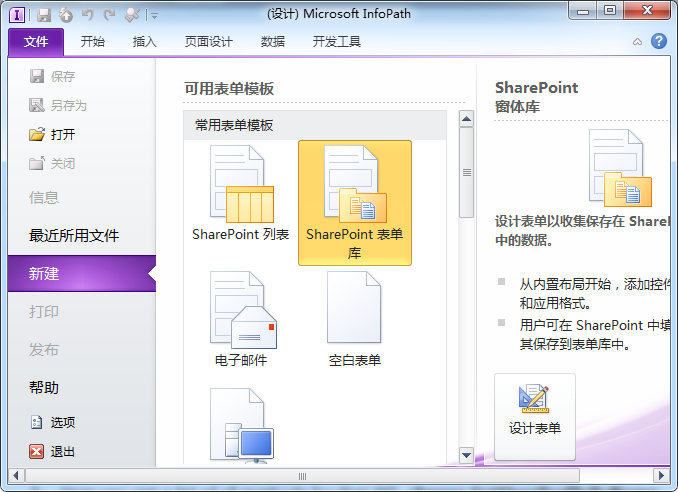
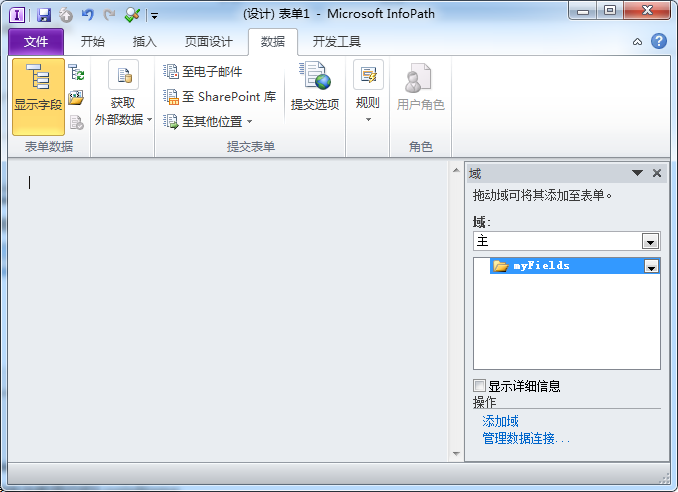
第一步:用SharePoint表单库模板新建一个InfoPath表单

image

第二步:为UserProfileService建立数据连接

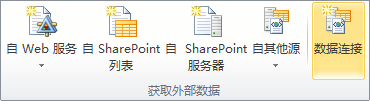
在功能区中选择数据连接:

image

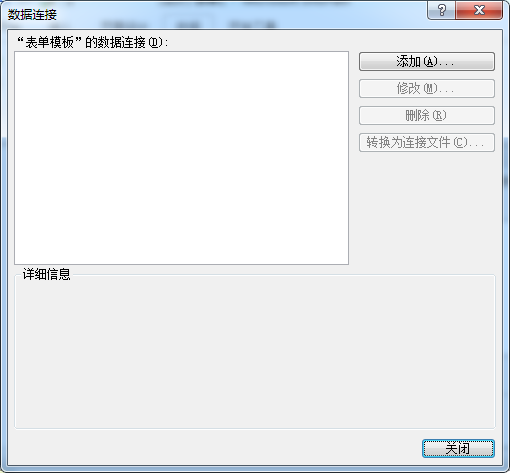
在数据连接对话框中点击添加按钮:

image

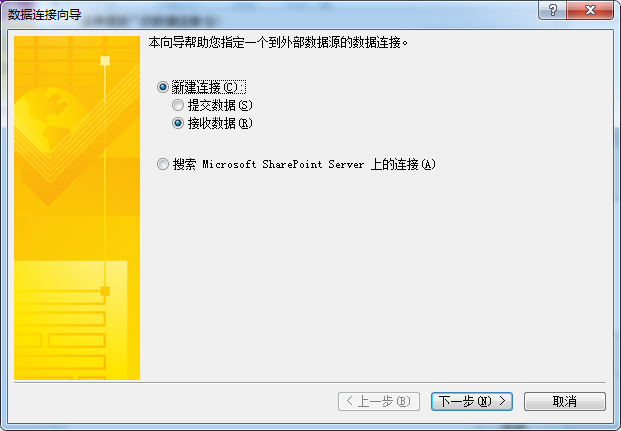
在数据连接向导第一页选择新建连接->接收数据:

image

在数据连接向导第二页选择SOAP Web服务:

image

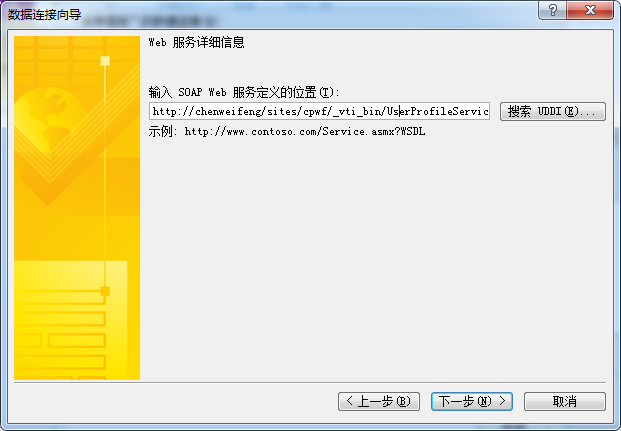
在数据连接向导第三页输入UserProfileService的网址:http://ServerName/_vti_bin/UserProfileService.asmx
image

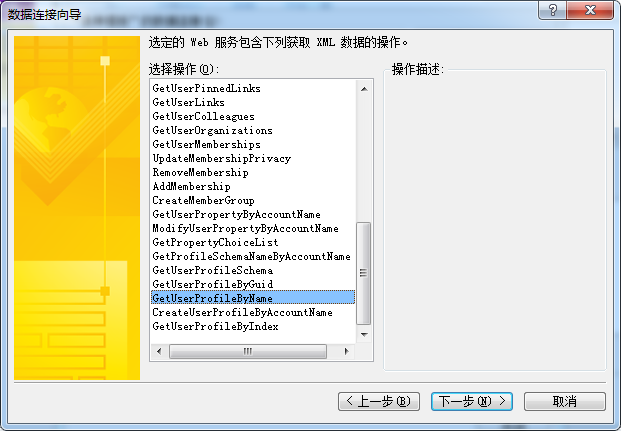
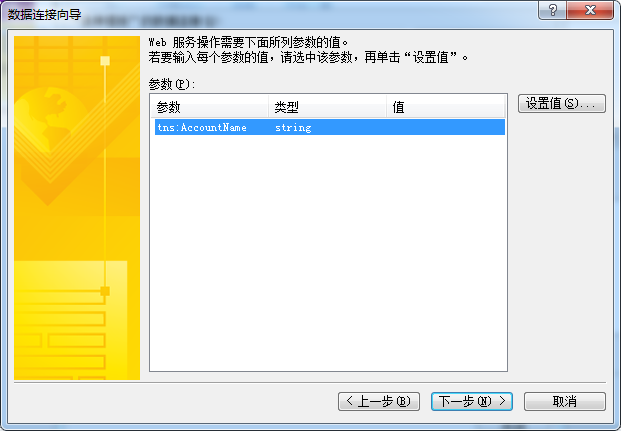
在数据连接向导第四页,选中GetUserProfileByName:

image

在数据连接向导第五页,不用设置,直接点下一步:

image

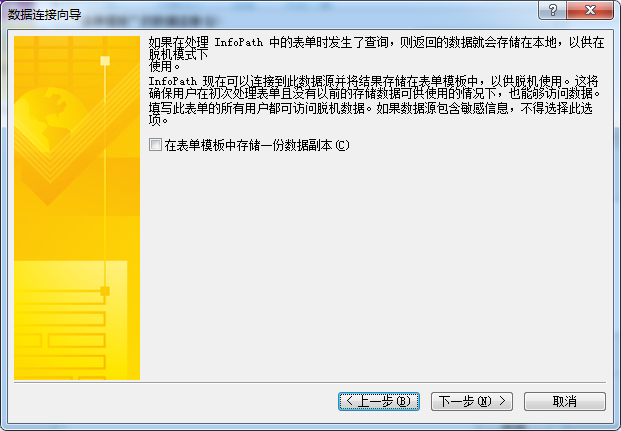
在数据连接向导第六页,保持复选框为非选择状态:

image

在数据连接向导最后一页,保持默认选项,完成向导:

image

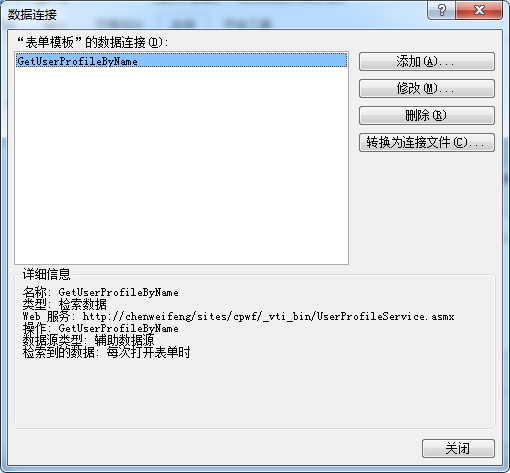
添加完数据连接后,数据连接对话框变成如下,关闭此对话框:

image

第三步:建立域用于存放当前用户的LoginName

在域面板中:

image

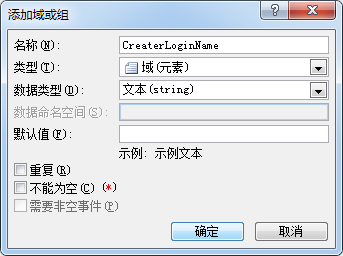
添加一字符串域CreaterLoginName:

image

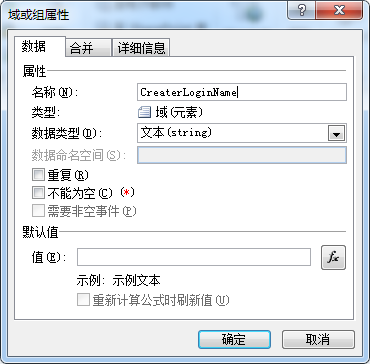
然后再打开域属性:

image

设置默认值,点默认值后面的按钮fx:

image

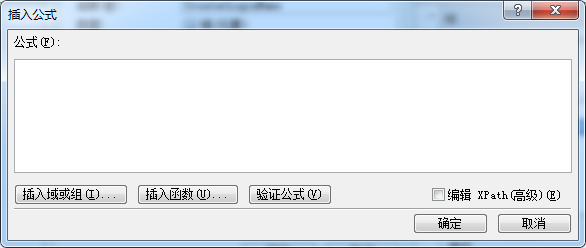
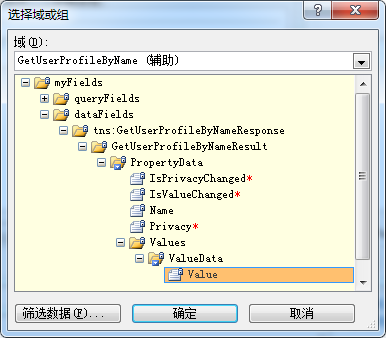
在插入公式中,点击插入域或组。在域下拉框中选择GetUserProfileByName,然后选中myFields\dataFields\tns:GetUserProfilePyNameResponse\GetUserProfileByNameResult\PropertyData\Values\ValueData\Value。如下图所示:
image

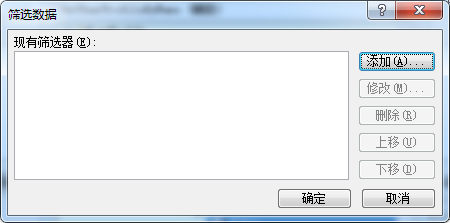
再点击筛选数据:

image

点击添加按钮:

image

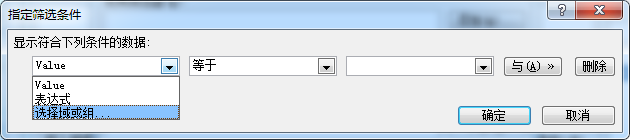
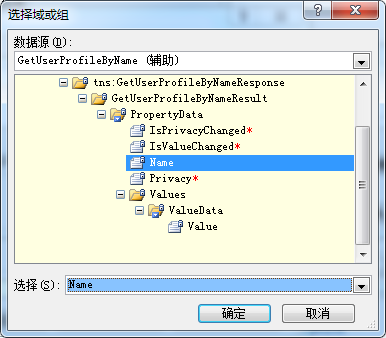
在第一个下拉框中选择”选择域或组“,在域下拉框中选择GetUserProfileByName,然后选中myFields\dataFields\tns:GetUserProfilePyNameResponse\GetUserProfileByNameResult\PropertyData\Name。如下图所示:
image

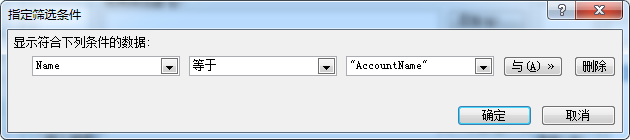
在第二个下拉框中选择”等于“,在第三个下拉框中,选择”键入文本…“,输入”AccountName“:
image

点击几次确定,关闭对话框,回到”域或组属性对话框“中,去掉”重新计算公式时刷新值“前面的钩:

image

第四步:使用LoginName

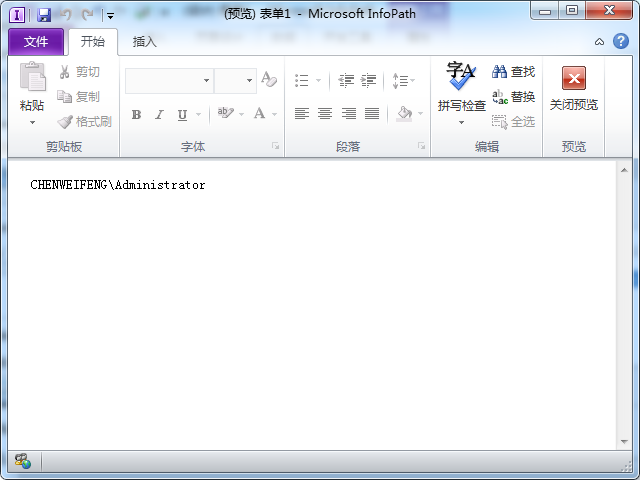
就看您需要怎么样用LoginName了,我这里简单将CreaterLoginName显示在表单中,看看预览效果:
image

写在最后:

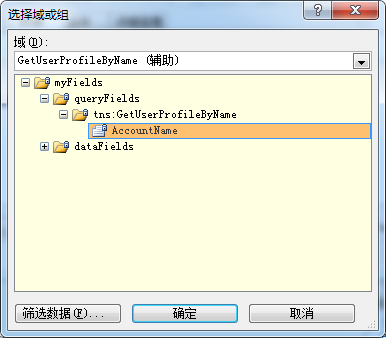
如果需要获取其他用户的Profile,则只要在获取数据之前给GetUserProfileByName中设置AccountName的值,再获取数据,就能够获取到其他用户的Profile:
image

如果需要获取其他Profile的值,只需要将AccountName改成其他属性值。可用的属性值有:

UserProfile_GUID
AccountName
FirstName
LastName
PreferredName
WorkPhone
Office
Department
Title
Manager
AboutMe
PersonalSpace
PictureURL
UserName
QuickLinks
WebSite
PublicSiteRedirect
SPS-Dotted-line
SPS-Peers
SPS-Responsibility
SPS-Skills
SPS-PastProjects
SPS-Interests
SPS-School
SPS-SipAddress
SPS-Birthday
SPS-MySiteUpgrade
SPS-DontSuggestList
SPS-ProxyAddresses
SPS-HireDate
SPS-LastColleagueAdded
SPS-OWAUrl
SPS-ResourceAccountName
SPS-MasterAccountName
Assistant
WorkEmail
CellPhone
Fax
HomePhone