

惯性聚合 高效追踪和阅读你感兴趣的博客、新闻、科技资讯
阅读原文 在惯性聚合中打开

推荐订阅源

F
Fortinet All Blogs
Attack and Defense Labs
V2EX - 技术
V2EX - 技术
O
OpenAI News
S
Secure Thoughts
H
Heimdal Security Blog
Application and Cybersecurity Blog
Schneier on Security
H
Hacker News: Front Page
S
Security Affairs
Exploit-DB.com RSS Feed
cs.CV updates on arXiv.org
Vercel News
Vercel News
Microsoft Security Blog
cs.CL updates on arXiv.org
P
Proofpoint News Feed
The Register - Security
GbyAI
GbyAI
Cloudbric
Cloudbric
MongoDB | Blog
MongoDB | Blog
D
Darknet – Hacking Tools, Hacker News & Cyber Security
K
Kaspersky official blog
Forbes - Security
Forbes - Security
Y
Y Combinator Blog
C
CXSECURITY Database RSS Feed - CXSecurity.com
Scott Helme
Scott Helme
Hacker News - Newest:
Hacker News - Newest: "LLM"
The Cloudflare Blog
Recorded Future
Recorded Future
人人都是产品经理
人人都是产品经理
Cyberwarzone
Cyberwarzone
C
CERT Recently Published Vulnerability Notes
Webroot Blog
Webroot Blog
C
Cyber Attacks, Cyber Crime and Cyber Security
L
LangChain Blog
T
Tor Project blog
Microsoft Azure Blog
博客园_首页
Hacker News: Ask HN
Hacker News: Ask HN
Blog — PlanetScale
Blog — PlanetScale
奇客Solidot–传递最新科技情报
奇客Solidot–传递最新科技情报
B
Blog RSS Feed
N
News and Events Feed by Topic
阮一峰的网络日志
阮一峰的网络日志
I
Intezer
V
V2EX
T
Tailwind CSS Blog
SecWiki News
SecWiki News
NISL@THU
NISL@THU
C
Check Point Blog

博客园 - calmzeal

微软更新导致的IIS7设置默认主页无效 【原创】Superset在windows下的安装配置 解决 Linux error while loading shared libraries: cannot open shared object file: No such file or directory Google Review中Zlib.Portable报错的一种排查解决方案 sql行转列 VS2010发布.NET2.0网站,出现“未预编译文件* 因此不能请求该文件”的解决办法 在 64 位版本的 Windows 上IIS ASP NET不支持JET4 问题 wse [Web 开发] 定制IE下载对话框的按钮(打开/保存) 【IE信息栏问题】本地html文件js被IE阻止的一些解决方法 分享一个js Tree - dTree SqlPlus Set常用设置 OleDB Transaction ORA-01000: maximum open cursors exceeded 超出打开游标的最大数 【转】神呀~~,给我个"本地数据库的替换方案"吧! 【CLR Via C#笔记】操作符重载 C#单件模式 【CLR Via C#笔记】 类型对象 【CLR Via C#笔记】 值类型与拆装箱、参数传递 [转] CSS完美兼容IE6/IE7/FF的通用方法
记录一次服务器CPU 100%的解决过程
calmzeal · 2017-03-15 · via 博客园 - calmzeal

 昨天客户反馈业务系统很慢,而且偶尔报错。
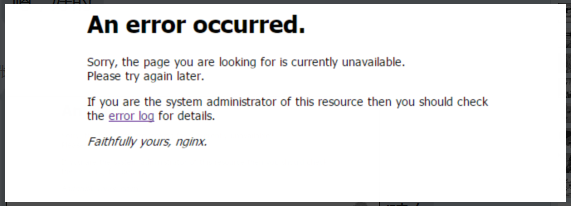
查看nginx日志:

[root@s2 nginx]# tail log/error.log

2017/03/14 12:54:46 [error] 17042#17042: *9305256418 upstream timed out (110: Connection timed out) while reading response header from upstream

看来是请求超时了。再查看nginx.conf配置,读取时间已经设置得比较长了。

location ^~ /api/faqs
{
    proxy_pass http://api_faqs;
        proxy_redirect default;
    proxy_set_header   Host             $host;
    proxy_set_header   X-Real-IP        $remote_addr;
        proxy_set_header   X-Forwarded-For  $proxy_add_x_forwarded_for;
    proxy_connect_timeout 10;
    proxy_send_timeout 10;
    proxy_read_timeout 120;
}

看来问题在后面的应用服务器,这里的接口后面是有三个.Net系统在服务,分布在两台windows服务器上。

其中一台服务器上有两个w3wp进程负责处理该接口数据,另外一台有一个进程处理。发现前者cpu使用已经100%,后者cpu使用也高达80%.

而且对应的.Net进程内存占用高达两个G。

奈何dotTrace和dotMemory已经过了试用期,只能自己看了。

使用事件查看器查看每秒请求数 Request/Sec.(在asp.net application 4里面),单w3wp进程发现请求实际上每秒约200多个,这个水平是低于平时的。

看来已经受cpu影响,请求处理能力大幅下降了。

查看数据库服务器,top 一下,mysql cpu 使用780%+(8核32g,相当于cpu使用也是100%了)。

看来是数据库问题,查top sql,qps。直接用sqlyog查看进程状态就行。

发现果然是该接口同时有几十个连接,在查询数据。

对看到的sql 做索引和查询优化后,单条sql执行时间已经是0ms。这时候数据库的cpu压力小了点,但是 应用服务器还是 100%。

最后只能分析代码了,因为该接口是需要一次性返回大量数据。

用redis和.Net Cache做了两级缓存,感觉是缓存没有命中,多次请求数据库了。

偷摸暂停接口功能,复制同样功能的接口,打上全流程日志查看,发现单次请求测试接口其实正常。

问题可能在高并发上,从代码看有几个地方有问题,最后加锁解决。