











How to download voter ID
Download the ECINET app from the Google Play Store for Android phones or the Apple Store for iPhones
In the opening screen, click on the Download Voter ID link.
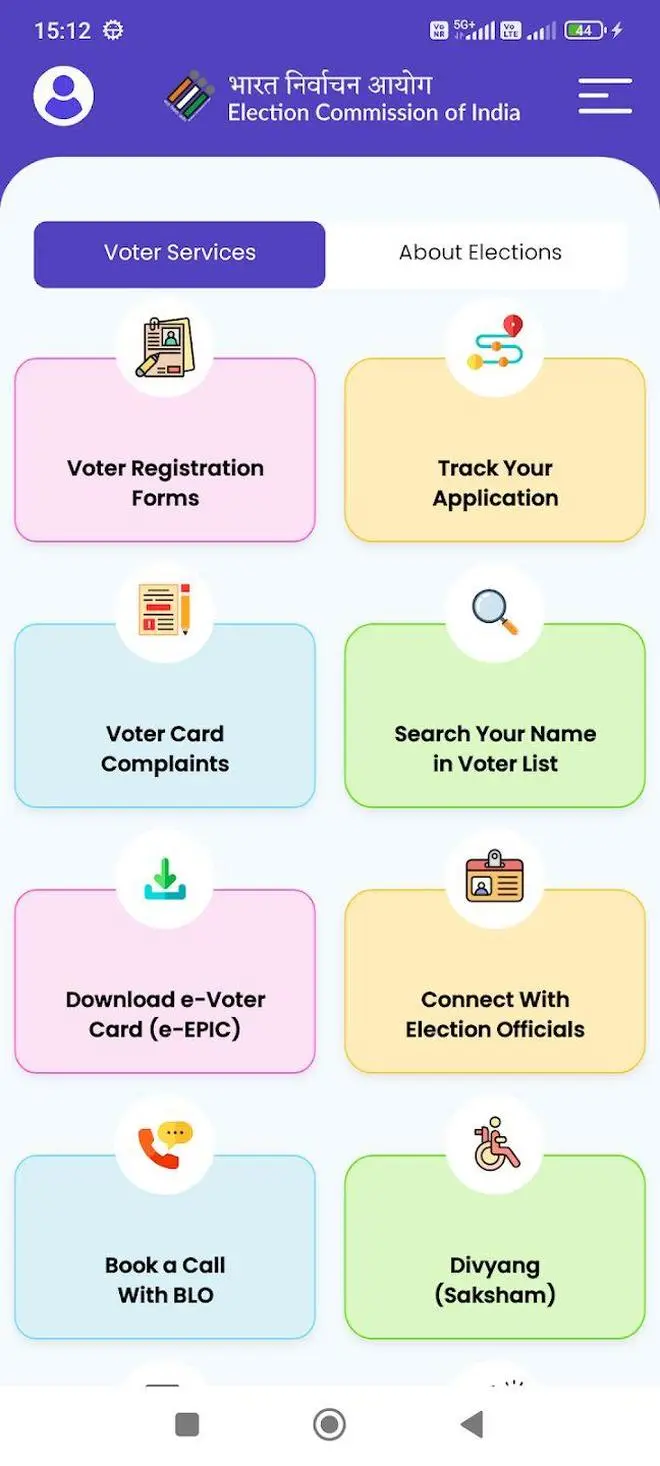
Voter ID download | Photo Credit: Dinakaran
The new page that opens will have three options to download the e-EPIC.
- Download by voter ID/EPIC
- Download by reference number
- Search your details
The easiest way is to use the first option.
All you have to do is to enter your EOIC number and select the State.
Click on Fetch Details.
It will display your name, mobile number, email ID (both masked) and your Assembly constituency.
Click on Proceed.
You will get an OTP in you registered mobile number.
Once you enter the OTP, you will get your digital Voter ID with options to download or share to WhatsApp.
If you click on Download, it will be saved to your phone’s memory as a PDF file. Ensure you have a PDF reader that can open the file. This is a valid document that can be shown at the polling booth.
You can also use the Share option to send it to yourself or to others using WhatsApp.
In the second option, you can enter your reference number you would have received while registering to vote or submitting a correction to download the Voter ID card.
The third option, is only for searching your details. You will be able to see your voter ID and information, but it will not allow you to download the Voter ID.
More Like This


Published on April 22, 2026