






Today, we're announcing AI Spend Controls in Unity AI Gateway. This release extends Unity AI Gateway's existing cost visibility with proactive budget alerts to give you full control over your organization's AI spend - from the coding agents your developers use every day, to the production agents serving your customers, to the batch jobs running overnight:
AI workloads deliver disproportionate value - but their cost profile is fundamentally more challenging to manage than your traditional cloud spend:
Employees across engineering, support, sales, and ops are onboarding to AI faster than any technology in the last decade, unlocking net-new use cases week over week. But that adoption brings a management challenge: foundation model usage now spans dozens of teams, hundreds of users, and thousands of agents with a shifting mix of providers and model tiers. Spend controls need to apply uniformly across all AI workloads, so your organization can confidently lean into AI without worrying about surprises on the bill.
While spend controls need to apply uniformly, different parts of your organization need different cost controls. A platform team cares about workspace-wide totals. A FinOps lead cares about the org-level monthly burn. An engineering manager cares about per-developer experimentation budgets. AI Spend Controls let you set them all from one place and is deeply integrated with Databricks’ existing budgets:
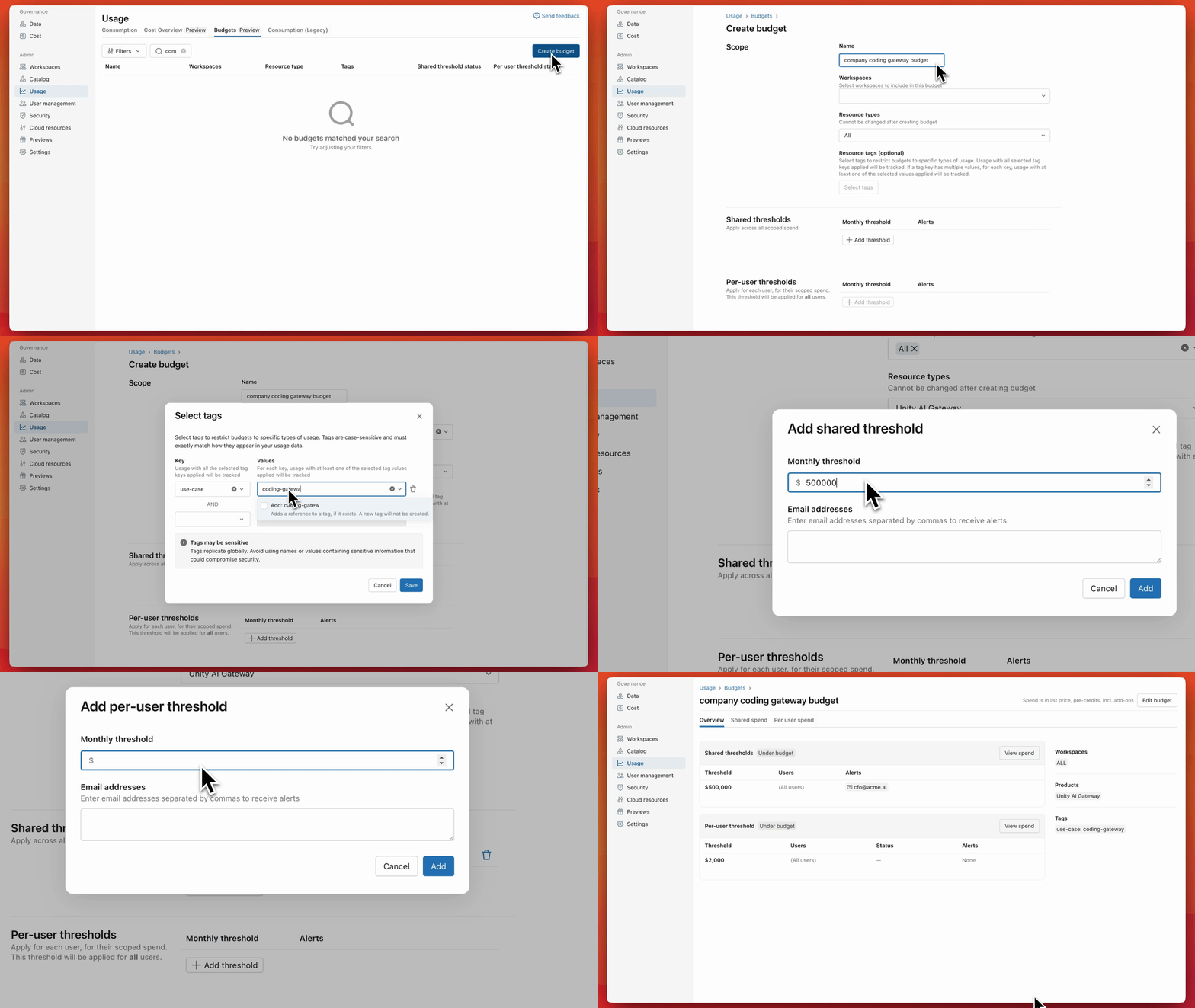
To track your organization’s AI spend, follow these steps:
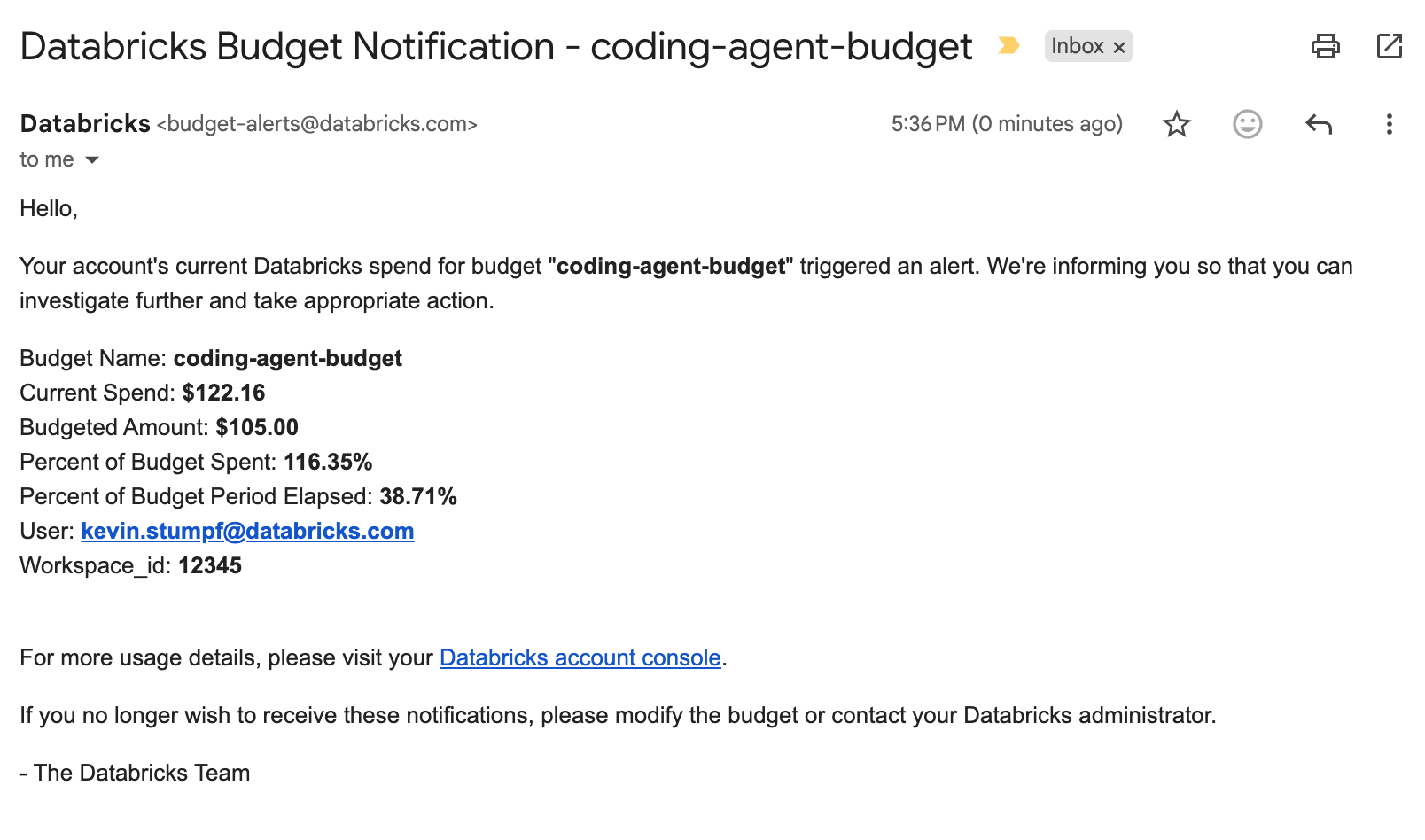
When one of your budgets is exceeded you will receive a notification email:
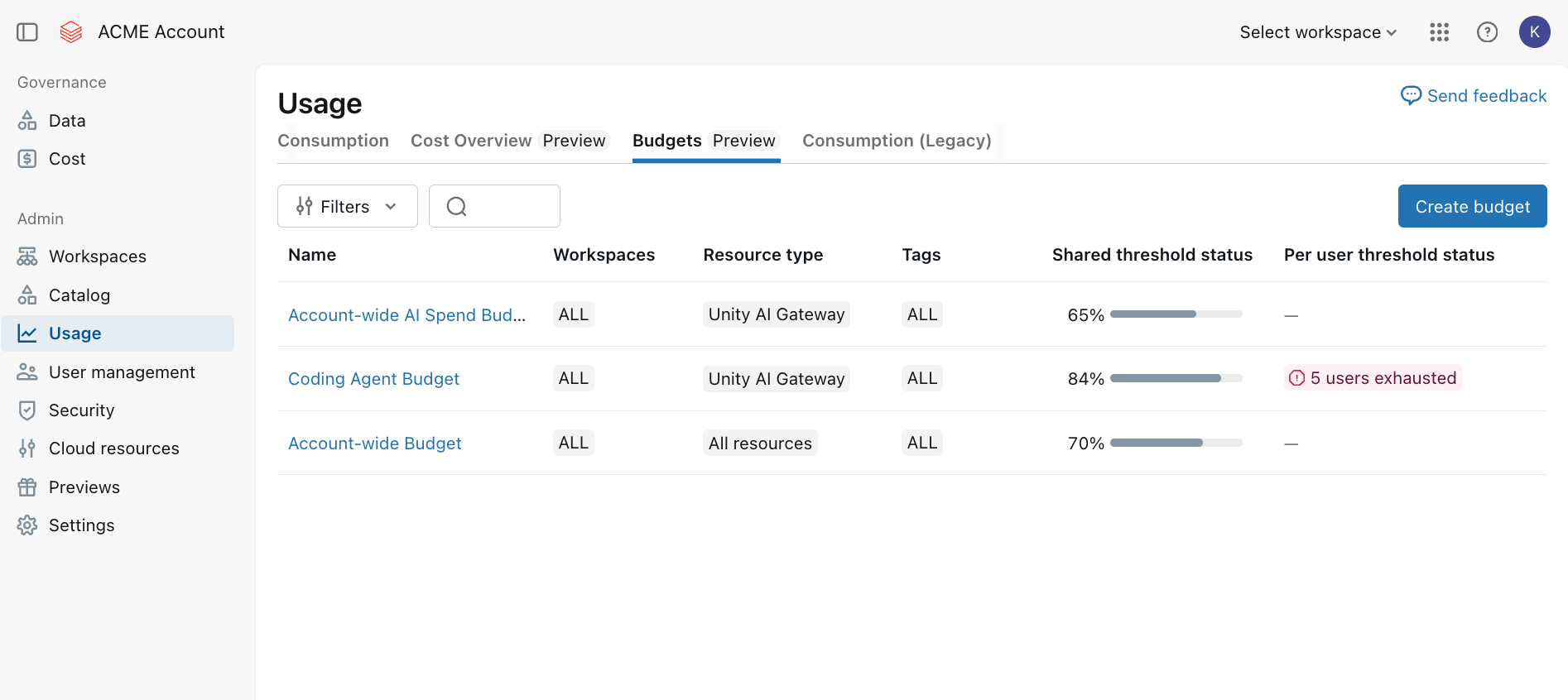
The Cost section of your account console lets you respond to budget alert emails or proactively monitor the status of your live budgets. On the Budgets page, you see at a glance how your budgets are trending:
Open up any budget to see how your AI spend is trending:
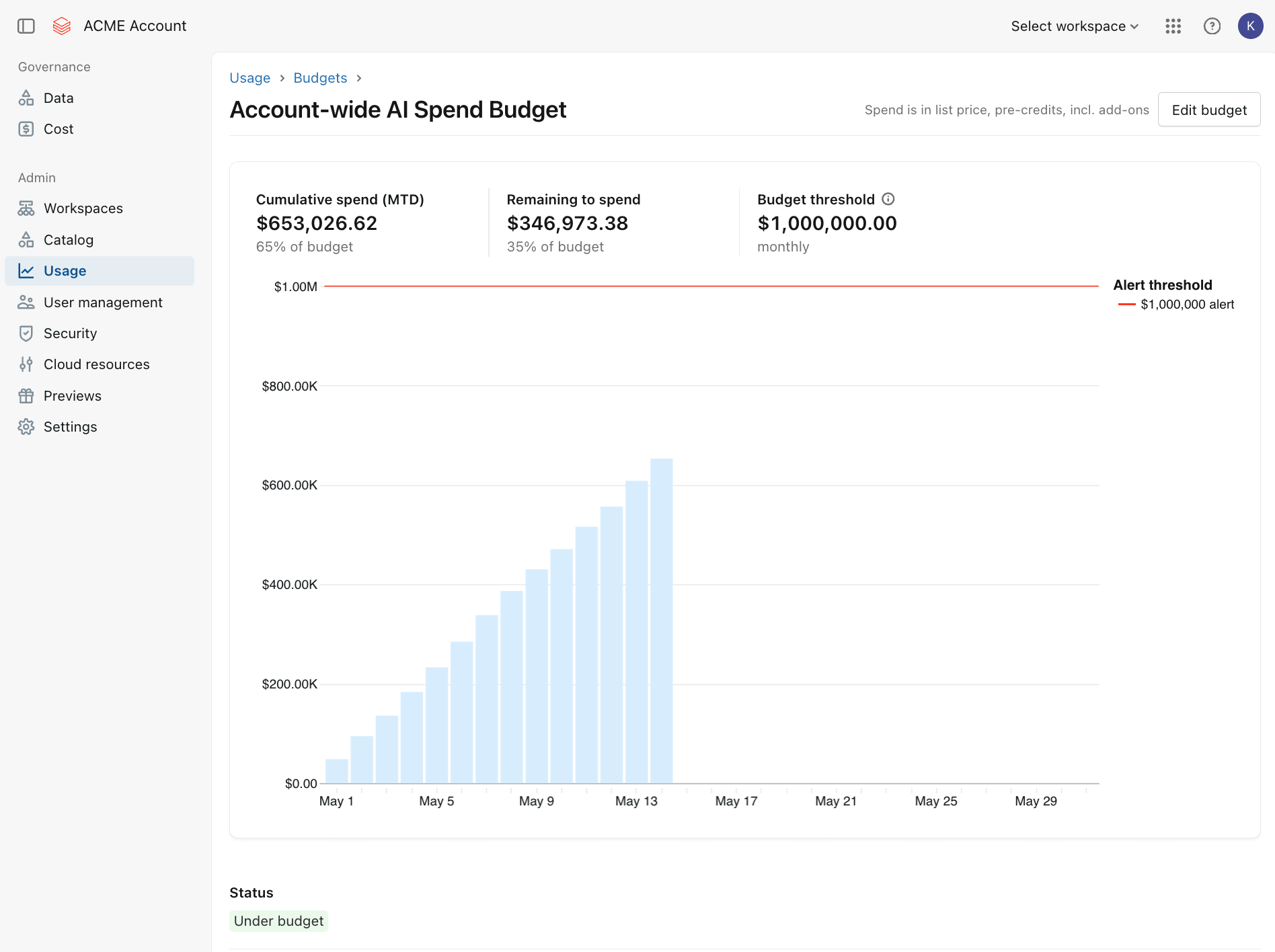
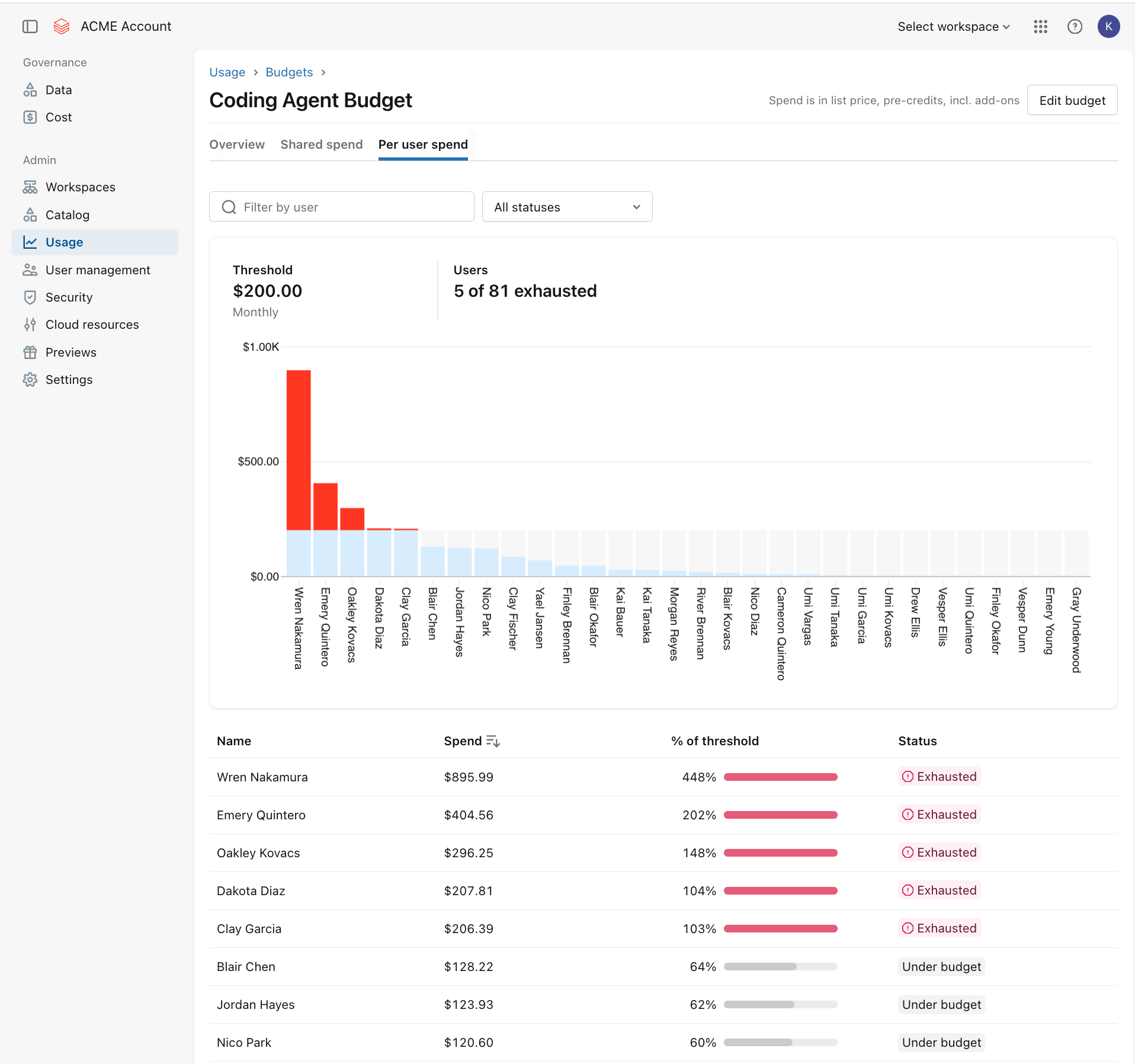
If you configured per-user level budget thresholds, the Budget detail page will show you how your organization’s users' individual AI spend is trending. When users exceed their individual threshold, their status and spend are clearly surfaced so you can act quickly:

To increase a budget’s threshold, you can simply edit the Budget and modify its spend limits.
Unity AI Gateway Budgets give you a high-level overview of per-user and per-budget spend. To further analyze which users, models or use cases are driving your spend, you can use Unity AI Gateway’s existing cost tracking capabilities. Every request gets logged to Unity Catalog system tables with DBU costs and not just token counts. Provisioned throughput, uptime, pay-per-token usage, and even the token costs of external model providers are all automatically calculated. You can slice the data however your organization tracks spend:
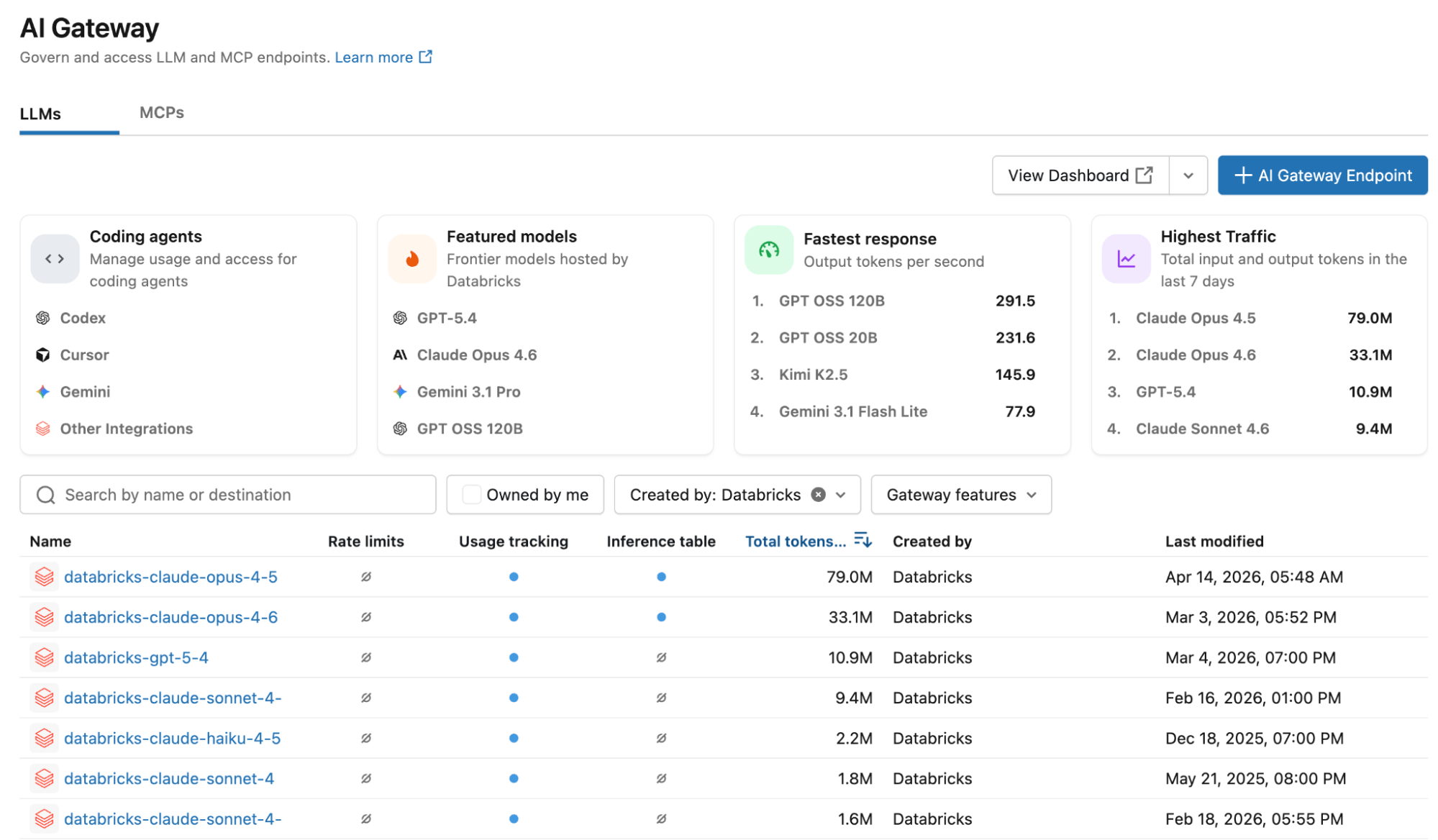
Access the Cost Analytics dashboard by navigating to the Unity AI Gateway page in your Databricks workspace and click on “View Dashboard”:
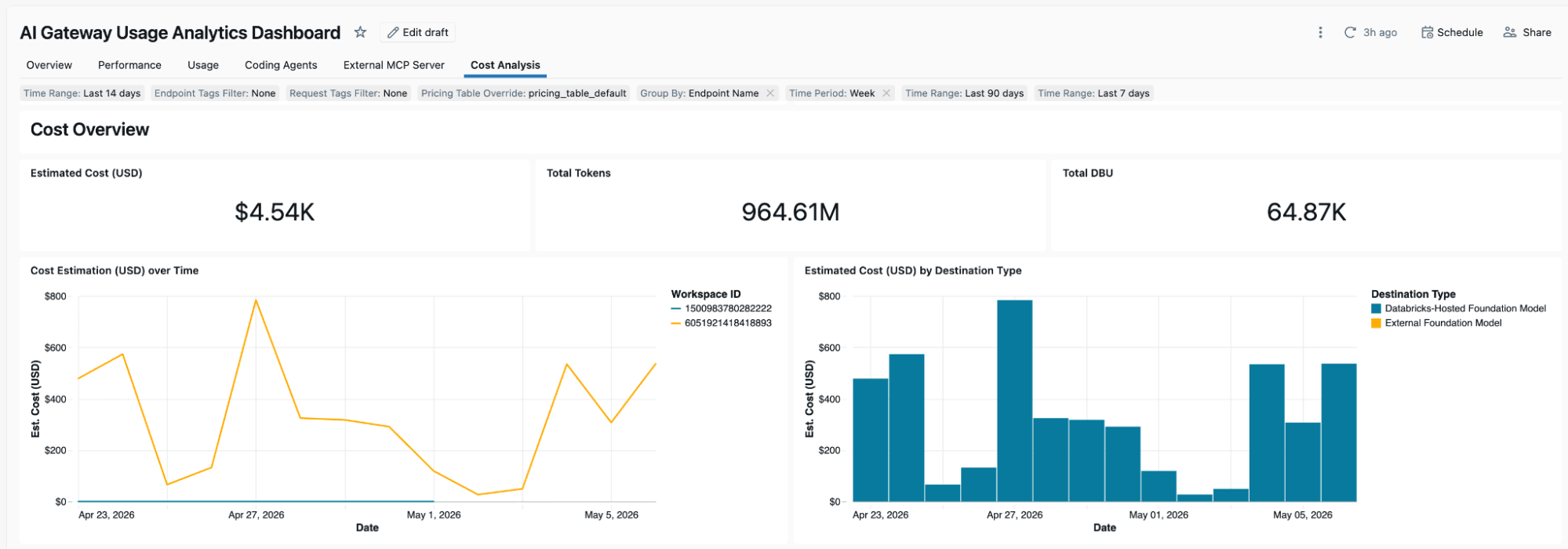
This opens up a usage & cost analytics dashboard that you can fully customize:
AI Spend Controls are a natural extension of the governance capabilities you already use in Databricks:
Databricks provides you with a single, consistent system for governing what your agents can do, who they can do it for, and how much they can spend doing it. Get started today!
此内容由惯性聚合(RSS阅读器)自动聚合整理,仅供阅读参考。 原文来自 — 版权归原作者所有。