惯性聚合 高效追踪和阅读你感兴趣的博客、新闻、科技资讯
阅读原文 在惯性聚合中打开

推荐订阅源

WordPress大学
WordPress大学
T
Threatpost
IT之家
IT之家
腾讯CDC
博客园 - 【当耐特】
博客园 - 聂微东
月光博客
月光博客
小众软件
小众软件
博客园 - 三生石上(FineUI控件)
让小产品的独立变现更简单 - ezindie.com
酷 壳 – CoolShell
酷 壳 – CoolShell
奇客Solidot–传递最新科技情报
奇客Solidot–传递最新科技情报
博客园 - Franky
博客园 - 叶小钗
S
Security @ Cisco Blogs
雷峰网
雷峰网
N
News and Events Feed by Topic
Attack and Defense Labs
Forbes - Security
Forbes - Security
Application and Cybersecurity Blog
S
SegmentFault 最新的问题
NISL@THU
NISL@THU
Exploit-DB.com RSS Feed
L
Lohrmann on Cybersecurity
Project Zero
Project Zero
www.infosecurity-magazine.com
宝玉的分享
宝玉的分享
阮一峰的网络日志
阮一峰的网络日志
The Last Watchdog
The Last Watchdog
Apple Machine Learning Research
W
WeLiveSecurity
C
Cisco Blogs
T
Tenable Blog
Schneier on Security
爱范儿
爱范儿
美团技术团队
V2EX - 技术
V2EX - 技术
V
V2EX
Google Online Security Blog
Last Week in AI
Last Week in AI
Security Archives - TechRepublic
The Hacker News
The Hacker News
Recent Commits to openclaw:main
S
Schneier on Security
T
The Exploit Database - CXSecurity.com
博客园_首页
H
Hacker News: Front Page
量子位
N
News | PayPal Newsroom
大猫的无限游戏
大猫的无限游戏

博客园 - 蒜头

Mailbox unavailable. The server response was: 5.7.1 Unable to relay for (email address). 再谈Images到xps,pdf的转换 SQL Server 2005中xml类型和函数的简单应用 部分Office 2007文件格式转换为xps和pdf代码整理 Image.FromFile gives "Out of Memory" Exception for icon - 蒜头 简单介绍PDF,XPS,Images,Office 2007之间的转换方法 - 蒜头 - 博客园 SQL 2005 全文检索(续) 简单实现C#生成Excel 2007文件并下载 简单应用ReportViewer控件 配置SQL Server Session方法 采用负载均衡,部署了两个ASP.NET 2.0的站点服务器碰到的问题 Windows Server 2003分区修改方法[转载] 制作VSTO 2005 SE开发的Office 2007 AddIn的安装包 一个简单的document library event handler VS 2005 SP1 安装错误 [续] 一个简单的Checkbox Custom Field Type ASP.NET 2.0 SQL Cache 配置方法 解读Document Library关于权限的对象模型 SharePoint应用AJAX.NET和AJAX Control Toolkit
初试VSTS 2008(TFS安装)
蒜头 · 2007-11-25 · via 博客园 - 蒜头

安装环境:
Win 2003 R2 SP2
IIS 6
Sql Server 2005 SP2
WSS 3.0 + Update
单服务器安装
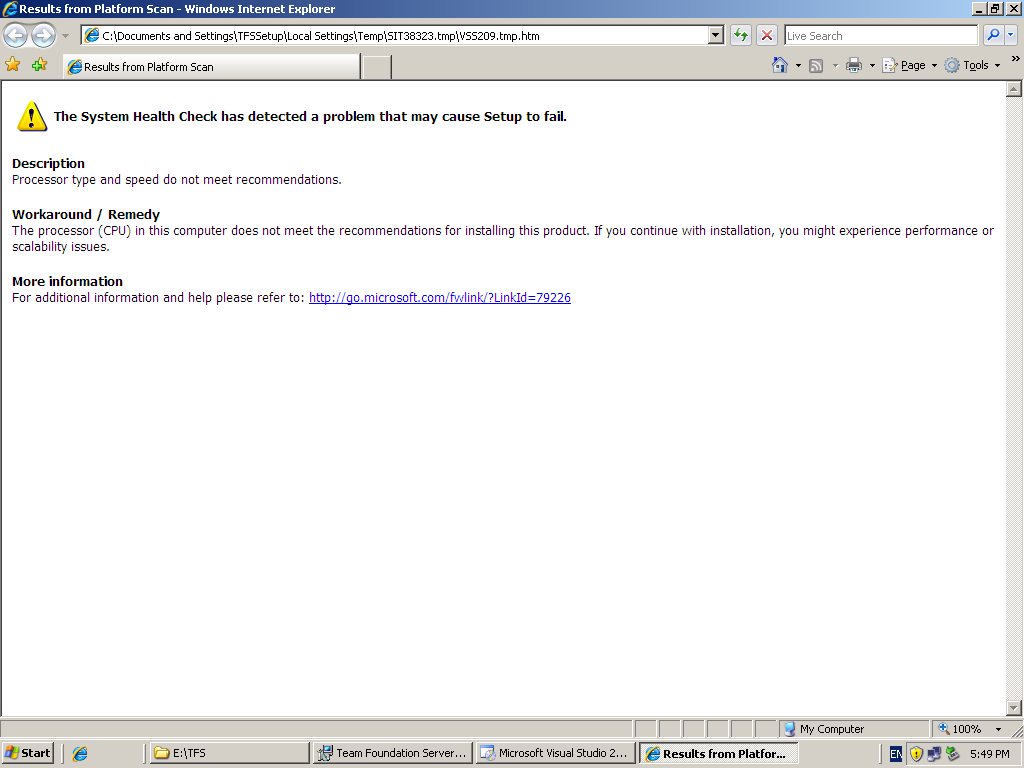
双核1.6G + 2G内存(警告CPU配置低, 最低要求是奔4 2.2G).

1. IIS 6
2. 安装SQL 2005 + SP2(并包括Analysis,Reporting). 安装后,将所有的服务都启动(包括Agent, Browser),并设为自动启动.
3. 安装WSS 3.0(需要安装.NET 3.0+). 安装时Server Type选择Web Front End.
 1) 运行SharePoint Products and Technologies 创建服务器场. 
 2) 到SharePoint Central Administration 创建Web Application和Site Collection(Team Site).

4. 安装TFS 2008
 1)指定数据库(可以是本机的一个实例或者单独的服务器, 也就是双服务器安装), 2005时,需要安装到默认实例上。

 2)安装程序检查机器软硬件环境, 结束出一个报告,如果按上面的步骤来(不会出现软件问题,我的只是警告CPU不过关),警告可以继续安装.


 3)指定运行服务的帐号,微软建议使用一个单独的Windows帐号(TFSService,可以随便一个Administrators组的帐号,其实Local System也可以2005我试过)去运行这些服务,包括Sql, WSS安装时的帐号.


 4)Alerts设定,设定邮件服务器和邮件地址,可以不设置.

 5)指定SharePoint Central Administration URL和Team Stie URL.

 6)正式开始安装TFS了(安装时间还是可以接受的).

5.安装结束,通过一台安装了VSTS2008+Team Explorer的机器成功连接TFS.

6.创建Team Project.没什么变化还是两个默认模板CMMI和Agile,只是创建完成后Document和Reports文件夹直接可以访问了,以前2005基本是打不开的.


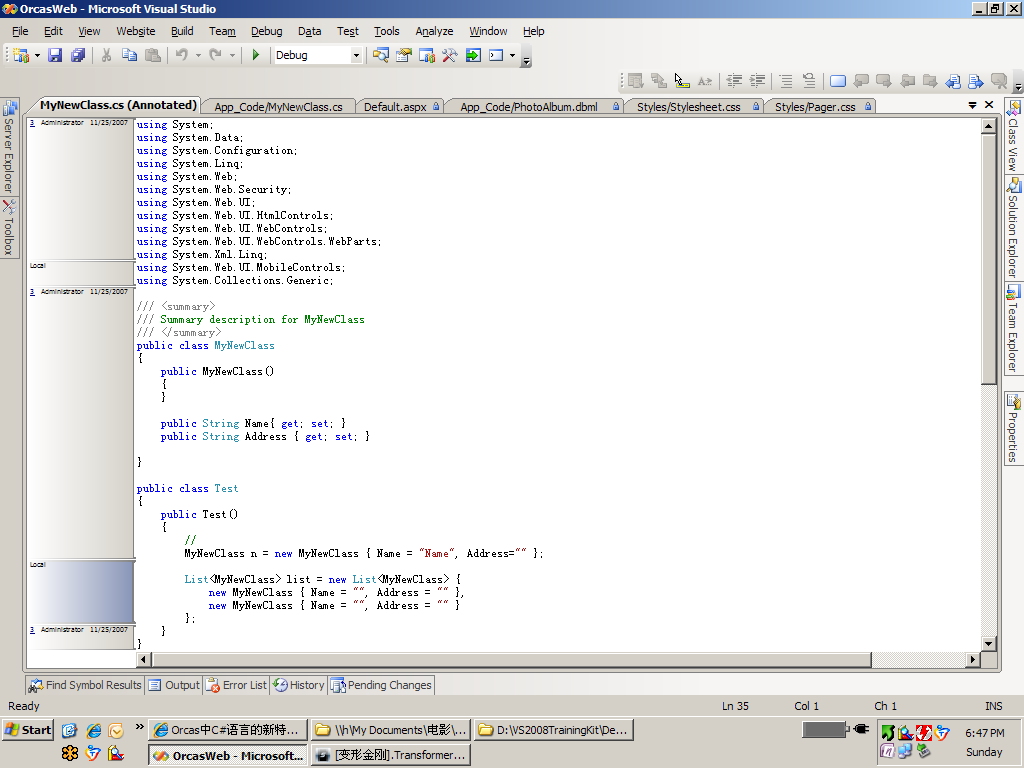
7.添加代码到Source control. 稍微试验了一下,发现几个新明显的新功能:

我在装TFS的过程中曾发生过错误:
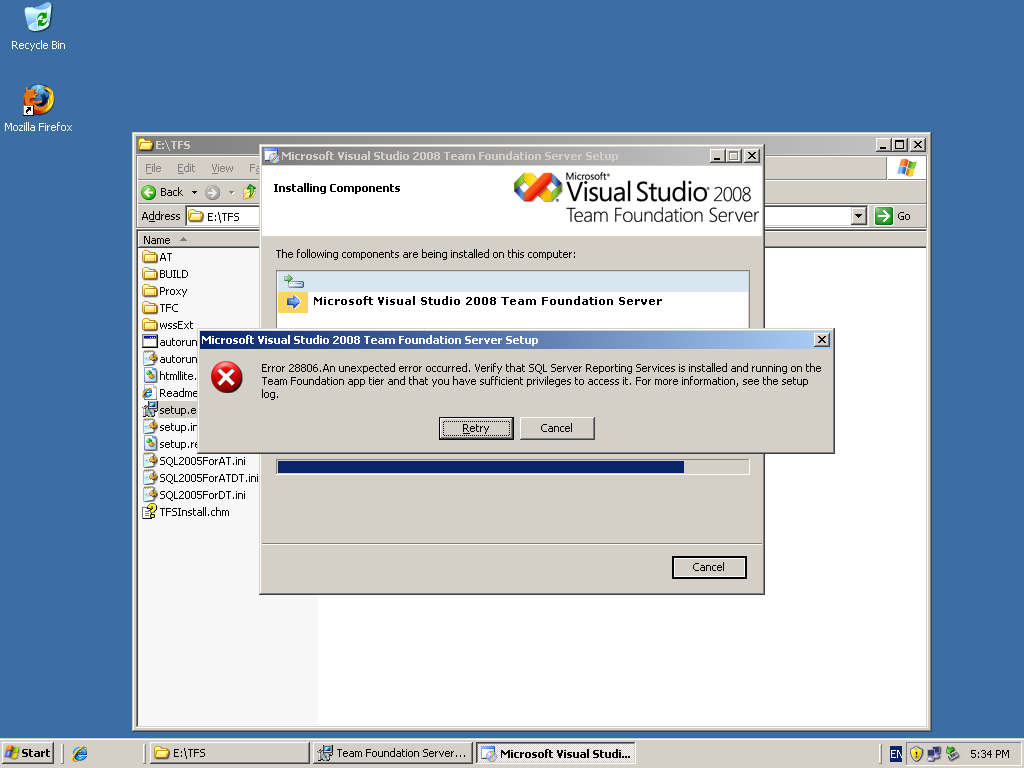
Reproting有问题,于是,我到IIS中尝试访问Reports,得到一个Web.Config错误,找不到程序集,原来我部署了一个ASP.NET的程序在80端口,webconfig中httpModule相关处理指向一个dll,访问Reprots时找不到了,把dll放到GAC无效,最后在Reports的目录下的bin中放一份,Reports恢复了。重新安装TFS,成功。