惯性聚合 高效追踪和阅读你感兴趣的博客、新闻、科技资讯
阅读原文 在惯性聚合中打开

推荐订阅源

Know Your Adversary
Know Your Adversary
云风的 BLOG
云风的 BLOG
Recent Announcements
F
Fortinet All Blogs
B
Blog
罗磊的独立博客
宝玉的分享
宝玉的分享
Vercel News
Vercel News
Martin Fowler
Martin Fowler
N
Netflix TechBlog - Medium
P
Proofpoint News Feed
T
Threatpost
Security Latest
Security Latest
钛媒体:引领未来商业与生活新知
钛媒体:引领未来商业与生活新知
Stack Overflow Blog
Stack Overflow Blog
I
Intezer
P
Privacy International News Feed
D
Docker
月光博客
月光博客
博客园 - 三生石上(FineUI控件)
M
MIT News - Artificial intelligence
cs.CV updates on arXiv.org
Recent Commits to openclaw:main
Threat Intelligence Blog | Flashpoint
Cyber Security Advisories - MS-ISAC
L
Lohrmann on Cybersecurity
Google DeepMind News
The Last Watchdog
The Last Watchdog
A
Arctic Wolf
IT之家
IT之家
S
SegmentFault 最新的问题
S
Securelist
博客园 - 叶小钗
N
News and Events Feed by Topic
F
Full Disclosure
Security Archives - TechRepublic
Engineering at Meta
Engineering at Meta
Hacker News: Ask HN
Hacker News: Ask HN
博客园 - Franky
GbyAI
GbyAI
AI
AI
Y
Y Combinator Blog
WordPress大学
WordPress大学
Latest news
Latest news
Microsoft Security Blog
人人都是产品经理
人人都是产品经理
N
News | PayPal Newsroom
The Cloudflare Blog
www.infosecurity-magazine.com
I
InfoQ

博客园 - 魔豆

oracle中使用unpivot实现列转行 推荐一个可以下载B站视频的工具 学习qt,做了一个小应用:随机点名提问系统 hadoop的eclipse插件 mysql5.5安装到最后一步卡死无响应的解决方法 Hbase各版本支持情况 Comparable接口的使用 css3实现动画效果 HTML5中使用EventSource实现服务器发送事件 HTML5中的Web Worker技术 css3中的盒子模型 使用visual studio code运行html 【转】解决chrome浏览器不支持audio和video标签的autoplay自动播放 spring mvc中添加对Thymeleaf的支持 使用idea创建web项目 shell编程学习笔记(十二):Shell中的break/continue跳出循环 shell编程学习笔记(十一):Shell中的while/until循环 shell编程学习笔记(十):Shell中的for循环 shell编程学习笔记(九):Shell中的case条件判断
Eclipse安装代码反编译插件Enhanced Class Decompiler
魔豆 · 2019-05-14 · via 博客园 - 魔豆

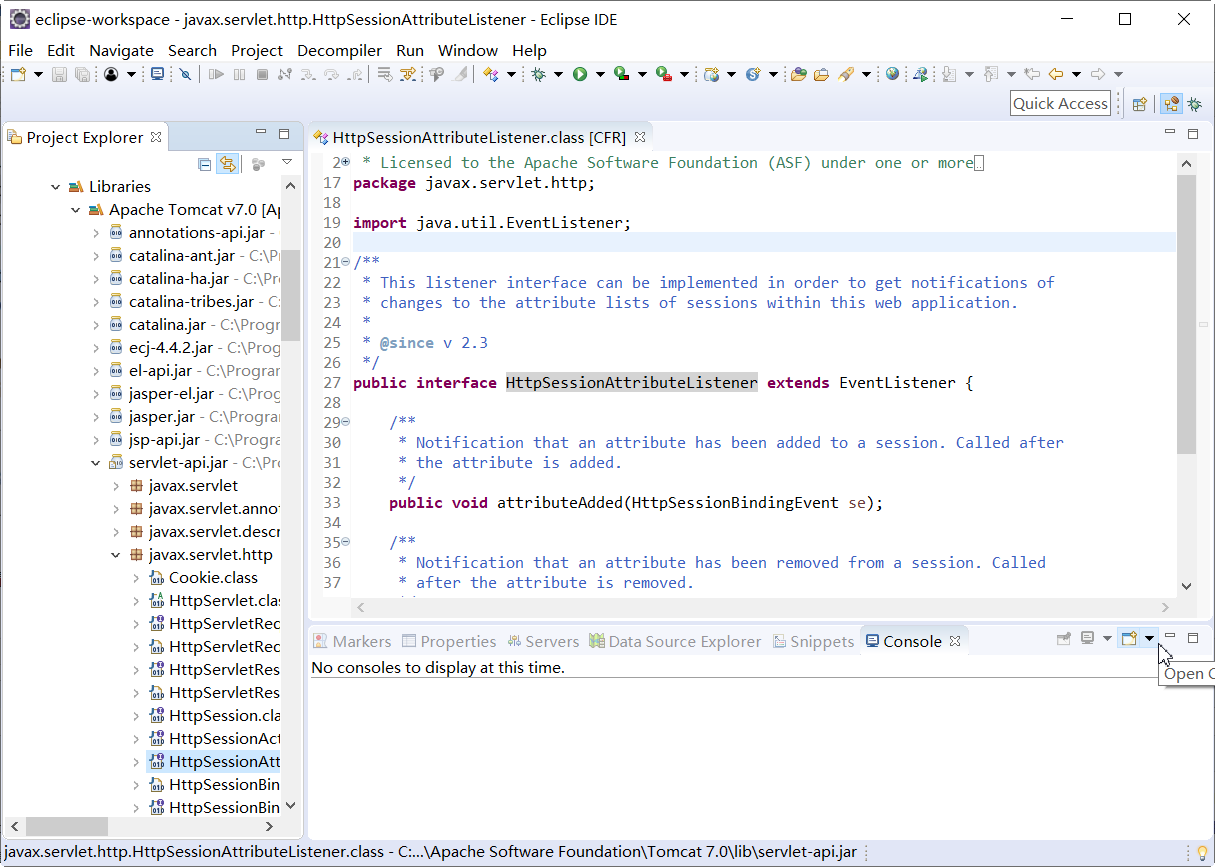
在开发过程中,如果想查看引入资源的源代码,可以借助eclipse的插件Enhanced Class Decompiler轻松实现,下面我来讲解一下如何安装使用这个插件。

1、打开Eclipse菜单-》Help-》Eclipse Marketplace

搜索到Enhanced Class Decompiler这个插件,然后直接安装

2、安装完成后,菜单-》Window-》Preferences

找到General-》Editors-》File Associations,把*.class without source里的Class Decompiler View置为default

Java-》Decompiler可以对这个插件进行设置,比如修改用哪种内核反编译代码,一般情况下使用默认的就可以
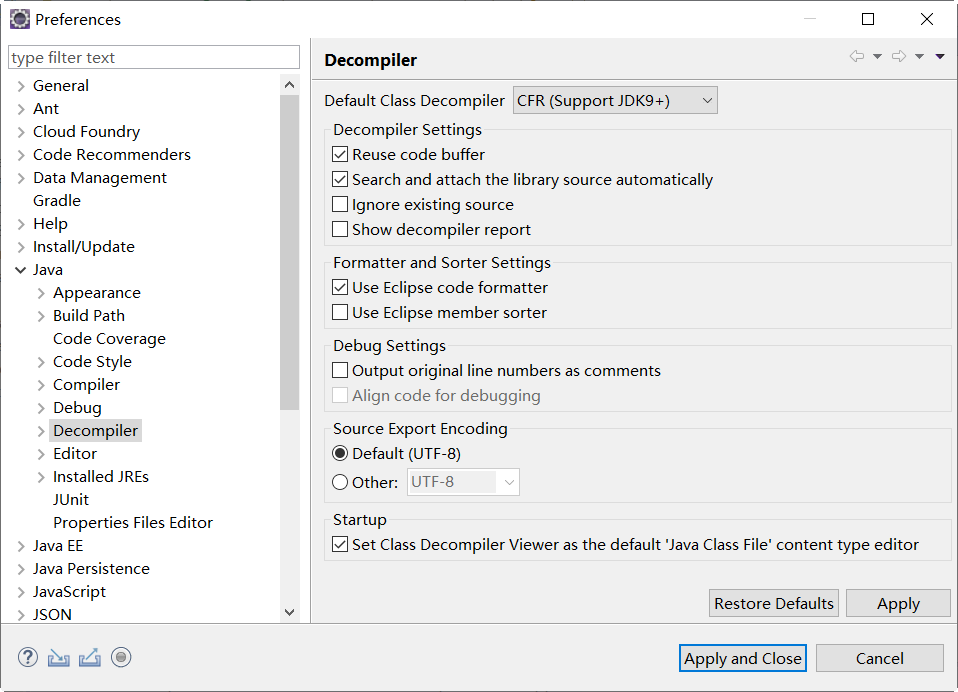
通过以上的设置,再打开编译过的class文件就会自动反编译了