惯性聚合 高效追踪和阅读你感兴趣的博客、新闻、科技资讯
阅读原文 在惯性聚合中打开

推荐订阅源

S
SegmentFault 最新的问题
人人都是产品经理
人人都是产品经理
Blog — PlanetScale
Blog — PlanetScale
cs.AI updates on arXiv.org
Cisco Talos Blog
Cisco Talos Blog
Spread Privacy
Spread Privacy
Scott Helme
Scott Helme
C
CXSECURITY Database RSS Feed - CXSecurity.com
S
Securelist
酷 壳 – CoolShell
酷 壳 – CoolShell
Threat Intelligence Blog | Flashpoint
I
Intezer
博客园 - 叶小钗
让小产品的独立变现更简单 - ezindie.com
雷峰网
雷峰网
量子位
Security Latest
Security Latest
P
Proofpoint News Feed
P
Privacy International News Feed
P
Palo Alto Networks Blog
D
DataBreaches.Net
大猫的无限游戏
大猫的无限游戏
www.infosecurity-magazine.com
Google Online Security Blog
Webroot Blog
Webroot Blog
云风的 BLOG
云风的 BLOG
N
Netflix TechBlog - Medium
Vercel News
Vercel News
博客园 - 【当耐特】
C
CERT Recently Published Vulnerability Notes
Hugging Face - Blog
Hugging Face - Blog
月光博客
月光博客
Hacker News - Newest:
Hacker News - Newest: "LLM"
K
Kaspersky official blog
K
KPMG report finds enterprise disconnect between AI and its ROI | CIO
CTFtime.org: upcoming CTF events
Stack Overflow Blog
Stack Overflow Blog
AWS News Blog
AWS News Blog
博客园 - Franky
爱范儿
爱范儿
T
Tor Project blog
The GitHub Blog
The GitHub Blog
宝玉的分享
宝玉的分享
小众软件
小众软件
L
LINUX DO - 最新话题
Application and Cybersecurity Blog
W
WeLiveSecurity
SecWiki News
SecWiki News
L
LangChain Blog
I
InfoQ

博客园 - ubirdy

在Cursor中使用Anthropic的Skills 切换至windows自带中文输入法后卡住的bug解决 用ikuai软路由提供内网NTP服务 在欧拉系统(openEuler)上安装uWSGI 在欧拉系统(openEuler)上安装Nginx 海康工业相机SDK错误码常见场景解析 ubuntu22.04 server安装nvidia cuda 12.08提示Nouveau 驱动已经在用 ubuntu22.04更换镜像源 ICMP时间戳漏洞CVE-1999-0524的处理 解决supervisor在香橙派AIpro上启动问题 用ffplay在香橙派AIPro上播放PCM文件 香橙派OrangePi_AiPro超频CPU与NPU 昇腾310B4在转换onnx格式至om格式时提示BrokenPipeError: [Errno 32] Broken pipe Python打包工具 Pyinstaller使用教程 FFplay命令参数 yoloV7训练结果分析 在windows中安装pytorch的GPU版本及torchvision Win11禁用右键菜单折叠改用经典右键菜单 Altas产品查询CANN软件包版本的方法
ubuntu22.04安装CUDA
ubirdy · 2025-06-02 · via 博客园 - ubirdy

一、安装前准备工作

查看GPU和型号

lspci | grep -i nvidia

 我是4090,系统没认出4090

安装GCC

apt-get install gcc

安装 make

apt install make

*检查驱动

非必要行为!我们在安装toolkit的时候会自动安装GPU驱动

二、安装CUDA Toolkit

https://developer.nvidia.com/cuda-downloads
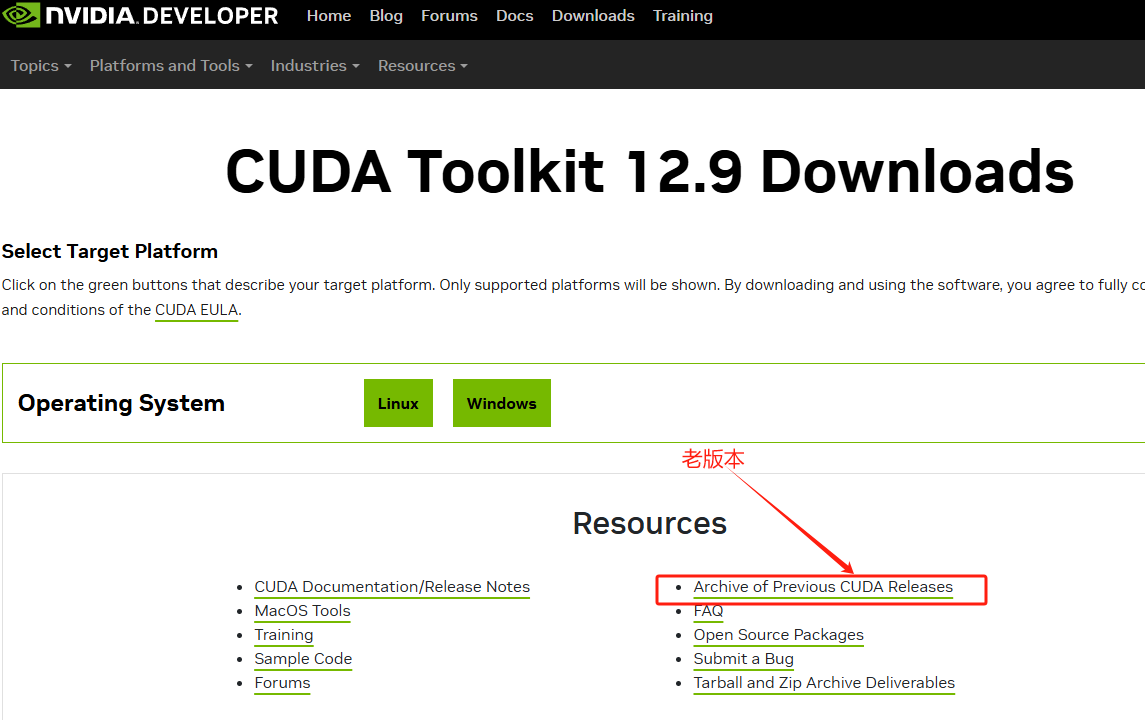
我使用的是12.6这个版本,用runfile方式安装。
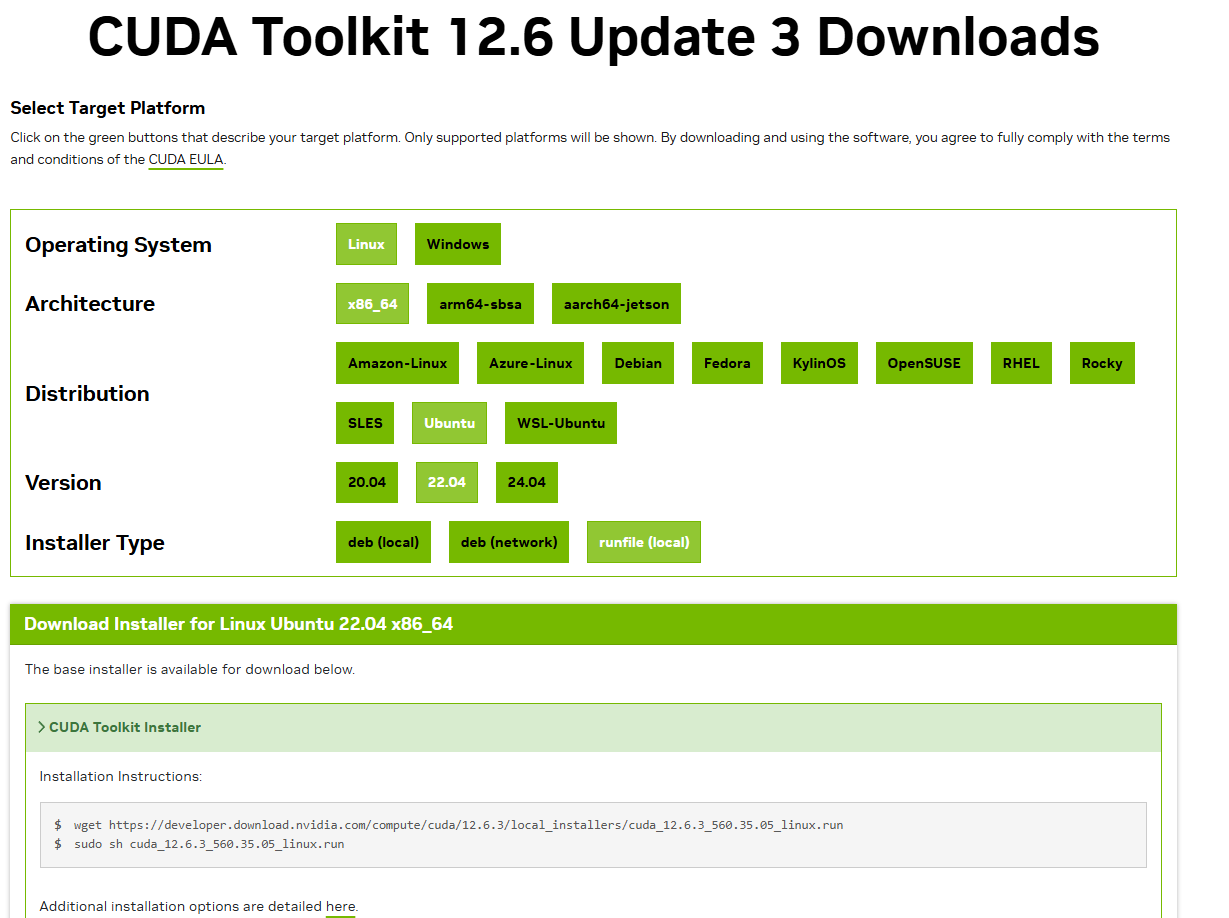
 如果“sudo sh cuda_12.6.3_560.35.05_linux.run”不能执行,换成

chmod +x cuda_12.6.3_560.35.05_linux.run
./cuda_12.6.3_560.35.05_linux.run

安装时提示同意,输入 accept

上下按箭头键,选择 Install 回车

记得勾选驱动,560.35版本

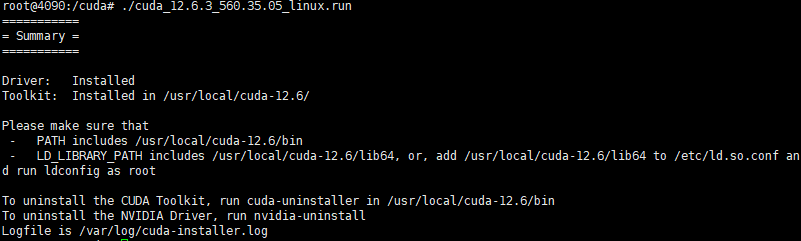
安装完成
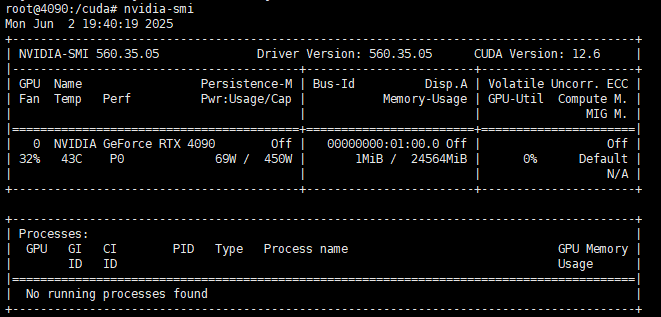
查看cuda版本