








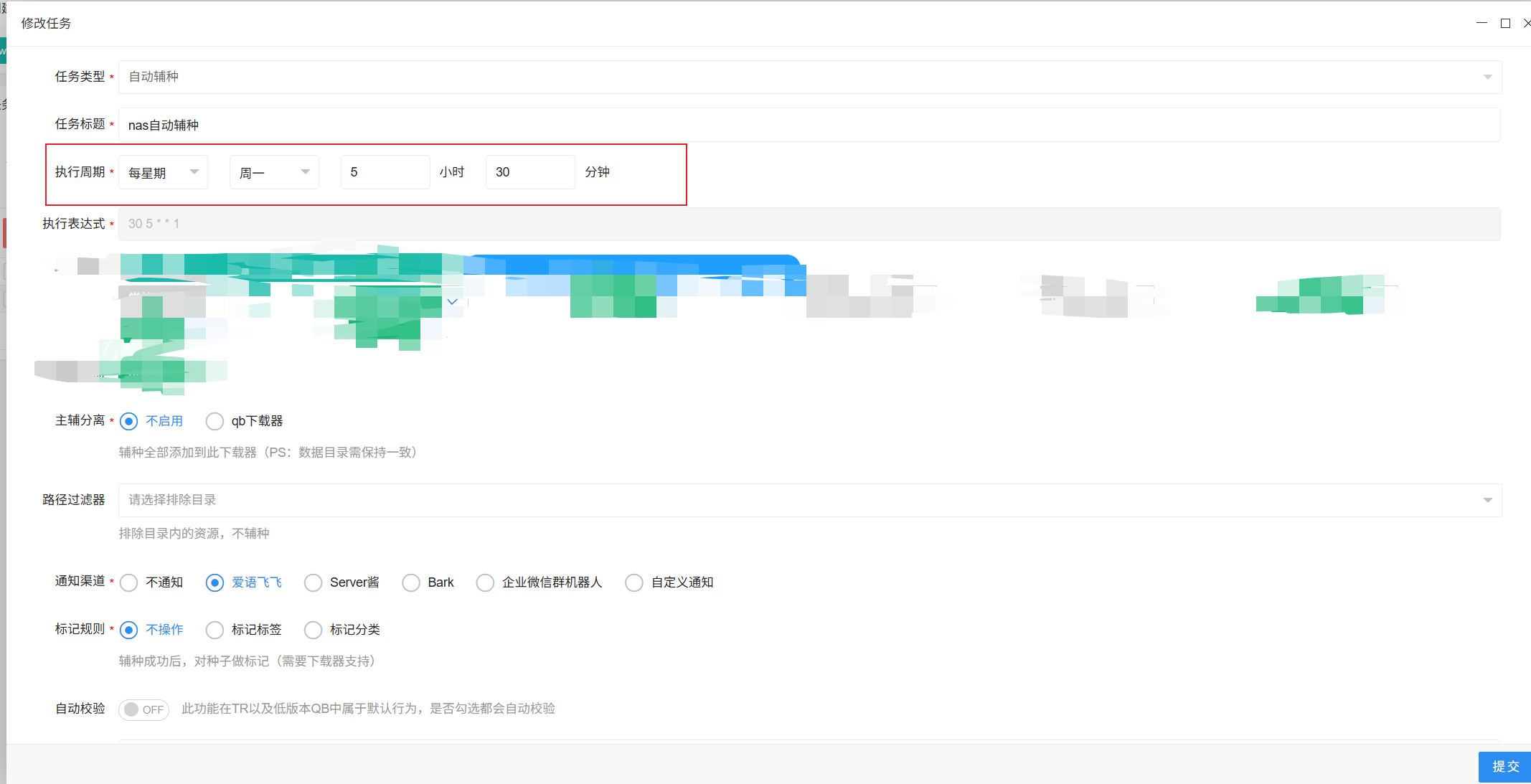
相信我们在生活中,大部分都会使用到定时任务去执行自定义的业务逻辑,如:每天早上8点钟发送一份汇总好的财经报告到指定人的邮箱;或者每周一5点30分钟自动执行下载器下载电影,下载完并通过QQ等机器人的方式通知管理员(如下图)。
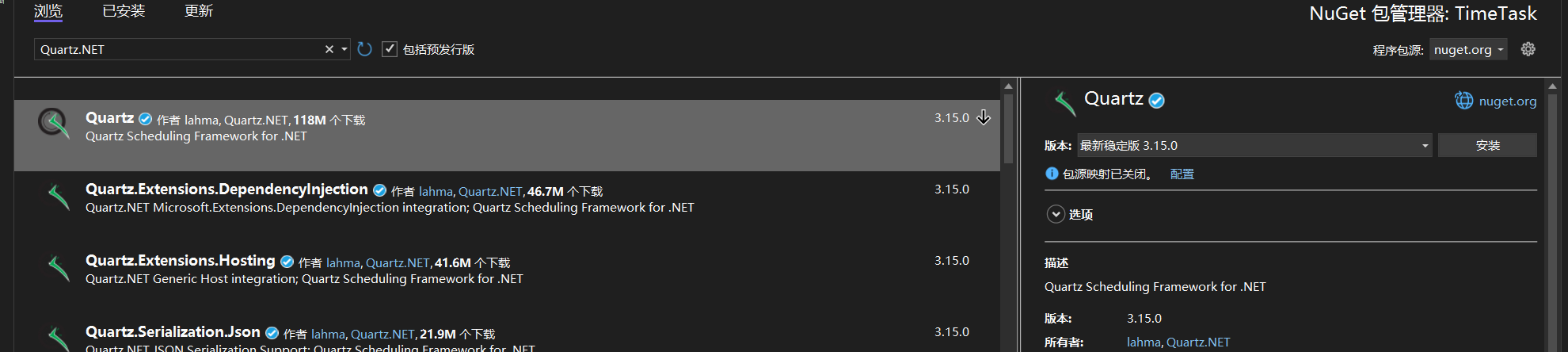
1、NuGet页面搜索Quartz.NET,并安装
2、创建一个 TestJob ,并对 IJob 的接口的实现
/// <summary>
/// 创建一个测试的Job类
/// </summary>
public class TestJob : IJob
{
    public async Task Execute(IJobExecutionContext context)
    {
        Console.WriteLine($"{DateTime.Now.ToString("yy-MM-dd HH:mm:ss fff")},执行了TestJob");
        await Task.CompletedTask;
    }
}
3、实例化调度器的参数:任务明细,注意:“myGroup” 是任务的一个标识,每一个任务都有独立的一个标识状态
IJobDetail job = JobBuilder.Create<TestJob>()
    .WithIdentity("TestJob", "myGroup")
    .Build();
4、实例化调度器的参数:触发器,如下代码:创建一个一秒循环的触发器
ITrigger trigger = TriggerBuilder.Create().WithIdentity("TestJobTrigger", "myGroup")
    .WithSimpleSchedule(x =>
    {
        x.WithIntervalInSeconds(1).RepeatForever();
    })
    .Build();
5、创建任务调度器,并执行任务
StdSchedulerFactory factory = new StdSchedulerFactory();
//创建任务调度器
IScheduler scheduler = await factory.GetScheduler();
await scheduler.Start();
await scheduler.ScheduleJob(job, trigger);
Console.WriteLine("任务调度器已启动,按任意键退出...");
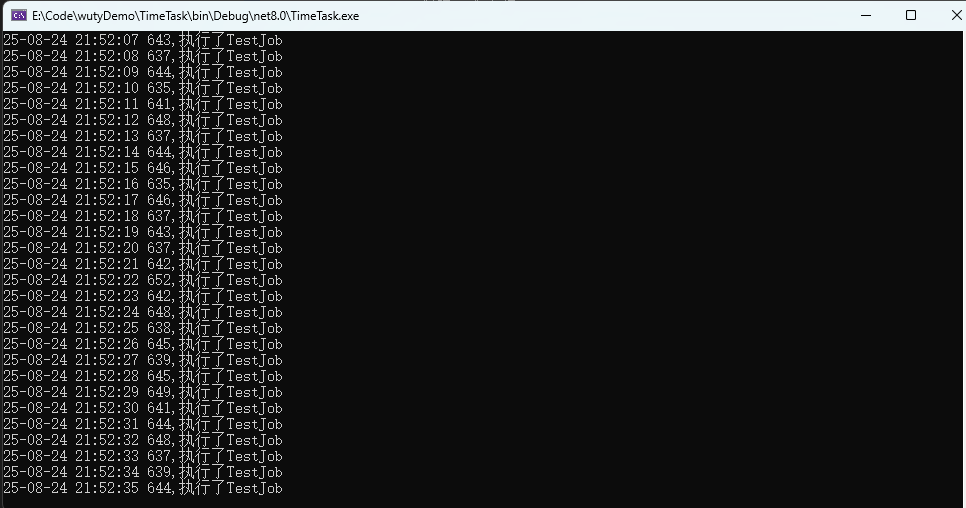
6、执行的效果如下:
官网说明:CronTrigger Tutorial | Quartz.NET
A cron expression is a string comprised of 6 or 7 fields separated by white space. Fields can contain any of the allowed values, along with various combinations of the allowed special characters for that field. The fields are as follows:
| Field Name | Mandatory | Allowed Values | Allowed Special Characters |
|---|---|---|---|
| Seconds | YES | 0-59 | , - * / |
| Minutes | YES | 0-59 | , - * / |
| Hours | YES | 0-23 | , - * / |
| Day of month | YES | 1-31 | , - * ? / L W |
| Month | YES | 1-12 or JAN-DEC | , - * / |
| Day of week | YES | 1-7 or SUN-SAT | , - * ? / L # |
| Year | NO | empty, 1970-2099 | , - * / |
So cron expressions can be as simple as this: * * * * ? *
or more complex, like this: 0/5 14,18,3-39,52 * ? JAN,MAR,SEP MON-FRI 2002-2010
Here are some full examples:
| Expression | Meaning |
|---|---|
0 0 12 * * ? |
Fire at 12pm (noon) every day |
0 15 10 ? * * |
Fire at 10:15am every day |
0 15 10 * * ? |
Fire at 10:15am every day |
0 15 10 * * ? * |
Fire at 10:15am every day |
0 15 10 * * ? 2005 |
Fire at 10:15am every day during the year 2005 |
0 * 14 * * ? |
Fire every minute starting at 2pm and ending at 2:59pm, every day |
0 0/5 14 * * ? |
Fire every 5 minutes starting at 2pm and ending at 2:55pm, every day |
0 0/5 14,18 * * ? |
Fire every 5 minutes starting at 2pm and ending at 2:55pm, AND fire every 5 minutes starting at 6pm and ending at 6:55pm, every day |
0 0-5 14 * * ? |
Fire every minute starting at 2pm and ending at 2:05pm, every day |
0 10,44 14 ? 3 WED |
Fire at 2:10pm and at 2:44pm every Wednesday in the month of March. |
0 15 10 ? * MON-FRI |
Fire at 10:15am every Monday, Tuesday, Wednesday, Thursday and Friday |
0 15 10 15 * ? |
Fire at 10:15am on the 15th day of every month |
0 15 10 L * ? |
Fire at 10:15am on the last day of every month |
0 15 10 L-2 * ? |
Fire at 10:15am on the 2nd-to-last last day of every month |
0 15 10 ? * 6L |
Fire at 10:15am on the last Friday of every month |
0 15 10 ? * 6L |
Fire at 10:15am on the last Friday of every month |
0 15 10 ? * 6L 2002-2005 |
Fire at 10:15am on every last Friday of every month during the years 2002, 2003, 2004 and 2005 |
0 15 10 ? * 6#3 |
Fire at 10:15am on the third Friday of every month |
0 0 12 1/5 * ? |
Fire at 12pm (noon) every 5 days every month, starting on the first day of the month. |
0 11 11 11 11 ? |
Fire every November 11th at 11:11am. |
如:我想要每天上午10:15分执行一次的cron表达式:0 15 10 * * ?
IJobDetail job = JobBuilder.Create<TestJob>()
    .WithIdentity("TestJob", "myGroup")
    .Build();


ITrigger trigger = TriggerBuilder.Create()
    .WithIdentity("TestJobTrigger", "myGroup")
    .WithCronSchedule("0 15 10 * * ?")
    .Build();


StdSchedulerFactory factory = new StdSchedulerFactory();
//创建任务调度器
IScheduler scheduler = await factory.GetScheduler();
//启动任务调度器
await scheduler.Start();

//将创建的任务和触发器条件添加到创建的任务调度器当中
await scheduler.ScheduleJob(job, trigger);

Console.WriteLine("任务调度器已启动,按任意键退出...");
Console.ReadKey();
此内容由惯性聚合(RSS阅读器)自动聚合整理,仅供阅读参考。 原文来自 — 版权归原作者所有。