


惯性聚合 高效追踪和阅读你感兴趣的博客、新闻、科技资讯
阅读原文 在惯性聚合中打开

推荐订阅源

Threat Intelligence Blog | Flashpoint
W
WeLiveSecurity
O
OpenAI News
N
News and Events Feed by Topic
K
KPMG report finds enterprise disconnect between AI and its ROI | CIO
cs.CV updates on arXiv.org
Webroot Blog
Webroot Blog
Google Online Security Blog
云风的 BLOG
云风的 BLOG
N
News | PayPal Newsroom
H
Hacker News: Front Page
博客园_首页
Exploit-DB.com RSS Feed
The Last Watchdog
The Last Watchdog
钛媒体:引领未来商业与生活新知
钛媒体:引领未来商业与生活新知
H
Heimdal Security Blog
cs.AI updates on arXiv.org
S
Schneier on Security
宝玉的分享
宝玉的分享
H
Hackread – Cybersecurity News, Data Breaches, AI and More
Recent Commits to openclaw:main
Y
Y Combinator Blog
Cyberwarzone
Cyberwarzone
Microsoft Security Blog
C
CXSECURITY Database RSS Feed - CXSecurity.com
GbyAI
GbyAI
Cloudbric
Cloudbric
TaoSecurity Blog
TaoSecurity Blog
人人都是产品经理
人人都是产品经理
P
Palo Alto Networks Blog
M
MIT News - Artificial intelligence
G
GRAHAM CLULEY
C
Check Point Blog
Apple Machine Learning Research
Last Week in AI
Last Week in AI
T
Troy Hunt's Blog
L
Lohrmann on Cybersecurity
www.infosecurity-magazine.com
P
Proofpoint News Feed
Blog — PlanetScale
Blog — PlanetScale
量子位
博客园 - 聂微东
S
Securelist
博客园 - 三生石上(FineUI控件)
F
Full Disclosure
G
Google Developers Blog
L
LINUX DO - 热门话题
P
Proofpoint News Feed
AI
AI
PCI Perspectives
PCI Perspectives

博客园 - 饭特稠

浪浪山老前端的2025 useAttrs 是响应式的吗(by 豆包) 实时互动教育版的自定义 UI 如何开发 2024,在路上 当蓝牙键盘连不上电脑:一次意外的debug之旅 前端技术选型时有用的网站 好用的zsh插件,打造好用的命令行 2023年终总结:怀孕,装修,还贷和其他 分享一个URL正则 使用 scriptable 实现每日诗词小组件 如何使webpack编译 node_modules 中的 npm 包 小程序中实现图片旋转后保存 Custom Elements 和 Shadow DOM了解一下? CSS 原生嵌套来了 聊聊CSS 缓动函数的新成员linear() chatgpt: 在ts中如何声明一个全局类型 Workbox -- 为serviceWorker量身定做的工具 重新学车 魔幻2022
cache API简介
饭特稠 · 2023-02-02 · via 博客园 - 饭特稠

cache API是一个很强大的API,它可以在window环境和serviceWorker环境使用,配合serviceWorker可以让我们自己来管理缓存。

caches

caches是一个全局接口,可以在window和worker下访问到。我们可以使用caches.open来获取(如果没有的话会创建)一个cache对象:

caches.open('test').then(cache => console.log(cache));

此外, caches还有以下API:

caches.has('test') // 有没有cacheName为test的cache
caches.delete('test') // 删除一个cache对象
caches.match('https;//www.baidu.com') //找到一个url对应的cache 响应
caches.match('https;//www.baidu.com', {cacheName:'test'}) //在指定的cacheName下找到一个url对应的cache 响应

需要注意的是,上面的API都返回一个promise

cache对象

如果把caches理解成数据库,那么cache对象就像一张表,关联了request 和 response, cache对象有以下方法:
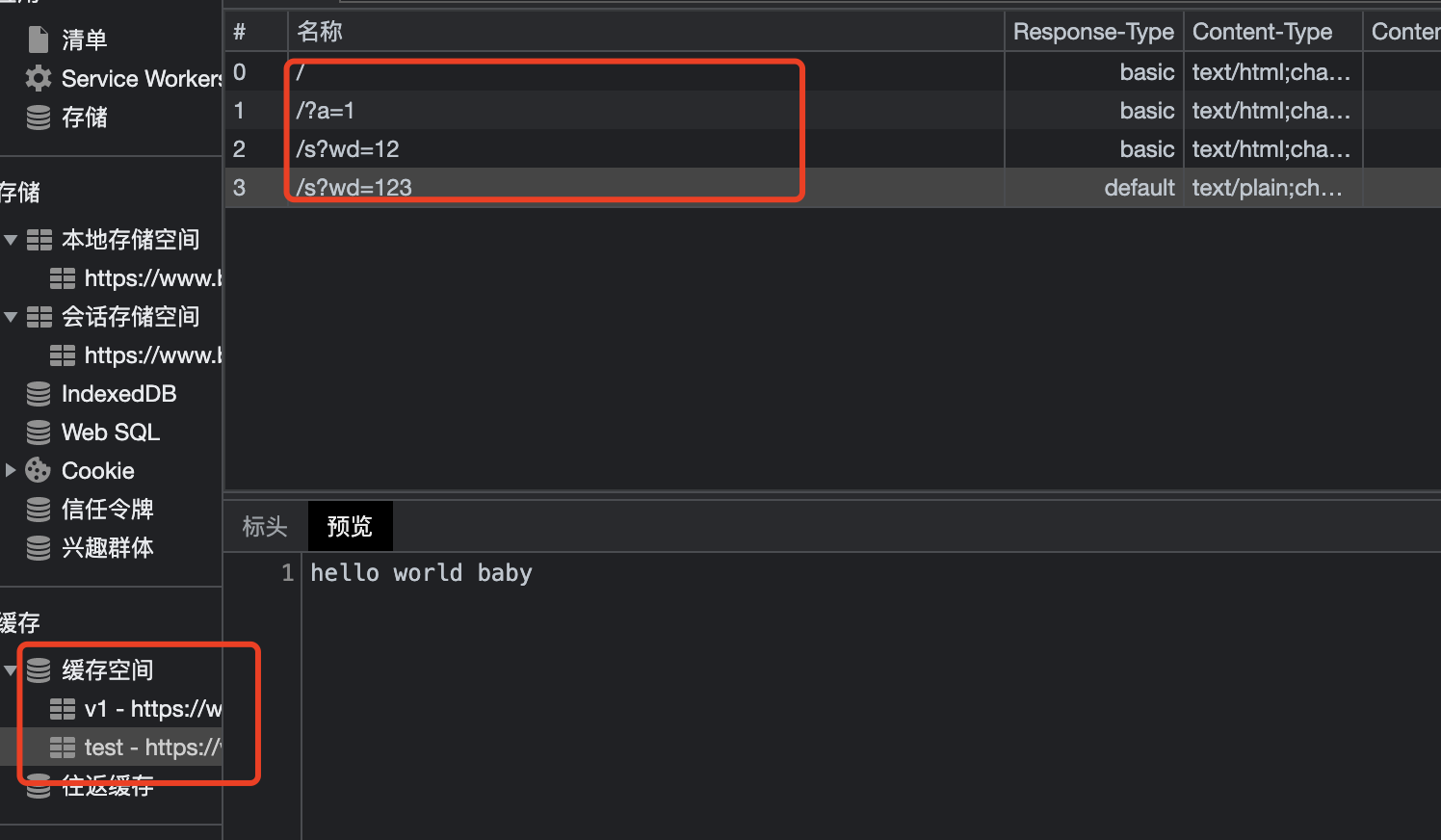
cache.add, cache.addAll

这两个方法都可以把一些请求缓存下来,区别在于addAll可以接受多个请求或者url。常用于提前缓存一些静态资源。

cache.add('https://www.baidu.com?a=1');

// serviceWorker
addEventListener('install', event => {
  const preCache = async () => {
    const cache = await caches.open('static-v1');
    return cache.addAll([
      '/',
      '/about/',
      '/static/styles.css'
    ]);
  };
  event.waitUntil(preCache());
});

cache.put

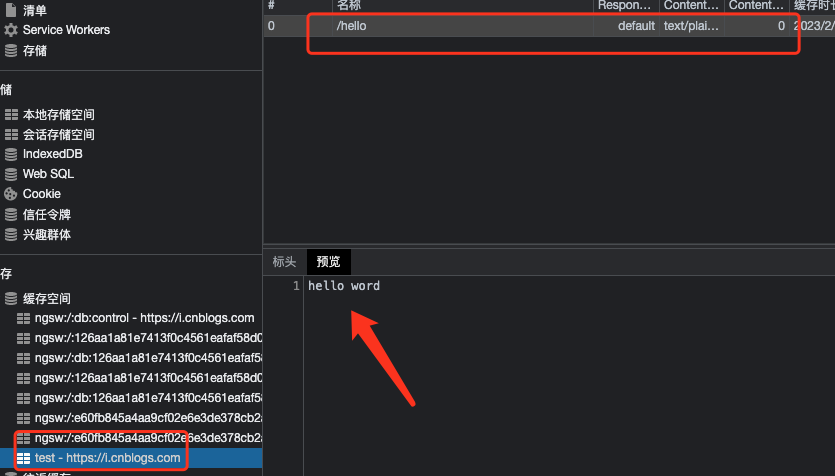
cache.put 接受两个参数,一个request, 一个response,这让我们可以更新缓存或者伪造响应。

caches.open('test').then((cache) => {
    cache.put('/hello', new Response('hello word', {status: 200}))
} )
cache.match

与caches.match用法一样,匹配一个request对应的response,如果没有,则返回undefined

caches.open('test').then((cache) => {

    cache.match('/hello').then(res => res?.text()).then(console.log)
} )

cache.delete

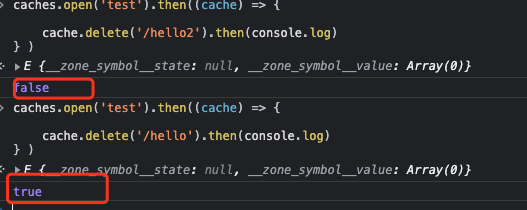
删除一个缓存,成功返回true,失败返回false

caches.open('test').then((cache) => {

    cache.delete('/hello').then(console.log)
} )
总结

上面就是cache API的内容了,当它可以service Worker一起使用的时候,可以发挥出巨大的威力