





第一步,新建主项目,并把创建好的src目录删除
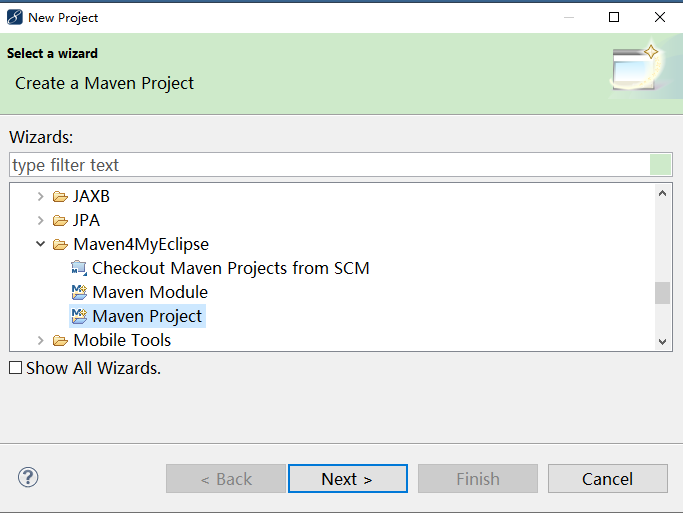

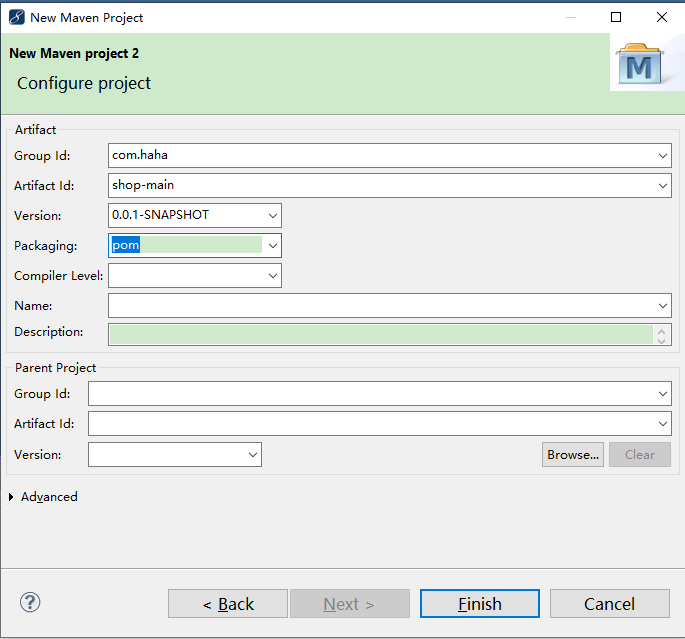
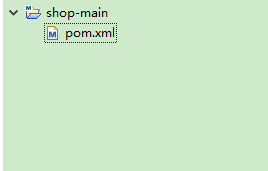
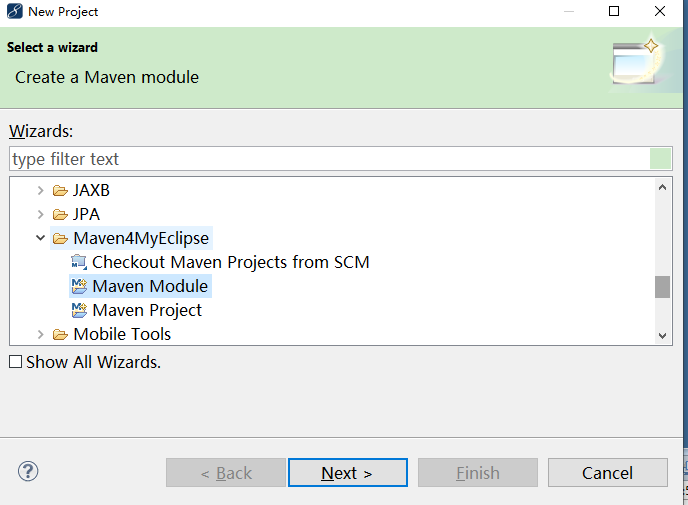
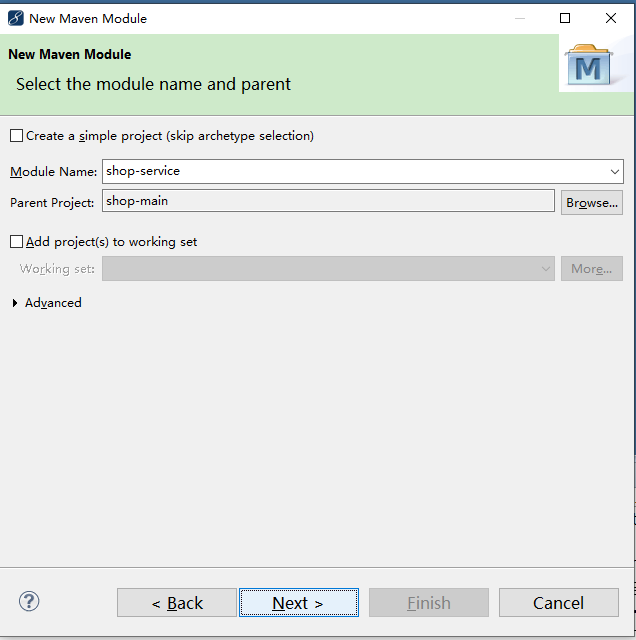
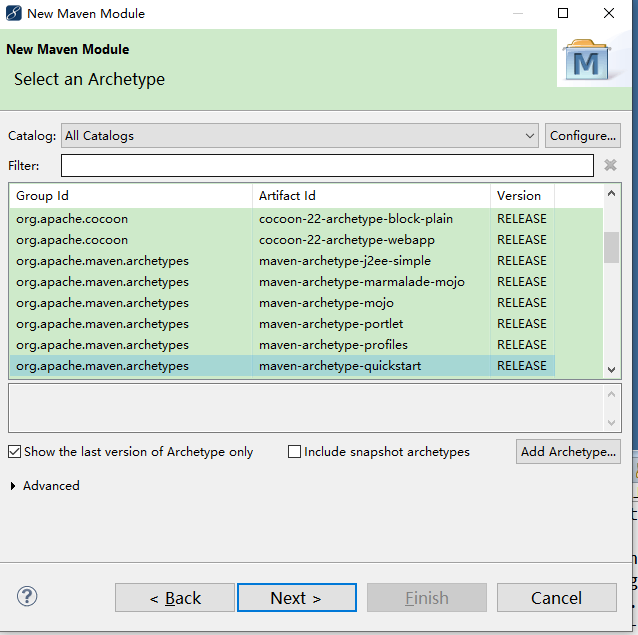
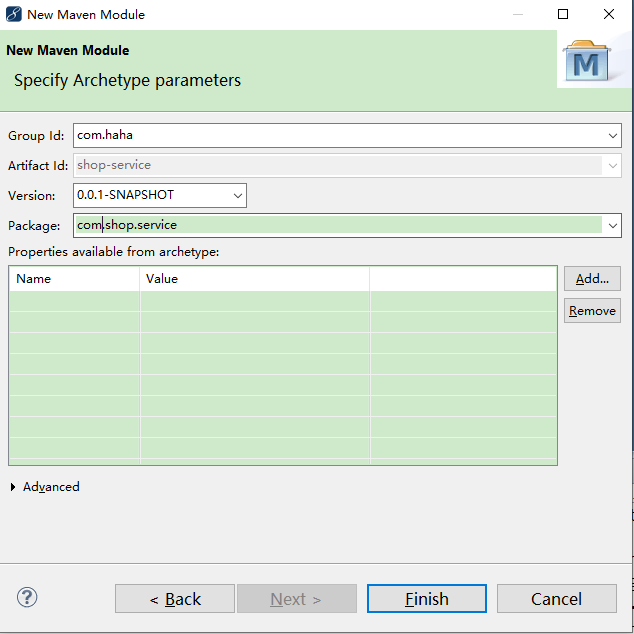
第二步,创建service层,为了简单起见,这里不创建dao层,选中主项目,然后右键,新建模块项目
org.apache.maven.archiver.MavenArchiver.getManifest(org.apache.maven.project.MavenProject,
org.apache.maven.archiver.MavenArchiveConfiguration)
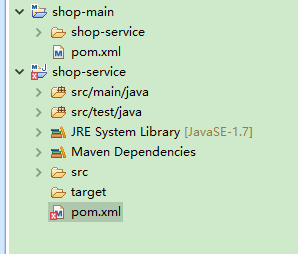
现在目录变成这样子,pom.xml报错了,提示这个,网上说要把
<artifactId>maven-jar-plugin</artifactId>
<version>3.0.2</version>
版本改为2.6,修改后,就没报错了
然后创建业务类MyService,代码如下
package com.shop.service;

public class MyService {
    public String getUsernameById(int id){
        return "xiaoMing";
    }
}
第三步,创建控制层
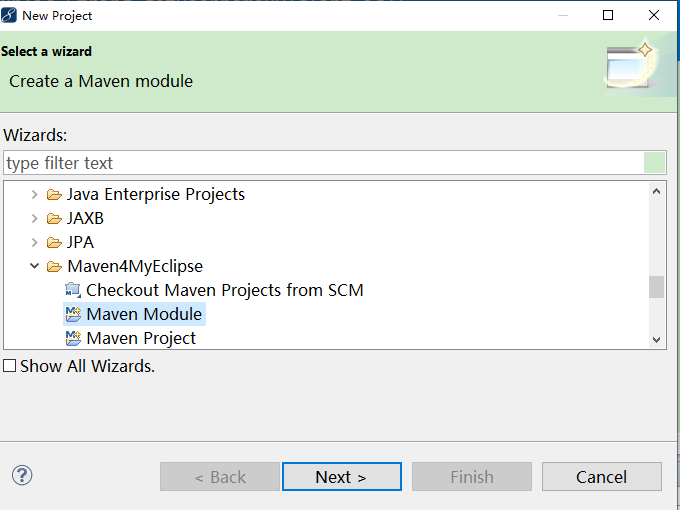
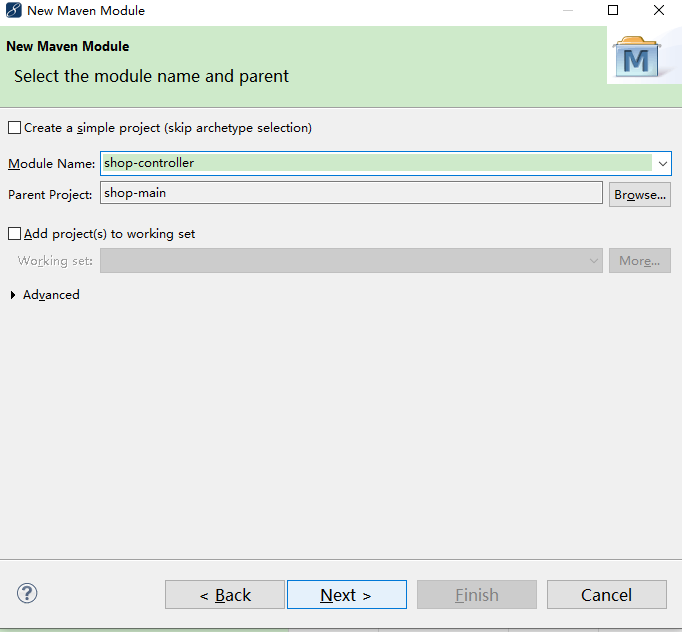
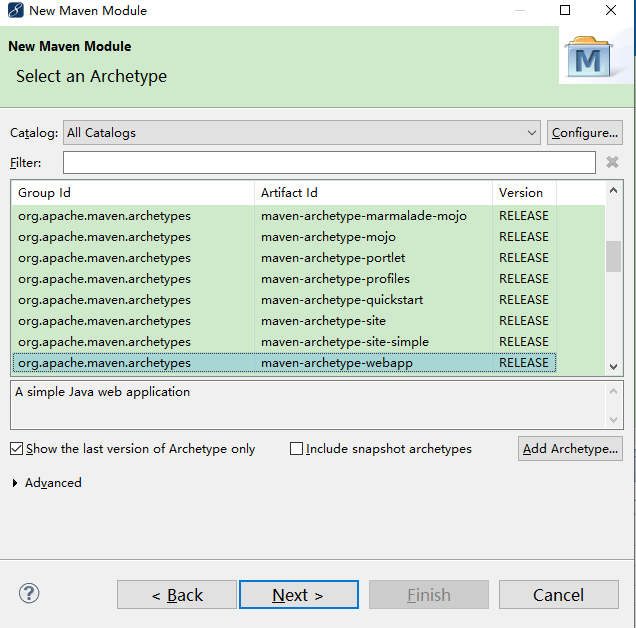
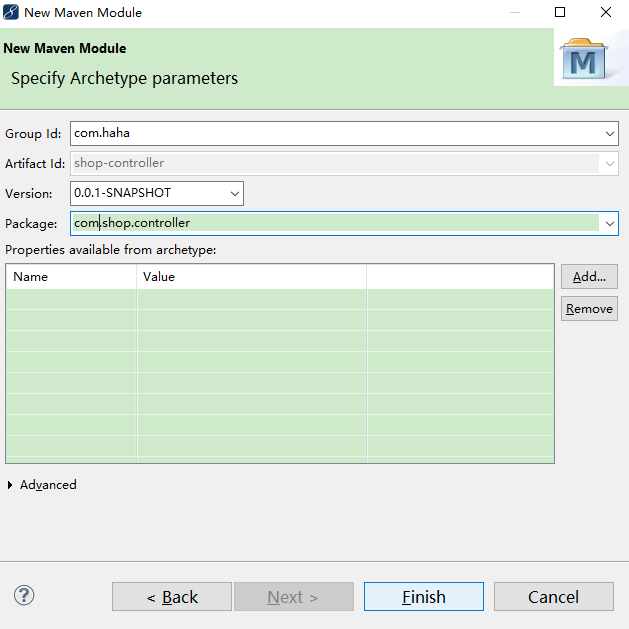
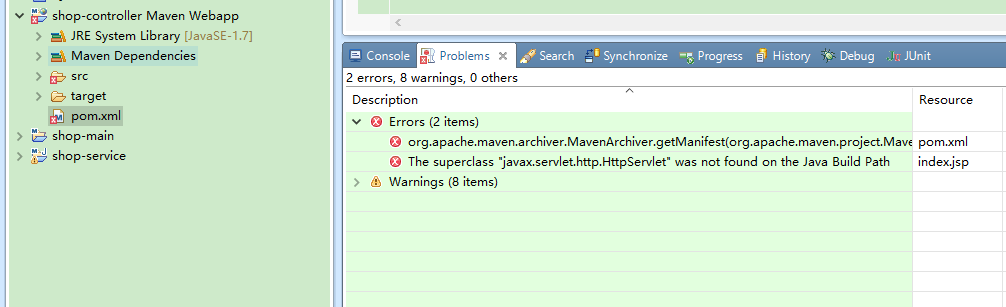
创建好控制层后,还是报错,
<artifactId>maven-war-plugin</artifactId>
<version>3.2.2</version>
把版本改为2.6,就好了,还要引入servlet-api,还要依赖业务层,这时候pom文件变成这样,如下代码
<?xml version="1.0" encoding="UTF-8"?>
<project xmlns="http://maven.apache.org/POM/4.0.0" xmlns:xsi="http://www.w3.org/2001/XMLSchema-instance" xsi:schemaLocation="http://maven.apache.org/POM/4.0.0 http://maven.apache.org/xsd/maven-4.0.0.xsd">
  <modelVersion>4.0.0</modelVersion>
  <parent>
        <artifactId>shop-main</artifactId>
        <groupId>com.haha</groupId>
        <version>0.0.1-SNAPSHOT</version>
    </parent>

  <groupId>com.haha</groupId>
  <artifactId>shop-controller</artifactId>
  <version>0.0.1-SNAPSHOT</version>
  <packaging>war</packaging>

  <name>shop-controller Maven Webapp</name>
  <!-- FIXME change it to the project's website -->
  <url>http://www.example.com</url>

  <properties>
    <project.build.sourceEncoding>UTF-8</project.build.sourceEncoding>
    <maven.compiler.source>1.7</maven.compiler.source>
    <maven.compiler.target>1.7</maven.compiler.target>
  </properties>

  <dependencies>
    <dependency>
      <groupId>junit</groupId>
      <artifactId>junit</artifactId>
      <version>4.11</version>
      <scope>test</scope>
    </dependency>
    <dependency>
        <groupId>javax.servlet</groupId>
        <artifactId>javax.servlet-api</artifactId>
        <version>4.0.1</version>
        <scope>provided</scope>
    </dependency>
    <dependency>
        <groupId>javax.servlet</groupId>
        <artifactId>jstl</artifactId>
        <version>1.2</version>
    </dependency>
    <dependency>
        <groupId>taglibs</groupId>
        <artifactId>standard</artifactId>
        <version>1.1.2</version>
    </dependency>
    <dependency>
     <groupId>com.haha</groupId>
     <artifactId>shop-service</artifactId>
     <version>${project.version}</version>
       </dependency>
  </dependencies>

  <build>
    <finalName>shop-controller</finalName>
    <pluginManagement><!-- lock down plugins versions to avoid using Maven defaults (may be moved to parent pom) -->
      <plugins>
        <plugin>
          <artifactId>maven-clean-plugin</artifactId>
          <version>3.1.0</version>
        </plugin>
        <!-- see http://maven.apache.org/ref/current/maven-core/default-bindings.html#Plugin_bindings_for_war_packaging -->
        <plugin>
          <artifactId>maven-resources-plugin</artifactId>
          <version>3.0.2</version>
        </plugin>
        <plugin>
          <artifactId>maven-compiler-plugin</artifactId>
          <version>3.8.0</version>
        </plugin>
        <plugin>
          <artifactId>maven-surefire-plugin</artifactId>
          <version>2.22.1</version>
        </plugin>
        <plugin>
          <artifactId>maven-war-plugin</artifactId>
          <version>2.6</version>
        </plugin>
        <plugin>
          <artifactId>maven-install-plugin</artifactId>
          <version>2.5.2</version>
        </plugin>
        <plugin>
          <artifactId>maven-deploy-plugin</artifactId>
          <version>2.8.2</version>
        </plugin>
      </plugins>
    </pluginManagement>
  </build>
</project>
接着我们创建控制器MyController如下代码
package com.shop.controller;

import java.io.IOException;

import javax.servlet.ServletException;
import javax.servlet.http.HttpServlet;
import javax.servlet.http.HttpServletRequest;
import javax.servlet.http.HttpServletResponse;

import com.shop.service.MyService;

public class MyController extends HttpServlet{
    @Override
    protected void doGet(HttpServletRequest request, HttpServletResponse response) throws ServletException, IOException {
        MyService service = new MyService();
        String name = service.getUsernameById(1);
        request.setAttribute("name",name);
        System.out.println("hello|"+name);
        request.getRequestDispatcher("index.jsp").forward(request,response);

    }

    @Override
    protected void doPost(HttpServletRequest request, HttpServletResponse response) throws ServletException, IOException {
        this.doGet(request, response);
    }
}
还要配置web.xml中的Servler
<?xml version="1.0" encoding="UTF-8"?>
<web-app xmlns:xsi="http://www.w3.org/2001/XMLSchema-instance"
    xmlns="http://java.sun.com/xml/ns/javaee" xmlns:web="http://java.sun.com/xml/ns/javaee/web-app_2_5.xsd"
    xsi:schemaLocation="http://java.sun.com/xml/ns/javaee http://java.sun.com/xml/ns/javaee/web-app_3_0.xsd"
    metadata-complete="true" version="3.0">
    <display-name>shop-controller</display-name>

    <servlet>
        <!-- servlet的内部名称,自定义。尽量有意义 -->
        <servlet-name>ServletDemo</servlet-name>
        <!-- servlet的类全名: 包名+简单类名 -->
        <servlet-class>com.shop.controller.MyController</servlet-class>
    </servlet>
    <!-- servlet的映射配置 -->
    <servlet-mapping>
        <!-- servlet的内部名称,一定要和上面的内部名称保持一致!! -->
        <servlet-name>ServletDemo</servlet-name>
        <!-- servlet的映射路径(访问servlet的名称) -->
        <url-pattern>/ServletDemo</url-pattern>
    </servlet-mapping>


</web-app>
还要修改index.jsp页面
<%@page contentType="text/html; UTF-8" language="java" %>
<%@taglib prefix="c" uri="http://java.sun.com/jsp/jstl/core" %>
<html>
<body>
<h2>Hello <c:out value="${name}"/> </h2>
</body>
</html>
还要在控制层项目引入tomcat的lib

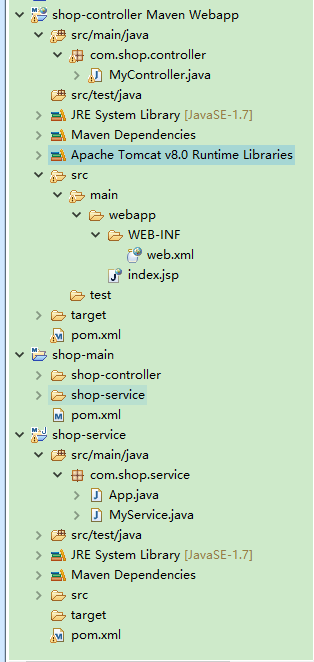
现在整个目录变成这样子
最后在主项目右键打一下包
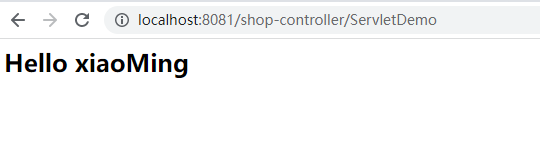
在target目录会产生war包,把它复制到tomcat中的webapps目录下,启动tomcat后,即可访问
此内容由惯性聚合(RSS阅读器)自动聚合整理,仅供阅读参考。 原文来自 — 版权归原作者所有。