惯性聚合 高效追踪和阅读你感兴趣的博客、新闻、科技资讯
阅读原文 在惯性聚合中打开

推荐订阅源

S
Secure Thoughts
Security Latest
Security Latest
Simon Willison's Weblog
O
OpenAI News
GbyAI
GbyAI
L
LINUX DO - 最新话题
A
Arctic Wolf
T
Tor Project blog
G
GRAHAM CLULEY
I
InfoQ
博客园_首页
IT之家
IT之家
The Register - Security
Exploit-DB.com RSS Feed
P
Proofpoint News Feed
The GitHub Blog
The GitHub Blog
Blog — PlanetScale
Blog — PlanetScale
N
Netflix TechBlog - Medium
K
Kaspersky official blog
博客园 - 三生石上(FineUI控件)
S
SegmentFault 最新的问题
U
Unit 42
PCI Perspectives
PCI Perspectives
量子位
P
Palo Alto Networks Blog
S
Securelist
T
Troy Hunt's Blog
博客园 - 【当耐特】
Recorded Future
Recorded Future
K
KPMG report finds enterprise disconnect between AI and its ROI | CIO
S
Security Affairs
Engineering at Meta
Engineering at Meta
T
The Blog of Author Tim Ferriss
博客园 - 聂微东
罗磊的独立博客
N
News and Events Feed by Topic
人人都是产品经理
人人都是产品经理
B
Blog RSS Feed
NISL@THU
NISL@THU
C
Cisco Blogs
T
Threatpost
有赞技术团队
有赞技术团队
Forbes - Security
Forbes - Security
Hugging Face - Blog
Hugging Face - Blog
Last Week in AI
Last Week in AI
T
The Exploit Database - CXSecurity.com
Cloudbric
Cloudbric
Cyberwarzone
Cyberwarzone
Google DeepMind News
C
Cyber Attacks, Cyber Crime and Cyber Security

博客园 - 折翼的飞鸟

React中 state值根据props传入值变化的静态方法 getDerivedStateFromProps 微信小程序分享图片显示自定义内容 Taro4.x 引入 taro-ui 组件库 Taro4.x引入redux报错:TypeError: middleware is not a function uniapp+vue3 微信小程序使用mqtt通信 uniapp+vue3 在App.vue中如何设置全局调用方法 Taro 在页面中import包、组件、样式文件的顺序自定义规则 Taro优化VirtualList虚拟列表组件 Taro 引入moment.js打包过大 React:消息订阅(subscribe)-发布(publish)机制 Taro 插件引入 Taro: chooseLocation:fail the api need to be declared in the requiredPrivateInfos field in app.json/ext.json Taro 支付宝小程序Page页获取小程序启动时的参数 Taro 主包vendors.js文件过大 Taro自定义Tabbar Taro 微信转支付宝小程序: 问题八 TypeError: Function(...) is not a function Taro微信转支付宝小程序:问题七 引入的文件图片文件名不能有@符号 Taro微信转支付宝小程序:问题六 同时编译微信小程序和支付宝小程序 Taro微信转支付宝小程序:问题五 编译时没有报错,工具中却莫名奇妙的错误提示
Taro 打包体积分析
折翼的飞鸟 · 2024-08-29 · via 博客园 - 折翼的飞鸟

Taro 使用 Webpack 作为内部的打包系统,有时候当我们的业务代码使用了 require 语法或者 import default 语法,Webpack 并不能给我们提供 tree-shaking 的效果。在这样的情况下我们通过 webpack-bundle-analyzer 来分析我们依赖打包体积,这个插件会在浏览器打开一个可视化的图表页面告诉我们引用各个包的体积。

运行编译命令完成之后就可以看到各文件依赖关系及体积。

你可以访问 webpack-bundle-analyzer 文档了解详细的用法。

1、首先安装 webpack-bundle-analyzer 依赖:

npm install webpack-bundle-analyzer -D

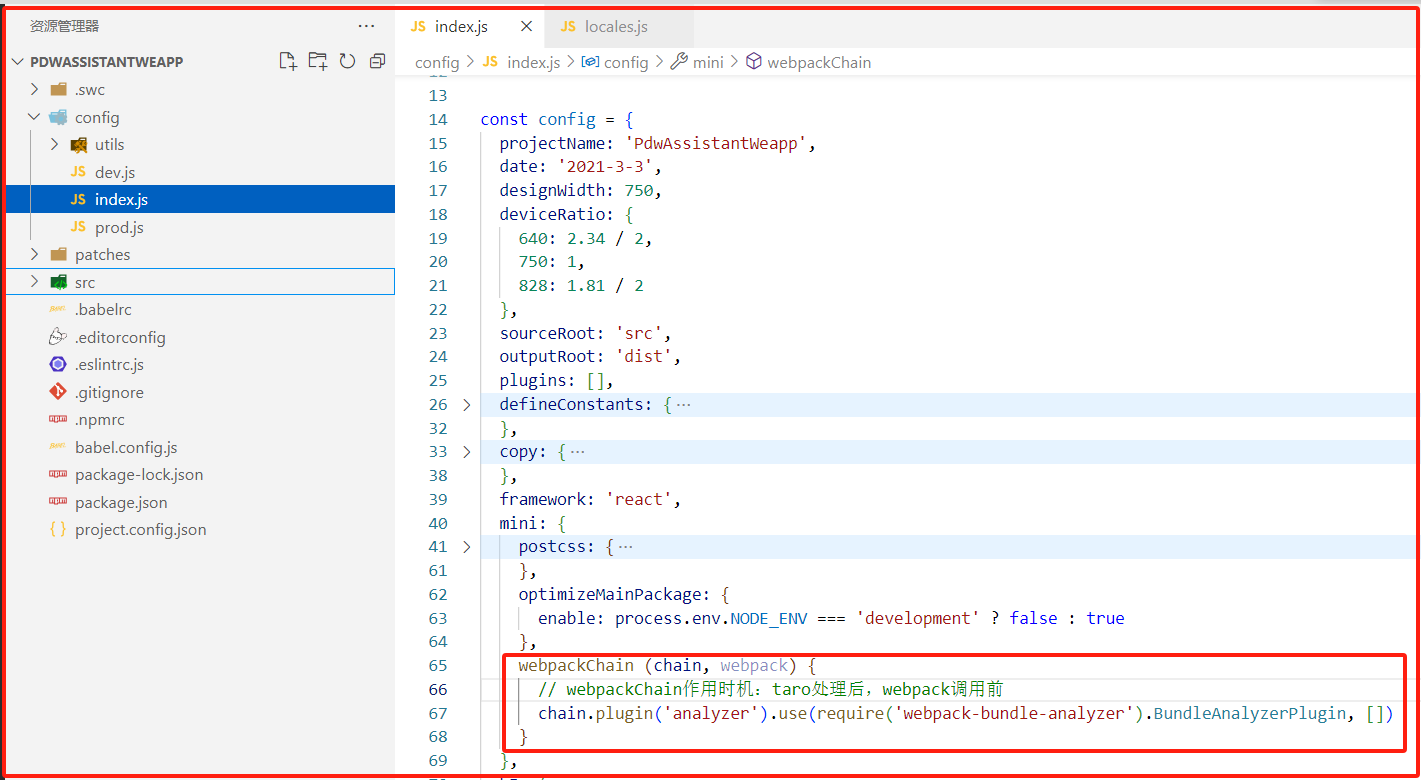
2、然后在 mini.webpackChain 中添加如下配置:

const config = {
  ...
  mini: {
    webpackChain (chain, webpack) {
      chain.plugin('analyzer')
        .use(require('webpack-bundle-analyzer').BundleAnalyzerPlugin, [])
    }
  }
}