惯性聚合 高效追踪和阅读你感兴趣的博客、新闻、科技资讯
阅读原文 在惯性聚合中打开

推荐订阅源

T
Tenable Blog
H
Heimdal Security Blog
K
Kaspersky official blog
奇客Solidot–传递最新科技情报
奇客Solidot–传递最新科技情报
S
Schneier on Security
G
GRAHAM CLULEY
U
Unit 42
OSCHINA 社区最新新闻
OSCHINA 社区最新新闻
C
CERT Recently Published Vulnerability Notes
Google DeepMind News
罗磊的独立博客
Stack Overflow Blog
Stack Overflow Blog
阮一峰的网络日志
阮一峰的网络日志
Simon Willison's Weblog
C
Cisco Blogs
Cyberwarzone
Cyberwarzone
T
The Exploit Database - CXSecurity.com
Project Zero
Project Zero
Security Archives - TechRepublic
www.infosecurity-magazine.com
博客园 - 司徒正美
Exploit-DB.com RSS Feed
V
Visual Studio Blog
博客园 - Franky
Engineering at Meta
Engineering at Meta
WordPress大学
WordPress大学
Jina AI
Jina AI
P
Proofpoint News Feed
P
Proofpoint News Feed
有赞技术团队
有赞技术团队
L
LINUX DO - 最新话题
宝玉的分享
宝玉的分享
N
News and Events Feed by Topic
cs.CV updates on arXiv.org
博客园 - 聂微东
T
The Blog of Author Tim Ferriss
Spread Privacy
Spread Privacy
Application and Cybersecurity Blog
IT之家
IT之家
S
Security Affairs
博客园 - 叶小钗
freeCodeCamp Programming Tutorials: Python, JavaScript, Git & More
小众软件
小众软件
N
News | PayPal Newsroom
Cloudbric
Cloudbric
AWS News Blog
AWS News Blog
W
WeLiveSecurity
The Last Watchdog
The Last Watchdog
Cyber Security Advisories - MS-ISAC
NISL@THU
NISL@THU

博客园 - Sameen

上下文工程学习笔记 什么是vibe ? 什么是 embedding ? angular中asObservable是什么的,为什么需要用? vscode问题 document cookie JavaScript中的Date squash merge requestIdleCallback angular学习笔记 [转]React hooks useEffect中如何使用异步函数(即如何使用async/await) css斜条纹背景——linear-gradient 【转】过滤不可见字符 换电脑快捷同步vscode插件和配置 Git自动补全配置安装(Mac版本) Mac上看不到.git目录下的隐藏文件的解决方法 ts 问号点 ?. moment获取本月、上个月、近三个月时间段 iframe优缺点
Element.scrollIntoView
Sameen · 2023-02-28 · via 博客园 - Sameen

文档: https://developer.mozilla.org/zh-CN/docs/Web/API/Element/scrollIntoView

Element 接口的 scrollIntoView() 方法会滚动元素的父容器,使被调用 scrollIntoView() 的元素对用户可见。

让元素滚动到浏览器窗口的可视区域(指定位置)

element.scrollIntoView({behavior: "smooth", block: "center", inline: "nearest"});
scrollIntoViewOptions 可选 实验性
一个包含下列属性的对象:

behavior 可选
定义动画过渡效果, "auto"或 "smooth" 之一。默认为 "auto"。

block 可选
定义垂直方向的对齐, "start", "center", "end", 或 "nearest"之一。默认为 "start"。

inline 可选
定义水平方向的对齐, "start", "center", "end", 或 "nearest"之一。默认为 "nearest"。

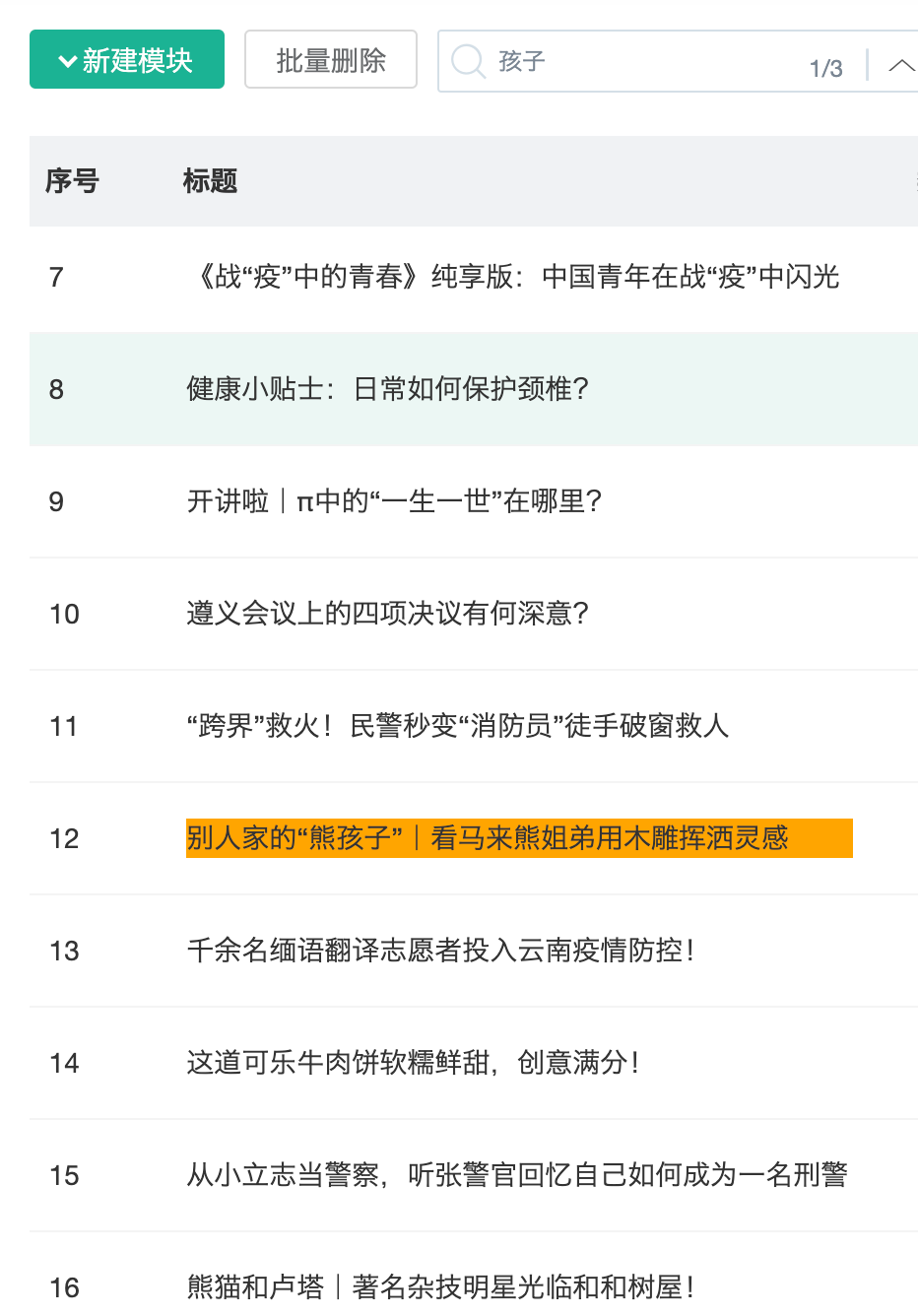
场景:比如表格场景,搜索关键词,根据关键词搜索出来的记录,想要自动滚动定位到 搜索出来的这条记录,让这条记录展示在列表可视区域的中心。

eg: