








2025-04-24 13:28 abce 阅读(157) 评论() 收藏 举报
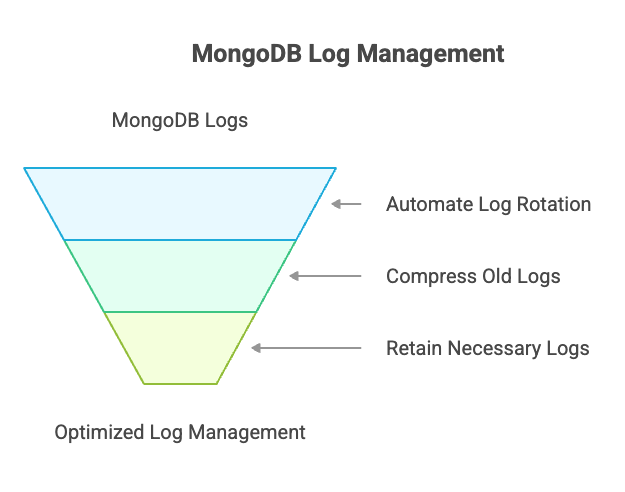
可以采用日志自动rotation、老日志压缩、只保留必要的日志等管理方式来管理mongodb的日志。
要想做日志的rotation,必须执行以下步骤之一:
·向 mongod 或 mongos 进程发送 SIGUSR1 信号。
·运行 MongoDB logRotate 命令。
·运行 Linux/Unix logrotate 实用程序。
当使用了--logpath选项,或者使用systemLog.path设置,mongod和mongos实例会向日志文件报告所有活动和操作的实时记录。在向日志文件报告活动数据时,默认情况下,MongoDB 只在响应 logRotate 命令或当 mongod 或 mongos 进程从操作系统接收到 SIGUSR1 信号时才会 rotate 日志。server 日志和审计日志可通过 logRotate 命令一起或单独 rotate。
MongoDB 的标准日志rotate方法是将当前日志文件存档,并启动新的日志文件。为此,mongod 或 mongos 实例会重命名当前日志文件,在文件名中添加一个 ISODate 格式的 UTC 时间戳。然后,它会打开一个新日志文件,关闭旧日志文件,并将所有新日志条目发送到新日志文件。
可以通过将 systemLog.logRotate 或启动参数 --logRotate 设置为 reopen,配置 MongoDB 以支持 Linux/Unix 系统的 logrotate 日志轮换工具。启用 reopen 后,mongod 或 mongos 会关闭当前日志文件,然后重新打开一个同名的新日志文件。此操作需另外的进程配合在rotate前先重命名原日志文件。
最后,你可以使用 --syslog 选项配置 mongod 将日志数据发送到 syslog。在这种情况下,你可以利用其他日志rotate工具。
logRotate 命令不会复制到副本,只能登录到副本集的每个实例单独执行。
默认情况下,MongoDB 使用 --logRotate 的 rename 行为。使用重命名,mongod 或 mongos 会通过在文件名中附加 UTC 时间戳来重命名当前日志文件,打开一个新日志文件,关闭旧日志文件,并将所有新日志条目发送到新日志文件。
1.启动mongodb实例
mongod -v --logpath /var/log/mongodb/server1.log
也可以显式的指定 --logRotate rename 选项。
2.列出日志文件
在另外的终端,列出匹配的文件:
ls /var/log/mongodb/server1.log*
3.rotate日志
db.adminCommand( { logRotate : "server" } )
当 systemLog.logRotate 或 --logRotate 被设置为 reopen 时,logRotate 会遵循典型的 Linux/Unix 行为,简单地关闭日志文件然后重新打开具有相同名称的日志文件。使用 reopen,mongod 会希望另一个进程在Rotate之前重命名文件,并且重新打开一个新创建的文件。
同时对server log 和 aduit log 做rotation:
use admin
db.adminCommand({ logRotate: 1 })
只对 audit log 做rotation
use admin
db.adminCommand({ logRotate: "audit", comment: "Rotating audit log" })
只对server log 做rotation:
use admin
db.adminCommand( { logRotate : "server" } )
对 server log 做rotation:
· 对当前的mongodb server log 做 rotation
·压缩之前的日志
vi /etc/logrotate.d/mongo

/var/log/mongodb/auditLog*.json {
    daily           # Rotate logs daily
    rotate 10       # Keep last 10 logs
    missingok       # Ignore if log file is missing
    compress        # Compress old logs
    delaycompress # Delay compression by one cycle to avoid issues
    notifempty     # Skip rotation if log file is empty
    create 644 mongodb mongodb  # Ensure correct ownership and permissions
    sharedscripts  # Ensures postrotate script runs only once
    postrotate
if pgrep mongod >/dev/null; then
    systemctl kill --signal=SIGUSR1 mongod 2>/dev/null || \
    /bin/kill -SIGUSR1 `cat /var/run/mongodb/mongod.pid 2>/dev/null` >/dev/null 2>&1
fi
    endscript
}
对 audit log 做rotation:
vi  /etc/logrotate.d/mongoAudit

/var/log/mongodb/auditLog*.json
{
  daily
  missingok
  compress
  delaycompress
  notifempty
  sharedscripts
  create 644 mongod mongod
  rotate 10
  postrotate
   if pgrep mongod >/dev/null; then
    systemctl kill --signal=SIGUSR1 mongod 2>/dev/null || \
    /bin/kill -SIGUSR1 `cat /var/run/mongodb/mongod.pid 2>/dev/null` >/dev/null 2>&1
fi
  endscript
  }
vi  /etc/mongod.conf

systemLog:
  quiet: false
  destination: file
  logAppend: true # Ensures logs are appended instead of being overwritten
  logRotate: reopen # Allows external logrotate to manage MongoDB logs
  path: /log/mongod.log
1.单独的日志目录
将日志放在的磁盘分区上,避免对数据分区的影响
2.开启日志rotation
在mongod.conf配置文件中配置systemLog.logAppend、systemLog.logRotates变量,实现日志的无缝rotation
3.自动日志管理
编写脚本来压缩和清空旧的日志,比如只保留15天内的日志
4.日志所在磁盘使用的监控
定期检查日志所在磁盘的使用情况
此内容由惯性聚合(RSS阅读器)自动聚合整理,仅供阅读参考。 原文来自 — 版权归原作者所有。