惯性聚合 高效追踪和阅读你感兴趣的博客、新闻、科技资讯
阅读原文 在惯性聚合中打开

推荐订阅源

博客园_首页
Microsoft Security Blog
云风的 BLOG
云风的 BLOG
B
Blog
The Register - Security
L
LangChain Blog
Cyber Security Advisories - MS-ISAC
N
Netflix TechBlog - Medium
F
Full Disclosure
The GitHub Blog
The GitHub Blog
Recorded Future
Recorded Future
CTFtime.org: upcoming CTF events
Blog — PlanetScale
Blog — PlanetScale
Jina AI
Jina AI
美团技术团队
宝玉的分享
宝玉的分享
Hugging Face - Blog
Hugging Face - Blog
阮一峰的网络日志
阮一峰的网络日志
G
Google Developers Blog
大猫的无限游戏
大猫的无限游戏
S
SegmentFault 最新的问题
D
DataBreaches.Net
Martin Fowler
Martin Fowler
H
Hackread – Cybersecurity News, Data Breaches, AI and More
Google DeepMind News
WordPress大学
WordPress大学
钛媒体:引领未来商业与生活新知
钛媒体:引领未来商业与生活新知
博客园 - Franky
The Cloudflare Blog
博客园 - 【当耐特】
U
Unit 42
月光博客
月光博客
T
The Blog of Author Tim Ferriss
博客园 - 叶小钗
博客园 - 聂微东
I
InfoQ
B
Blog RSS Feed
Apple Machine Learning Research
Cyberwarzone
Cyberwarzone
V
V2EX
S
Securelist
让小产品的独立变现更简单 - ezindie.com
S
Security @ Cisco Blogs
PCI Perspectives
PCI Perspectives
cs.AI updates on arXiv.org
H
Heimdal Security Blog
OSCHINA 社区最新新闻
OSCHINA 社区最新新闻
The Hacker News
The Hacker News
D
Darknet – Hacking Tools, Hacker News & Cyber Security
T
Tor Project blog

博客园 - zhengyan_web

rn 适配 鸿蒙 极光推送集成记录 xcode 打包 报错 main.jsbundle does not exist. react-native-background-job 加载依赖报错处理 解决gradle与gradle plugin匹配关系以及gradle下载缓慢的问题 ‌华为手机记录密码后页面显示的用户名可以通过修改设置来隐藏 极狐gitlab 搭建 rn node 版本问题 mac 电脑查看已安装的谷歌插件 xcode 15打包报错 mac jdk切换 js编码、解码方法(escape,encodeURI,encodeURIComponent区别及用法) grep命令 苹果审核Guideline 2.3.1 - Performance XCode报错Thread 1: EXC_BAD_ACCESS (code=2, address=0x....) mac m1 运行老项目 docker 安装homebrew报错error: Not a valid ref: refs/remotes/origin/master 的解决方法 React Native 新版 pod install 依赖时报错
网络代理
zhengyan_web · 2024-01-31 · via 博客园 - zhengyan_web

1、访问github 
  安装 xxxxxxx-xxxxx

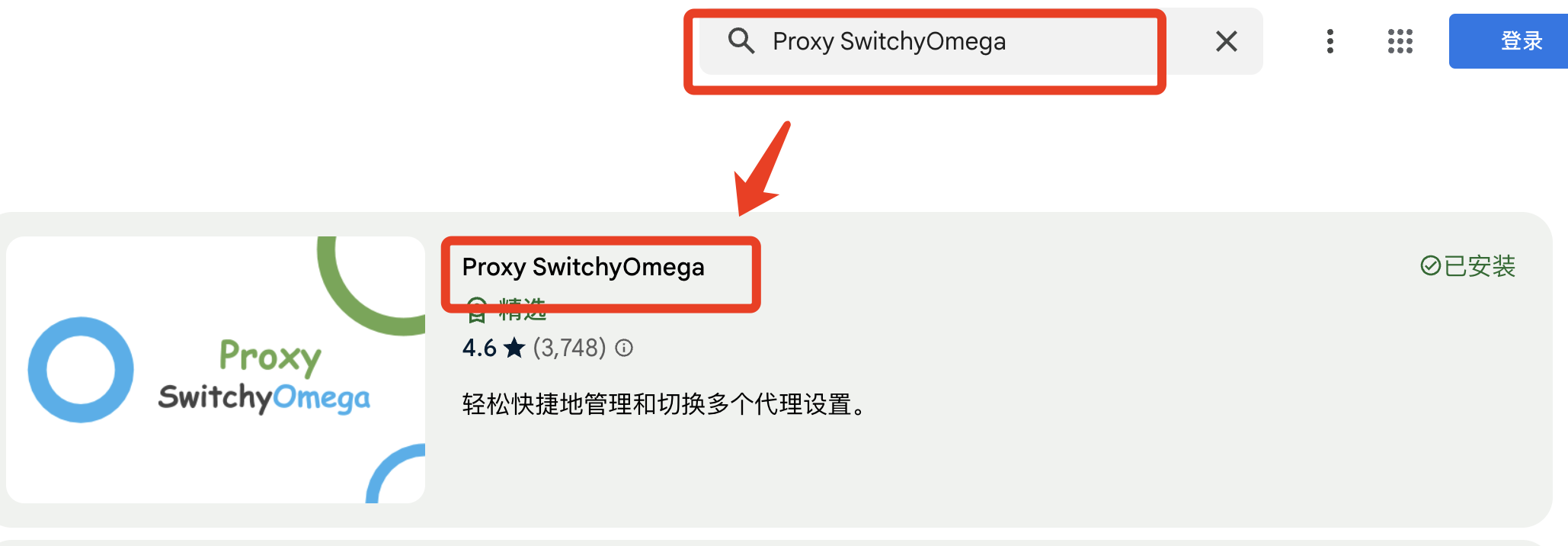
  1、需要访问谷歌商店 

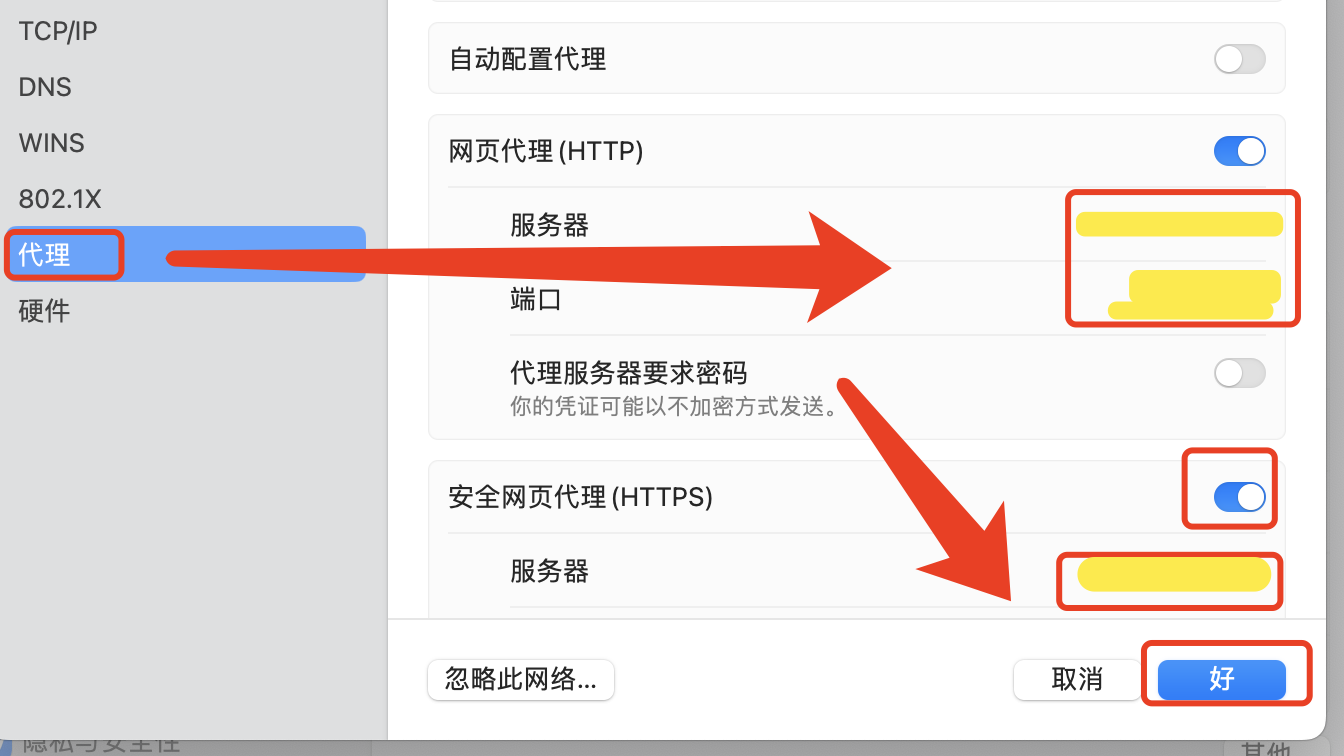
    首先要去电脑网络上设置代理
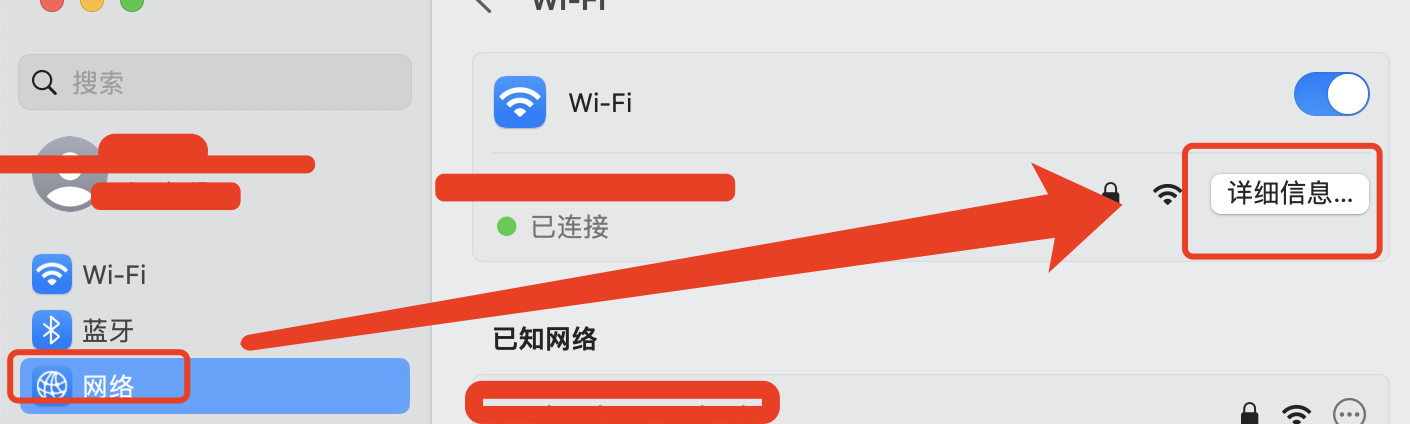


    谷歌商店:https://chromewebstore.google.com/

    搜索:xxxxxxx-xxxxx

2、mac 终端走代理

  方法一:临时处理 不影响环境

      直接打开终端,在终端运行 一下 命令 :export  http_proxy=http://proxyAddress:port

         如果是https那么就经过如下命令:  export  https_proxy=http://proxyAddress:port

方法二:永久处理
     
这个办法的好处是把代理服务器永久保存了,下次就可以直接用了
     把代理服务器地址写入shell配置文件.bashrc或者.zshrc 直接在.bashrc或者.zshrc添加下面内容export http_proxy="http://localhost:port"
export https_proxy="http://localhost:port"
         或者走socket5协议(ss,ssr)的话,代理端口是1080export http_proxy="socks5://10.12.1.16:3128"

                 export https_proxy="socks5://10.12.1.16:3128"

         或者干脆直接设置ALL_PROXYexport ALL_PROXY=socks5://10.12.1.16:3128
         最后在执行如下命令应用设置
         source ~/.bashrc或者通过设置alias简写来简化操作,每次要用的时候输入setproxy,不用了就unsetproxy。
         添加环境变量
打开终端,执行 vi ~/.bash_profile
添加
        alias proxy='export http_proxy=http://10.12.1.16:3128;export https_proxy=http://10.12.1.16:3128;'

        alias unproxy='unset all_proxy'

      保存,再执行以下命令,使配置生效

         source ~/.bash_profile

      source ~/.bash_profile只生效一次的解决方案

      在~/.zshrc文件最后,增加一行:

      source ~/.bash_profile三、验证

      #开启代理

      proxy

      #关闭代理

  unproxy方法三:

    改相应工具的配置,比如apt的配置sudo vim /etc/apt/apt.conf

    在文件末尾加入下面这行Acquire::http::Proxy "http://proxyAddress:port"

    重点来了!!如果说经常使用git对于其他方面都不是经常使用,可以直接配置git的命令。

    使用ss/ssr来加快git的速度

    直接输入这个命令就好了git config --global http.proxy 'socks5://10.12.1.16:3128'

    git config --global https.proxy '10.12.1.16:3128'