







第一步 ,新建asp.net 项目
第二步 ,添加MyTest ws服务
代码如下
2.1 建立头文件需要验证的实体类
 1 using System;
 2 using System.Collections.Generic;
 3 using System.Linq;
 4 using System.Web;
 5 using System.Web.Services.Protocols;
 6
 7 namespace Aspheadnet.Models
 8 {
 9     public class UserSoapHeader : SoapHeader
10     {
11         private string _userName;
12
13         private string _pwd;
14
15         //public的属性将自动生成xml结点
16
17         public string UserName
18         {
19
20             get { return _userName; }
21
22             set { _userName = value; }
23
24         }
25         public string Pwd
26         {
27
28             get { return _pwd; }
29
30             set { _pwd = value; }
31
32         }
33     }
34 }
2.2 编写ws服务
 1 using Aspheadnet.Models;
 2 using System;
 3 using System.Collections.Generic;
 4 using System.Linq;
 5 using System.Web;
 6 using System.Web.Services;
 7 using System.Web.Services.Protocols;
 8
 9 namespace Aspheadnet
10 {
11     /// <summary>
12     /// MyTest 的摘要说明
13     /// </summary>
14     [WebService(Namespace = "http://tempuri.org/")]
15     [WebServiceBinding(ConformsTo = WsiProfiles.BasicProfile1_1)]
16     [System.ComponentModel.ToolboxItem(false)]
17     // 若要允许使用 ASP.NET AJAX 从脚本中调用此 Web 服务,请取消注释以下行。
18     // [System.Web.Script.Services.ScriptService]
19     public class MyTest : System.Web.Services.WebService
20     {
21
22         //此属性将作为验证属性
23         //方法的SoapHeaderAttribute中的名称与此变量一致
24         public UserSoapHeader userHeader;
25
26         [WebMethod]
27         [SoapHeader("userHeader")]//这里很重要,名称要和定义的验证属性名称一致!
28         public string HelloWorld()
29         {
30             //进入此方法后,userHeader将自动有值
31             if (userHeader != null)
32             {
33                 if (userHeader.UserName != "张三")
34                 {
35                     return "用户名不匹配";
36                 }
37                 if (userHeader.Pwd != "123")
38                 {
39                     return "密码不匹配";
40                 }
41
42                 return "请求成功";
43
44             }
45
46             return "无效请求";
47         }
48     }
49 }
第3步客户端调用
3.1 添加webservice服务引用
1     <client>
2       <endpoint address="http://192.168.21.195:8033/MyTest.asmx" binding="basicHttpBinding"
3         bindingConfiguration="MyTestSoap" contract="TestService.MyTestSoap"
4         name="MyTestSoap" />
5     </client>
这里我发布了本地测试iis环境
3.2 界面写入相关代码
        protected void Button1_Click(object sender, EventArgs e)
        {
            test();
        }

        void test()
        {
            client.TestService.MyTestSoapClient mc = new MyTestSoapClient();

            WebService s = new WebService();
            UserSoapHeader a = new UserSoapHeader();

            a.UserName = "张三";

            a.Pwd = "123";

            Response.Write(mc.HelloWorld(a));
        }
效果如下
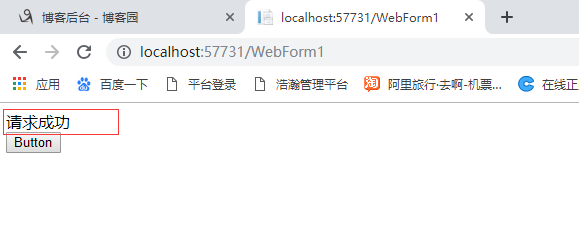
请求成功说明过了头文件认证了。
3.2 如果头文件不参入参数,或者参数传入有误都会无效请求。
下面这篇文件介绍怎么抓取这个页面的按钮事件。
此内容由惯性聚合(RSS阅读器)自动聚合整理,仅供阅读参考。 原文来自 — 版权归原作者所有。