






Can't find compiler executable in your configured search path's for GNU GCC Compiler
首先确定下载的文件是 codeblocks-20.03mingw-setup.exe(145M), 而不是 codeblocks-20.03-setup.exe,
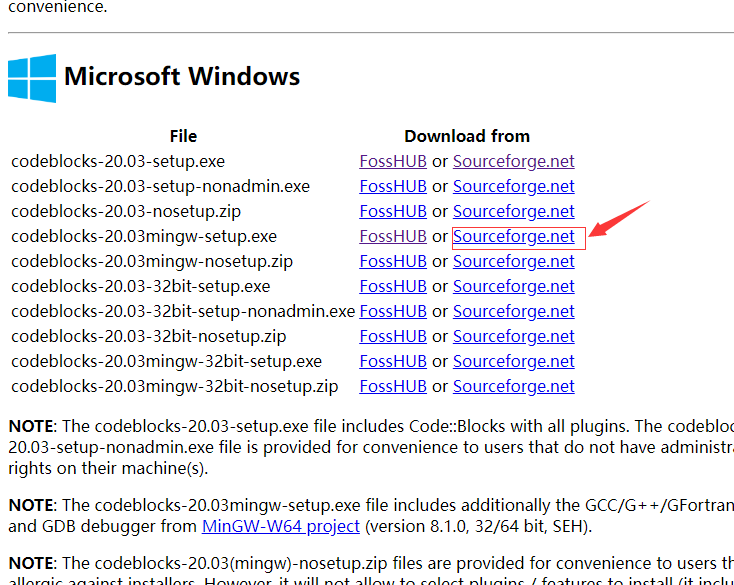
如果安装之后,新建c++文件时,点击编译按钮,没有任何反应,很有可能是没有找到对应的编译器。
How to solve the CodeBlocks environment error.
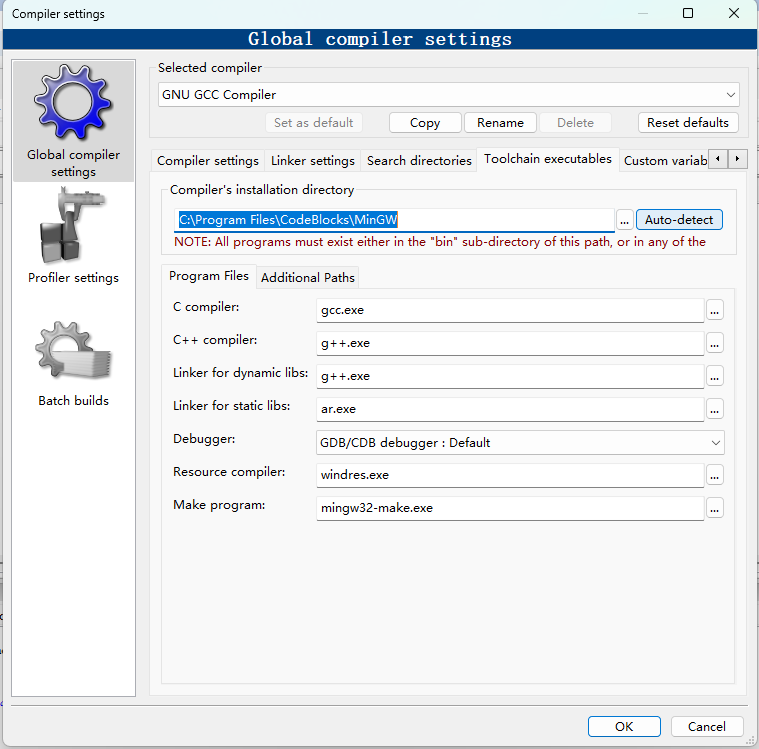
Go to "Settings"----"Compiler"----"Selected compiler"( GNU GCC Compiler ).
Then, Selected "Toolchain executables". clicke Auto-detect
Now, "( C:\Program Files \CodeBlocks\MinGW )"
此内容由惯性聚合(RSS阅读器)自动聚合整理,仅供阅读参考。 原文来自 — 版权归原作者所有。