


惯性聚合 高效追踪和阅读你感兴趣的博客、新闻、科技资讯
阅读原文 在惯性聚合中打开

推荐订阅源

博客园 - 叶小钗
J
Java Code Geeks
奇客Solidot–传递最新科技情报
奇客Solidot–传递最新科技情报
阮一峰的网络日志
阮一峰的网络日志
爱范儿
爱范儿
量子位
N
Netflix TechBlog - Medium
博客园 - 聂微东
博客园 - Franky
aimingoo的专栏
aimingoo的专栏
The Cloudflare Blog
T
The Blog of Author Tim Ferriss
MyScale Blog
MyScale Blog
Google DeepMind News
小众软件
小众软件
博客园 - 三生石上(FineUI控件)
C
Check Point Blog
钛媒体:引领未来商业与生活新知
钛媒体:引领未来商业与生活新知
B
Blog
Engineering at Meta
Engineering at Meta
Microsoft Azure Blog
博客园_首页
H
Hackread – Cybersecurity News, Data Breaches, AI and More
腾讯CDC

博客园 - 糖果的二师兄

记-Docker 服务器时间之ENV环境变量-设置docker容器的时区 mac homebrew国内安装源 解决:Adobe offers you a 5-day grace period to switch to a genuine Adobe app — at a discount — and uninstall unlicensed Adobe apps. ssh登录一些老旧设备,特别是旧版本linux。例如centos5.3之类的 Windows和mac OS共用VMware虚拟机 虚拟机扩容ubuntu22.04磁盘空间到逻辑卷中。 安装openssl 3后error while loading shared libraries: libssl.so.3 WinRAR永久授权专用激活KEY方法(rarreg.key) 2D游戏地图的设计思路 Hackintosh最简单且正确的USB定制方法 汇编指令速查 mysql 数据库 1130 error PD ubantu 安装 Parallels Tools Cinema 4d R25 C4D Mac版本的Arnold 渲染器 crack. 使用Docker通过aliyundriver-webdav挂载阿里云盘作为本地磁盘使用 unity tilemap 缝隙解决 TBC 2.4.3 Mac客户端 去除新冠疫苗接种系统导出的Excel表格数据中的干扰字符。 Tomcat10 报错java.lang.NoClassDefFoundError: javax/servlet/ServletContextListener
SAMSUNG SCX4521F (4x21系列) 在MacOS Sonoma下的驱动问题!
糖果的二师兄 · 2024-06-10 · via 博客园 - 糖果的二师兄

直接整

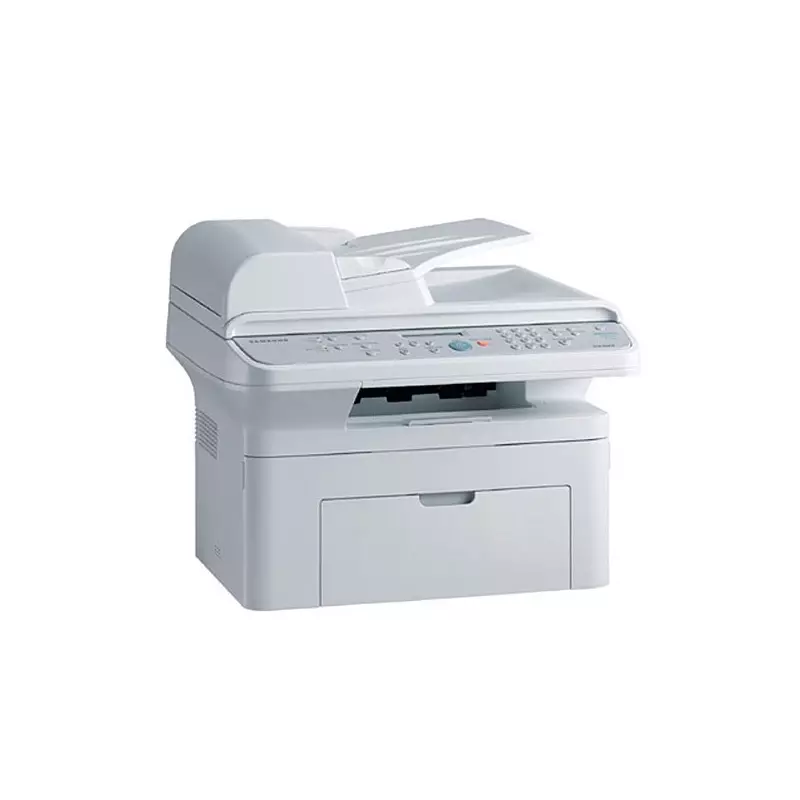
就这种打印机,很经典

First, you need to download the legacy Samsung Printer Driver 2.6 for OS X - from apple website: Samsung Printer Drivers v2.6 for OS X

Mount the dmg

Copy .pkg file to your Desktop or something

Open terminal

run `pkgutil --expand ~/Desktop/SamsungPrinterDrivers.pkg new`

 if you go to your home directory, you'll find a folder named `new` there.

 Open it, there is a file named `Distribution` - right click it and open with Other -> Text Edit

 Search for text (cmd+f) `system.compareVersions`. That's your OS version check: it wants minimum 10.6.1, maximum 11. Replace 11.0 with 15.0 (since the current MacOS version is 14) - or with whatever your MacOS version is + 1. I think you can really put any big number there.

There are two places in this file with this string where replacements need to be done.

 Save the file

 go back to your terminal

 Run `pkgutil --flatten new ~/Desktop/SamsungPrinterDrivers1.pkg`

 Voila. You got another .pkg file on your Desktop, and it should install without problems, just double click it.

 This was tested on Monterey 12.7.2; confirmed the same driver version works with Sonoma.

我重新打包好了的放网盘了,直接下载即可
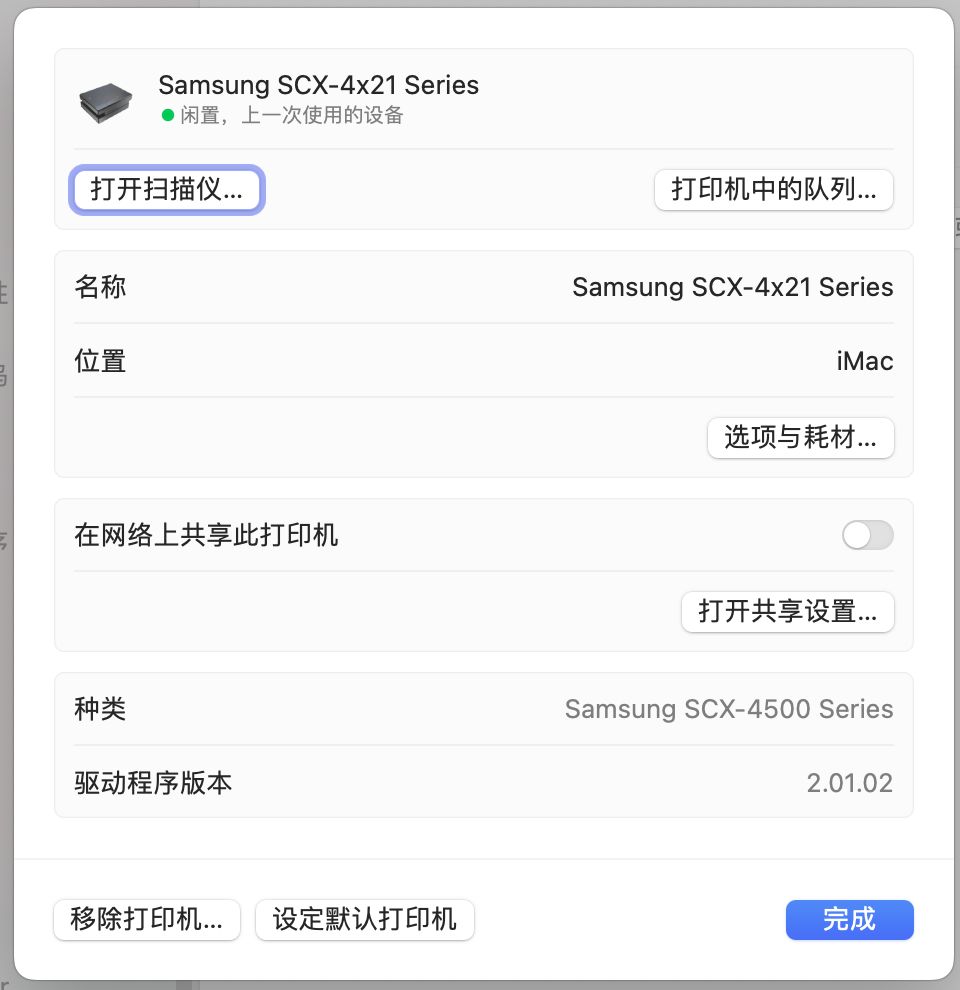
安装驱动时候选择scx4500 系列就行了。

链接: https://pan.baidu.com/s/1_g3awOT02jkMj7GpTg-kDA?pwd=hppc