


1
Hello there! I’m trying to abandon Windows and some apps hamper me from doing so.
I mainly game on PC and spent a fortune on Steelseries hardware and heavily rely on makros and other functions that their proprietary software provides, therefore I really want this to work on Linux.
I stumbled across this GitHub and followed the instructions. Please bear in mind I literally installed CashyOS yesterday so sorry if I appear to be dumb - because I am.
I installed SteelSeries GG via Lutris just like the instructions mentioned, but for some reason it appears that Lutris downloaded the latest install file for windows and created a bunch of files, but didn’t actually install the software. When I try to launch the software through Lutris it says it couldn’t find the file. I reinstalled everything like 4 times, but always the same outcome.
Error details from Lutris:
Die Datei /home/lukas/Games/steelseries-gg/drive_c/Program Files/SteelSeries/GG/SteelSeries GG Launcher.lnk konnte nicht gefunden werden

Traceback (most recent call last):

File “/usr/lib/python3.14/site-packages/lutris/exception_backstops.py”, line 35, in wrapper
result = function(*args, **kwargs)

File “/usr/lib/python3.14/site-packages/lutris/game.py”, line 687, in configure_game
gameplay_info = self.get_gameplay_info(launch_ui_delegate)

File “/usr/lib/python3.14/site-packages/lutris/game.py”, line 626, in get_gameplay_info
gameplay_info = self.runner.play()  # type: ignore[attr-defined]

File “/usr/lib/python3.14/site-packages/lutris/runners/wine.py”, line 1336, in play
raise MissingGameExecutableError(filename=game_exe)

lutris.exceptions.MissingGameExecutableError: Die Datei /home/lukas/Games/steelseries-gg/drive_c/Program Files/SteelSeries/GG/SteelSeries GG Launcher.lnk konnte nicht gefunden werden

Lutris log:
[INFO:2026-06-01 15:26:46,118:application]: Starting Lutris 0.5.22
[INFO:2026-06-01 15:26:46,154:startup]: “card1” is AMD Radeon RX 7800 XT (1002:747e 148c:2427 amdgpu) Driver 26.1.1
[INFO:2026-06-01 15:27:25,971:file_box]: Download completed
[INFO:2026-06-01 15:27:25,971:files_box]: All files available
[INFO:2026-06-01 15:27:25,971:installerwindow]: All files are available, continuing install
[INFO:2026-06-01 15:27:25,971:installerwindow]: Launching installer commands
[INFO:2026-06-01 15:27:25,977:wine]: Creating a win64 prefix in /home/lukas/Games/steelseries-gg
[INFO:2026-06-01 15:27:25,977:wine]: Winepath: /usr/bin/umu-run
[INFO:2026-06-01 15:27:27,979:wine]: win64 Prefix created in /home/lukas/Games/steelseries-gg
[ERROR:2026-06-01 15:27:28,027:wine]: The game doesn’t have an executable
[ERROR:2026-06-01 15:27:38,086:wine]: The game doesn’t have an executable
[ERROR:2026-06-01 15:28:07,909:exception_backstops]: Steelseries GG (wine) has encountered an error: Die Datei /home/lukas/Games/steelseries-gg/drive_c/Program Files/SteelSeries/GG/SteelSeries GG Launcher.lnk konnte nicht gefunden werden
Traceback (most recent call last):
File “/usr/lib/python3.14/site-packages/lutris/exception_backstops.py”, line 35, in wrapper
result = function(*args, **kwargs)
File “/usr/lib/python3.14/site-packages/lutris/game.py”, line 687, in configure_game
gameplay_info = self.get_gameplay_info(launch_ui_delegate)
File “/usr/lib/python3.14/site-packages/lutris/game.py”, line 626, in get_gameplay_info
gameplay_info = self.runner.play()  # type: ignore[attr-defined]
File “/usr/lib/python3.14/site-packages/lutris/runners/wine.py”, line 1336, in play
raise MissingGameExecutableError(filename=game_exe)
lutris.exceptions.MissingGameExecutableError: Die Datei /home/lukas/Games/steelseries-gg/drive_c/Program Files/SteelSeries/GG/SteelSeries GG Launcher.lnk konnte nicht gefunden werden
[WARNING:2026-06-01 15:28:07,910:game]: The game has run for a very short time, did it crash?
Today I tried to copy the files from my Windows partition to the Linux partition into the directory Lutris said it couldn’t find the file. So far so good, the little “Missing”-banner disappeared, but whenever I try to launch the software via Lutris nothing happens.
According to the Lutris page there are 128 users, maybe someone can help me to get this working, please.
Lutris says it can’t find this link - /home/lukas/Games/steelseries-gg/drive_c/Program Files/SteelSeries/GG/SteelSeries GG Launcher.lnk
Have you confirmed whether or not that launcher link is present?
Lukas 3
when Lutris does the install the entire Steelseries directory under /home/lukas/Games/steelseries-gg/drive_c/Program Files/ is missing.
After I copied the files from my Windows partiotion I did indeed confirm that the file was present. But then when I launch the app via Lutris it goes from “quit” to “play” almost instantly and nothing happens afterwards.
if the app is present, you can modify your lutris items, right click > follow the image, and find the right executable for it
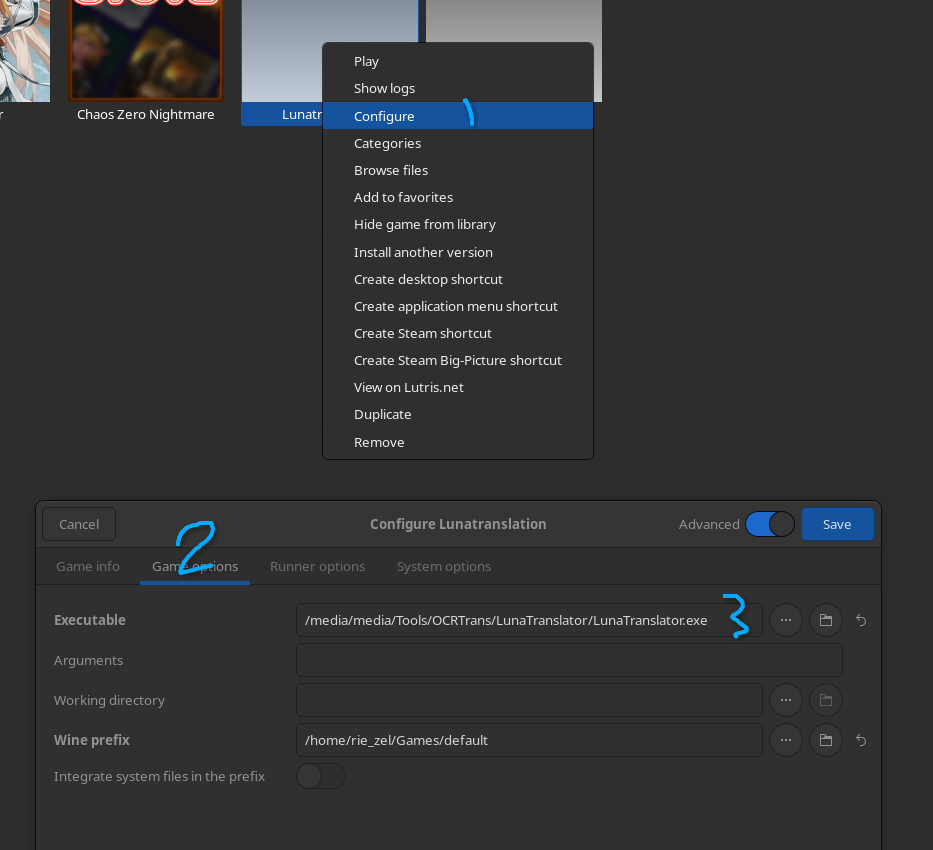
also welcome to the forum~
5
oh thank you so much 
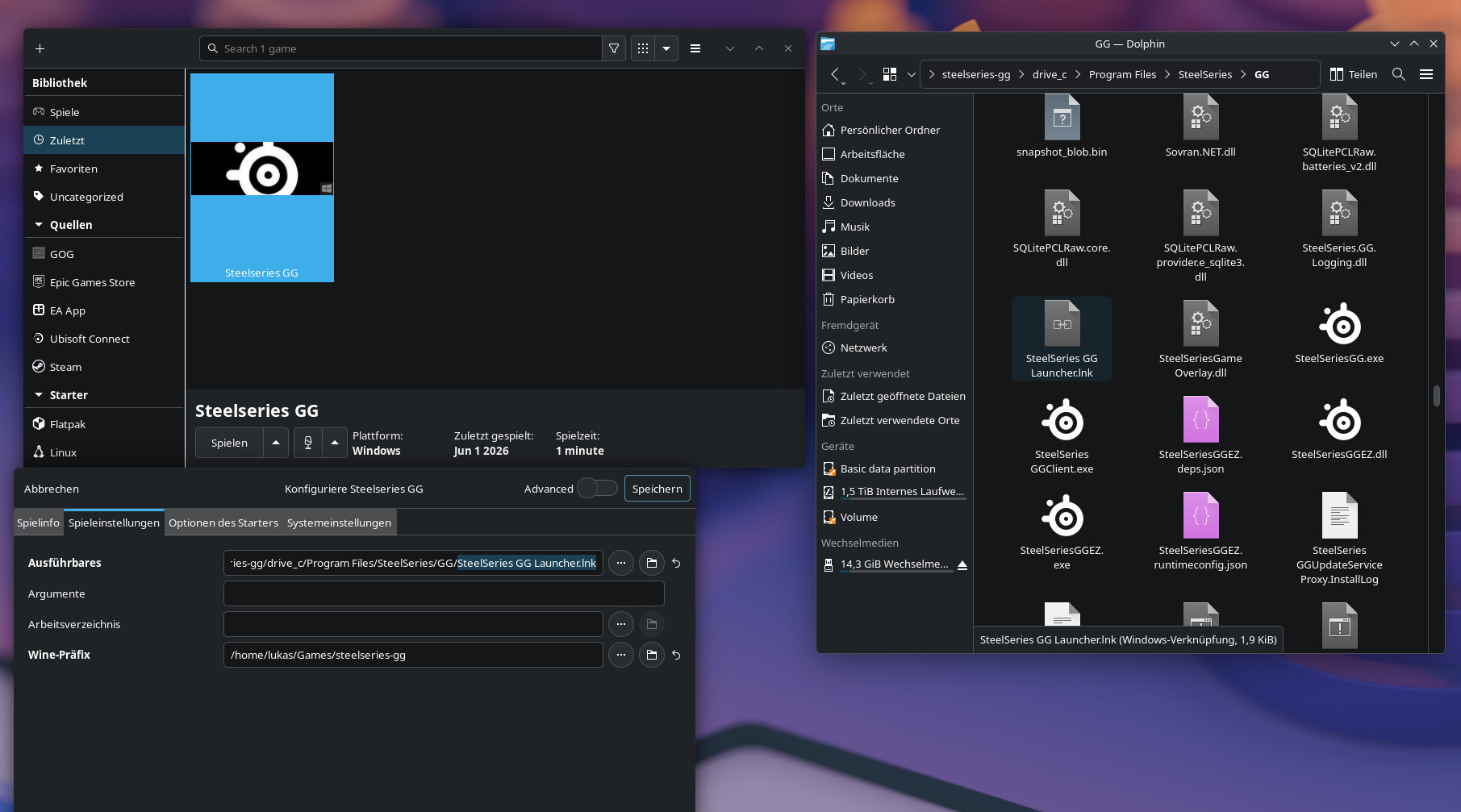
When I checked if the file is even in the directory the error message is referring to, I noticed that the whole directory is missing. So I copied it over from Windows. Now the files are there, so the path in “Executable” will actually find the file needed, which I double checked, is there. Theoretically everything should just work fine.
Instead of .lnk try change the pointer to the .exe instead because .lnk is kinda desktop shortcut for windows, so its better to use direct exe instead, try pointing to SteelSeriesGG.exe instead or whatever the real exe did on windows (sorry i didnt use steelseries so idk whic one the real one is)
Lukas 7
unfortunately the same outcome. tells it’s running for like 5 seconds and then nothing.
I see that you are trying to pass the files from your windows partitions, have you tried to install GG software directly on Linux with wine ? I know the app wouldn’t work but you would have some fresh files to try on.
Did you set up the udev rules?
Lukas 10
I’m really new to this so I asked AI for help me install it using wine:
I started with this commands recommended by AI
sudo apt update
sudo apt install wine64 wine32
winecfg
then I downloaded the latest version of Steelseries GG from their website and used the following commands in terminal
cd ~/Downloads
wine name_der_app.exe
this opened the regular install window I know from Windows, thing is I can’t find the files after the installed finished. Unfortunately I can’t specify a specific location for the files it just installs, or at least tries to install it in the usual Windows directory C:/Program Files/…
@mattsteg not by myself. as far as I can tell, that’s the code from GitHub for. I followed the instrucitons step by step so I guess that should work.
All these commands are going to do on cachy is open up a man page for pacman.
It’s not clear to what extent you followed them. the apt commands (for example) you list are for a different OS, but apparently you just ran them without checking the output?
It’s not really clear what you did and didn’t do, and what state your system is in due to running random AI outputs.
Lukas 12
yeah… I realized these are the wrong commands just as I posted the reply. Didn’t notice at first as the command “winecfg” did indeed work and opened the config window for wine.
the other commands on the other hand did what they were supposed to do, but as I stated - the install path is for windows and therefore is nowhere to be found.
At some level this clearly isn’t true or we wouldn’t have this thread.
The install path will always be for windows as that’s what windows apps expect. If you installed through the default wine prefix presumably it’s in ~/.wine
You are going to have a much easier time of things if you take things one at a time and read and check the output.
Lukas 14
cd ~/Downloads
wine name_der_app.exe
Do you refer to these? Of course I inserted the proper .exe file and it did install. Thanks to your tip for the location I could find them. The Brave AI search is a real helper here I had to “unhide” them in the file explorer. As @MrSergiodeth suggested I used the files now from the Wine-install and copied them over into the directory where Lutris tries to find the launcher file. But still… it simply doesn’t want to launch.
Like I said I didn’t notice because wine was already installed end the command “winecfg” prompted the correct output. The first two lines noted that the commands are not known.
I also double checked your first question now. The script from GitHub did create the files that setup the udev rules, so that should work once I get SteelSeries GG running.
Please follow mattsteg’s advice above about taking one step at a time.
This is how I would do this:
-
Discard everything I’ve done so far and go back to the beginning.
-
Clone Github repo.
-
Run ./install.sh
-
Reboot the computer.
-
In a terminal write: ls -l /dev/hidraw* and then check that at least some of the files have read/write permissions for all.
-
Go to Steelseries GG - Lutris and click Install.
-
Look at your taskbar and find an applet called SteelSeries GG.
-
Right-click on the applet and press Quit.
-
In Lutris change the path to the launcher to an .exe file. There are three exe files in the folder so you might have to try each one.
-
Don’t try anything else for the moment. Just confirm that all these steps succeeded.
16
yes, I’ll follow that advice from now on.
- I entered that command and some entries show:
crw-rw-rw- **243,**0 root 3 Jun 14:53 /dev/hidraw0
If I understand correctly that’s the case. I have a bunch of entries, some say crw-rw-rw-, some say crw-------
- and that’s what’s going wrong all the time. I don’t have a applet in the taskbar.
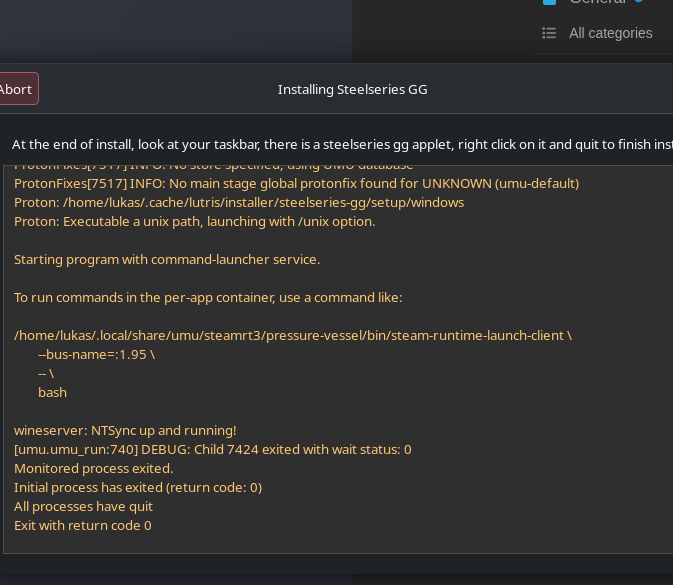
that’s the last thing the install window shows before it becomes blank and just shows “finish” in the right upper corner. no icon in the taskbar or anything.
and I can’t change the launcher path because the is no steelseries folder in the /home/lukas/Games/steelseries-gg/drive_c/Program Files/ drectory.
I tried the same process on my HTPC where I installed SteamOS and I have the same outcome there as well.
Perhaps Lutris is the problem, then?
If step 4 is OK, try downloading the steelseries exe from the website. Install it with wine but bear this is mind:
“Installation works very similarly to Windows: Simply run the installer exe and follow the steps. Note that during installation the driver installation process might crash or hang due to missing functionality in Wine. To work around this, simply kill the win_driver_installer.exe process if it hangs. The installer will continue along after it’s killed.”
Give it time to complete and then look in ~/.wine/drive_c/Program Files" (or it might be Program Files (x86)) for the installed files.
Those things in your entries are permissions for the files c = character special file r = read = write, you should not worry about those unless you’re having issues with permission.
In this example when installing files either with lutris or wine it should let you select a non-windows type of file:

That’s what i Usually do to “find” my files more easily.
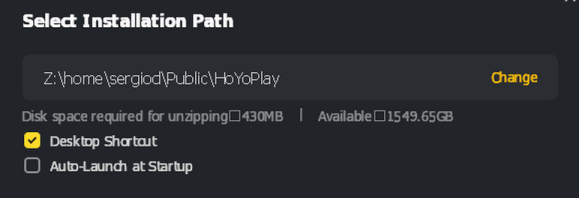
Then it should show you something like this in the installation process.
After that you should be able to find the files in that folder:
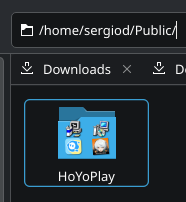
If maybe theres a “hidden” file you can see those in your terminal with ls -a (this shows everything including hidden files)
or you can just set that on your explorer
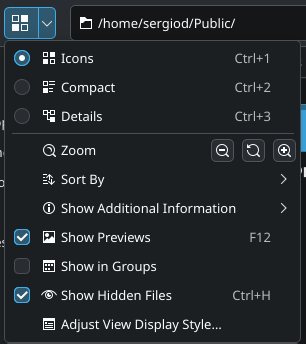
Hopefully this can help you somehow!
Kakezor 19
I am having the same issue as Lukas, it seems that the lutris-installer does not install steelseries under the Program-files as expected.
I tried the anon-suggestion from June 3rd, but none of the installed files are runnable with wine (GGClient, GG.exe, nor GGEZ.exe) even when I move this to the lutris-installed folder, and try to launch it through Lutris.