


There’s a question we get asked constantly, and it’s the right one to ask: “Can 1Password see the contents of my vault?”
The answer is no, and it’s because of how we built the product, not just a promise we’re making. That’s an important distinction, because “we promise” has never been an acceptable answer in this industry. After all, promises get broken, and companies get compromised, acquired, and are under constant attack from threat actors.
1Password’s commitment to our security principles is genuine, but what matters more is how we’ve built that commitment into our product and architecture, and the transparency we back it up with with our security white paper.
So here’s the precise answer: The way 1Password is built means that we are incapable, on a technical level, of decrypting and reading your vault contents. We're not policy-prevented or contractually restricted; we are technically incapable. This post explains what that means, why we built it this way, and what the real tradeoffs are.
When you save a password, a credit card number, or a note in 1Password, the first thing that happens is encryption, and it happens on your device, before any data moves anywhere.
Encryption here doesn’t mean we “hide” or “scramble” your data and promise not to look. It means your plaintext vault item is transformed into ciphertext using cryptographic keys that are only available on your devices. Without these keys, 1Password is unable to decrypt and read your data.
The two keys in question are your 128 bit Secret Key (a 34-character value separated by dashes) and your account password. Together, these produce the cryptographic key that locks and unlocks your vault.
Here’s the critical part: neither your Secret Key nor your account password is ever transmitted to 1Password or stored on our servers. We never possess the keys needed to decrypt your vaults. When you set up your 1Password account on a new device, you’re not “downloading” your key from us, you’re entering it yourself (either manually or using a QR code), and your device uses it locally to decrypt the vault data it receives.
What we store on our servers is the encrypted version of your vault contents: ciphertext that is, for all practical purposes, indistinguishable from random data without the key to decrypt it. If our servers were compromised tomorrow and an attacker exfiltrated every byte of stored data, they’d only have encrypted blobs they cannot read.
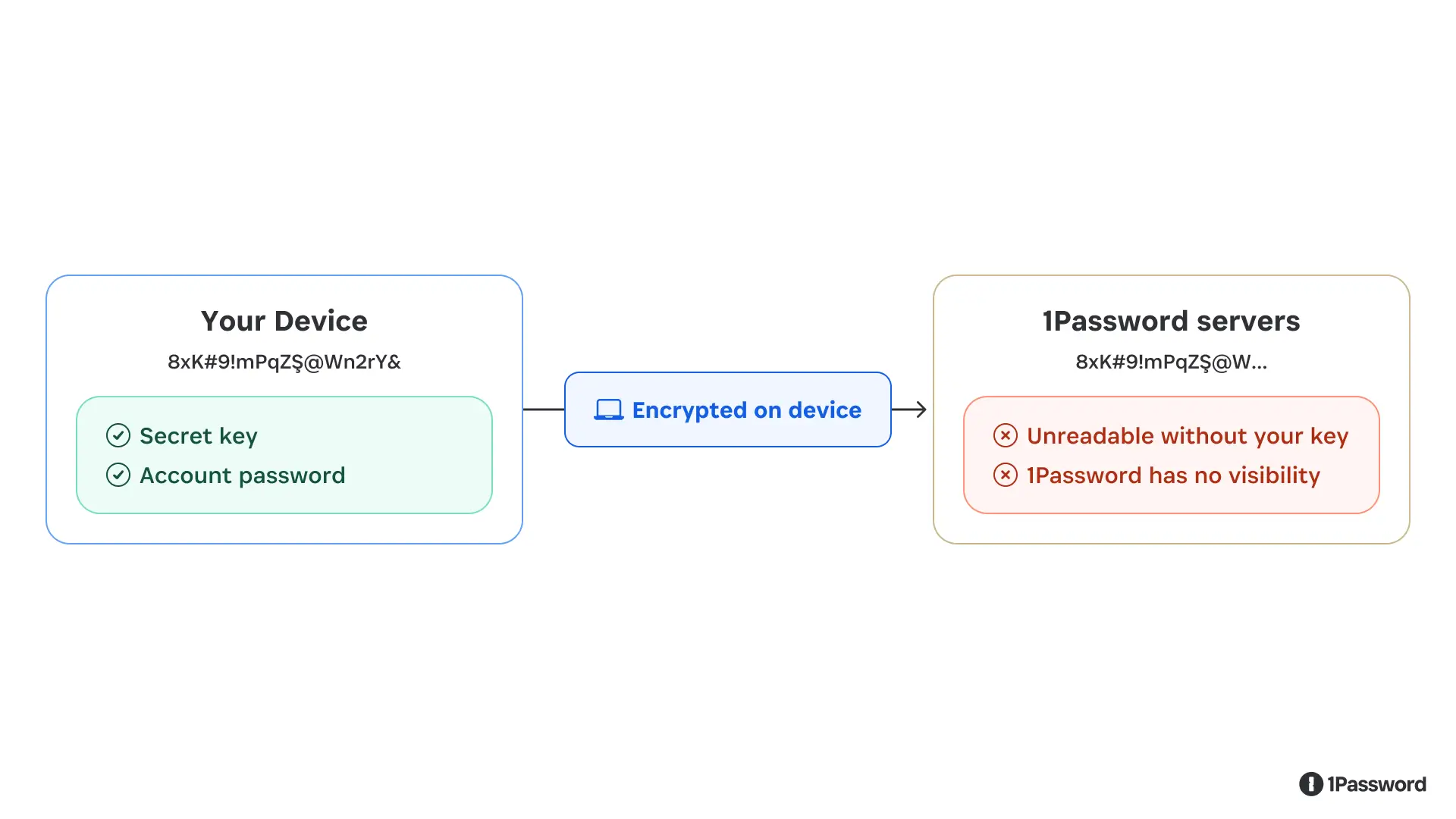
Your vault content are encrypted on your device. What reaches our servers is unreadable ciphertext.
Even the fastest supercomputer would take (literally) billions of billions of years to try and guess a 128-bit encryption key. That’s what we mean when we say 1Password’s security isn’t built on promises; it’s built on math.
The design pattern described above is called zero-knowledge architecture. It means the service provider, in this case, 1Password, has zero knowledge of the plaintext contents of what it’s storing.
Zero-knowledge is a meaningful claim because it is an immutable fact of our architecture. But zero-knowledge is a security guarantee with real product implications and intentional constraints.
The most significant tradeoff is account recovery. If you forget your account password or lose your Secret Key, we cannot return them to you, because we don’t have them. (If you forget your password, you can regain access to your account by generating a recovery code, but this still requires you to have access to the email account you used to create the account.)
The same constraint shapes what features we can build. Any capability that would require 1Password to see your plaintext data is, by design, off the table. We can’t offer server-side search across your vault contents. When we scan your saved passwords and tell you which ones have appeared in a breach, we do that computation on your device and only a partial hash of your password is checked against breach databases, so we learn nothing about the actual credential. Some things that would be convenient to build are simply incompatible with the architecture, and we think that’s the correct tradeoff.
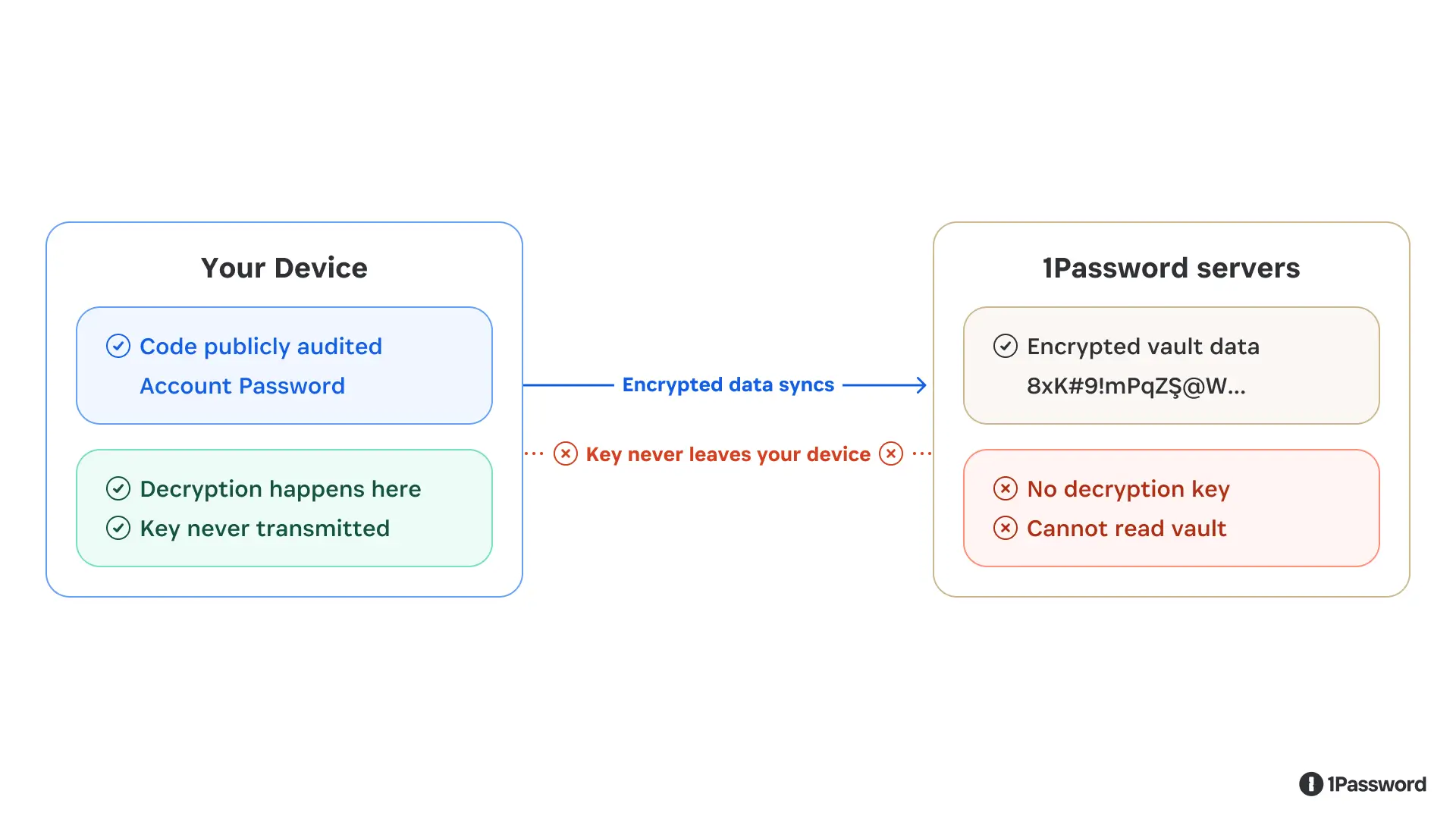
The decryption key lives on your device. Encrypted data syncs to our servers, but the key never does.
Zero-knowledge also means we can’t be compelled to hand over vault contents we don’t have. A court order can require us to produce data, but it can’t require us to produce a decryption key that doesn’t exist on our systems. (You can read our full policy on legal requests here.)
The zero-knowledge constraint of only processing unencrypted data on a user's device works well for storing and syncing data. But some features, particularly enterprise capabilities like company-wide security reporting, require server-side computation. So our question in building those features has been: how can we do this without undermining our architecture and creating a new exposure point?
This creates a real problem. If you need to process data in the cloud, and that data needs to be in a usable form during processing, how do you prevent the cloud infrastructure from being a point of exposure? The standard answer in most other software is to trust the server, use access controls, audit the logs, and hope the infrastructure isn’t compromised.
We weren’t satisfied with that. So we built cloud processing on top of a technology called confidential computing.
The core idea: instead of processing data on a regular server, we run computation inside a hardware-enforced enclave. Think of it as a sealed processing room: data goes in, results come out, and the room is impenetrable at the hardware level.
The enclave combines hardware-backed isolation, verified code execution, and cryptographic attestation – protocols designed to minimize what services can learn. Not even the cloud provider running the hardware can observe what’s happening.
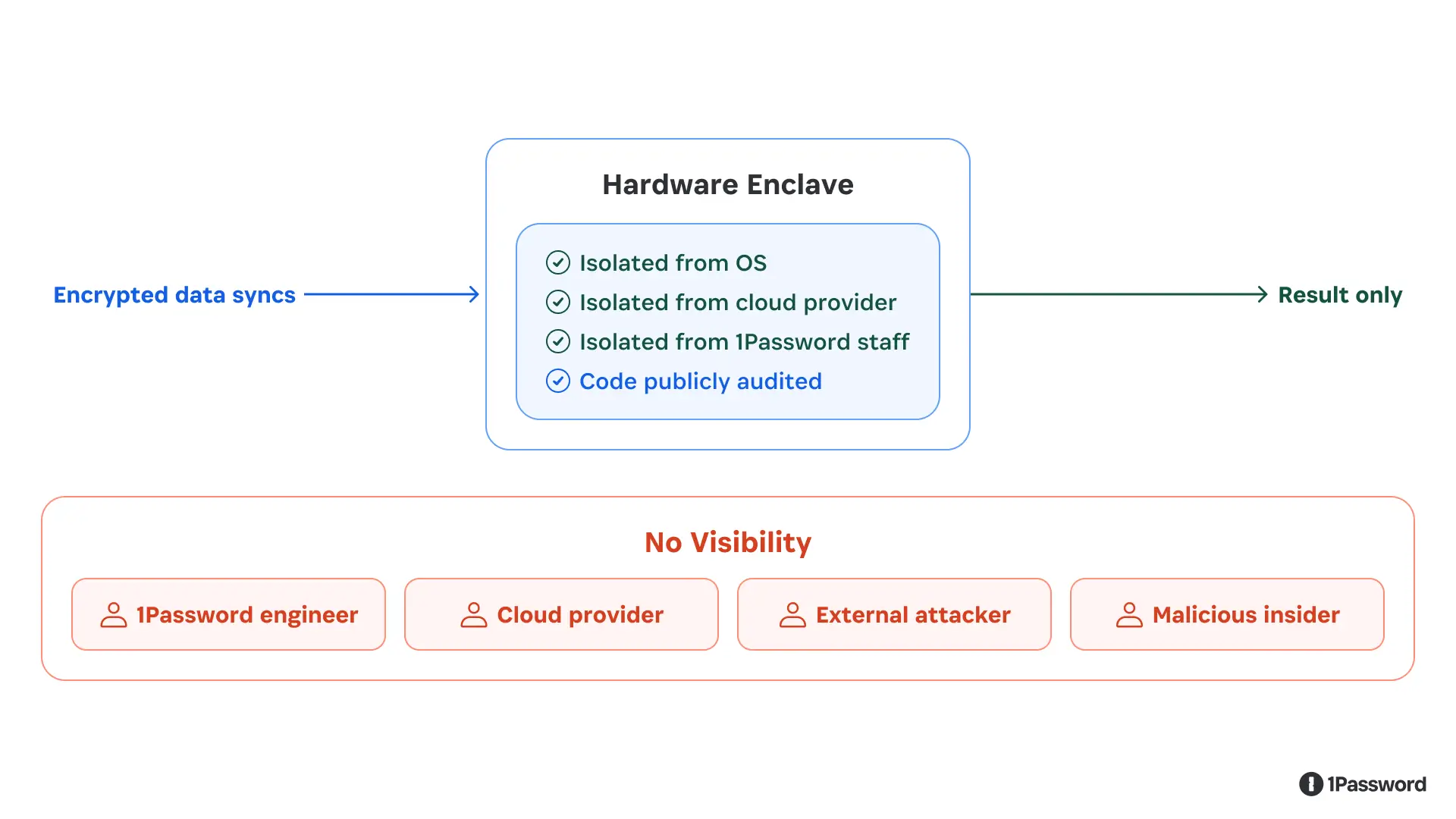
The enclave is a hardware-enforced sealed room. Data is processed inside; nobody — including 1Password — can reach in.
We also publish the code that runs inside these enclaves, and we use cryptographic attestation so that you can independently verify it’s running the code we published and not some modified version. An independent security firm audited the implementation and found no critical vulnerabilities. The full report is publicly available, the code is available, and the verification mechanism is built into the protocol.
Password managers contain sensitive and valuable secrets for individuals, families, and companies alike, so they are often subjected to attacks by bad actors. That has been true for years, and it’s only becoming more true as technology evolves.
Password managers are increasingly the credential layer for a broader set of tools: browsers, developer environments, workplace automation, and now AI-powered agents that can take actions on your behalf. We’ve written about how we approach agent identity and the trust decisions that come with it. As those connections multiply, the question becomes: how do we allow the right tools to access the right data at the right time, without expanding trust more than necessary?
The right answer is to stick to proven security principles: zero trust, zero-knowledge, and cryptographic designs published and reviewed by our customers and the community.
If you’re a customer, this is how your data is protected. If you’re evaluating password managers, these are the questions worth asking: Where does encryption happen? Who holds the keys? What can the service provider see, and what can they be compelled to produce?
If you want to go deeper, our cryptography white paper walks through the technical implementation in full detail. Our confidential computing blog post covers the enclave architecture specifically.
Even as 1Password and the digital world evolve, we will continue to insist that security should be verifiable, not just claimed. Everything we build maintains that standard.
此内容由惯性聚合(RSS阅读器)自动聚合整理,仅供阅读参考。 原文来自 — 版权归原作者所有。