





IT and security leaders share a common goal: to empower teams to move fast without compromising security.
Over the past year, we partnered closely with customers across industries to understand what helps them scale and where they need more flexibility and control.
Their feedback shaped our latest updates to 1Password Enterprise Password Manager (EPM). Each enhancement is designed to make enterprise deployment and governance faster, simpler, and more intuitive so security teams can focus on strategic priorities instead of day-to-day administration.
This release builds on three core principles:
Usability that drives adoption.
Visibility that strengthens governance.
Control that scales with the business.
Together, these improvements make it easier for companies to deploy confidently, manage effectively, and protect every user with 1Password.
New app unlock presets give admins more flexibility in how users unlock 1Password. Teams can align unlock settings with their organization’s device policies, for example, allowing 1Password to unlock whenever the device is unlocked, while still enforcing auto-lock rules where required.
Admins can define which presets are available, override settings for team members, and even let users customize their own presets.
For employees, this means fewer interruptions and smoother daily workflows. For IT and security, it means consistent, enforceable policies that align with existing device standards.
Your vaults remain fully protected by device-level encryption and secure access. The “Unlock 1Password when your device unlocks” option simply changes when 1Password unlocks, not how it’s secured. When a user unlocks their Mac, PC, or phone with Face ID, fingerprint, or password, 1Password unlocks alongside it using the same trusted authentication their device already relies on.
The feature can be enabled as an option.
New admin policies and onboarding tools simplify deployment and help organizations standardize how 1Password is used.
The browser extension policy guides users to install the 1Password browser extension during setup. It’s enabled by default, so new users begin where 1Password is most effective, saving, filling, and generating passwords right in the browser. Organizations that restrict extensions can turn it off anytime.
The guided setup experience helps new users get started quickly by introducing them to the essentials of using 1Password in their environment. It adapts to each organization’s setup, guiding users through the steps needed to access, save, and manage credentials securely.
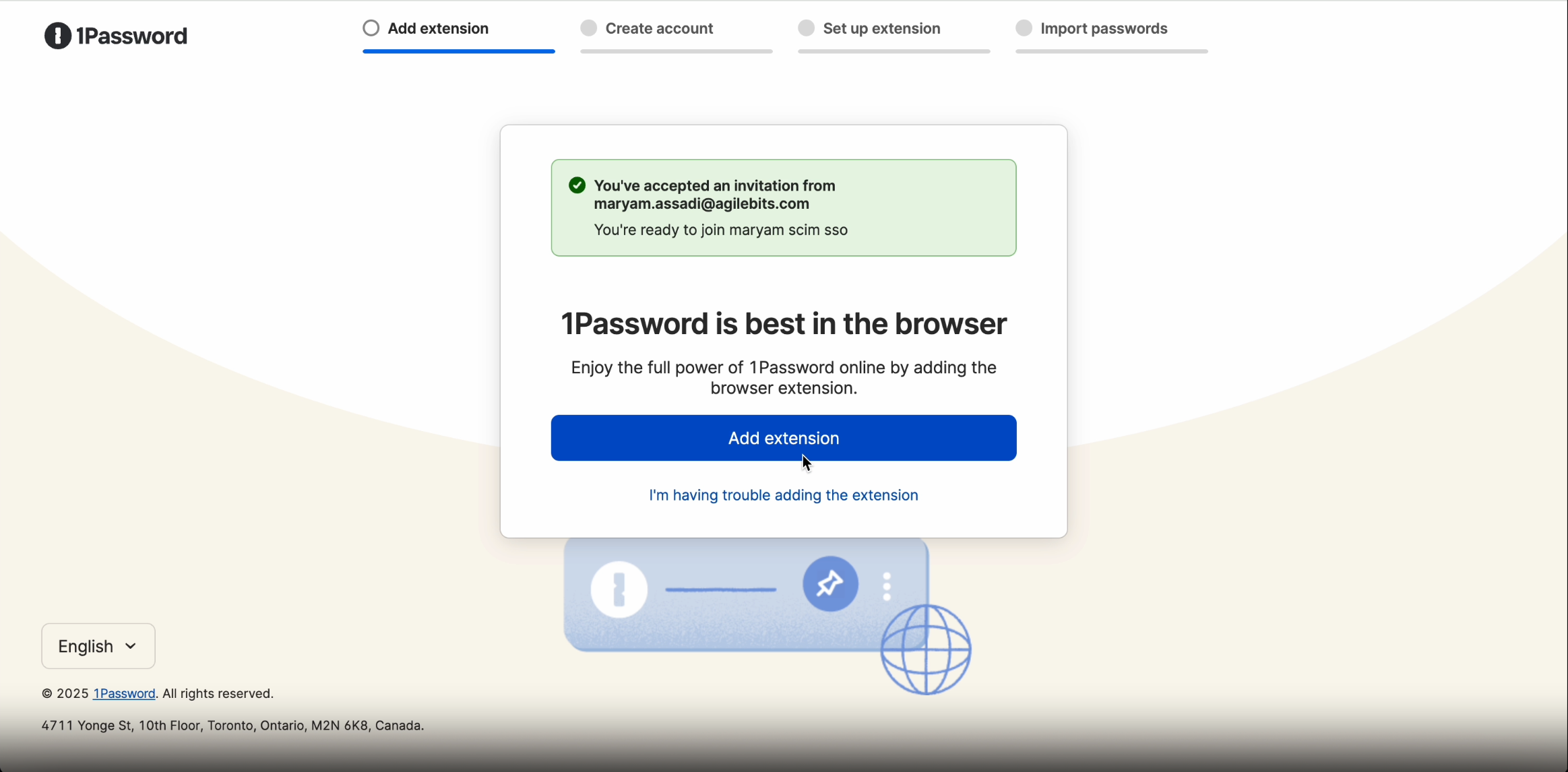
Together, the browser extension policy and guided setup reduce confusion, minimize IT overhead, and accelerate organization-wide adoption.
As enterprises scale, admins need fine-grained control over how employees use 1Password day to day. New policy controls deliver exactly that, giving IT the ability to standardize how credentials are saved and submitted across the organization. Admins can now configure:
Autosave: Choose which elements (logins, credit cards, addresses, 2FA) are saved automatically.
Autosubmit: Disable automatic form submission.
These controls allow organizations to tailor convenience and security to their unique needs, ensuring consistent policy enforcement without slowing down employees.

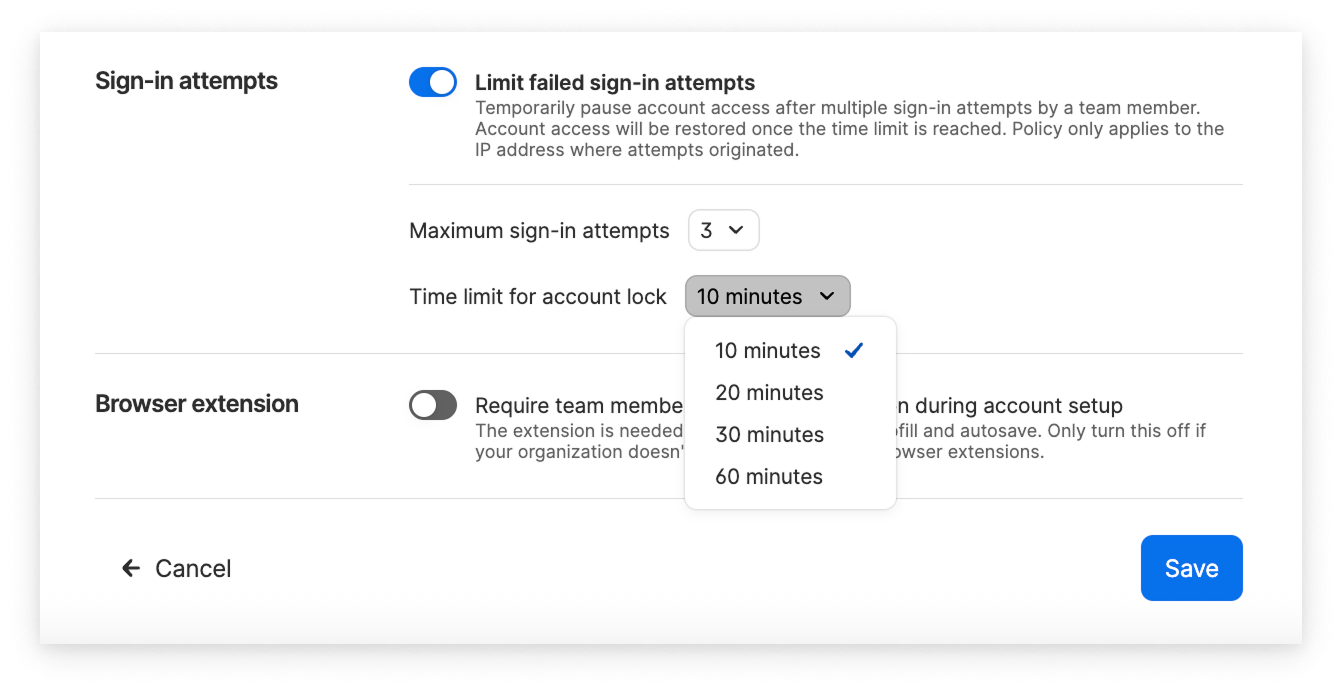
We’re also introducing the sign-in attempts policy to safeguard against brute-force attacks. Admins can define how many failed attempts are allowed before an IP address is temporarily locked for that user. This applies to all login attempts, including those from previously authenticated devices.
Large organizations need flexibility without losing control. Multi-tenancy gives admins both.
It introduces a new account model designed for scale that helps security teams manage access across departments, subsidiaries, and regions from a single place, while letting teams operate independently.
Linked accounts let you connect one parent account to any number of child accounts within the same data region. You can organize them by geography, department, or business unit and adjust that structure as your organization evolves.
Policy templates make governance consistent. The parent account can:
Create and reuse policy templates.
Decide which policies child accounts can or can’t override.
Apply templates to selected accounts instantly.
The result: consistent security standards, faster support for users, and greater visibility into who can access what, without slowing teams down. See it in action.
1Password-hosted provisioning connects directly to Okta and Entra ID, eliminating the need for self-hosted SCIM bridges. Admins can deploy faster, reduce maintenance costs, and keep identity data in sync automatically. This feature extends the 1Password end-to-end encryption with a zero-knowledge security model to operations performed on behalf of your identity provider within the 1Password infrastructure. Learn more about how your data is protected when you use automated provisioning (hosted by 1Password) with your identity provider.
Less infrastructure to manage means IT teams can focus on higher-value work, not upkeep.
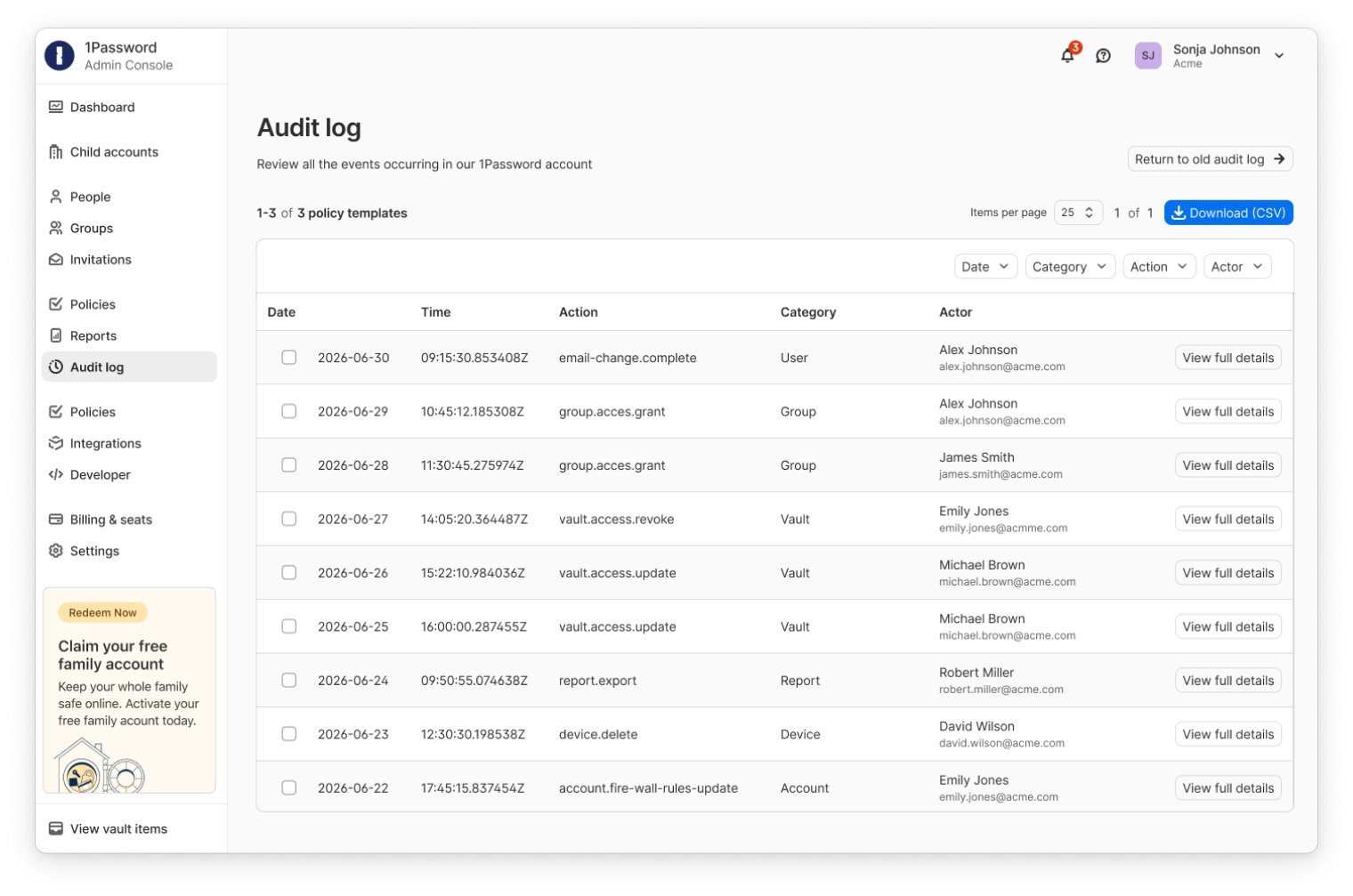
Compliance and security teams need answers fast. This new audit log will provide a unified, human-readable view of all user and admin activity, making it easier to see who did what, when, and how, strengthening both compliance readiness and investigative speed.
Join the What’s new? 1Password security spotlight & product review Webinar
Dive deeper into these 1Password Enterprise Password Manager updates in our quarterly product update webinar.
此内容由惯性聚合(RSS阅读器)自动聚合整理,仅供阅读参考。 原文来自 — 版权归原作者所有。