





The era of secrets living in fixed systems and accessed through a handful of workflows is long gone. Modern development is faster, more automated, and increasingly AI-assisted. Developers need access to secrets everywhere their code runs – across CI/CD pipelines, local environments, and AI-driven workflows.
That puts developers in a familiar bind: they need secrets everywhere their code runs, but that can easily introduce more risk or friction into their workflows. That can easily feel like a choice between security that gets in the way and speed that cuts corners.
One of our goals at 1Password is to remove that tradeoff by providing trusted, continuous access to secrets without slowing build or deploy cycles. Today, we’re introducing two complementary capabilities to support this model. One focuses on runtime access to secrets, and the other on user-authenticated access for desktop integrations. Together, these releases help you close the gap between security and productivity by integrating secure access into both automated workflows and everyday developer tools.
We introduced 1Password Environments last year to give you and other developers a dedicated place to manage application secrets. Early access patterns focused on a narrow set of workflows, such as mounting .env files locally and syncing secrets with Amazon Secrets Manager.
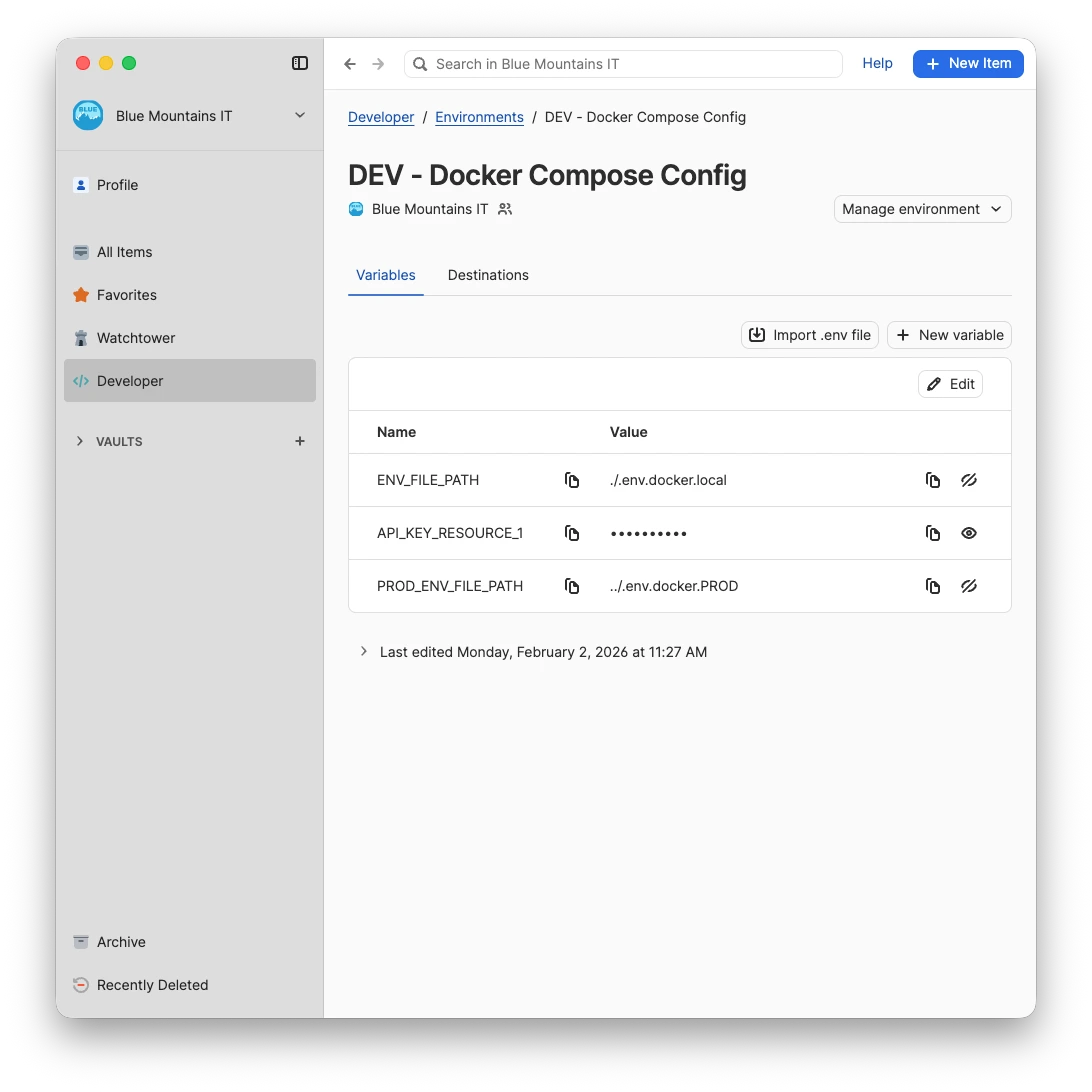
This proved powerful in its initial form, particularly for setting up projects, but we always knew this was just the start. CI/CD pipelines, local tooling, and AI-assisted IDEs need secrets at runtime – not copied into files or preloaded into fixed destinations.
Our integration with Cursor demonstrated a better approach: let tools pull secrets exactly when they’re needed, and only for the duration they’re needed.
This release follows that same pattern: Secrets can now be fetched programmatically from 1Password Environments at runtime through the CLI and SDKs. Instead of managing .env files or maintaining secret syncs, tools can read secrets directly from 1Password as code runs.
During a deployment, a GitHub Actions workflow uses a 1Password service account to retrieve and inject environment variables into the build process.
A Node.js application running in a Kubernetes pod uses the 1Password SDK with a service account to read database connection strings from a 1Password Environment at startup.
While working in an AI‑assisted IDE, a developer asks the agent to run a 1Password CLI-powered Makefile command, automatically injecting credentials from 1Password Environments while keeping secrets out of the model's context.
A Python script running on a developer's laptop uses the 1Password SDK with local authentication to retrieve API tokens from a 1Password Environment before making requests to a third-party service.
Following a four-month beta, SDK‑based integrations can now authenticate programmatically through our desktop password manager using biometric or password prompts. This brings the same trusted, user-approved authentication flow developers rely on across 1Password’s local developer tools to native SDK-based integrations.
Supporting user-authenticated access unlocks sensitive operations that were previously impossible to offer securely, including one of our most requested capabilities: vault management. With full vault management – including create, read, update, delete, and list functionalities – SDK-based integrations can now perform the same high-impact actions developers expect from our other developer tools. This includes managing vault permissions, which lets you programmatically grant and revoke access to vaults – something that wasn’t possible with service-account–based access.
We also heard from enterprise teams managing large numbers of vaults that performance at scale mattered. In response, we introduced batch item operations, reducing overhead and enabling faster, more efficient large-scale vault management.
Together, these capabilities empower you to build entirely new classes of trusted, user-approved integrations and workflows.
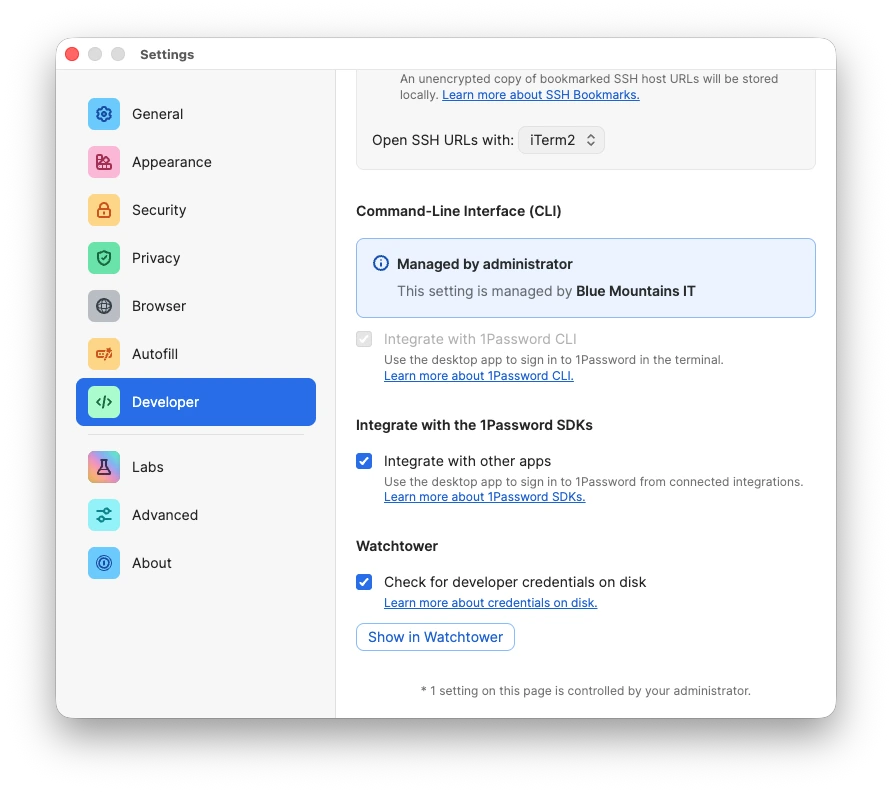
SDK integrations run with a user‑authenticated session, inheriting the same account access as the signed‑in user. Authorization is time‑bound and expires after 10 minutes of inactivity, or when 1Password locks.
This enables secure, human‑approved workflows and supports more advanced SDK use cases beyond item‑level automation, without relying on service accounts or introducing long-lived credentials.
Desktop productivity tools, such as Postman‑ or Raycast‑style integrations, that feel native to the 1Password experience.
Internal admin tools, like access management or IT operations dashboards, that manage vaults, permissions, and access at scale as a signed-in user.
Local AI agents that securely retrieve credentials for some workloads, with user approval via the 1Password desktop app.
Bringing programmatic access to 1Password Environments allows you to use secrets directly in the tools and workflows where code runs, not just in a fixed set of destinations. Meanwhile, desktop authentication for SDK integrations gives you a simple, secure way to build tools that act with a signed‑in user’s session.
Together, these capabilities expand how you can access and use 1Password programmatically, whether it’s powering your CI/CD pipelines via user-authenticated sessions or enabling automated AI agents to pull secrets at runtime. 1Password becomes a deeper part of the development workflow, making it easier to secure access to every secret without disrupting how teams work.
To get started, explore the documentation:
此内容由惯性聚合(RSS阅读器)自动聚合整理,仅供阅读参考。 原文来自 — 版权归原作者所有。