




This blog post introduces the reader to “The Obfuscation Hustle”, a term I enjoy using to describe the tedious process of obfuscating and delivering files to corporate workstations defended by signature-based perimeter controls. Skyhook, a new open-source tool available on GitHub, is then introduced and demonstrated as a viable method of eliminating two non-negligible steps of The Hustle while also providing obfuscated file exfiltration functionality.
Readers may be tempted to view Skyhook through privacy-tinted glasses due to the use of encryption algorithms to obfuscate data. Don’t.
An encryption algorithm is only as effective as its implementation, and these have been implemented by an idiot. Keys are displayed in plaintext at various points in web interfaces, and they’re currently stored in the clear in client-side IndexedDB. Anyone with access to these elements can easily recover data from packet captures or staged file chunks.
Readers should also avoid confusing Skyhook’s round-trip obfuscation cycle with end-to-end encryption (E2EE). E2EE intends to assure that data is recoverable only by entities with the encryption keys, where Skyhook does the opposite: it obfuscates data long enough to be smuggled past controls and then deobfuscates it before writing it to disk. Plaintext in, plaintext out.
Concisely: Skyhook does not enhance confidentiality of transferred files beyond fooling to perimeter controls.
BHIS’ approach to remote access for post-compromise scenarios generally involves working with customers to establish RDP access to an internal workstation over a BHIS-maintained VPN tunnel. This approach provides a secure and reliable method of accessing the network to execute the engagement.
Since operators are acting in the context of a standard user on a workstation derived from a customer’s golden image, beacon/shell will not be immediately available to facilitate encrypted file transfers. Files will have to be transferred using alternative methods that are likely scrutinized by TLS intercepting Intrusion Detection and Prevention Systems (IDPS) implemented to block suspicious traffic. These conditions lead operators to encoding and/or encrypting files prior to transit, thereby obfuscating their content and evading detection.
While generally effective, this approach creates burdensome overhead for operators. Each newly retrieved file must be deobfuscated to become useful again. Complicating matters further is that, once deobfuscated on a workstation, files are likely to be exposed Endpoint Detection and Response (EDR), which, depending on the contents of the file, may result in it being quarantined and defenders receiving alerts. Defense in depth has entered the chat.
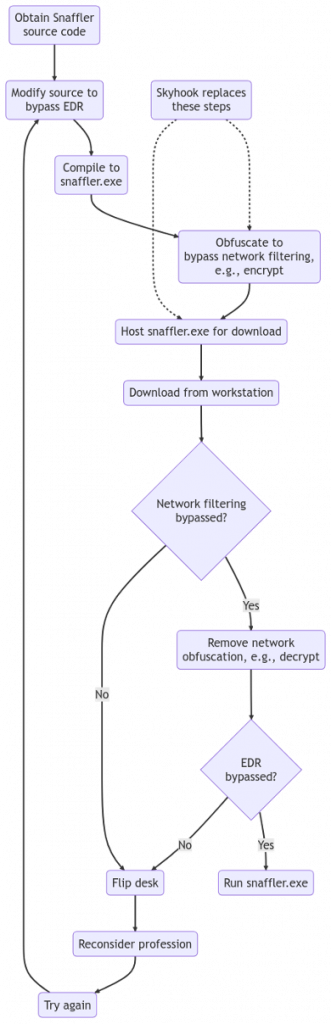
Two stages of obfuscation for a given file prior to transit is often effective in this scenario: one for EDR and a second for IDPS. Inspired by Sean Metcalf’s Credential Shuffle, I like to call this “The Obfuscation Hustle”. For instance, the process of manually Hustling a Snaffler binary to a corporate workstation may look roughly like the flowchart below. Note that Skyhook intends to automate the “network filtering obfuscation” and “host for download” stages.
Skyhook was developed to cut the manual nonsense out of applying obfuscation to bypass network-based controls. An HTTP(S) file server is used to seamlessly read plaintext files from disk and serve them to clients in obfuscated chunks. Each chunk passes through a series of pipelined algorithms called obfuscators that alter the content in transit. In addition to the file content, file listings, and names are passed through the same chain to prevent leakage.
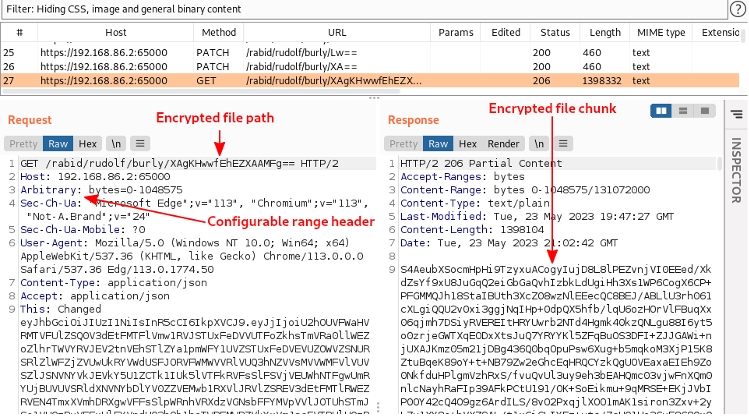
We can observe how the Skyhook approach obfuscates file chunks in the following screenshot which was borrowed from the subsequent section that outlines general usage of Skyhook. As you can see, each critical element of the HTTP transaction is encrypted and Base64 encoded (in that order).
Also, keep in mind that Skyhook’s web interface is also capable of performing obfuscated file uploads. When this occurs, JavaScript reads a given file in slices and obfuscates each one before sending them to the server in an HTTP transaction. Each chunk is then received by the server, deobfuscated, and inserted into the destination file.
During the early planning stages of development, we decided that we wanted to make Skyhook as configurable as possible while minimizing operator learning curve. Web interfaces were chosen as the best method, but we also wanted to make sure that account and obfuscation configurations could not be easily inspected. To accommodate this approach, we decided that the Skyhook binary should simultaneously run two HTTPS services that are exposed through React web interfaces.
The following diagram illustrates the basic dataflow of this architecture.
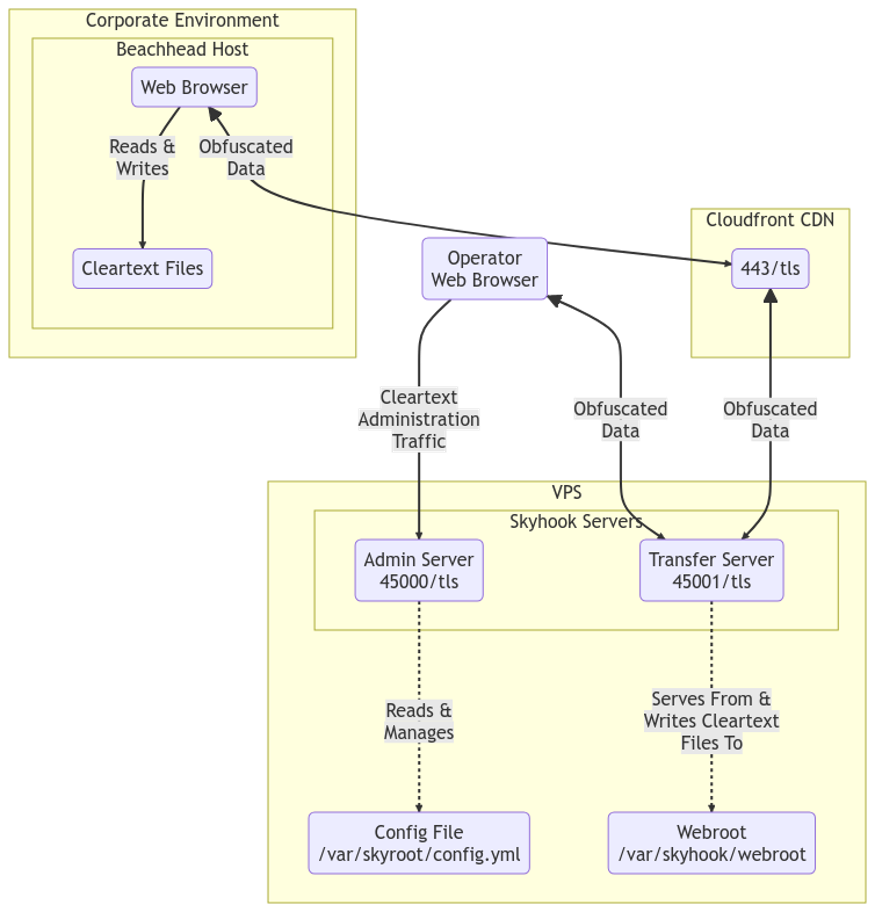
We recommend deploying Skyhook with “offense in depth” in mind. Internally, we deploy Skyhook to a container stack and expose the file transfer server through CDNs. Skyhook’s web root is populated in a pair of CICD pipelines: one that dynamically obfuscates common C# tooling and a second that consumes raw shellcode to produce enhanced payloads. This approach provides value to operators by compartmentalizing capabilities and minimizing manual keyboard labor.
The admin service exists to provide operators with a clean method of managing the configuration file without having to concern themselves with YAML shenanigans. Know that this is little more than a glorified YAML editor. Any changes made here result in updates to the configuration file itself.
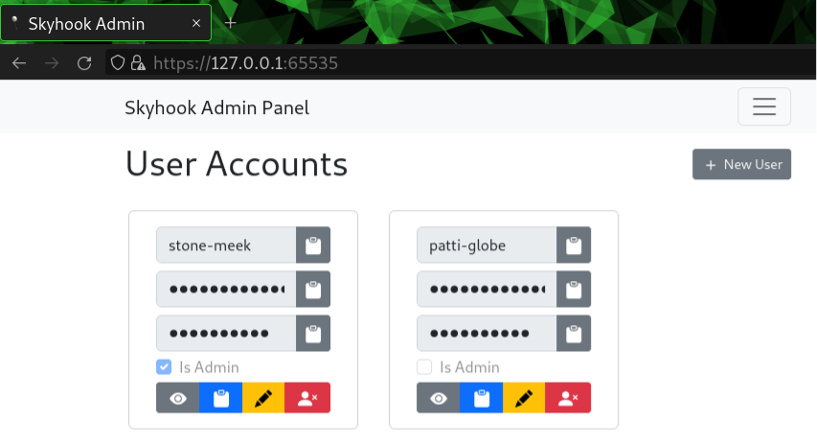
Operators are dropped to the “User Accounts” functionality after authentication, which can be used to add and remove accounts as needed.
Clicking the “Obfuscators” button in the interface reveals the current obfuscation configuration. An obfuscator is a configured obfuscation algorithm. The listing will be empty by default but know that Skyhook will always apply a single round of base64 encoding before writing the response body. This is a safety mechanism to ensure the obfuscation chain doesn’t produce arbitrary byte sequences that could potentially break HTTP transactions.
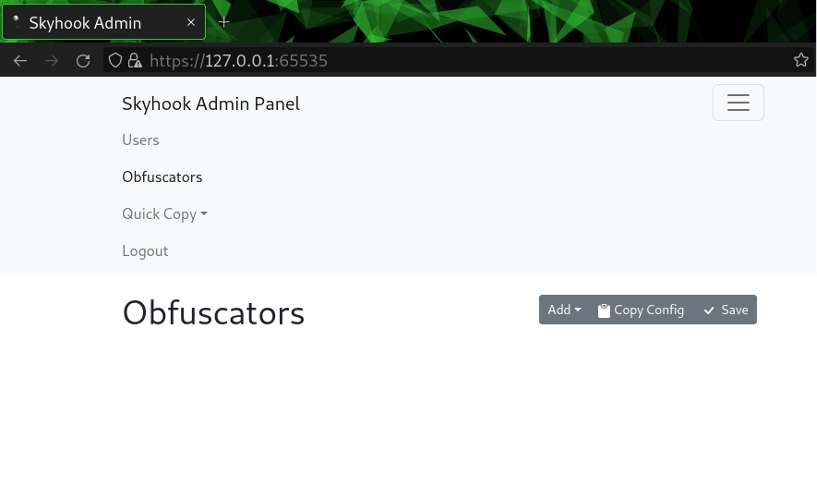
Obfuscators can be initialized by clicking the “Add” button and selecting the desired algorithm. A form will appear that accepts the necessary inputs. Click “Save” after adjusting the configurations to put them into enforcement. Just be sure that no file transfers are in process, otherwise, failure is imminent.
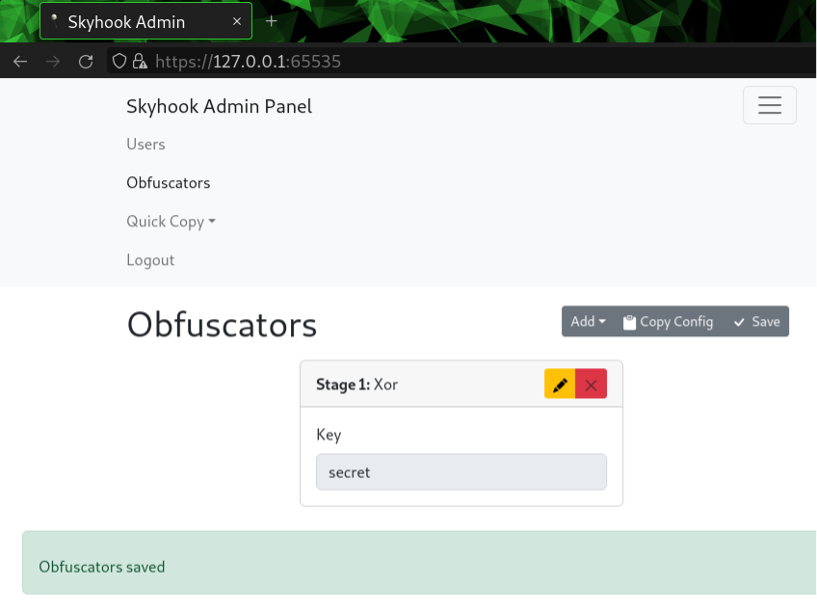
It’s overkill, but we always have the option of chaining algorithms together by adding and reordering them accordingly. Just know that each stage is going to add processing overhead, so recovering the files from JavaScript will be memory heavy and slow.
The final feature of the admin interface is a simple “Quick Copy Button”, which generates links to the transfer service. These links will contain the dynamically generated paths created when the config file was derived by Skyhook’s creation command, along with encryption keys for the JS loader (which we’ll touch more on later).
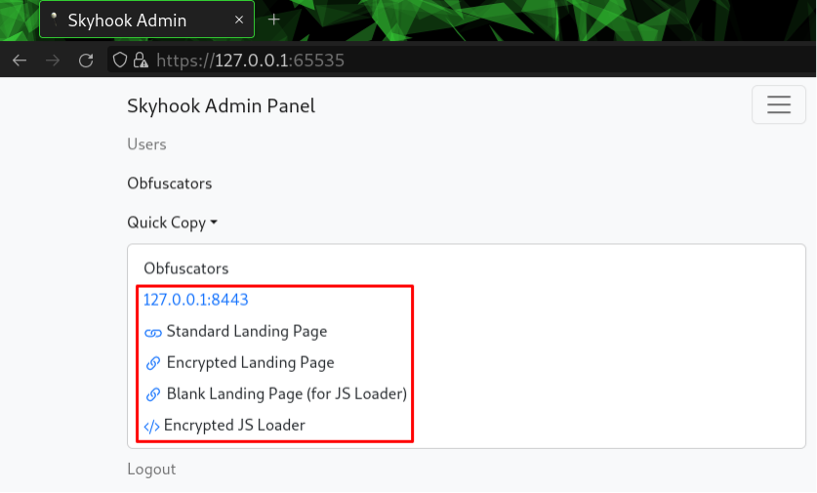
Clicking any of these buttons will result in the referenced link being copied to your clipboard so that operators don’t have to reference the configuration file. Convenience!
This section is dedicated to demonstrating general usage of the Skyhook transfer service with an emphasis on how obfuscation is applied to various elements of HTTP transactions. See Appendix A: Recreating the Demo Environment to access a demo Docker container that can be used to recreate a similar environment for testing.
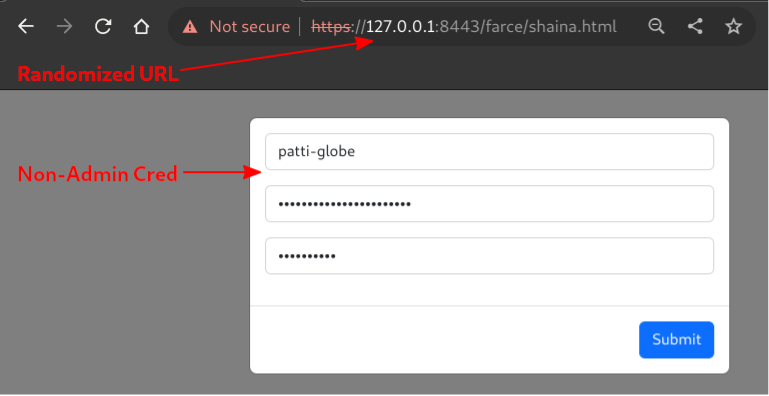
Logging into the web interface offered by the transfer service results in a listing of the web root being rendered. Remember that links pointing to randomized paths are available in the admin service.
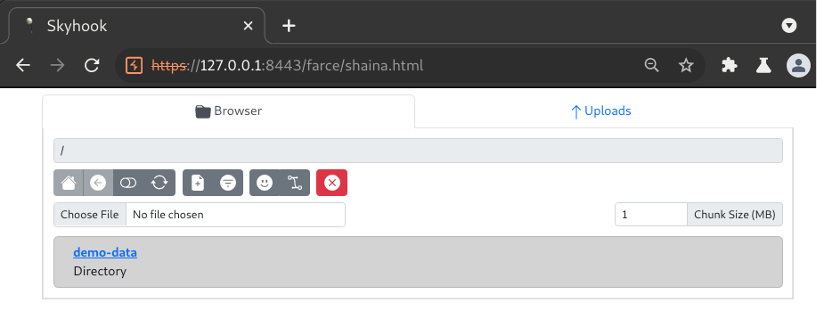
A file listing of the web root is rendered upon authentication, revealing directories and files to interact with.
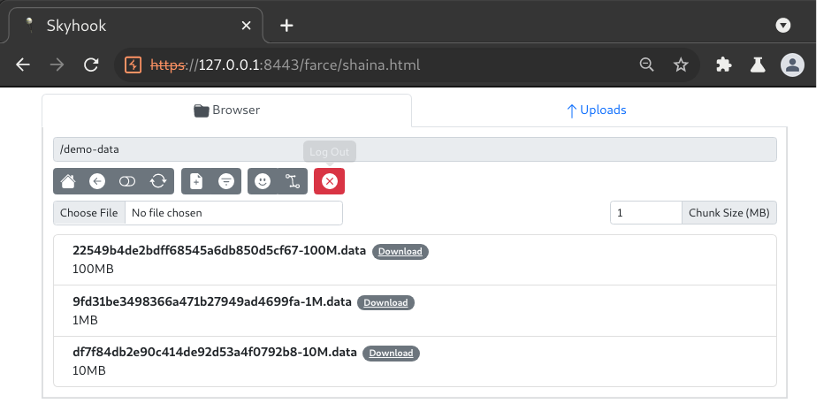
Changing to the “demo-data” directory reveals files that can be downloaded.
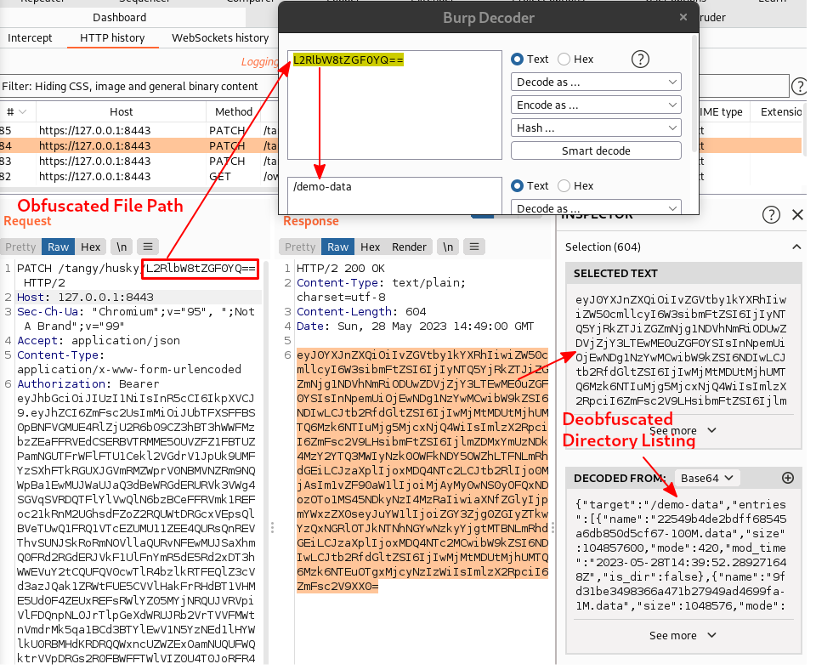
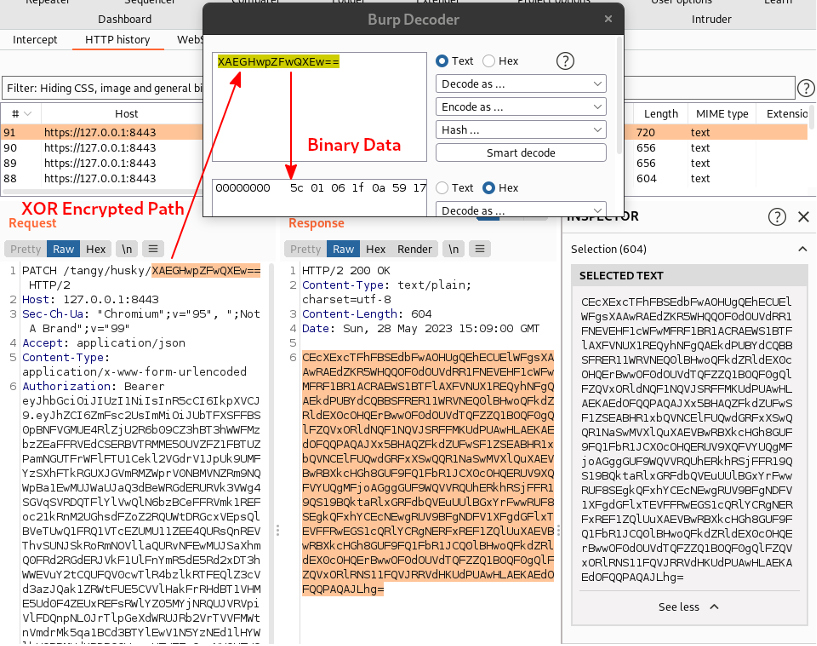
Using Burp to inspect the HTTP transactions that loaded the interface into the browser, we can clearly see the authentication POST request to /login and a PATCH request to a longer URI ending in a base64 encoded parameter. The latter of the two effectively represents a REST call to list the contents of the web root directory. This can be confirmed by decoding the parameter and observing the true value of “/demo-data”.
Note: Obfuscators were not configured for this transaction, so only Base64 encoding was applied.
Single-round Base64 encoding isn’t particularly evasive. Luckily, Skyhook offers four additional obfuscation methods that can be chained together in random ordering: AES, XOR, Blowfish, Twofish. Adding a XOR obfuscator and setting the key to “secret” will encrypt the above content along with file data.
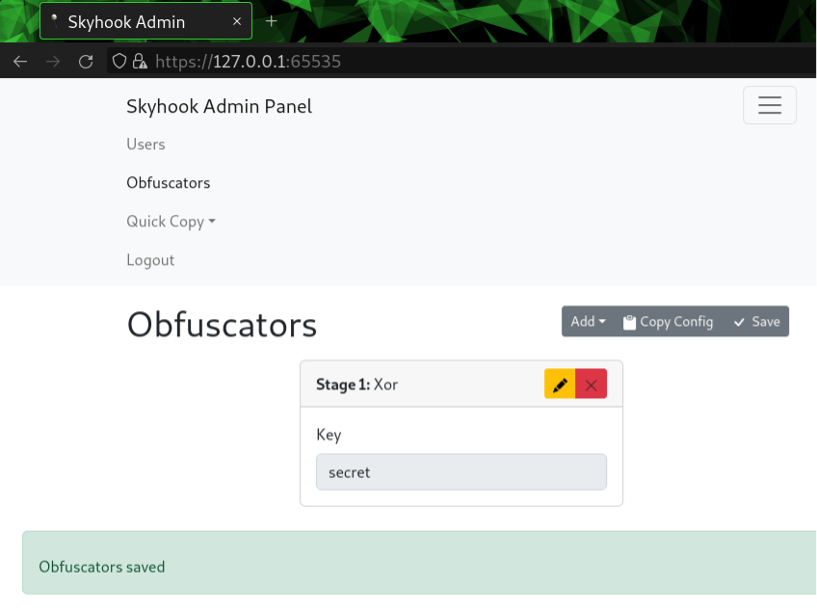
The client must sync its obfuscation config to continue interacting with the service, otherwise, it will fail to deobfuscate output. Inspecting the same directory listing transaction after XOR encryption is applied reveals that the data is no longer recoverable by simply Base64 decoding the values.
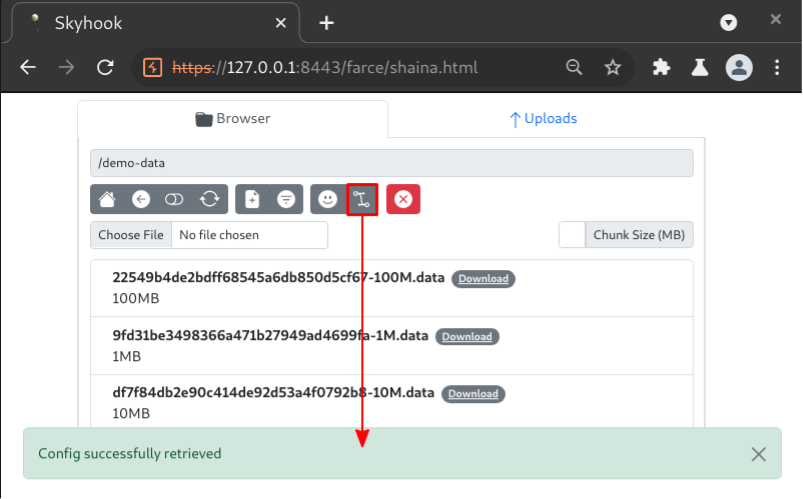
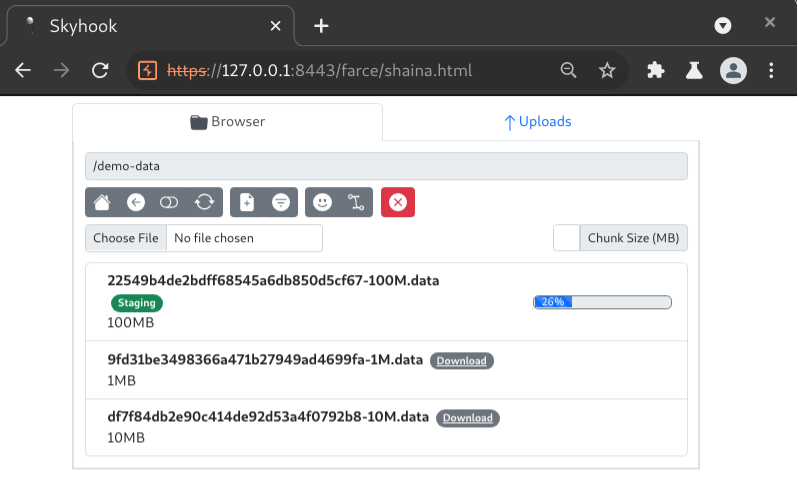
Just click “Download” on a file and the interface will begin retrieving it from the server in chunks (1MB by default), as shown below when the “100M.data” file was downloaded. The browser will prompt the user to save the file when all chunks have been stored and the file has been reassembled.
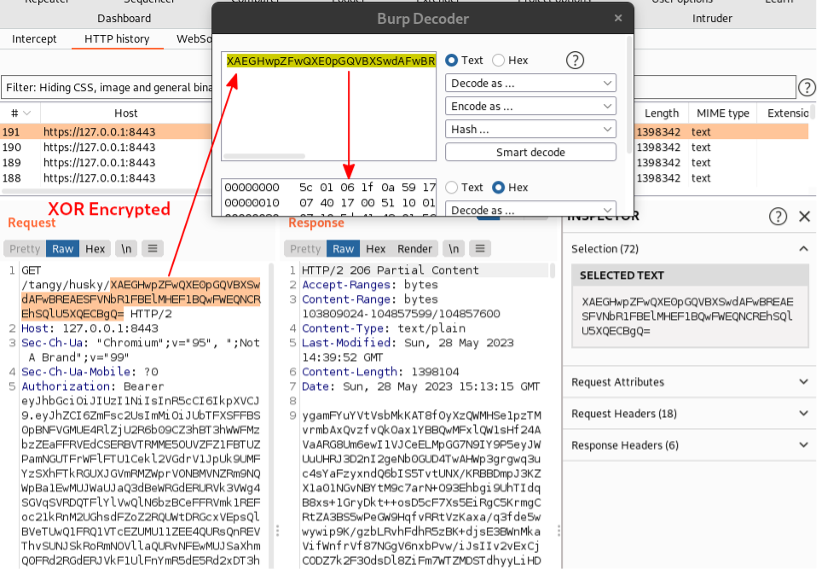
Inspecting a single transaction that retrieved a file chunk, we can see that key elements of the HTTP request are obfuscated.
Here is an MD5 hash to demonstrate that integrity of the file was maintained after the chunked and obfuscated download process. The MD5 fingerprint prefixed to each file name was not generated by Skyhook. It was a byproduct of the “skyhook-demo” container.

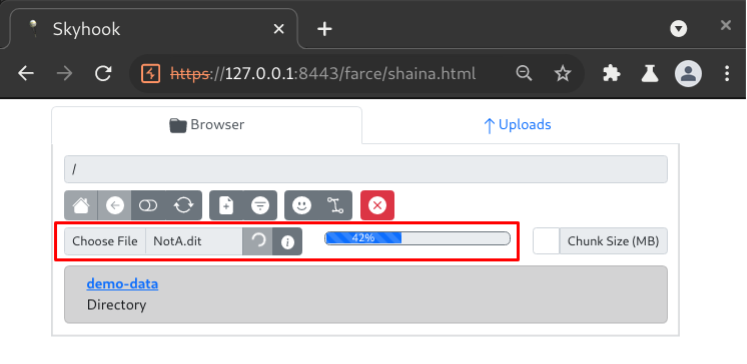
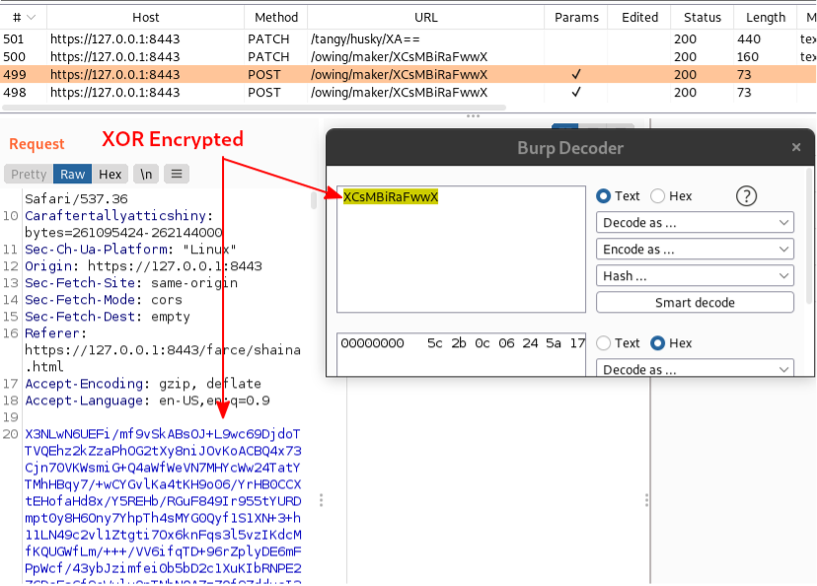
Uploading large files is as simple and effective as downloading them. Just click the “Browse” button in the transfer service interface to select and upload a file. Inspecting a chunked upload request allows us to confirm that all values are encrypted as well.
The Hustle is a frustrating impediment to operator efficiency during early stages of post-compromise scenario engagements. Skyhook has been introduced as a potential method of minimizing hustle by automating two steps of the process: application of obfuscation algorithms and file hosting. Skyhook’s utility is enhanced further by offering upload capabilities that can be used to facilitate obfuscated file exfiltration.
As Skyhook was made available to the public only a few days before releasing this blog post, it’s difficult to ascertain effectiveness of the underlying obfuscation techniques when faced with well-configured detection capabilities. Regardless, BHIS operators have reported zero incidents of detection by IDPS or other network-based controls during the handful of engagements it has been used for. This is expected to change should Skyhook become a regularly used utility.
I intentionally avoided illustrating how the demo environment was configured for the sake of brevity, but a “demo container” is available to quickly demo Skyhook’s capabilities.
Assuming Docker is installed, this command should start the container for use. Burp can be configured to inspect various requests for inspection but know that large response bodies will likely make it fall into convulsions. Also, I recommend using a Chrome-based browser right now as Firefox is behaving flakily with the web assembly.

The above command will start the Skyhook services on localhost:
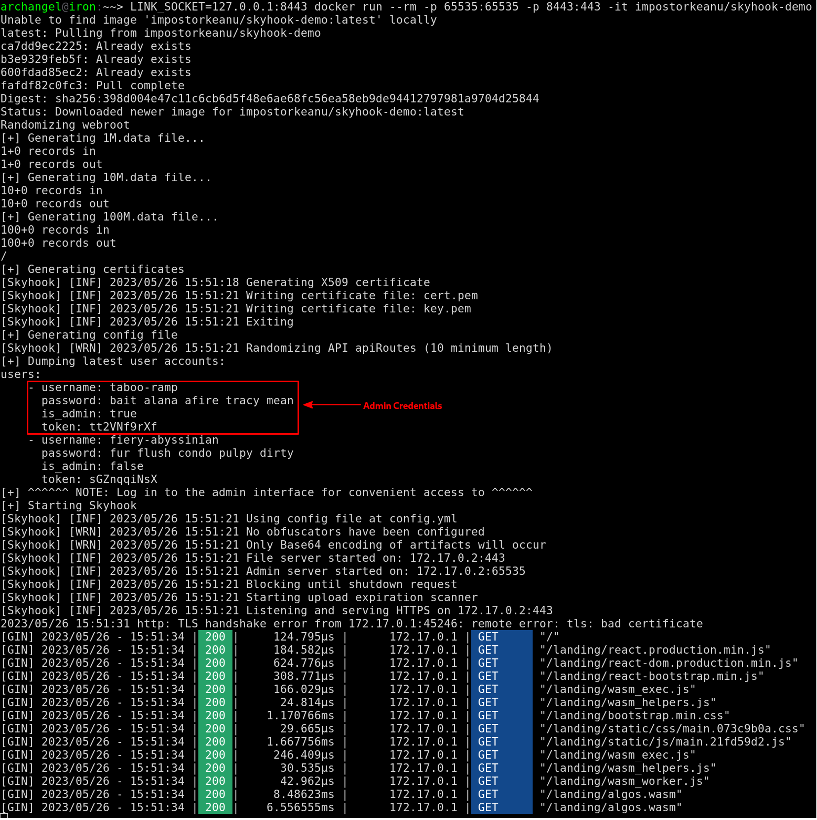
Take care to capture the admin credentials from standard out when the container starts, otherwise the admin interface will be inaccessible:
Ready to learn more?
Level up your skills with affordable classes from Antisyphon!
Available live/virtual and on-demand

此内容由惯性聚合(RSS阅读器)自动聚合整理,仅供阅读参考。 原文来自 — 版权归原作者所有。