









Browsers are starting to roll out changes in default UA styles for nested section headings. Developers should check that their sites don't rely on UA styles for certain cases to avoid unexpected results and failing Lighthouse checks. In this post, we'll have a look at what the incoming changes are, how to identify if it's an issue on your pages, and some hints for conformant and better-structured websites.
The HTML spec used to define an outline algorithm that gave <h1> elements an implicit semantic heading level based on how many sectioning elements (<section>, <aside>, <nav>, and <article>) it was nested inside.
The browser rendering was such that section > h1 would have the same font-size and margin as <h2>. The section > section > h1 would be represented as <h3>, and so on. The default rendering was implemented in browsers in their UA styles, but not the heading level in the accessibility tree (what screen readers use). Websites started to use sectioning elements, but didn't expect to see the automatic heading levels from the outline algorithm.
In general, this created confusion about where developers could use <h1> elements, tools handled the HTML differently, and the outline algorithm was considered problematic. The outline algorithm was removed from the HTML spec in 2022, but the UA stylesheet rules still remain. The rules in the default styles are what browser vendors are starting to remove now.
/* where x is :is(article, aside, nav, section) */
x h1 { margin-block: 0.83em; font-size: 1.50em; }
x x h1 { margin-block: 1.00em; font-size: 1.17em; }
x x x h1 { margin-block: 1.33em; font-size: 1.00em; }
x x x x h1 { margin-block: 1.67em; font-size: 0.83em; }
x x x x x h1 { margin-block: 2.33em; font-size: 0.67em; }
For example:
<body>
  <h1>Level 1</h1>
  <section>
    <h1>Level 2</h1>
    <section>
      <h1>Level 3</h1>
      <section>
        <h1>Level 4</h1>
      </section>
    </section>
  </section>
</body>
This looks as follows in the old UA styles:
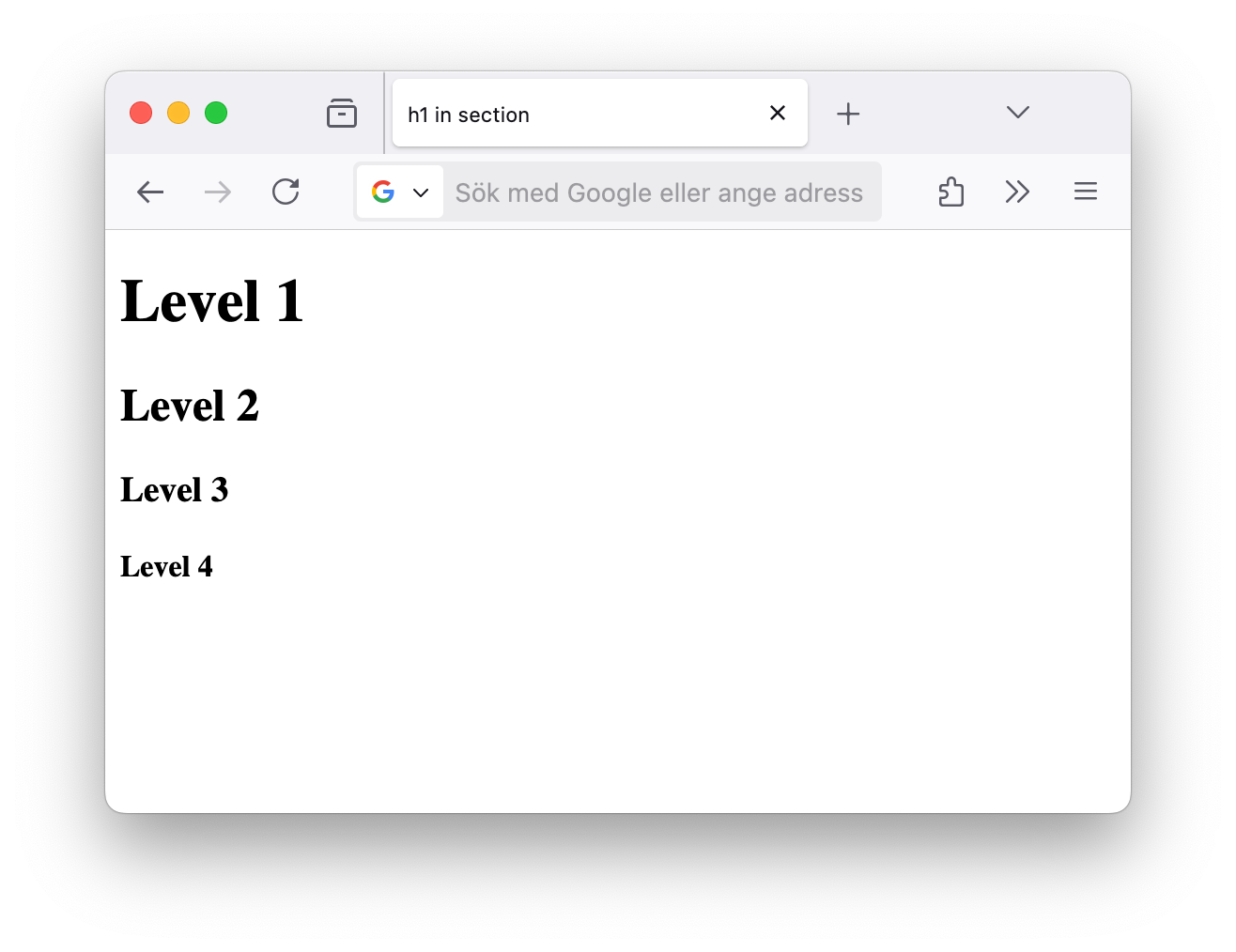
The new UA styles will have this appearance:
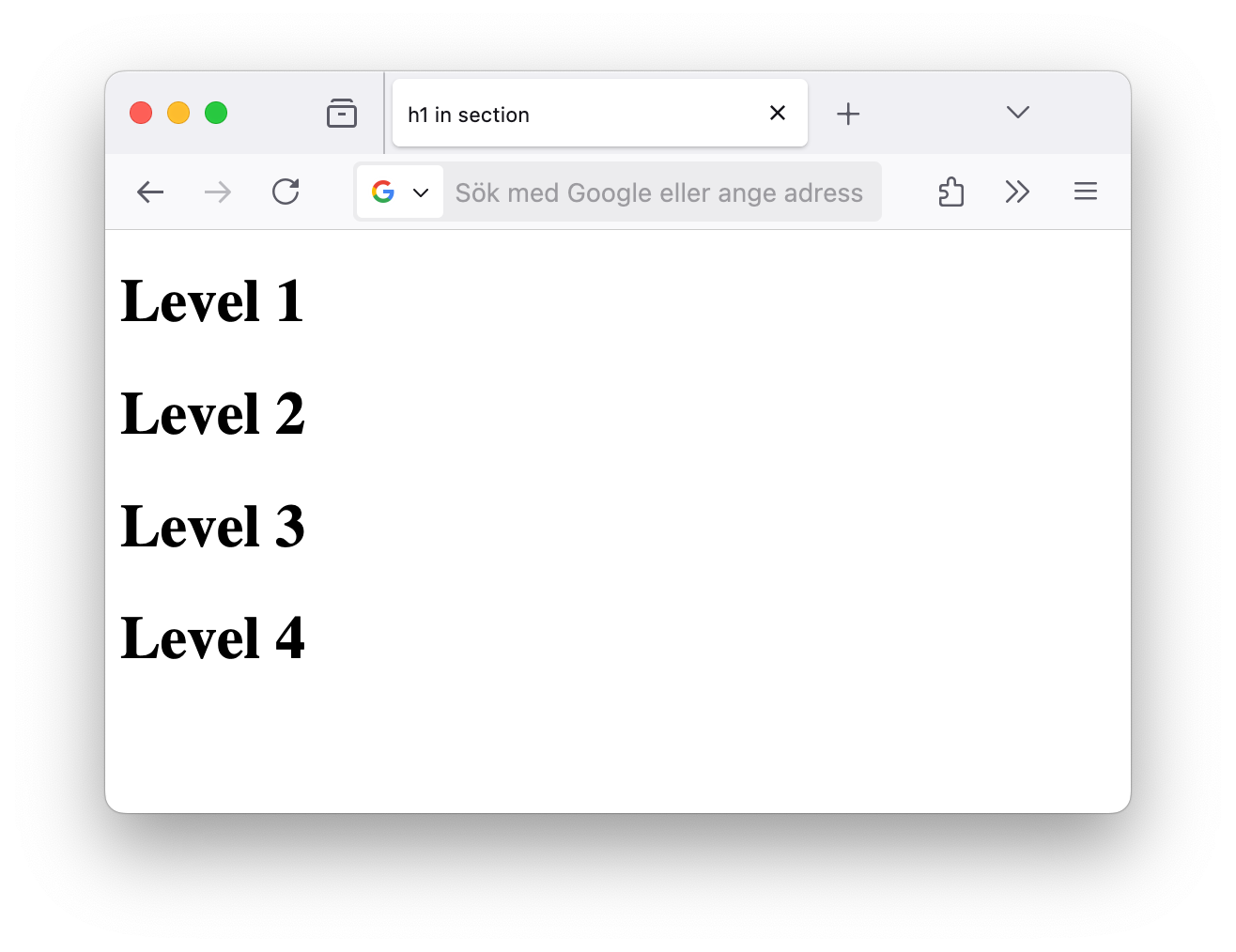
And here's the HTML example above with your browser's default styles:
Alongside the changes in browser styles, page auditing tools like Lighthouse now flag cases of <h1>s without defined font-size as bad practice. Here's the gist of what to expect:
<h1> will no longer adapt its style based on surrounding sectioning elements like <section>, <article>, <nav>, and <aside>. UA stylesheet will apply the same style to <h1> with no implicit styles that demote <h1> to match <h2>, <h3>, etc.<h1> is used without a specified font-size and is nested in <section>, <article>, <nav>, or <aside>. The Lighthouse deprecation warning to look out for is H1UserAgentFontSizeInSection. Hints for dealing with this are described in the next section.In terms of when this is happening, changes are rolling out in the following browsers in this timeline:
h1 in article, aside, nav, or section on desktop, then 100% of Beta 138 starting April 14. The plan is to roll out to 5% of users on the Firefox 138 stable release, ramp up to 10% of users, then ship on all platforms in Firefox 140. bug 1885509.h1s in article/aside/nav/section without author-defined font-size or margins: bug 1937568.layout.css.h1-in-section-ua-styles.enabled to false in about:config.<h1> inside the 4 elements, when the <h1> uses the default smaller font size. Marking something deprecated in Chromium will lower Lighthouse scores for "Best Practices": issue 394111284Lighthouse has recently inherited a check based on Chromium's DevTools warnings for sites that don't specify a font-size for <h1> elements in <section>, <article>, <nav>, or <aside>. The new rule is called H1UserAgentFontSizeInSection and shows up since March following the addition of deprecation warnings. If you see the <h1> warning, make sure you're applying an explicit <h1> font-size and margins. Here's some recommended styles to use:
h1 {
  margin-block: 0.67em;
  font-size: 2em;
}
To avoid overwriting other style rules that target <h1> you can use :where(), which has zero specificity:
:where(h1) {
  margin-block: 0.67em;
  font-size: 2em;
}
The MDN page for heading elements now contains the usage notes listed above so there is a visible place for developers to see this information.
Here's some things to keep in mind:
<h2> for second-level headings, <h3> for third-level, etc.font-size and margin for <h1> elements.此内容由惯性聚合(RSS阅读器)自动聚合整理,仅供阅读参考。 原文来自 — 版权归原作者所有。