

惯性聚合 高效追踪和阅读你感兴趣的博客、新闻、科技资讯
阅读原文 在惯性聚合中打开

推荐订阅源

D
DataBreaches.Net
J
Java Code Geeks
有赞技术团队
有赞技术团队
H
Hackread – Cybersecurity News, Data Breaches, AI and More
The GitHub Blog
The GitHub Blog
T
The Blog of Author Tim Ferriss
Apple Machine Learning Research
量子位
D
Docker
V
Visual Studio Blog
博客园 - 司徒正美
Martin Fowler
Martin Fowler
人人都是产品经理
人人都是产品经理
WordPress大学
WordPress大学
U
Unit 42
M
MIT News - Artificial intelligence
freeCodeCamp Programming Tutorials: Python, JavaScript, Git & More
G
Google Developers Blog
Engineering at Meta
Engineering at Meta
V
V2EX
大猫的无限游戏
大猫的无限游戏
雷峰网
雷峰网
Vercel News
Vercel News
C
Check Point Blog

MDN Blog

Introducing the MDN MCP server | MDN Blog Under the hood of MDN's new frontend | MDN Blog Image formats: Codecs and compression tools | MDN Blog A beginner-friendly guide to view transitions in CSS | MDN Blog Launching MDN's new front end | MDN Blog Image formats: Pixel data from encoders to decoders | MDN Blog Celebrating 20 years of MDN | MDN Blog Image formats: Color models for humans and devices | MDN Blog Default styles for h1 elements are changing | MDN Blog Implications of Global Privacy Control | MDN Blog JavaScript Temporal is coming | MDN Blog Fix your website's Largest Contentful Paint by optimizing image loading | MDN Blog MDN 2024 content projects | MDN Blog A new learning experience on MDN | MDN Blog Countdown to the holidays with daily coding challenges | MDN Blog Monitoring and optimizing website performance | MDN Blog How to land your first developer job | MDN Blog Introducing the new MDN Community page | MDN Blog Fixing your website's JavaScript performance | MDN Blog Get back to school! Supercharge your learning with MDN and Scrimba | MDN Blog Efficient data handling with the Streams API | MDN Blog Locale-sensitive text segmentation in JavaScript with Intl.Segmenter | MDN Blog Optimize your workflow with Git stash | MDN Blog How to debug mobile apps across devices | MDN Blog Exclusive accordions using the HTML details element | MDN Blog Exploring the Broadcast Channel API for cross-tab communication | MDN Blog MDN partners with Scrimba to enhance web development learning | MDN Blog Introducing the MDN HTTP Observatory | MDN Blog Static Site Generation (SSG) with Next.js | MDN Blog New JavaScript Set methods | MDN Blog
Baseline's evolution on MDN | MDN Blog
Vadim Makeev December 5, 2023 4 minutes read · 2023-12-05 · via MDN Blog

Today we're updating the Baseline widget and rolling it out for more pages to align with the refined Baseline definition and help developers understand the status of web platform features better.

First introduced in May 2023, Baseline offered a new way of looking at the state of the web platform. It established a common measure for new features coming to the web and existing ones. The idea was simple: if a feature is available in the last two versions of major browsers, it's considered widely supported and safe to use. It becomes a part of Baseline.

Based on the data of the Web Features project maintained by the WebDX Community Group, we implemented the initial Baseline definition by labeling several widely supported features, such as CSS grid layout and border-image, as well as the not widely supported isContextLost, with a widget right at the top of MDN reference pages. Before reading the page, you can tell if the feature can be reliably used.
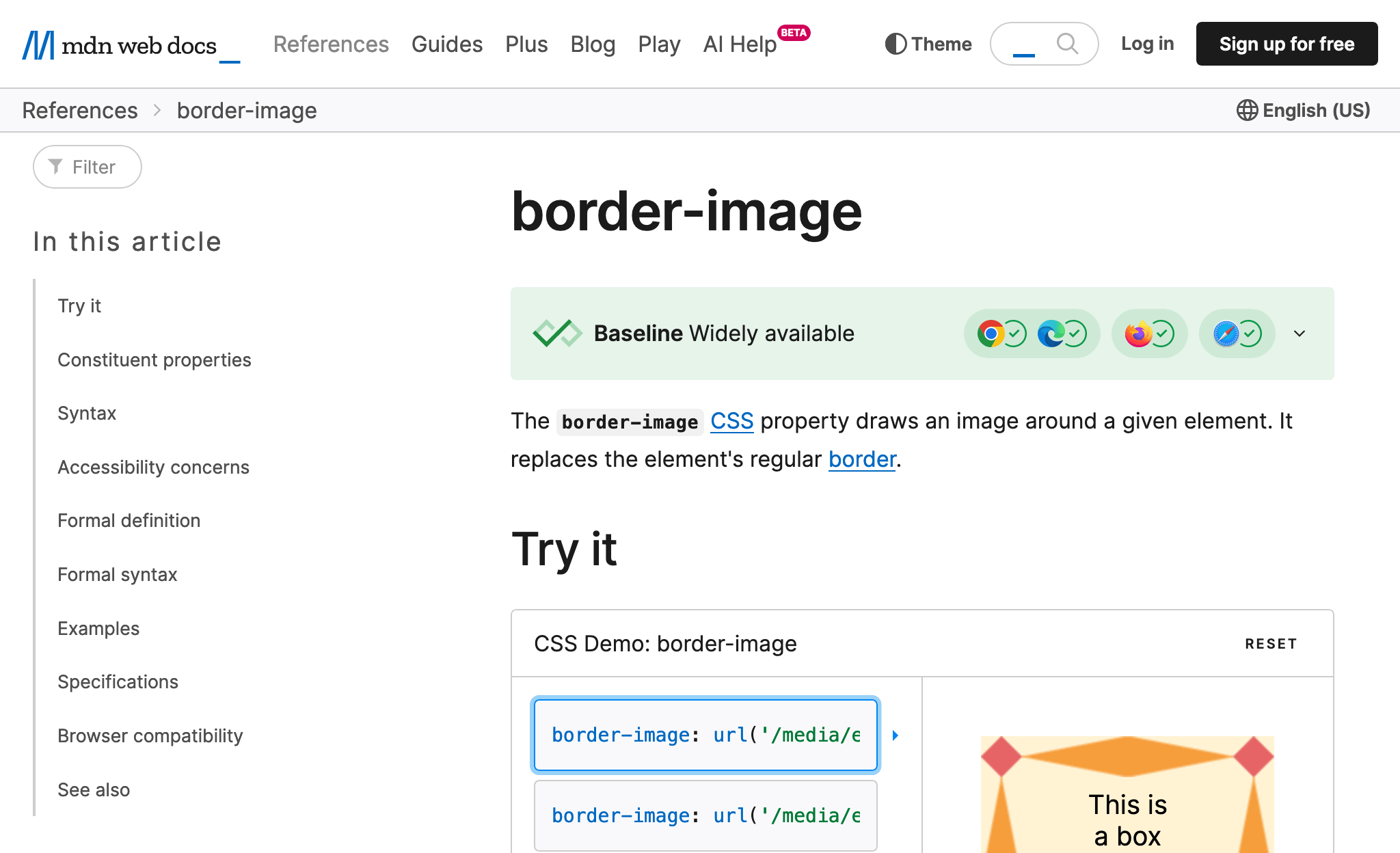
MDN reference page for the border-image CSS property with the green Baseline widget on top. On the widget, there's a big green checkmark, Baseline widely available title, and four browser logos, all with checkmarks.

In addition to the existing "Limited availability" and "Widely available" widgets, which have been slightly adjusted, a new one sits in the middle of the Baseline timeline. The "Newly available" widget marks features that have recently become available in all stable versions of core browsers, for example, @layer.
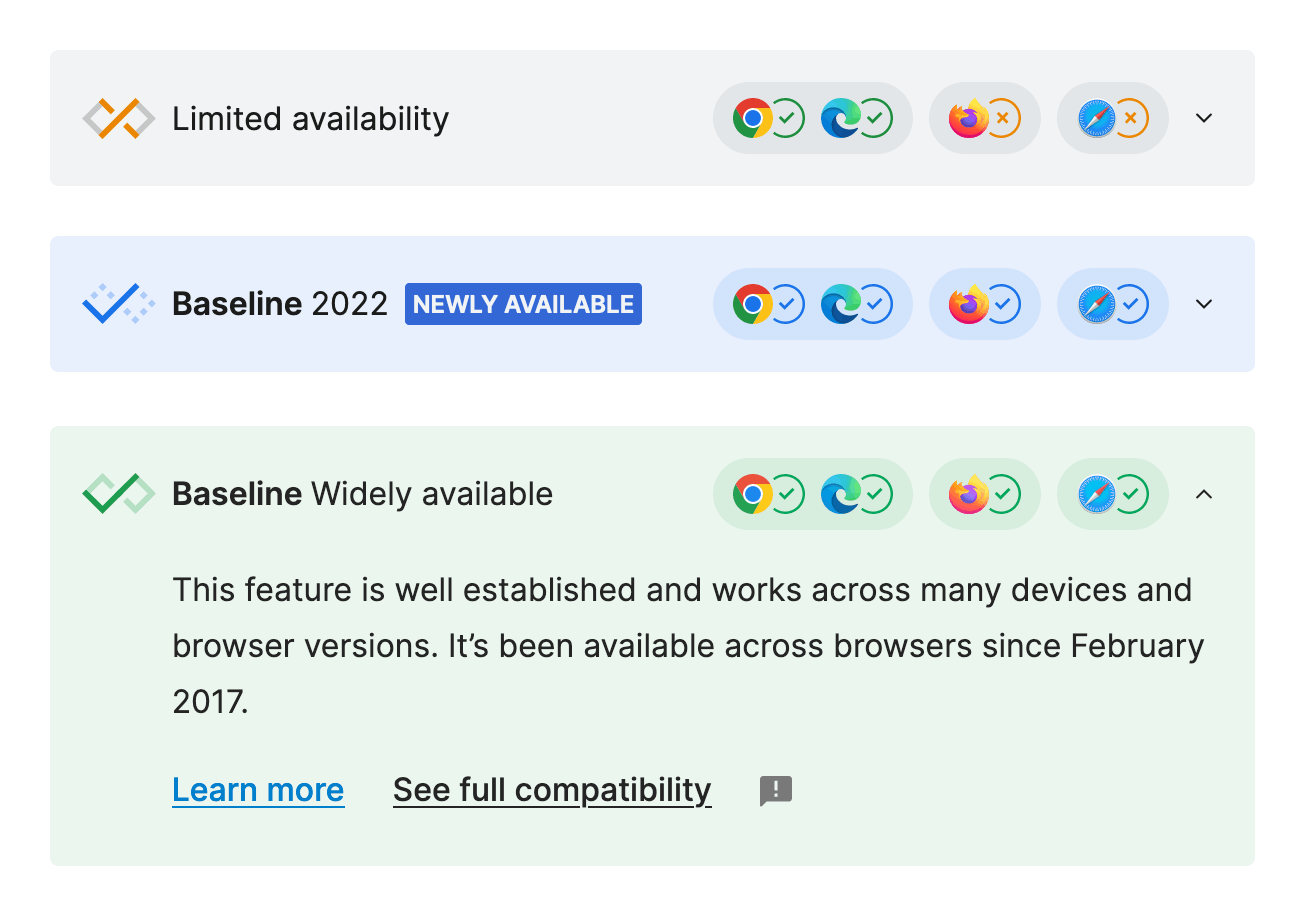
Three Baseline widgets. The first one, grey: cross, limited availability. The second one, blue: checkmark, Baseline 2022, newly available. The third one, green: checkmark, Baseline, widely available. The third one is opened, and the text goes: This feature is well established and works across many devices and browser versions. It's been available across browsers since February 2017. Below the text are three links: learn more, see full compatibility, and a feedback icon.

By opening the widget, you'll now see additional information about the feature and the date when it became newly available. Today, we're expanding the Baseline widget coverage to 315 pages. We will continue to roll it out with the development of the Web Features dataset.

Refined definition

Updated widgets follow the Baseline definition refined by the Web Features governance team.

First of all, the core browsers list is now expanded to include mobile versions of browsers. Sometimes, features get shipped on one platform, and the other follows only after some time. The core browser set now includes:

  • Apple Safari (macOS and iOS)
  • Mozilla Firefox (desktop and Android)
  • Google Chrome (desktop and Android)
  • Microsoft Edge (desktop)

There are two main events on the Baseline timeline for a feature:

  1. Newly available. The feature is marked as interoperable from the day the last core browser implements it. It marks the moment when developers can start getting excited and learning about a feature.
  2. Widely available. The feature is marked as having wider support thirty months or 2.5 years later. It marks the moment when it's safe to start using a feature without explicit cross-browser compatibility knowledge.

Feature example

To understand the Baseline better, let's look at the timeline of the CSS custom properties implementation in core browsers, listed in the order of its first appearance:

  1. Firefox 31: July 22, 2014
  2. Chrome 49: March 2, 2016
  3. Safari 9.1: March 21, 2016
  4. Edge 15: April 5, 2017

According to the Baseline definition, CSS custom properties became "newly available" on April 5, 2017, with the Edge 15 release, and therefore, became a part of "Baseline 2017". However, availability in all major browsers doesn't mean you can safely use a feature: it takes time for users to update their browsers or, in some cases, they have to update their operating system or even the device itself to get a new browser version. That's why, only thirty months later, on October 5, 2019, CSS custom properties were considered "widely available".

The Web Features governance team may override the status of a feature in case of errors or misleading data. For example, they might hold a feature back until implementation bugs are resolved. The goal is not strict compliance with the definition but to reflect the practical reality of using these features.

Note: You can read the detailed Baseline definition in the MDN Glossary.

Like the web platform, the Baseline project has been made possible because of the effort of many parties. We at MDN collaborated closely with partners, including W3C's WebDX Community Group, Google, and Microsoft to bring the refined Baseline definition and widgets to MDN pages, based on community feedback. And we're not stopping here: if you have anything to say, please click the feedback icon in any expanded widget to let us know what you think.
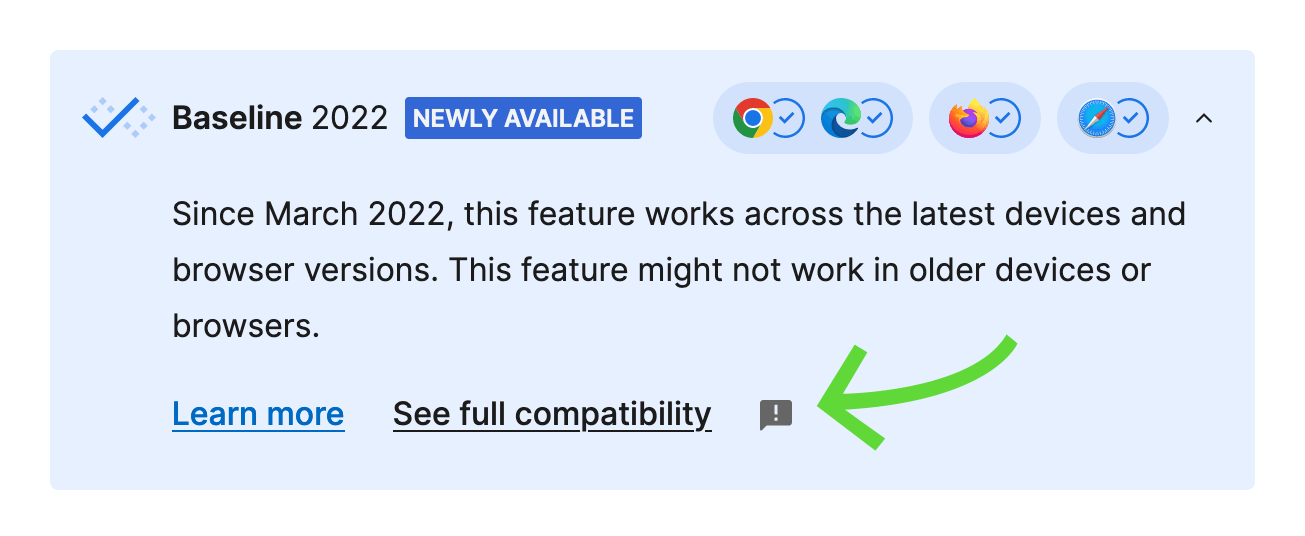
The blue Baseline widget opened: checkmark, Baseline 2022, newly available. The text goes: Since March 2022, this feature works across the latest devices and browser versions. This feature might not work in older devices or browsers. At the bottom, a green arrow points to the feedback icon.