Google Pay Enables RuPay Credit Card UPI Transactions: A ...
By Aneeka Chatterjee
·
2023-06-12
·
via Infotech News, How To Guide News | The HinduBusinessLine
SENSEX 75,527.95
+ 1,695.40
CRUDEOIL 8,094.00
-250.00
GOLD 150,608.00
+ 1,676.00
SILVER 246,594.00
+ 6,941.00
SENSEX 75,527.95
+ 1,695.40
CRUDEOIL 8,094.00
-250.00
CRUDEOIL 8,094.00
-250.00
GOLD 150,608.00
+ 1,676.00
GPay: Know how to link RuPay credit card for UPI transactions
6 steps to use RuPay credit card on GPay
Steps to link RuPay credit card on GPay
| Photo Credit:
Tero Vesalainen
Google Pay in partnership with National Payments Corporation of India (NPCI) allows users to make UPI transactions with RuPay credit cards. Users can initiate transactions offline and online via RuPay credit UPI. Here’s how to do it.
Also read: GPay introduces UPI verification through Aadhaar
Set up RuPay credit card for UPI transactions in GPay
- Step 1: Open GPay account
- Step 2: Tap on your profile icon in the top-right corner
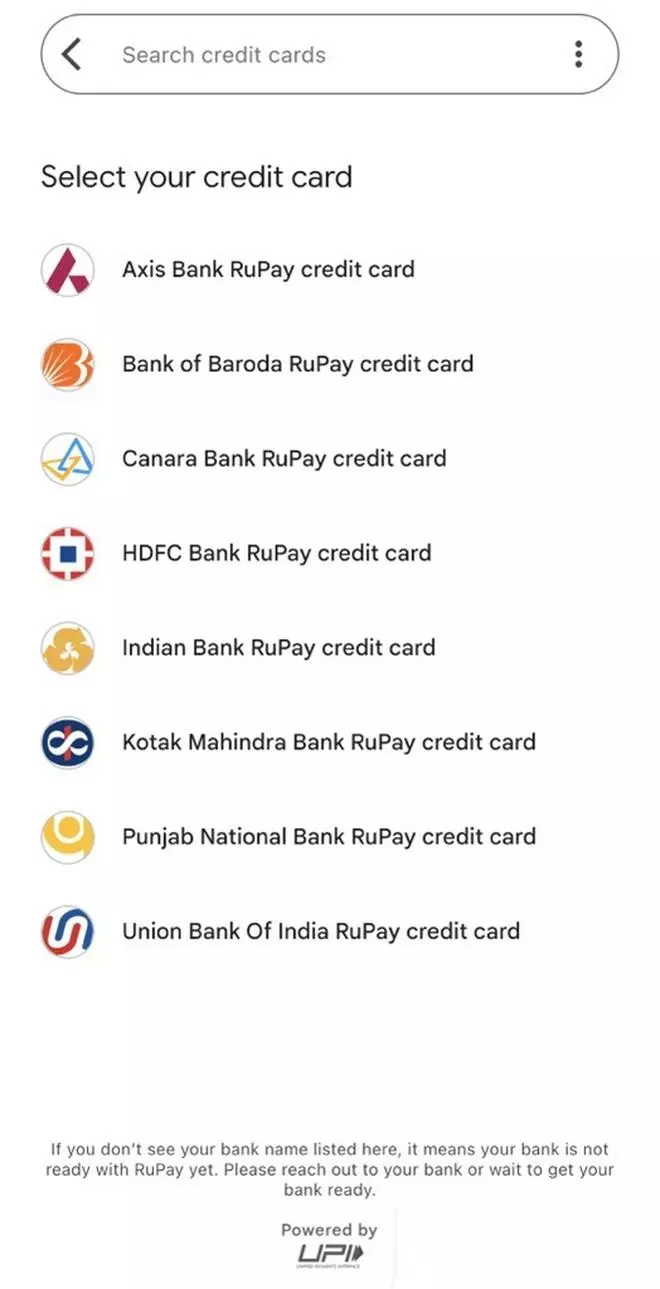
- Step 3: Scroll down to ‘Payment’ methods, and select ‘RuPay credit card.’
- Step 4: Select the bank liked to your RuPay credit card from the drop down list
- Step 5: Next, send a message from the registered mobile number to verify.
- Step 6: Once verified, you can initiate UPI transactions.
More Like This
Published on June 12, 2023
THIS AD SUPPORTS OUR JOURNALISM.
SUBSCRIBE
FOR MINIMAL ADS.
THIS AD SUPPORTS OUR JOURNALISM.
SUBSCRIBE
FOR MINIMAL ADS.
此内容由惯性聚合(RSS阅读器)自动聚合整理,仅供阅读参考。 原文来自 — 版权归原作者所有。