惯性聚合 高效追踪和阅读你感兴趣的博客、新闻、科技资讯
阅读原文 在惯性聚合中打开

推荐订阅源

博客园 - Franky
奇客Solidot–传递最新科技情报
奇客Solidot–传递最新科技情报
有赞技术团队
有赞技术团队
aimingoo的专栏
aimingoo的专栏
WordPress大学
WordPress大学
人人都是产品经理
人人都是产品经理
酷 壳 – CoolShell
酷 壳 – CoolShell
L
LangChain Blog
Blog — PlanetScale
Blog — PlanetScale
阮一峰的网络日志
阮一峰的网络日志
Microsoft Azure Blog
云风的 BLOG
云风的 BLOG
Google DeepMind News
T
The Blog of Author Tim Ferriss
G
Google Developers Blog
Hugging Face - Blog
Hugging Face - Blog
Y
Y Combinator Blog
D
DataBreaches.Net
Engineering at Meta
Engineering at Meta
MyScale Blog
MyScale Blog
大猫的无限游戏
大猫的无限游戏
S
SegmentFault 最新的问题
The GitHub Blog
The GitHub Blog
Recent Announcements

Infotech News, How To Guide News | The HinduBusinessLine

Today’s Stock Recommendation: April 04, 2025 RBI’s UDGAM portal: How to register, check unclaimed deposits PMFBY: Farmers Can Calculate Crop Insurance for Crop Loss How to get crop insurance under Pradhan Mantri Fasal Bima Yojna How can you apply for learner licence in Parivahan Sewa? Union Home Minister Launches Online Portal for Sahara Depositors to Claim Refunds Google Chrome Update: Add Website Tabs to Home Screen on iOS and iPadOS Devices How to Deactivate Your Threads Account: Step-by-Step Guide Shazam Update Enables Integration with YouTube, TikTok, and Instagram for Music Recognition Never Miss a Payment Deadline with Google Pay Payment Reminders Amazon joins its peers to introduce travel ticket booking Kotak Mahindra Bank Introduces WhatsApp Banking for Instant and Convenient Services: How to Access? Paytm Introduces ‘Pin Recent Payments’ Feature for Quick and Smooth Transactions PAN-Aadhaar linking: Know how to pay penalty How to unload ₹2,000 notes through Amazon Pay? iOS 17 introduces screen distance feature to protect users’ eyesight Instagram Introduces 30-Second Music Option for Notes Feature, Allowing Users to Add Songs of Their Choice Know how to check IPO allotment status How to Create Chat Folders on Telegram: A Step-by-Step Guide Google Pay Enables RuPay Credit Card UPI Transactions: A Step-by-Step Guide Customize Apple iPhone App Icons Using Shortcuts App: A Step-by-Step Guide How to check Aadhaar update history? How to lock a WhatsApp chat on iOS? Aadhaar update: How to update address on your Aadhaar card for free Google Search Labs: How to join waitlist Reliance Jio: How to switch from Jio prepaid to JioPlus postpaid on the same number Gmail: How to unsend an email Google Street View in India: How to access Paytm: How to open a fixed deposit (FD) Netflix: How to transfer profile to a new account
Xpression Camera: A Virtual App That Transforms Faces int...
By Aneeka Chatterjee · 2023-06-21 · via Infotech News, How To Guide News | The HinduBusinessLine
SENSEX   75,527.95

+ 1,695.40

NIFTY   23,622.90

+ 461.30

CRUDEOIL   8,084.00

 -260.00

GOLD   150,650.00

+ 1,718.00

SILVER   246,714.00

+ 7,061.00

SENSEX   75,527.95

+ 1,695.40

NIFTY   23,622.90

+ 461.30

NIFTY   23,622.90

+ 461.30

CRUDEOIL   8,084.00

 -260.00

CRUDEOIL   8,084.00

 -260.00

GOLD   150,650.00

+ 1,718.00

Xpression Camera: What is it and how does it work?

The app can be launched in Zoom, Twitch or Youtube

Updated - June 21, 2023 at 10:00 AM.

| Chennai

Xpression Camera is a virtual app that transforms into anything or anyone having a face with a single photo without any buffering. The virtual camera works with Zoom, Twitch, or Youtube.

Perks of Xpression Camera

  • Complete control over what one projects: The Xpressioncamera reflects real-time facial expressions on photos, videos, GIFs, memes, and more. Images can be from the web, camera roll, or social media, and can include pictures, paintings, stuffed animals, dolls, artwork, comics, cartoons, sculptures, illustrations, pets, or a star in a movie or TV clip.
  • Videochat without webcam: Voice2Face integrated Xpression Camera lets users be off camera while the app animates images on screen.
  • Resource for content creators: Xpression camera supports a huge stock of GIFs, memes, cinema, images, and video, along with professional tools that help creators produce original content to share

How Xpression Camera works

  • Download the virtual camera app on Mac or Windows.

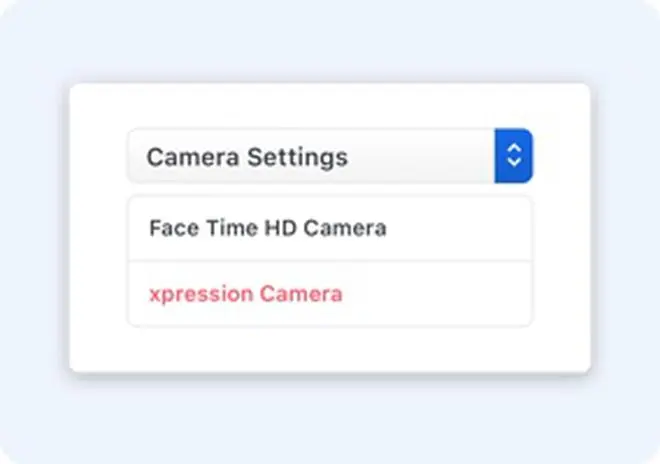
  • Open the preferred platform - Zoom, Youtube or Twitch- and select “xpression camera” from camera settings.

  • Select any image of your choice to proceed.

Published on June 21, 2023

THIS AD SUPPORTS OUR JOURNALISM. SUBSCRIBE FOR MINIMAL ADS.

THIS AD SUPPORTS OUR JOURNALISM. SUBSCRIBE FOR MINIMAL ADS.