Google Chrome Update: Add Website Tabs to Home Screen on ...
By Aneeka Chatterjee·2023-07-18·via Infotech News, How To Guide News | The HinduBusinessLine
SENSEX 75,527.95
+ 1,695.40
NIFTY 23,622.90
+ 461.30
CRUDEOIL 8,221.00
-123.00
GOLD 149,869.00
+ 937.00
SILVER 241,180.00
+ 1,527.00
SENSEX 75,527.95
+ 1,695.40
NIFTY 23,622.90
+ 461.30
NIFTY 23,622.90
+ 461.30
CRUDEOIL 8,221.00
-123.00
CRUDEOIL 8,221.00
-123.00
GOLD 149,869.00
+ 937.00
Google Chrome: Add websites to iOS home screen. Here’s how
Guide to add websites to homes screen on iOS
Updated - July 18, 2023 at 07:01 PM.
Google Chrome logo is seen in this illustration picture
| Photo Credit:
Reuters
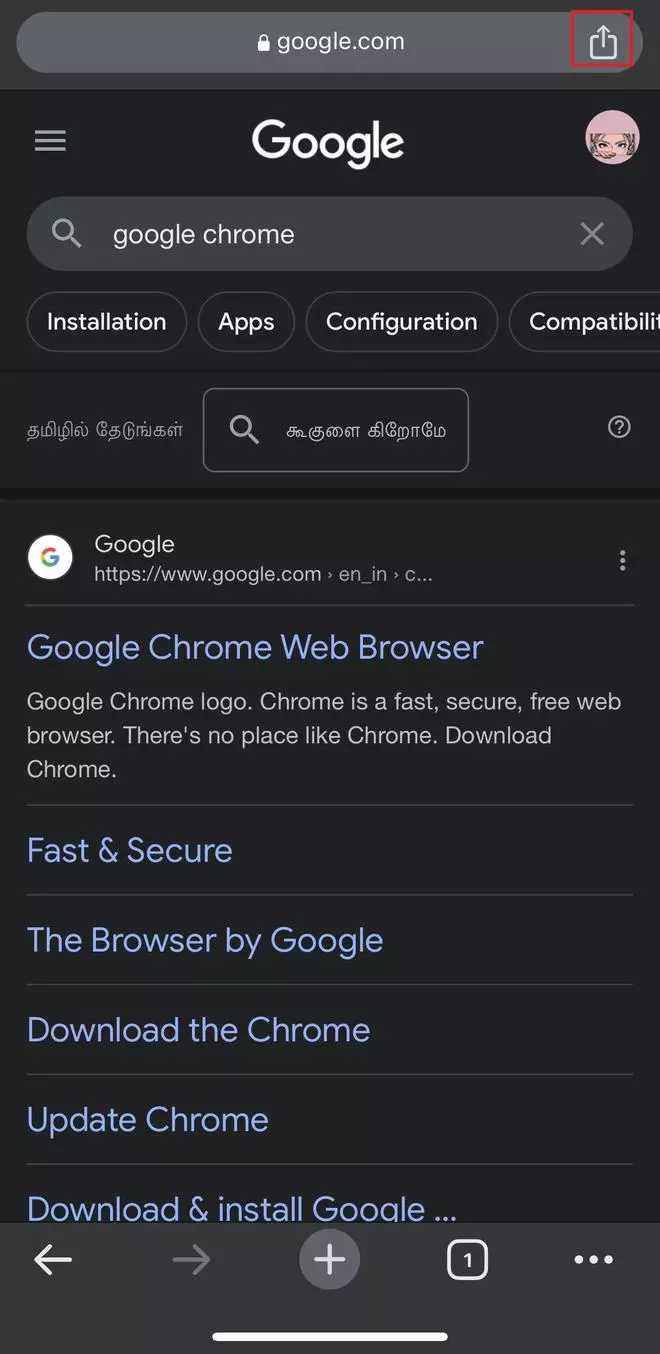
With the recent Google Chrome update, Apple iOS 16.4 or above users can add a website tab to their home screen. The new feature from Google is similar to what Safari provides. Here are two ways by which a person can add websites to homescreen.
Open Google Chrome app in iOS or iPadOS device.
Search for a website.
Tap on the Share icon on the top-right corner
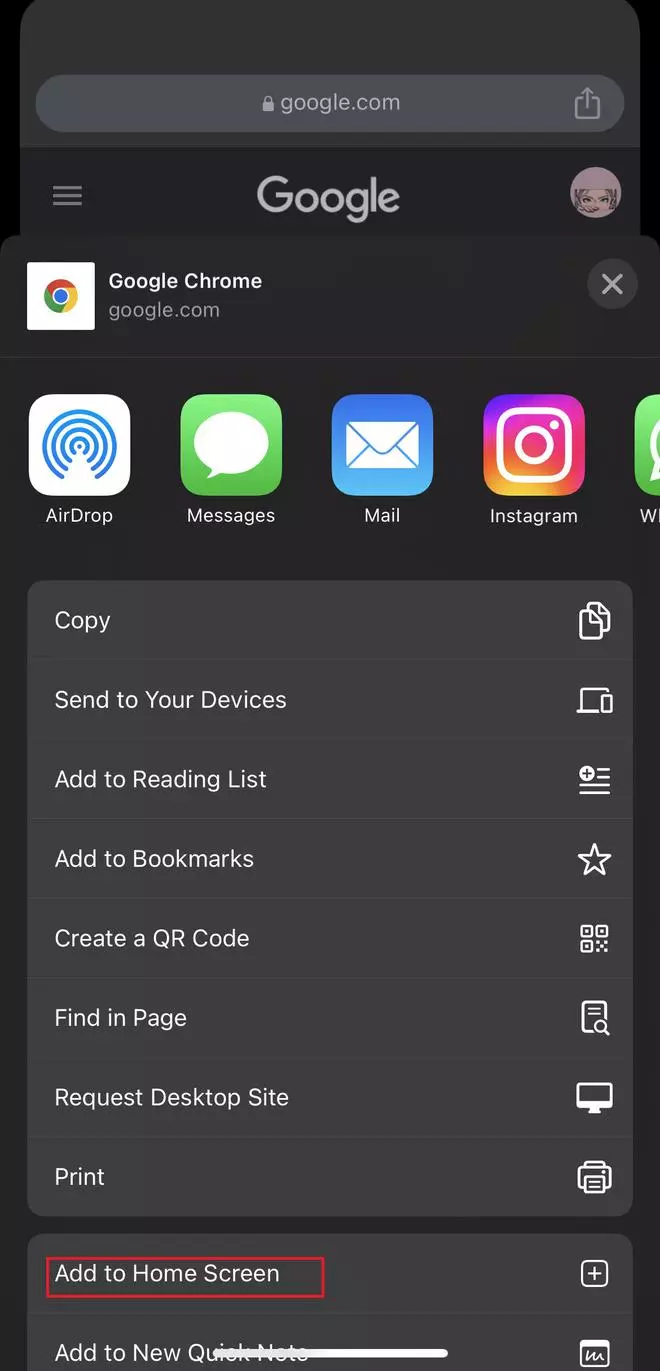
Select Add to Home Screen option from the list
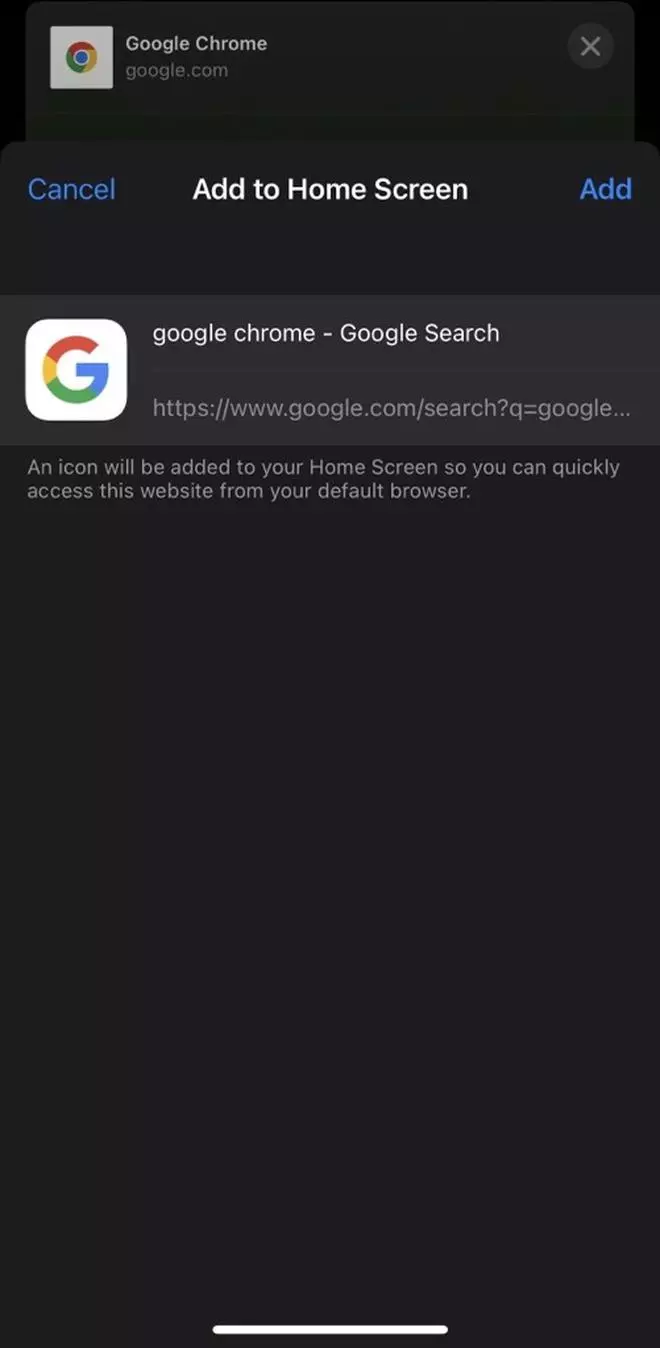
Next, tap on Add to see the site on the home screen
Add website through Safari
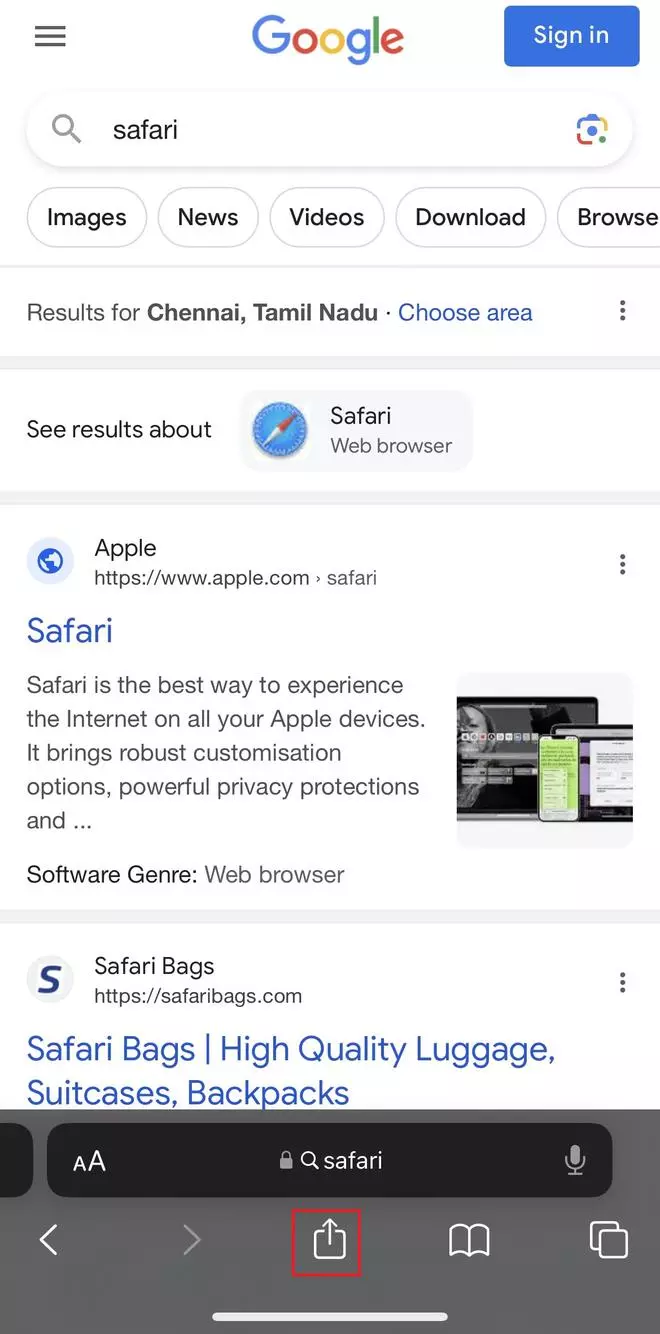
Launch Safari app
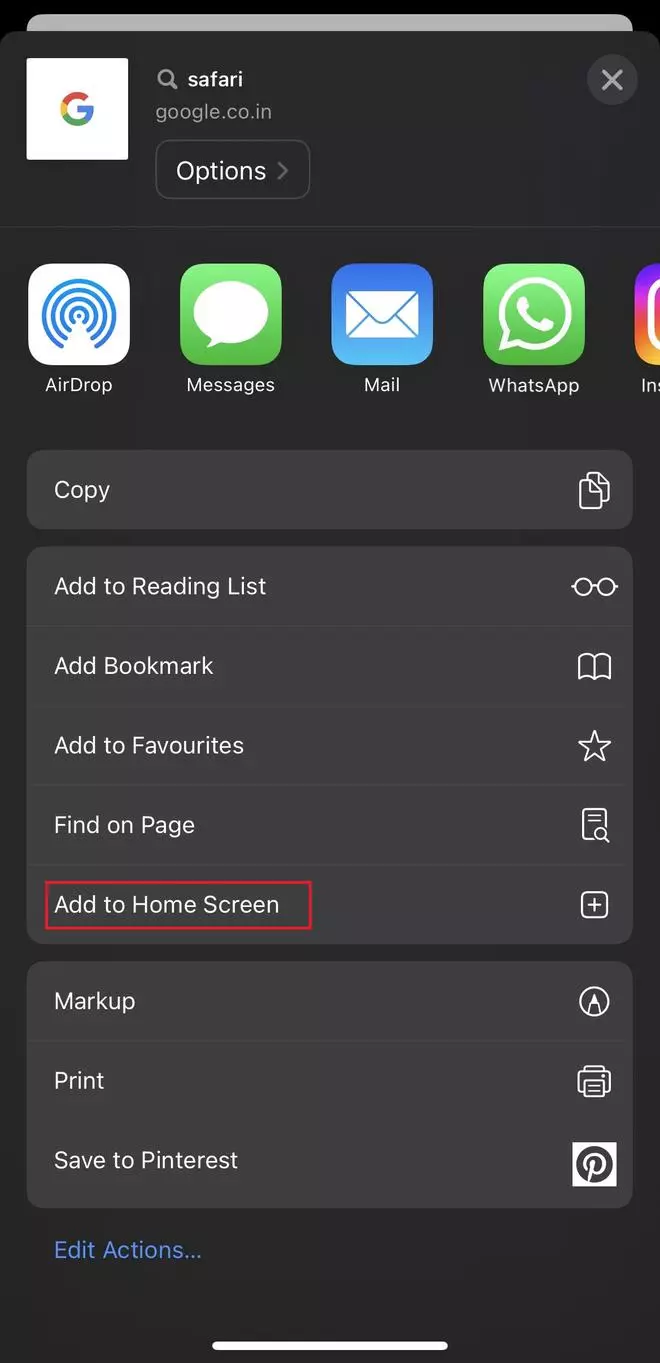
Go to a site, click on the Share icon at the bottom
Select Add to Home Screen
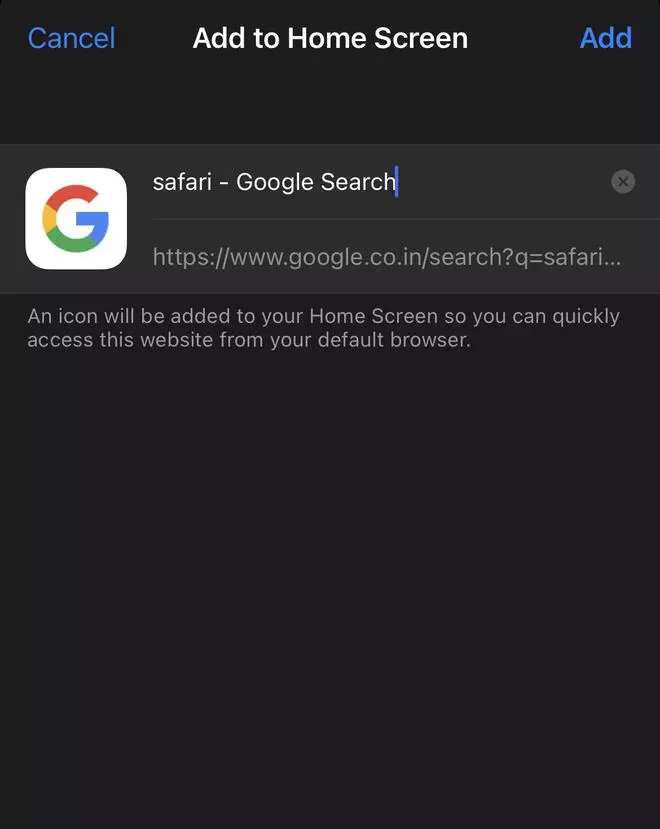
Next, tap on Add. Once done, the site icon will appear on your iOS home screen
Published on July 18, 2023
THIS AD SUPPORTS OUR JOURNALISM.
SUBSCRIBE
FOR MINIMAL ADS.
THIS AD SUPPORTS OUR JOURNALISM.
SUBSCRIBE
FOR MINIMAL ADS.