The BSE logo is seen at the BSE building in Mumbai
| Photo Credit:
Reuters
IPO (Initial Public Offering), also known as stock launch, is an event where shares of companies are sold to investors, both institutional and retail.
In a recent tweet, the founder of IPO Mantra R. K. has detailed the Noida-based Ikio lighting IPO. Once an investor has applied for the IPO allotment, here’s how to view the allotment status.
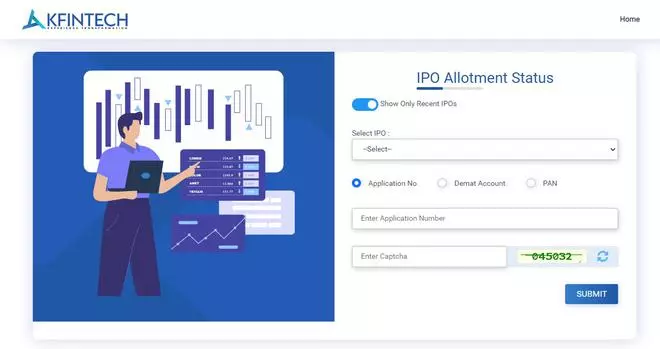
IPO allotment status through the registrar site
-
Head to the registrar site, KFintech
-
Click on any link to proceed forward
-
Select the company name you wish to buy the stocks
iKio listing
| Photo Credit: -
-
Enter application number, Demat account details, or PAN details
-
Next, enter the captcha and click on Submit to proceed
-
You will be able to view the details of the allotment status: number of shares applied for and the number of shares allotted to an individual by the company
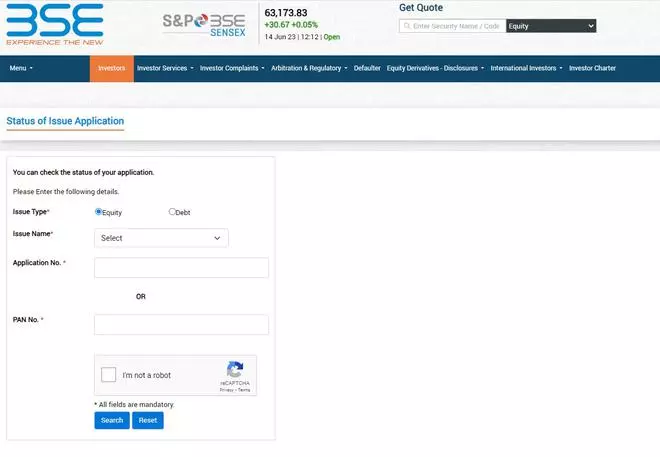
IPO allotment status on BSE
-
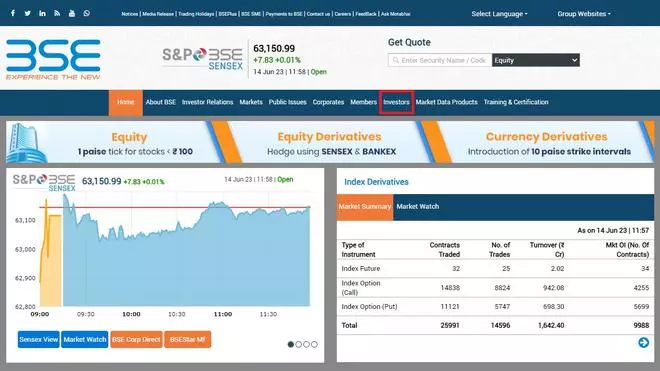
Head to BSE site
-
Click on Investors option
-
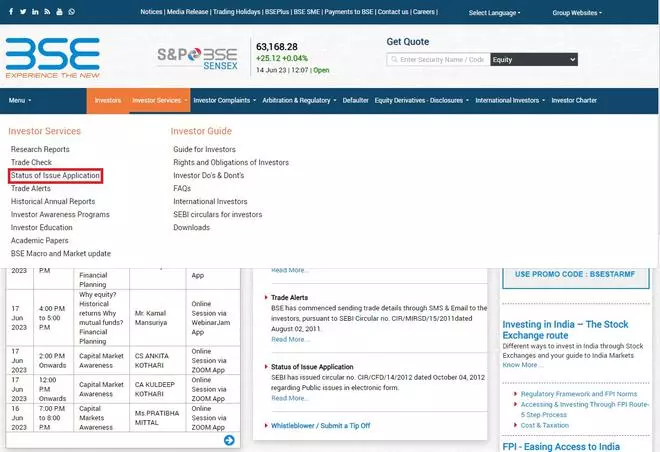
Click on Investor Services and select ‘Status of Issue Application’
-
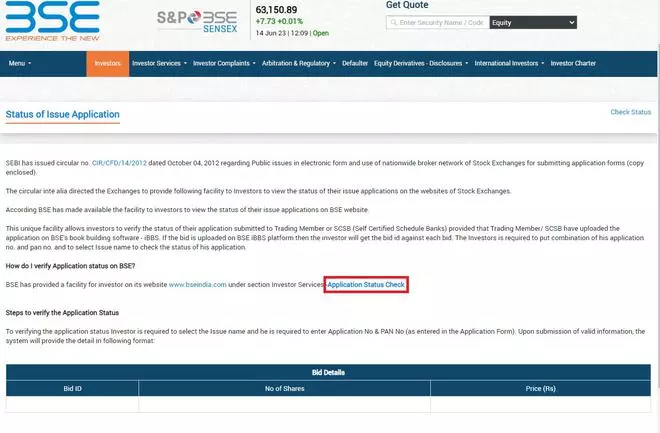
Scroll down to Application Status Check
-
Select Equity as the Issue type, and proceed to fill in the required details
-
Click on Search to view the status
More Like This
Published on June 14, 2023