How to Create Chat Folders on Telegram: A Step-by-Step Guide
By Aneeka Chatterjee·2023-06-12·via Infotech News, How To Guide News | The HinduBusinessLine
SENSEX 75,527.95
+ 1,695.40
NIFTY 23,622.90
+ 461.30
CRUDEOIL 8,094.00
-250.00
GOLD 150,550.00
+ 1,618.00
SILVER 243,481.00
+ 3,828.00
SENSEX 75,527.95
+ 1,695.40
NIFTY 23,622.90
+ 461.30
NIFTY 23,622.90
+ 461.30
CRUDEOIL 8,094.00
-250.00
CRUDEOIL 8,094.00
-250.00
GOLD 150,550.00
+ 1,618.00
Here is a guide to create chat folders
Updated - June 12, 2023 at 03:34 PM.
|
Chennai
A keyboard is placed in front of a displayed Telegram logo in this illustration
| Photo Credit:
Reuters
Rolled out in 2013, Telegram is one of the popular instant messaging app. Telegram continues to update its platform to provide users with the utmost experience. The platform has a unique and interesting feature: chat folders.
Here’s how you can create one and share it with others.
Create chat folder in Telegram
Head to Telegram
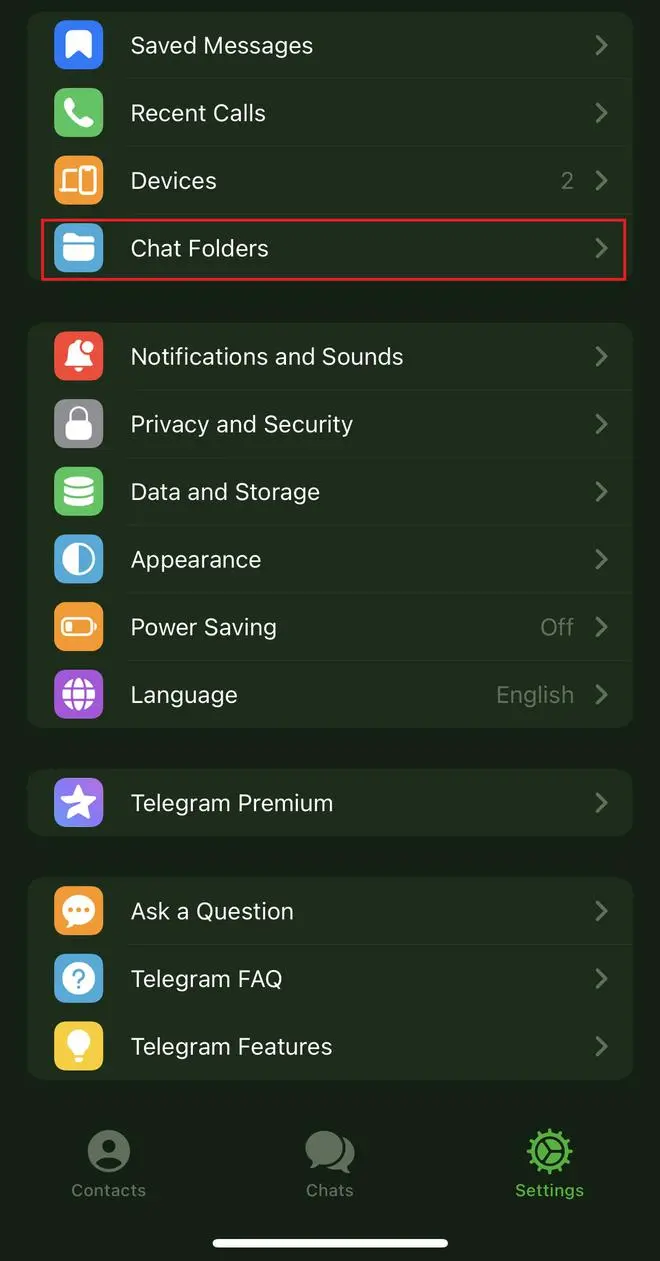
Tap on Settings icon at the below-right corner
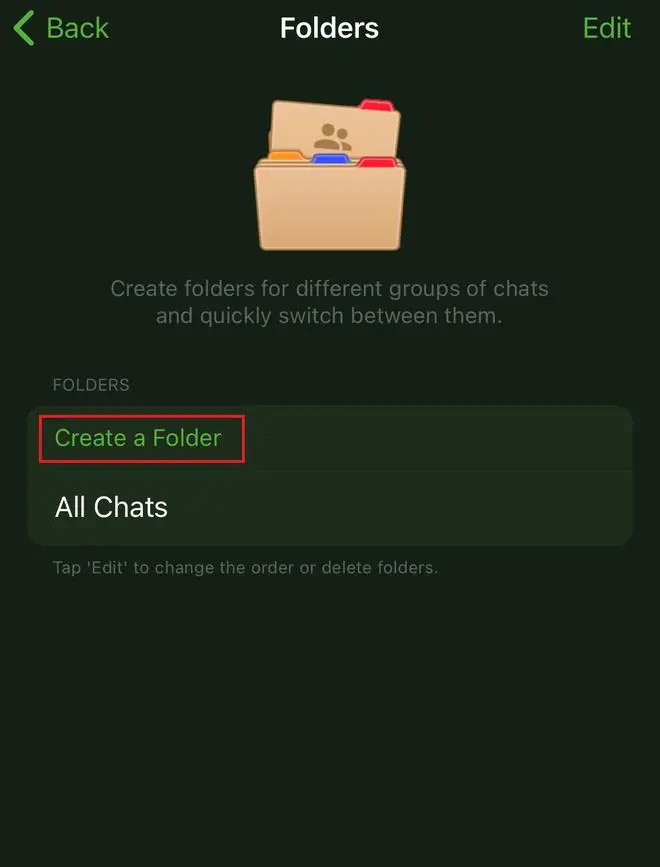
Select Chat Folders from the options
Click on Create Folder
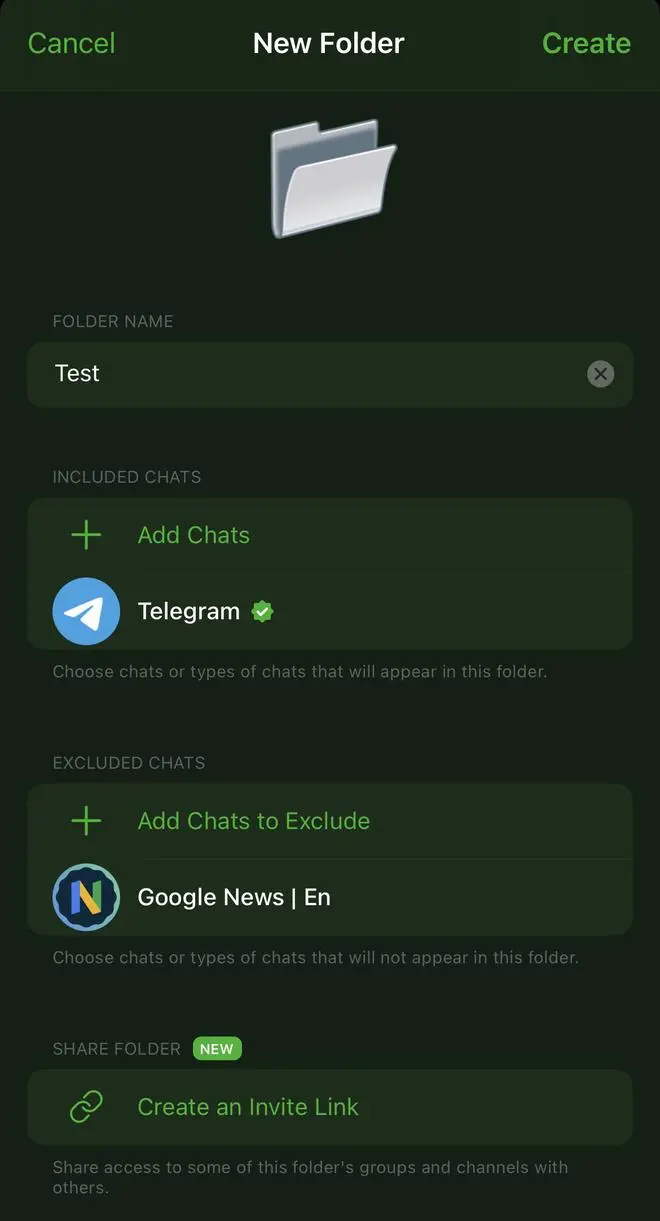
Fill in the details like folder name, included chats, and excluded chats
Tap on Create to save the chat folder. Once you’ve created the folder, this is how the folder will appear.
Published on June 12, 2023
THIS AD SUPPORTS OUR JOURNALISM.
SUBSCRIBE
FOR MINIMAL ADS.
THIS AD SUPPORTS OUR JOURNALISM.
SUBSCRIBE
FOR MINIMAL ADS.