How to Deactivate Your Threads Account: Step-by-Step Guide
By Aneeka Chatterjee
·
2023-07-07
·
via Infotech News, How To Guide News | The HinduBusinessLine
SENSEX 75,527.95
+ 1,695.40
CRUDEOIL 8,094.00
-250.00
GOLD 150,550.00
+ 1,618.00
SILVER 243,481.00
+ 3,828.00
SENSEX 75,527.95
+ 1,695.40
CRUDEOIL 8,094.00
-250.00
CRUDEOIL 8,094.00
-250.00
GOLD 150,550.00
+ 1,618.00
Meta Threads app logo is seen in this illustration taken
| Photo Credit:
Reuters
Threads app, powered by Meta, dubbed as Twitter’s rival, was rolled out on July 6. The app attracted more than 30 million signups in less than 24 hours.
Not happy with Threads and wish to get out of it? Here’s how you can deactivate your Instagram-linked Threads account.
Also read: All you want to know about Threads, the ‘Twitter Killer’
Note that deactivating your Threads account does not impact your Instagram account.
Deactivate Threads account
-
Open Threads app on Android or iOS.
-
Tap on the Profile icon at the bottom-right corner.
-
Next, tap on the trigram-symbol on the top-right of the screen.
-
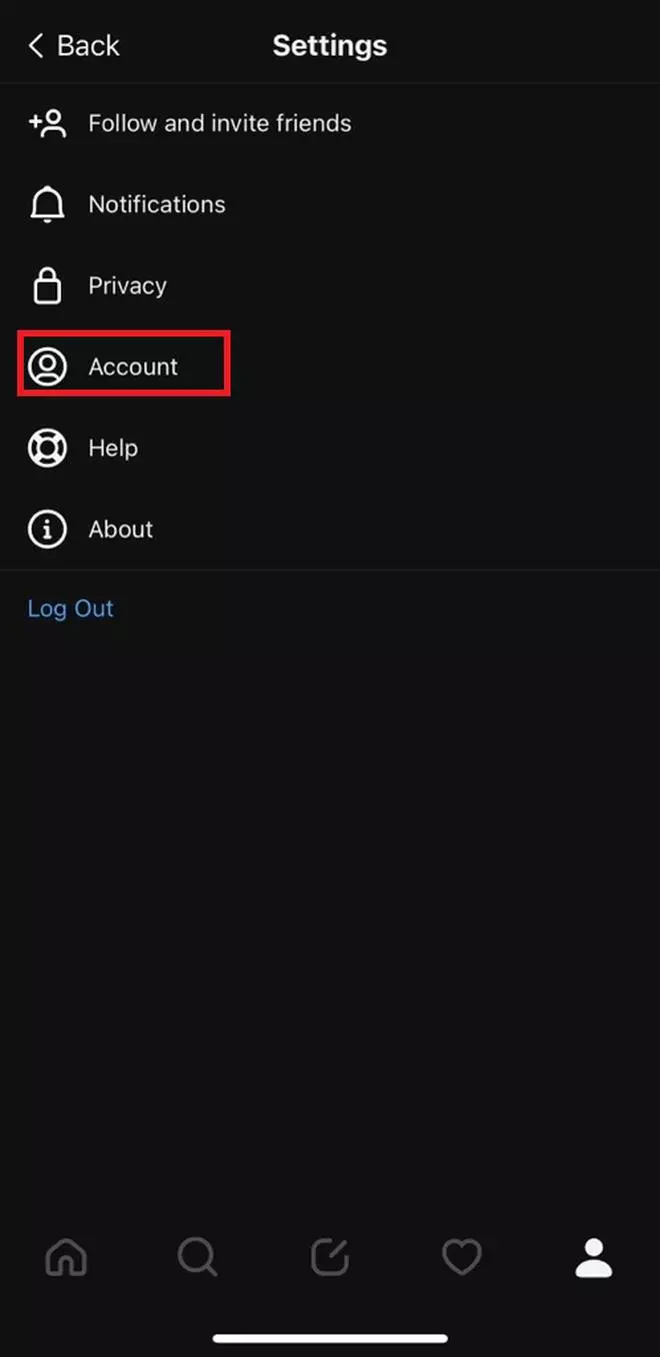
Select Account option to proceed.
-
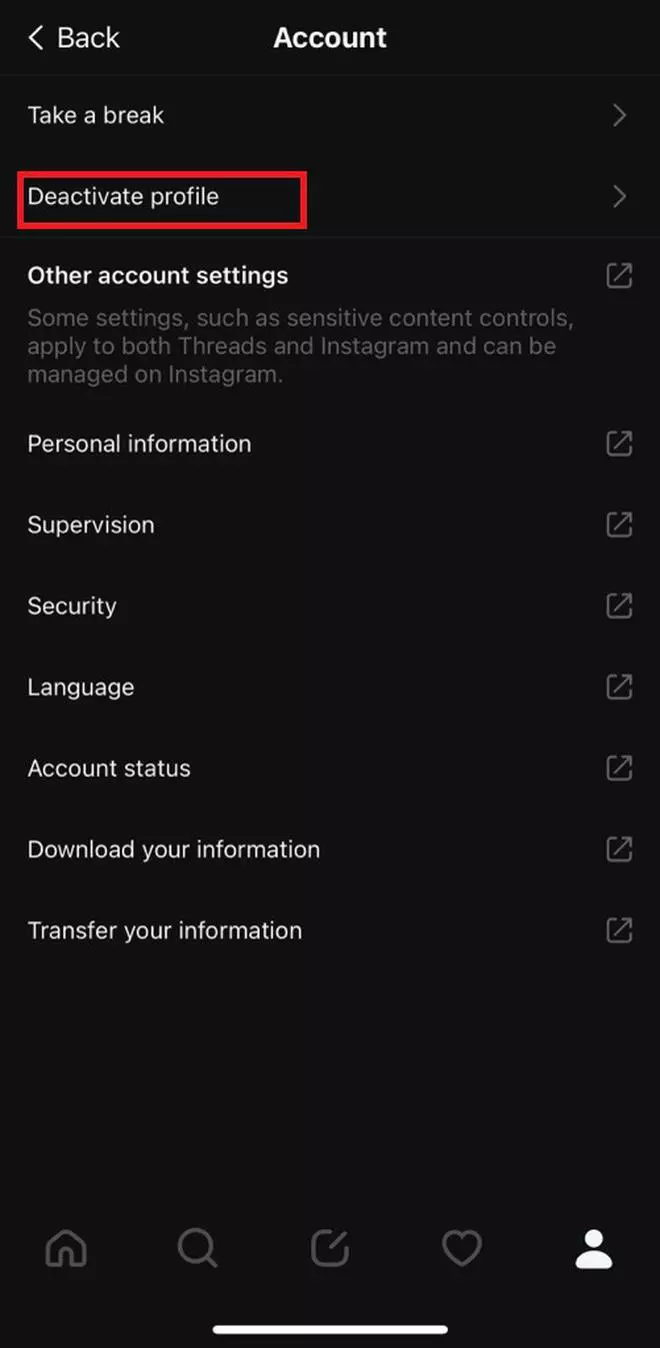
Tap on Deactivate Profile.
-
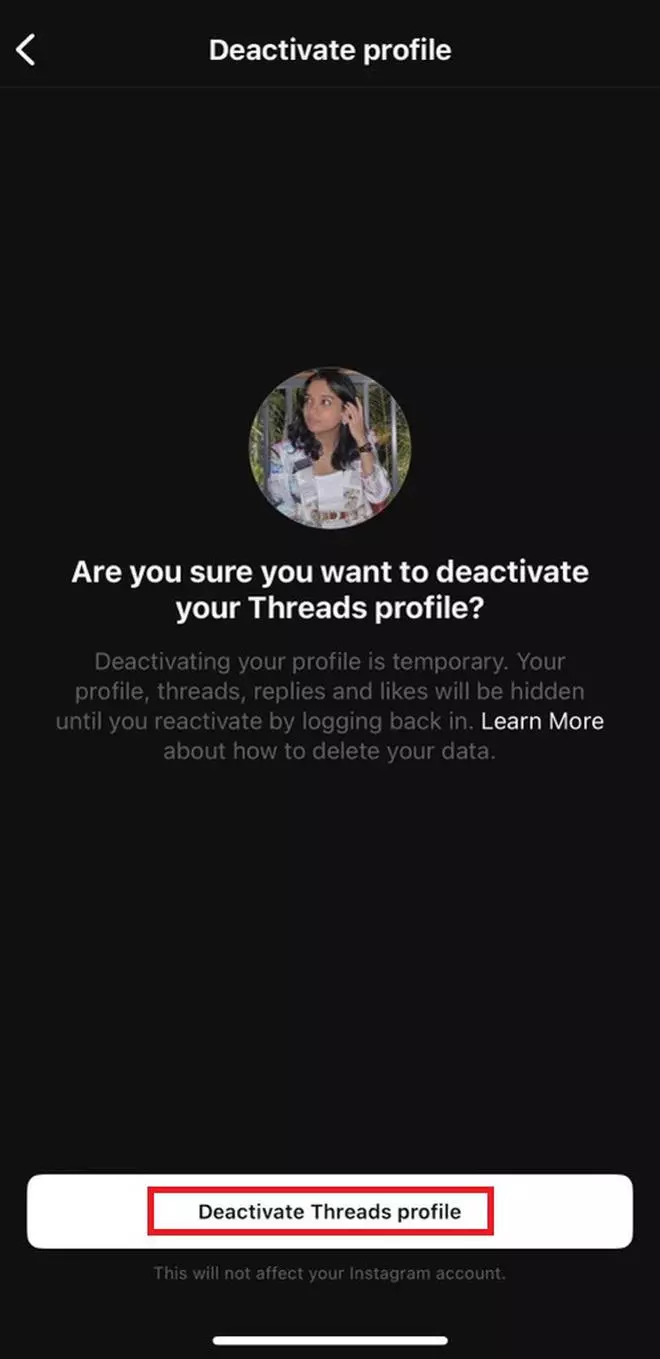
If you are absolutely sure on deactivating your account, click on Deactivate Threads profile.
-
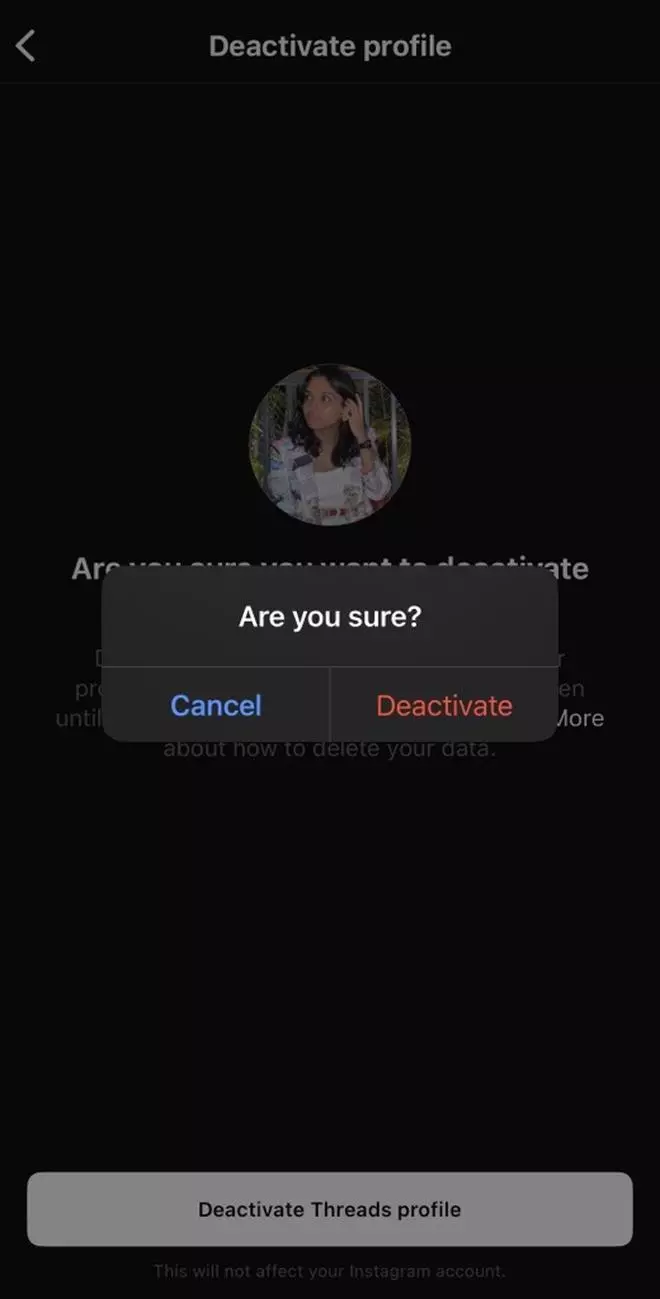
To confirm, click on Deactivate.
More Like This
Published on July 7, 2023
THIS AD SUPPORTS OUR JOURNALISM.
SUBSCRIBE
FOR MINIMAL ADS.
THIS AD SUPPORTS OUR JOURNALISM.
SUBSCRIBE
FOR MINIMAL ADS.
此内容由惯性聚合(RSS阅读器)自动聚合整理,仅供阅读参考。 原文来自 — 版权归原作者所有。