


When we shipped the built-in reverse proxy in v0.65 and the command in v0.66, both were HTTP-only. That covered a lot of ground, but not everything runs over HTTP. Databases, game servers, custom protocols, IoT backends, and plenty of internal tools speak raw TCP, UDP, or TLS.
NetBird v0.67 extends the reverse proxy with full Layer 4 support. You can now proxy TCP, UDP, and TLS traffic through your NetBird network with the same zero-trust model you already use for HTTP services.
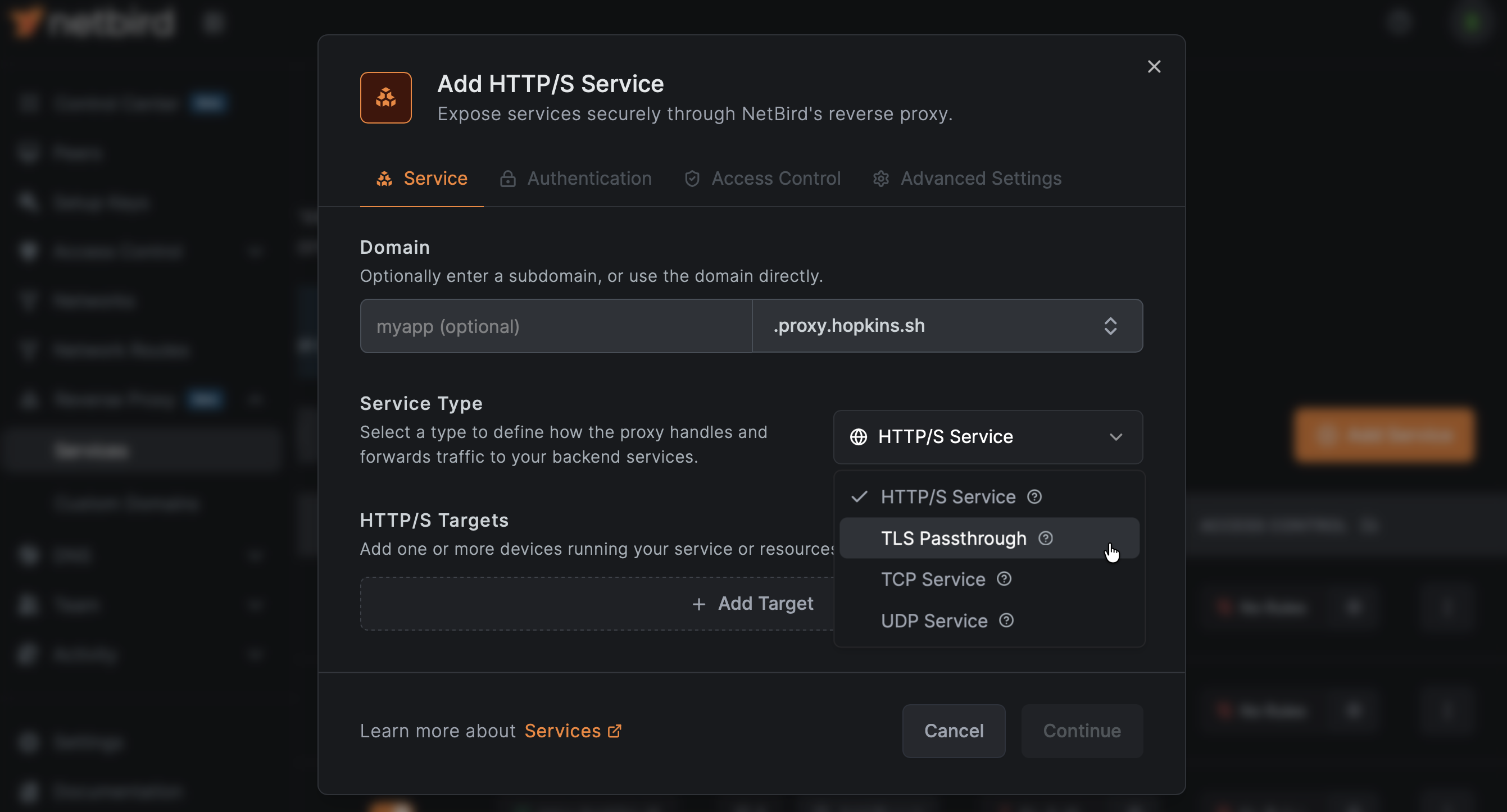
The reverse proxy now supports four distinct modes:
| Mode | Protocol | Use Cases |
|---|---|---|
| HTTP | HTTP/HTTPS | Web apps, APIs, dashboards (existing behavior) |
| TCP | Raw TCP | Databases, custom protocols, SSH tunnels |
| UDP | Datagram-based | DNS, game servers, VoIP, IoT telemetry |
| TLS | TLS passthrough (SNI) | End-to-end encrypted services where the backend terminates TLS |
Each mode is purpose-built. TCP gets bidirectional relay with connection limiting. UDP gets session-based relay with configurable idle timeouts. TLS uses SNI-aware routing to direct traffic to the right backend without terminating encryption, so your proxy never sees the plaintext. For full configuration details, see the reverse proxy documentation .
The command now supports L4 protocols alongside HTTP. Expose a TCP service:
Or a UDP service:
For services that need a specific external port, use the flag:
The proxy handles port assignment automatically when isn't specified. If your requested port conflicts with an existing service, you'll get a clear message explaining why.
One important difference from HTTP mode: L4 protocols don't support the authentication flags (, , ). Authentication at the transport layer works differently, and it's up to the backend service to handle it. The proxy secures the network path; the application secures the session. See the expose from CLI docs for more examples, including database tunneling and game server setups.
TLS mode is particularly useful when your backend already handles its own certificates and you don't want the proxy to terminate TLS. The proxy peeks at the TLS ClientHello to read the SNI (Server Name Indication) field and routes the connection to the correct backend based on the domain name, without decrypting anything.
This means multiple TLS services can share the same port, as long as they use different domains. The proxy demultiplexes based on SNI, so each service gets its traffic routed correctly.
For TCP services that need to know the original client IP, v0.67 adds PROXY protocol v2 support. When enabled, the proxy prepends client connection metadata to the TCP stream so your backend can see the real source address instead of the proxy's IP.
This is critical for services that make decisions based on client IP, like rate limiters, audit logs, or geo-aware applications.
Beyond L4, this release adds significant new capabilities to the HTTP proxy, all configurable from the dashboard.
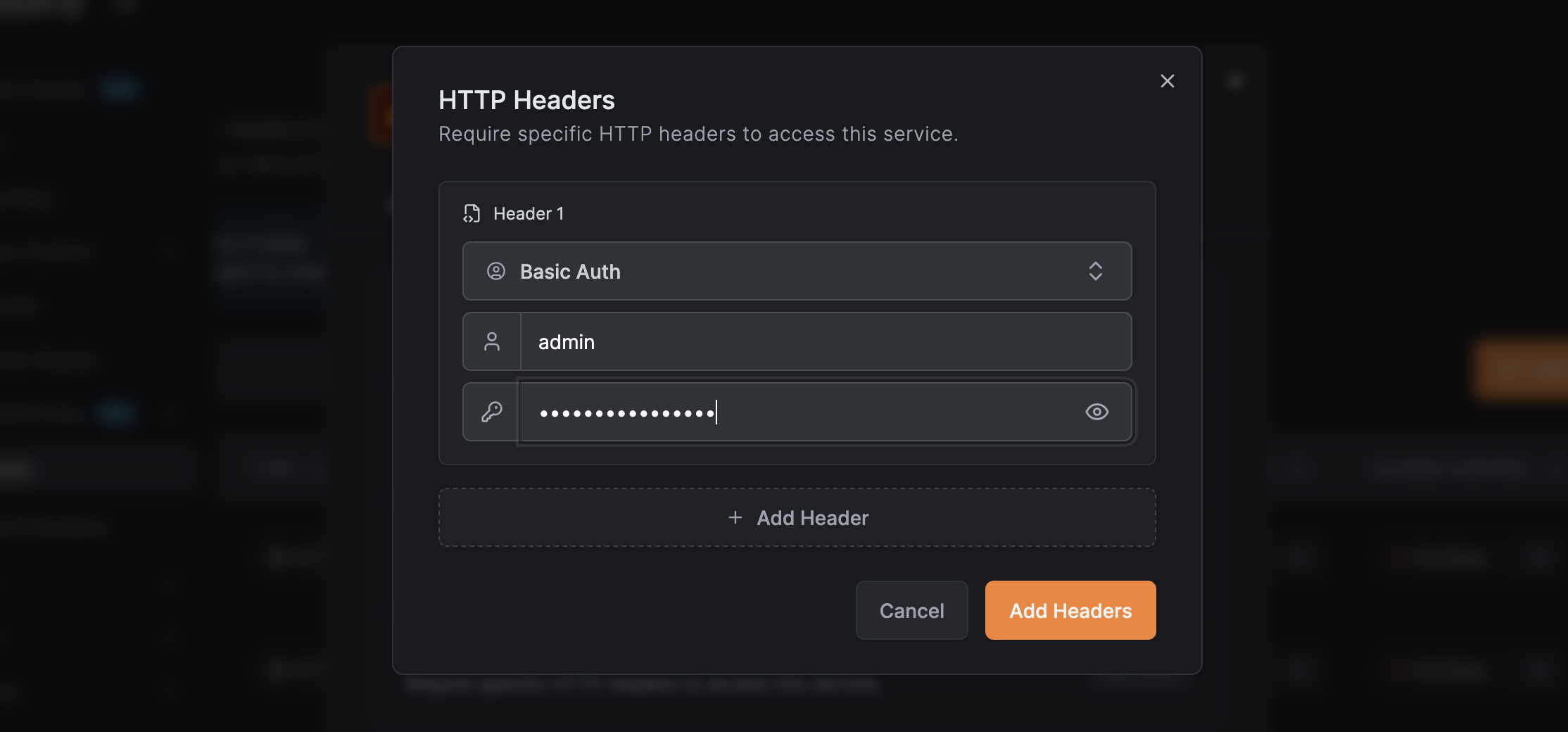
You can now authenticate users via request headers. This is useful when you have an upstream identity-aware proxy or load balancer that injects user identity headers. Configure the proxy to trust specific headers and strip them before forwarding to the backend, preventing header spoofing from untrusted clients.
From the reverse proxy service settings, open the Authentication tab to add header rules. Each rule specifies a header name and expected value. You can add multiple rules, and the proxy strips matched headers before forwarding to prevent spoofing from downstream. For setup details on Basic Auth, Bearer Token, and custom header presets, see the authentication docs .
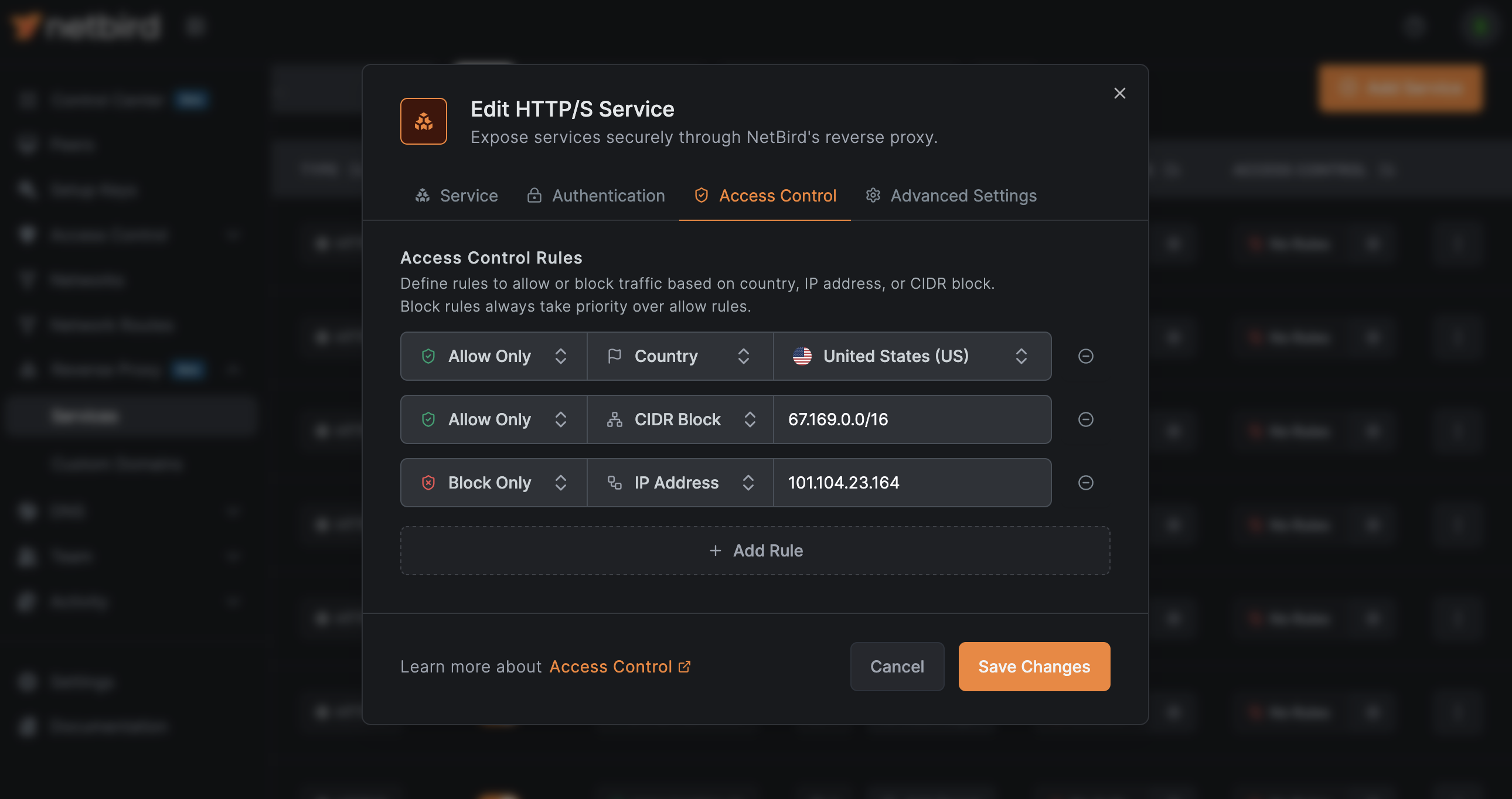
Access restrictions let you limit who can reach a service based on IP ranges (CIDR blocks) or geographic location (country codes). The proxy includes automatic geolocation database management and enriches access logs with geographic metadata.
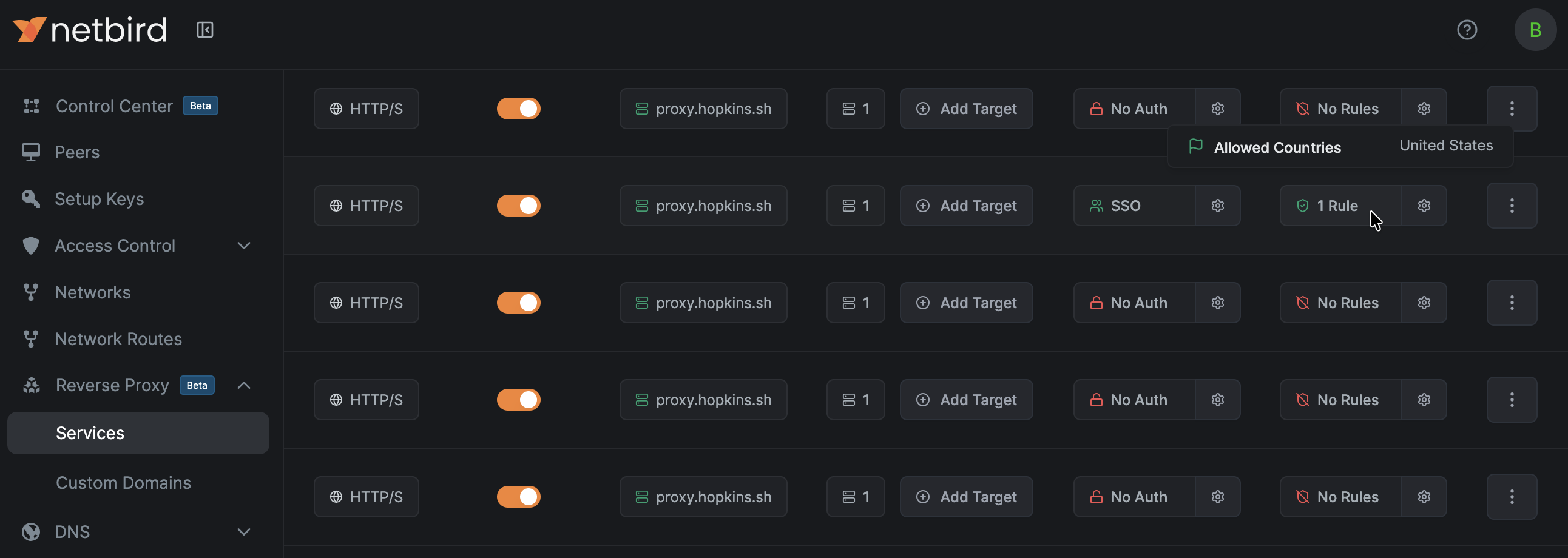
The new Access Control tab on each reverse proxy service lets you define allow or deny rules by country or CIDR range. Rules are evaluated per-request, and the dashboard shows which services have active restrictions at a glance.
This is especially relevant for compliance-sensitive deployments where you need to restrict access to specific jurisdictions, or for reducing attack surface by blocking traffic from regions where you have no users.
Reverse proxy domains can now be configured without requiring a subdomain. When a domain has set to false, you can create services directly on the bare domain. This simplifies setups where you want a single service on a dedicated custom domain without an extra subdomain prefix.
Configurable idle timeouts let you automatically disconnect sessions that go inactive. This applies to both HTTP and L4 services, and it's particularly useful for UDP sessions where there's no natural connection close signal.
Running NetBird in containers or orchestrators like Kubernetes has gotten easier. The new flag on provides proper health probe endpoints:
Each probe type is purpose-built. and use a lightweight status RPC that doesn't trigger a full peer status refresh, keeping your health checks fast and low-overhead. does a full probe since it only runs once.
The Docker entrypoint has been updated to use instead of parsing log files, making container startup detection more reliable.
v0.67 introduces opt-in, privacy-preserving client metrics. When enabled, the client collects connection performance data and pushes it periodically to an ingest server.
What gets collected:
| Metric | What It Measures |
|---|---|
| Time from signaling to connection, connection to WireGuard handshake, and total | |
| Management sync message processing time | |
| Login and auth duration |
Privacy is built into the design. Peer IDs are truncated SHA-256 hashes of WireGuard public keys (not reversible). No IP addresses, peer names, or configuration details are sent. The ingest server validates and rejects anything outside the allowlisted measurements.
Metrics are disabled by default. Enable with:
Collected metrics are always available locally in debug bundles regardless of the push setting.
此内容由惯性聚合(RSS阅读器)自动聚合整理,仅供阅读参考。 原文来自 — 版权归原作者所有。