










We’re extending new autofill capabilities to iOS and Android users and deepening our integration with Google Wallet. Get passport details, payment info and more, at your fingertips.
Nico Jersch
Senior Product Manager, Chrome
General summary
Chrome now lets you autofill complex information like flight details and license plates on both iOS and Android. You can also pull sensitive data, such as passport numbers and driver’s license details, directly from your Google Wallet to complete forms faster. Chrome keeps this information encrypted and only fills it with your explicit permission.
Summaries were generated by Google AI. Generative AI is experimental.
Bullet points
- Chrome’s new update brings advanced autofill features to your phone using Google Wallet.
- You can now automatically fill complex details like flight info and license plates.
- Chrome pulls your passport and driver’s license data directly from your Google Wallet.
- Your sensitive info stays safe with encryption and only fills with your permission.
- Easily manage or update your stored data anytime in your Chrome settings.
Summaries were generated by Google AI. Generative AI is experimental.
Basic explainer
Chrome now makes filling out online forms way faster by pulling info directly from your Google Wallet. It can handle tricky details like your passport, driver's license or flight info automatically. You stay in control because Chrome only uses your data when you give it permission. Everything stays safe and encrypted while you save time.
Summaries were generated by Google AI. Generative AI is experimental.
Explore other styles:
Your browser does not support the audio element.
Listen to article
This content is generated by Google AI. Generative AI is experimental
[[duration]] minutes
Autofill continues to save you time on online tasks like flight check-ins or parking payments. We recently took autofill to the next level, letting you automatically fill more complex data types, including flight details and vehicle information, like your license plate and VIN. Starting today, we’re extending these capabilities to iOS and Android users.
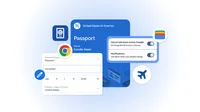
At the same time, we’re deepening our integration with Google Wallet across mobile and desktop. Chrome can now automatically fill forms using data that’s stored in your Google Wallet, including driver’s license details, passport information and your Known Traveler Number. If those details aren’t already stored in your Wallet, you can save them there when you enter them in Chrome for the first time.
Chrome will only save or fill your information with your permission, and, as always, sensitive data is encrypted. Manage or update your data in your Google Wallet settings or on the “Autofill and passwords” page in your Chrome settings. Private passes, like IDs, can be managed through their own controls.
Done. Just one step more.
Check your inbox to confirm your subscription.
You are already subscribed to our newsletter.
You can also subscribe with a