



I’ve been working in User Experience design for more than twenty years. Long enough to have seen the many job titles, from when stakeholders asked us to “just make it pretty” to when wireframes were delivered as annotated PDFs. I’ve seen many tools come and go over the years, methodologies rise and fall, and entire platforms disappear.
Yet, nothing has unsettled designers quite like AI.
When generative AI tools first entered my workflow, my reaction wasn’t excitement — it was unease, with a little bit of curiosity. Watching an interface appear in seconds, complete with sensible spacing, readable typography, and halfway-decent copy, triggered a very real fear: If a machine can do this, where does that leave me?
That fear is now widespread. Designers at every level ask the same question, often quietly, “Will an AI agent replace me by next week/month/year?” While the difference between next week and next year seems a lot, it depends on where you are in your career and the speed at which your employer chooses to engage with AI tools. I have been lucky in several roles to be working with organisations that haven’t allowed the use of AI tools due to data security concerns. If you’re interested in any of these conversations, you can view the discussions happening on platforms like Reddit.
Fearing the takeover of AI in our roles is not irrational. We’re seeing AI generate wireframes, prototypes, personas, usability summaries, accessibility suggestions, and entire design systems. Tasks that once took days can now literally take minutes.
Here’s the uncomfortable truth: If your role is largely about producing artefacts, drawing buttons, aligning components, or translating instructions into screens, then parts of that work are already being automated.
Still, UX design has never truly been about just creating a user interface.
UX is about navigating ambiguity. It’s about advocating for humans in systems optimised for efficiency. It’s about translating messy human needs and equally messy business goals into experiences that feel coherent, fair, sensible, and usable. It’s about solving human problems by creating a useful and effective user experience.
AI isn’t replacing that work. Rather, it’s amplifying everything around it. The real shift happening is that designers are moving from being makers of outputs to directors of intent. From creators to curators. From hands-on executors to strategic decision-makers. That feels exciting to me. And the creativity and ingenuity this brings to the world of UX.
And that shift doesn’t reduce our value as UX designers, but it does redefine it.
What AI Does Better Than Us (The “Boring” Stuff)
Let’s be clear, AI is better than humans at certain aspects of design work. Fighting that reality only keeps us stuck in fear.
Speed And Volume
AI is exceptionally good at generating large volumes of ideas quickly. For example, layout variations, copy options, component structures, and onboarding flows can all be produced in seconds. In early-stage design, this changes everything. Instead of spending hours sketching three concepts, you can review thirty. That doesn’t eliminate creativity but does expand the playground.
McKinsey estimates that generative AI can reduce the time spent on creative and design-related tasks by up to 70%, particularly during ideation and exploration phases.

AI can also help with the research side of UX, for example, exploring the habits of a certain demographic, and creating personas. While this can reduce research time required, the designer is still required to guardrail this by providing accurate prompts and reviewing generated responses. I have personally found that using AI to assist with the initial research for design projects is incredibly useful, specifically when there is limited time and access to users.
Consistency And Rule Adherence
Design systems live or die by consistency. AI excels at following rules relentlessly, colour tokens, spacing systems, typography scales, and accessibility standards. It doesn’t forget. It doesn’t get tired. It doesn’t “eyeball it.”
AI’s precision makes it incredibly valuable for maintaining large-scale design systems, especially in enterprise or government environments where consistency and compliance matter more than novelty. This is one component of my UX role that I am happy to hand over to AI to manage!
Data Processing At Scale
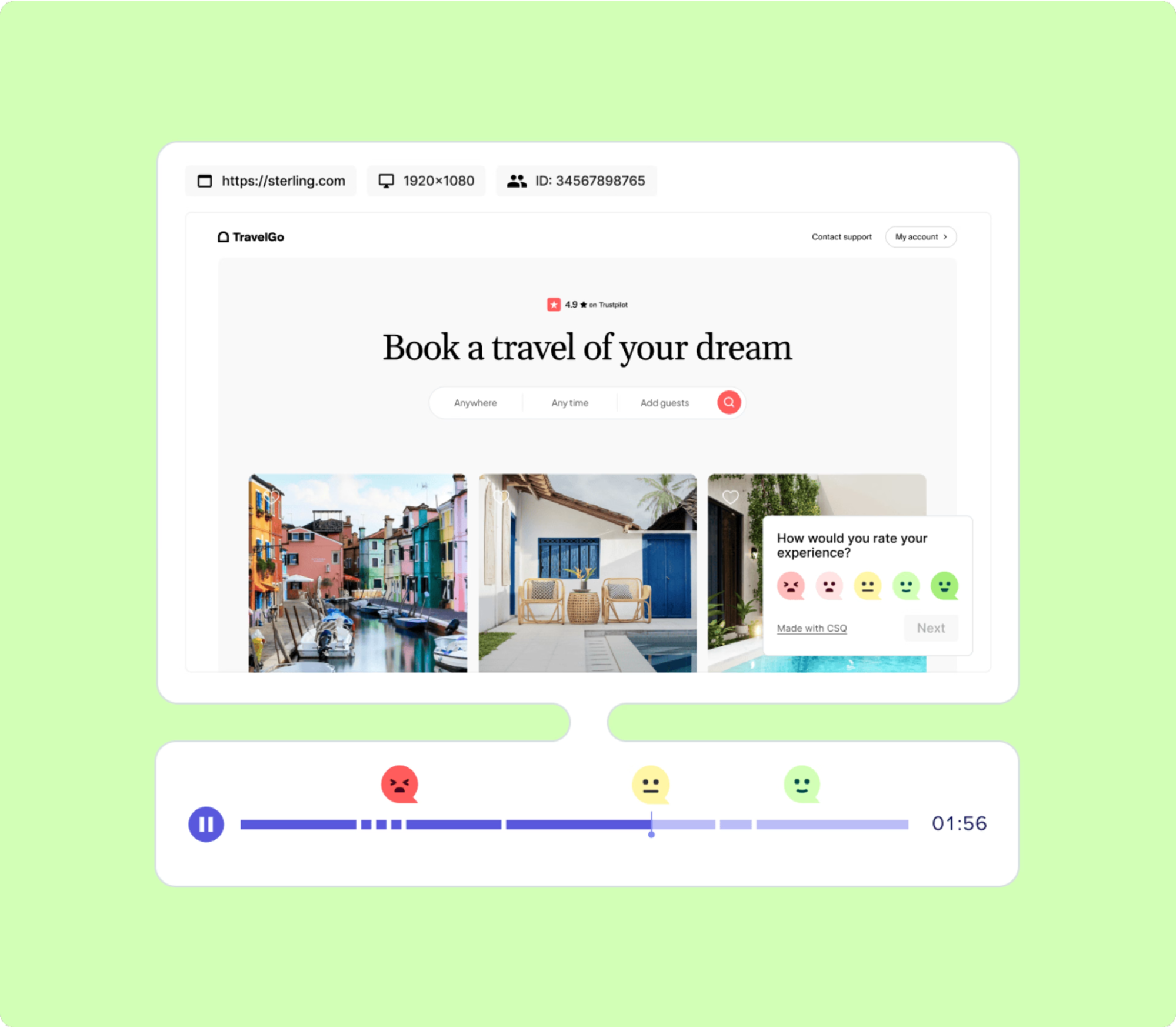
AI can analyse behavioural data at volumes challenging, if not impossible, for a human team to reasonably process. User journey paths, scroll depth, heatmaps to identify mouse interactions, conversion funnels — AI can identify patterns and anomalies almost instantly.
Behavioural analytics platforms increasingly rely on AI to surface insights that designers might otherwise miss. Contentsquare, an AI-powered analytics platform, talks about the impacts and benefits of utilising behavioural analytics data. I’ve always said that quantitative data tells us the “what”, and qualitative data tells us the “why”. This is the human component of research where we get to connect with the users to understand the reason driving the behaviour.
The key insight here is simple: Analysing large volumes of behavioural data was never where our highest value lay.
If AI can take on repetitive production, system enforcement, and raw data analysis, designers would be free to focus on interpretation, judgment, and human meaning, the hardest parts of the job.
What Humans Do Better Than AI (The “Heart” Stuff)
For all its power, AI has a fundamental limitation: it has never and will never be human.
Empathy Is Lived Experience
AI can describe frustration. It can summarise user feedback. It can mimic empathetic language. But it has never felt the quiet rage of a broken form, the anxiety of submitting sensitive data, or the shame of not understanding an interface that assumes too much.
Empathy in UX isn’t a dataset. It’s a lived, embodied understanding of human vulnerability. This is why user interviews still matter. Why contextual inquiry still matters. Why designers who deeply understand their users consistently make better decisions.
In a previous role where I was designing an incredibly complex fraud alert platform, the key to successful outcomes of that design was based on my understanding of the variety of issues faced by customers. I accessed this information directly from members of the customer-facing team. This information was stored in their brain and based on direct experience with customers. No AI could know or access these goldmines of human experiences.
As the Nielsen Norman Group reminds us, good UX design is not about interfaces. It’s about communication and understanding.
Ethics Require Judgment
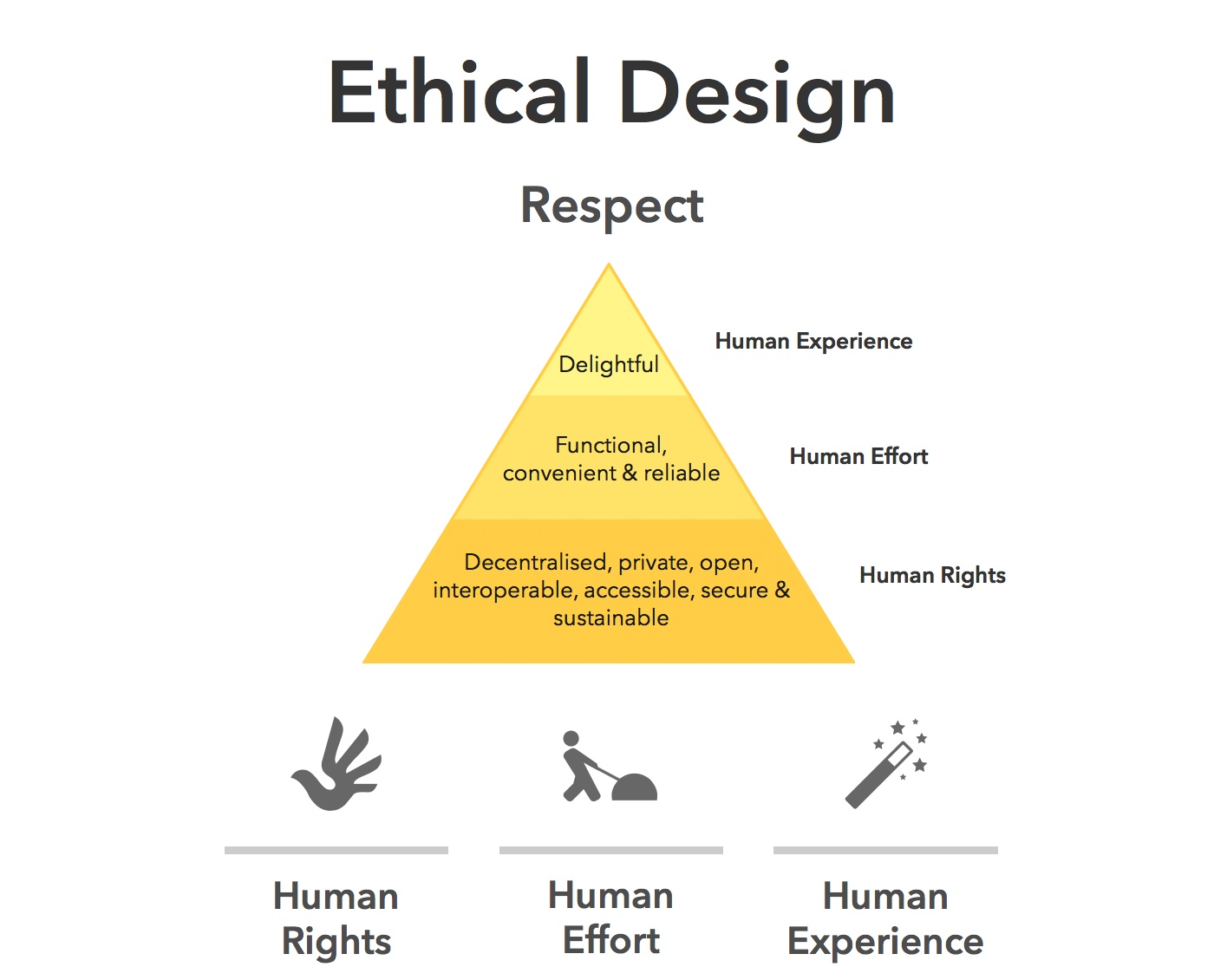
AI optimises for the objectives we give it. If the goal is engagement, it will try to maximise engagement — regardless of long-term harm.
It doesn’t inherently recognise dark patterns, manipulation, or emotional exploitation. Infinite scroll, variable rewards, and addictive loops are all patterns AI can enthusiastically optimise unless a human intervenes.
The Center for Humane Technology has documented how algorithmic optimisation can unintentionally undermine wellbeing.
Ethical UX design requires designers who can say, “We could do this, but we shouldn’t.”
Strategy Lives In Context
AI doesn’t sit in stakeholder meetings. It doesn’t hear what’s implied but not stated. It doesn’t understand organisational politics, regulatory nuance, or long-term positioning.
This is why senior designers increasingly operate at the intersection of product, strategy, and culture.
The lesson is clear: As AI takes over execution, human designers become the guardians of intent.
How The Daily Work Of A Designer Is Changing
This shift isn’t theoretical. It’s already reshaping daily design practice.
From Designing To Prompting
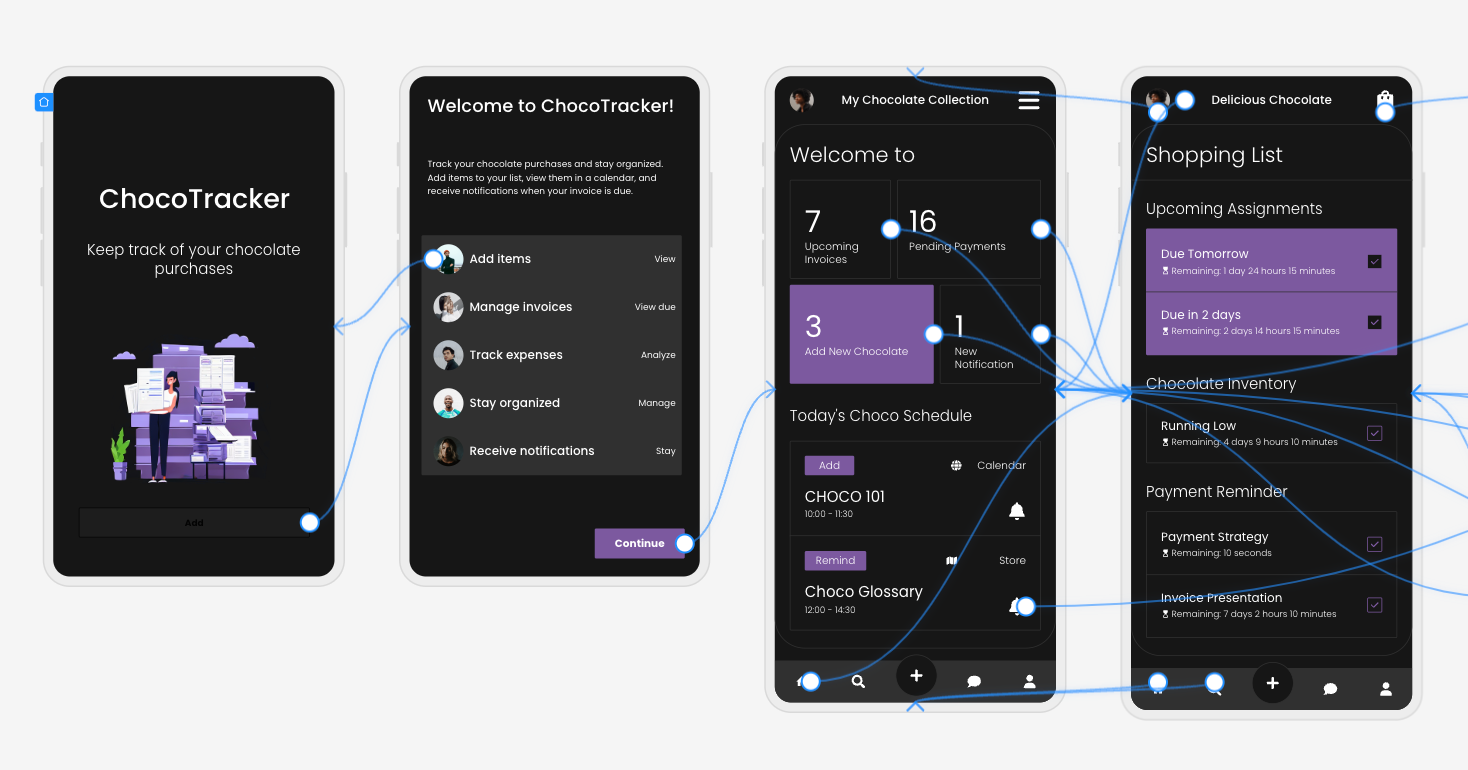
Designers are moving from manipulating pixels to articulating intent. Clear goals, constraints, and priorities become the input.
Instead of asking AI to “draw a dashboard,” the task becomes:
- “Create a dashboard that reduces cognitive load for first-time users.”
- “Explore layouts optimised for accessibility and low vision.”
Prompting isn’t about clever wording; it’s about clarity of thinking and understanding the intent of the outcomes. You may need to tweak your prompts as you go, but this is all part of the learning process of directing AI to deliver the outcomes needed.
From Making To Choosing
AI produces options. Designers make decisions.
A significant portion of future design work will involve reviewing, critiquing, and refining AI-generated outputs, and then selecting what best serves the user and aligns with ethical, business, and accessibility goals.
This mirrors how experienced designers already work: mentoring juniors, reviewing their concepts, and guiding direction, but at a much greater scale, given the sheer number of design options AI tools can generate.
The Movie Director Metaphor
I often describe the modern designer as a movie director. A director doesn’t operate the camera, build the set, or act every role, but they are responsible for the story, the emotional intent, and the audience experience.
AI tools are the crew. Designers are responsible for the meaning of the story.
A Real-World Shift: What This Looks Like In Practice
To make this less abstract, let’s ground it in a familiar scenario.
Ten years ago, a designer might spend days producing wireframes for a new feature, carefully crafting each screen, annotating every interaction, and defending each decision in reviews. Much of the designer’s perceived value lived in the artefacts themselves.
Today, that same feature can be scaffolded in an afternoon with AI support. But here’s what hasn’t changed — the hard conversations.
The UX designer still has to ask:
- Who is this actually for?
- What problem are we solving, and for whom?
- What happens when this fails?
- Who might this unintentionally exclude or disadvantage?
In practice, I’ve seen senior designers spend less time inside design tools and more time facilitating workshops, synthesising messy inputs, mediating between stakeholders, and protecting user needs when trade-offs arise.
Conclusion: How To Prepare Right Now
Don’t panic — practice.
Avoiding AI won’t preserve your relevance. Learning to use it thoughtfully will.
Start small:
- Explore Figma’s AI features.
- Use AI for ideation, not final decisions.
- Treat outputs as conversation starters, not answers.
Confidence comes from familiarity, not avoidance.
Invest In Human Skills.
The most resilient designers will double down on:
- Psychology and behavioural science;
- Communication and facilitation;
- Ethics, accessibility, and inclusion;
- Strategic thinking and storytelling.
These skills compound over time, and they can’t be automated.
The designer’s responsibility in an AI-accelerated world:
There’s an uncomfortable implication in all of this that we don’t talk about enough: when AI makes it easier to design anything, designers become more accountable for what gets released into the world. Bad design used to be excused by constraints. Limited time, limited tools, limited data. Those excuses are disappearing. When AI removes friction from execution, the ethical and strategic responsibility lands squarely on human shoulders.
This is where UX designers can, and must, step up as stewards of quality, accessibility, and humanity in digital systems.
Final Thought
AI won’t take your job. But a designer who knows how to think critically, direct intelligently, and collaborate effectively with AI might take the job of a designer who doesn’t.
The future of UX is no less human. It’s more intentional than ever.
 (yk)
(yk)