











此文章有中文版本/This article is available in Chinese
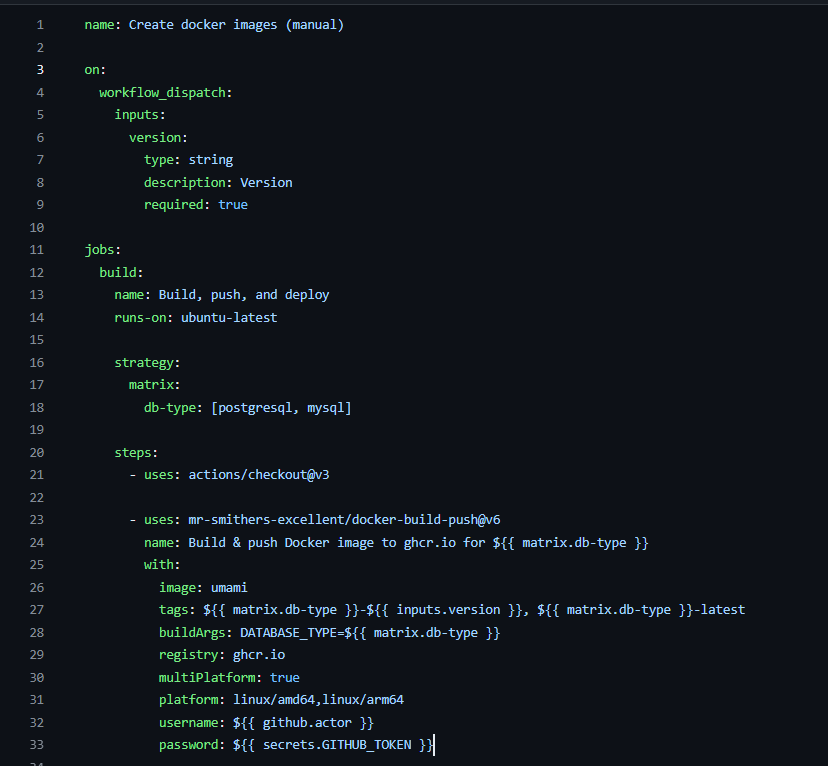
The GitHub Action workflow setup looks like this:
When running it, the following error occurs:
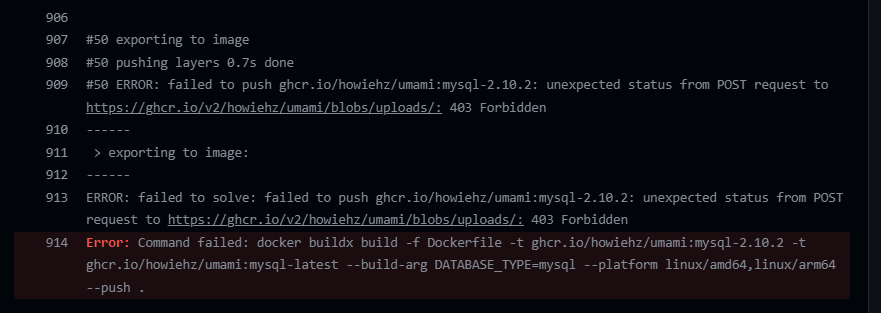
Everything worked fine during the initial build. However, when I re-cloned the repository and attempted to build it again while preparing a tutorial, I kept encountering a 403 error. After a lengthy search, I finally found the solution.
Original discussion link: Random 403 errors when pushing to GHCR · Issue #463 · docker/build-push-action (github.com)
Access the following URL:
https://github.com/orgs/[XXX]/packages/container/[YYY]/settings
Replace [XXX] with your GitHub username and [YYY] with the project name.
For instance, after forking the repository, my repo is HowieHz/umami, so I accessed:
https://github.com/orgs/HowieHz/packages/container/umami/settings
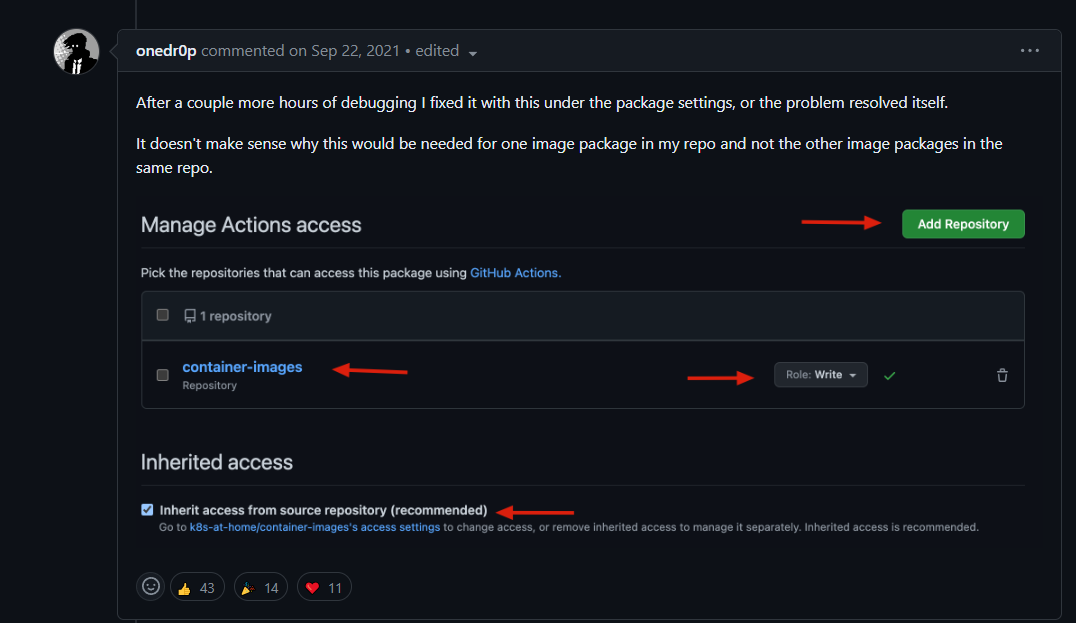
Following onedr0p's instructions:
Add Repository to include your repository.Write or Admin.After these changes, the issue should be resolved.
To make searching easier, this article and the one linked above were extracted from the following article:
Addressing the Umami Active API Latency Issue
此内容由惯性聚合(RSS阅读器)自动聚合整理,仅供阅读参考。 原文来自 — 版权归原作者所有。