





It’s your site’s homepage. It brings together all the posts you’ve written into one place. It’s an essential part of all Ghost themes. It’s the index template, a VIP among your theme files.
In this tutorial, we’ll show you how to create your own index template by looking at an example from Of Record, a fictional publication focusing on vinyl records. By the end, you will:
Let’s roll up our sleeves and dig in.
The primary job of the index template is to elegantly display your posts to your audience, guiding them to their next captivating read.
Technically speaking, the index template is a Handlebars file at the root of your theme with the filename index.hbs. With post.hbs and package.json, it’s one of three required files in a Ghost theme. It acts as the template for your homepage, author, tag, and subsequent pages like yoursite.com/page/2/.
💡
Ghost is supremely customizable, so you can supersede index.hbs by providing specialized templates like author.hbs and tag.hbs. Even with these specialized templates, the concepts discussed here still apply.
But enough with the abstract descriptions! Let’s look at the index template from Of Record’s theme.
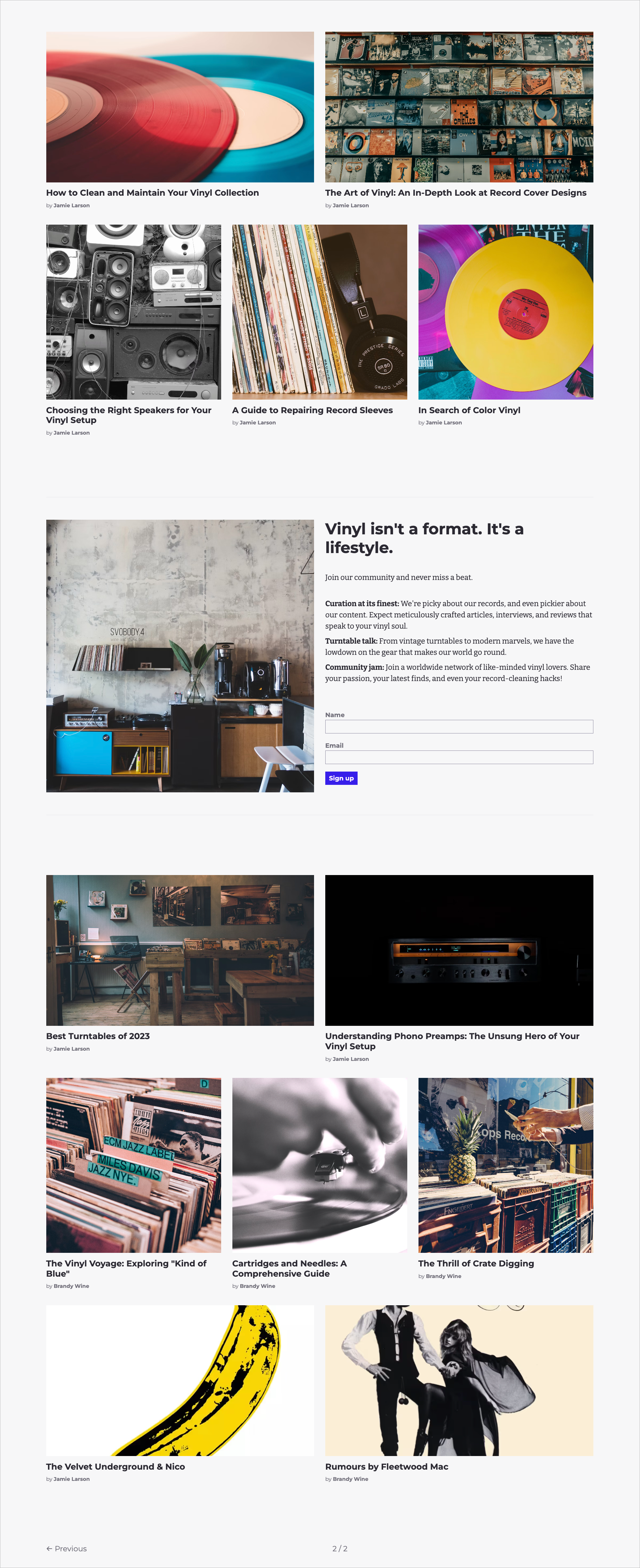
And here’s the code for the entire file. We’ll discuss each line of it below.
{{!< default}}

<main id="#main" class="or-container or-spacing-y">
    <div class="or-post-grid">
        {{!-- Loop through posts 1 to 5 --}}
        {{#foreach posts from="1" to="5"}}
          {{> "card"}}
        {{/foreach}}

        {{!-- If a visitor isn't a member, show a CTA to sign up --}}
        {{^if @member}}
            {{> "cta"}}
        {{/if}}

        {{!-- Loop through the rest of the posts--}}
        {{#foreach posts from="6" to="15"}}
          {{> "card"}}
        {{/foreach}}
    </div>

    {{!-- Show the pagination helper when there's more than one page --}}
    {{#match pagination.pages ">" 1}}
       {{pagination}}
    {{/match}}
</main>The top of the file begins with a seemingly strange mix of characters: {{!< default}}. This is one of Ghost’s Handlebars helpers. It tells Ghost to insert the contents of the current file into the default template, which simplifies theme development. You’ll generally find this helper at the top of root templates. We have an entire tutorial that explains how to use the default template.
A comprehensive guide to Ghost’s default template
Discover the secrets of Ghost’s default.hbs template. Learn how to optimize your site’s common elements and become an efficient theme-creation machine 🤖
Tutorials

Next up is a bit of standard HTML:
<main id="#main" class="or-container or-spacing-y">
    <div class="or-post-grid">
There’s nothing Ghost specific here. The theme uses the main tag to indicate that you’ve reached the main event on the page, generally the content of a page. Using this tag benefits your site’s accessibility and overall structure, but it’s totally optional in terms of Ghost.
On the main tag, we find two CSS classes that help with layout and spacing:
.or-container {
    width: min(100%, var(--max-width)); // --max-width = 80rem (~1280 px)
    padding: var(--gutter); // --gutter = max(2.5rem, 4vmax)
    margin-inline: auto;
}

.or-spacing-y {
    display: grid;
    gap: var(--spacing-large); // --spacing-large = 2rem
}

.or-spacing-y > *:first-child {
    margin-block-start: var(--spacing); // --spacing = 1rem
}
.or-container sets the width of the content. It ensures that the container has some padding, is centered, and is equal to 100% of the viewport and no larger than ~1280 px. .or-spacing-y creates vertical space between the elements.
It’s beyond the scope of the tutorial to discuss this CSS in detail, but the gist of it is to create a nice container for our content to live in.
Let’s see what goes inside.

Make your inbox fire
Build a better internet with early access to features, tools, and tutorials.
No spam. Once a month. Unsubscribe any time.
The purpose of index.hbs is to output a list of posts. How you choose to output that list of posts is entirely up to your imagination. You can use a collection of cards, a list of text, or some combination thereof.
Here are some examples from official Ghost themes.
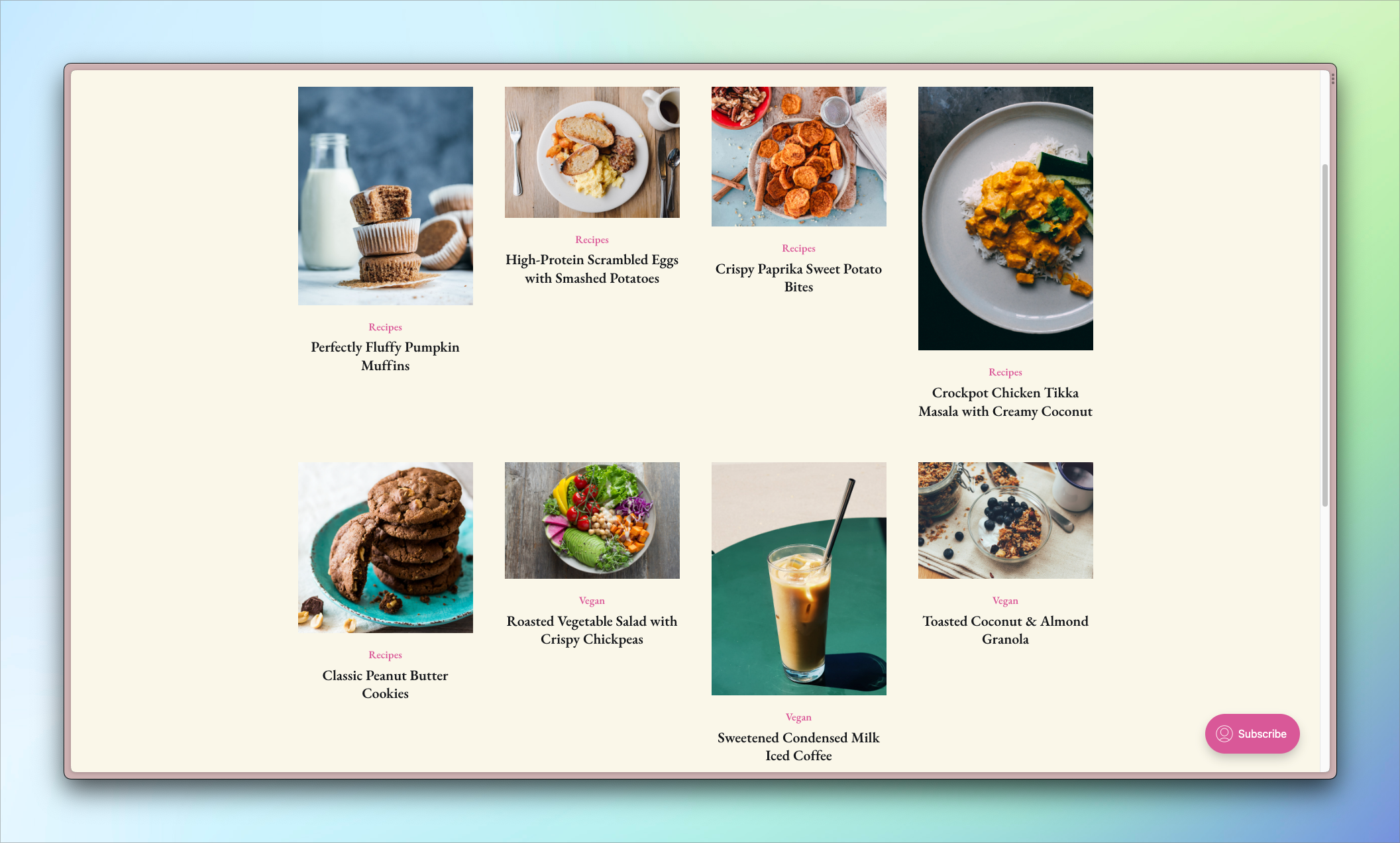
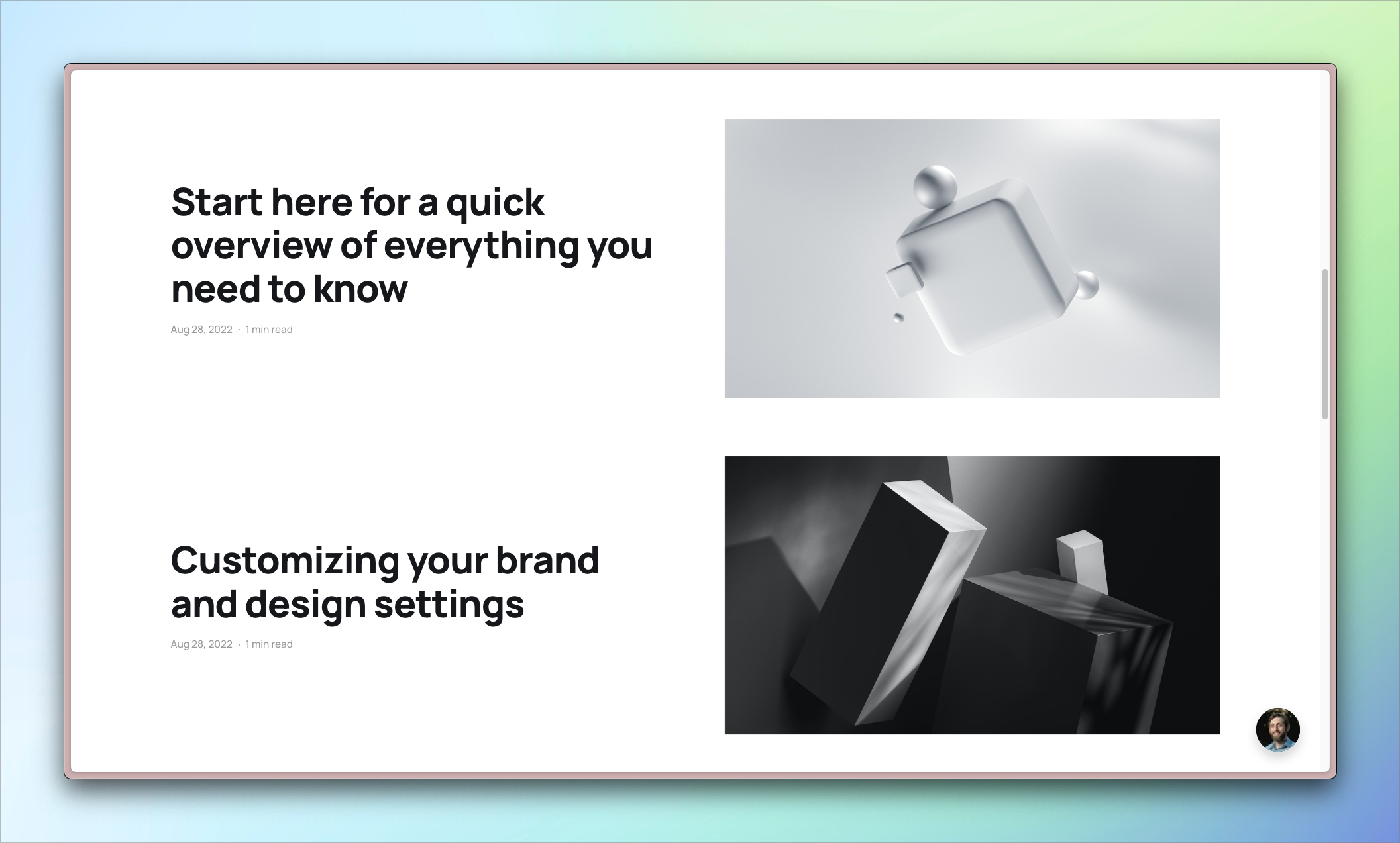
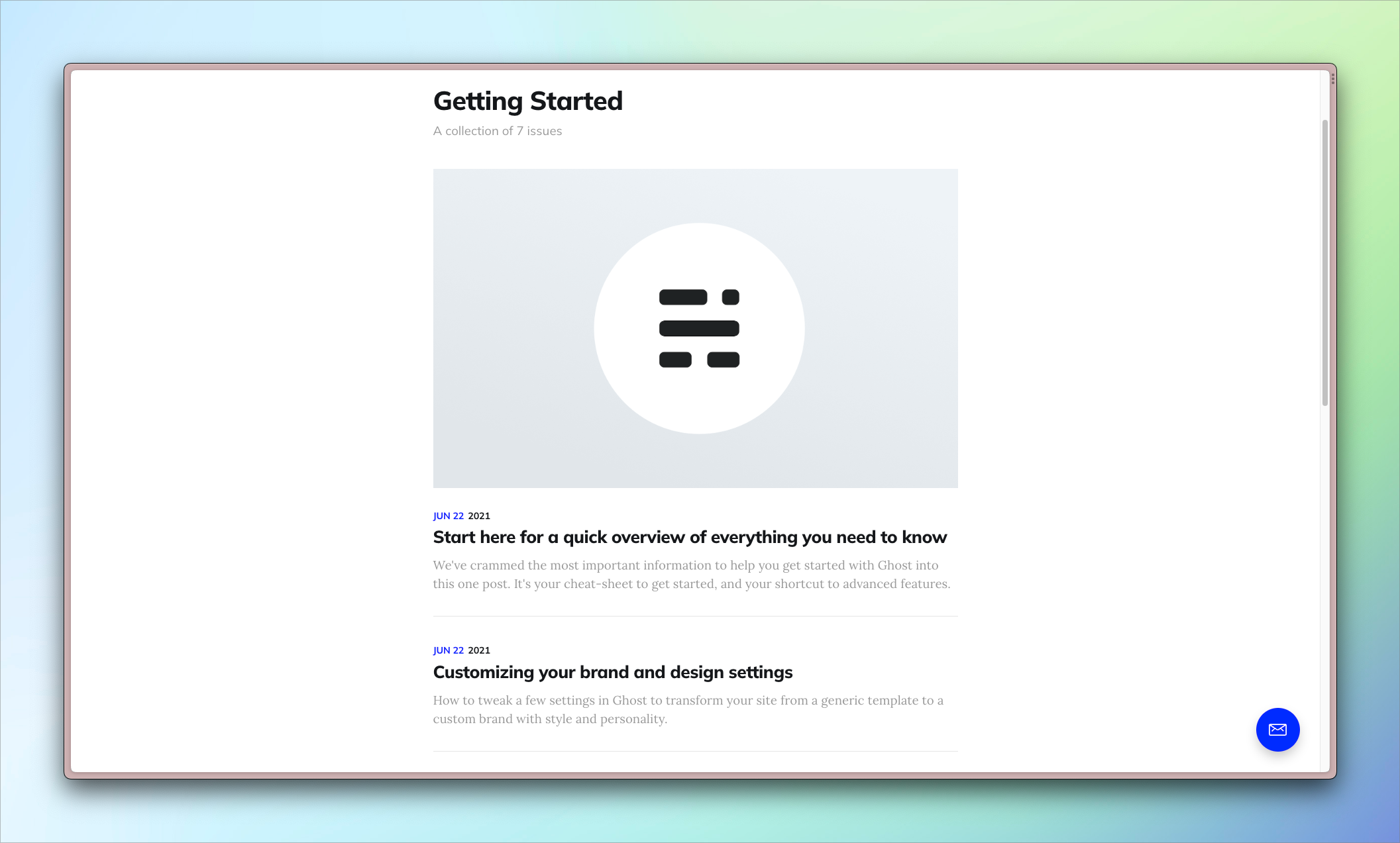
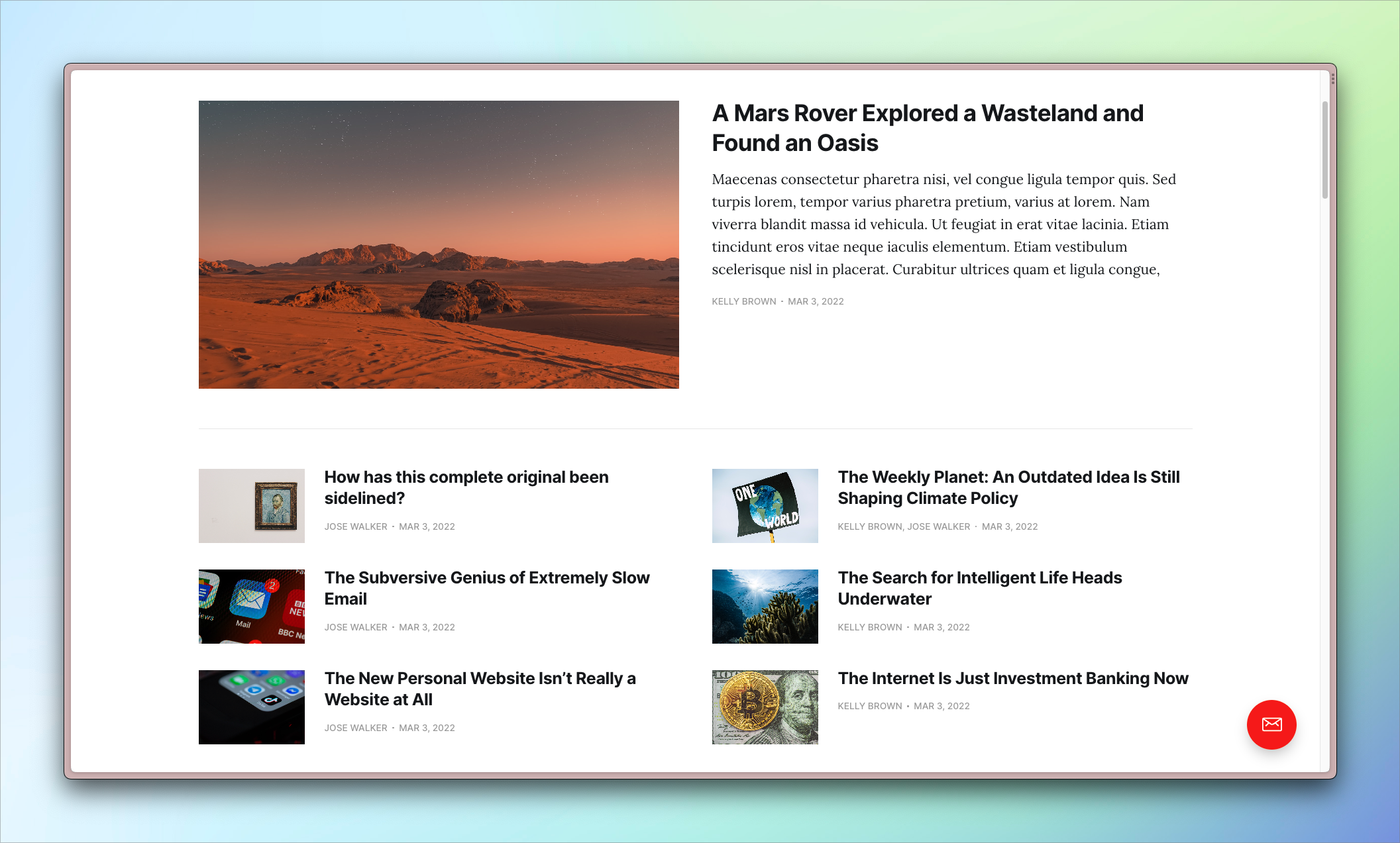
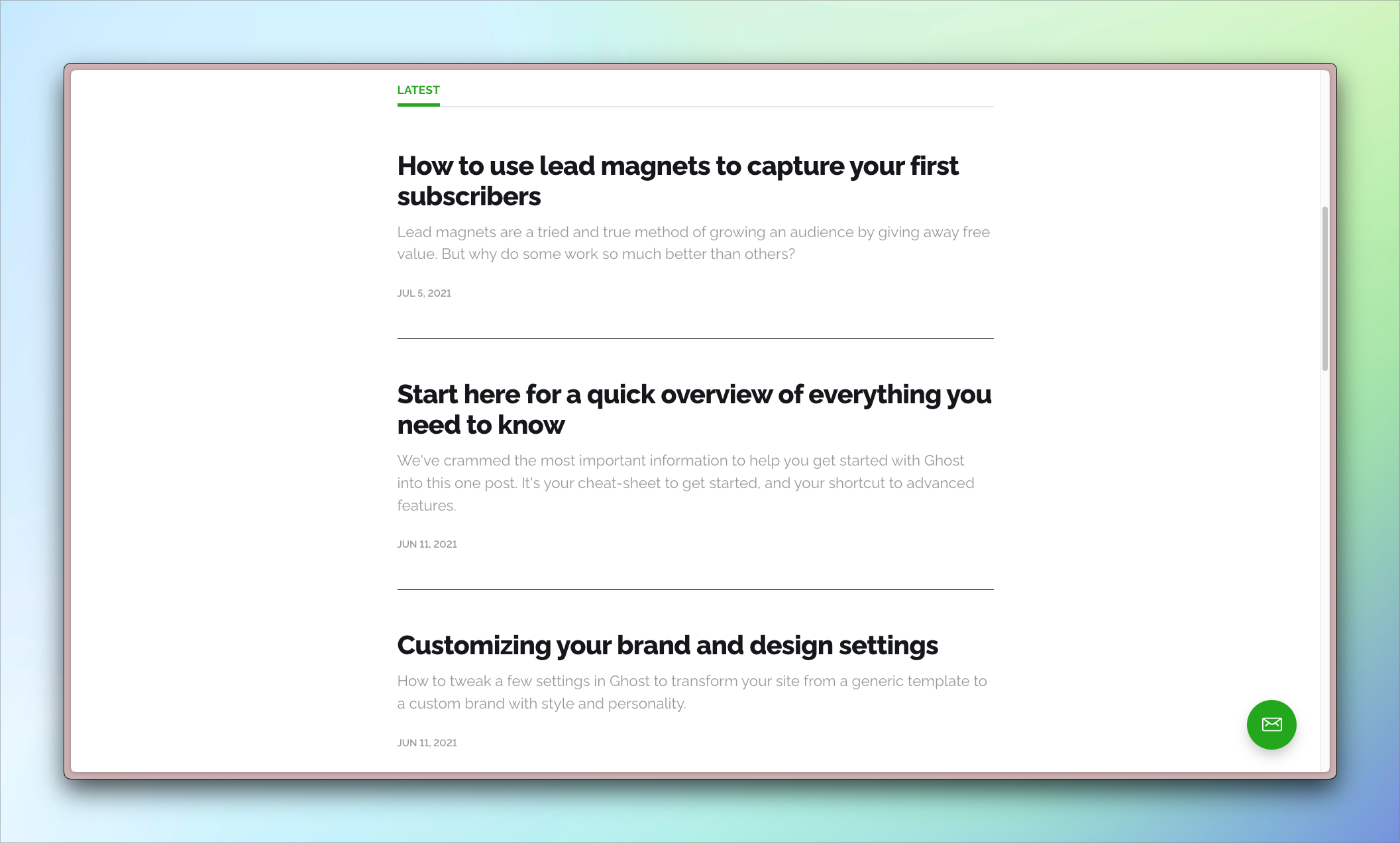
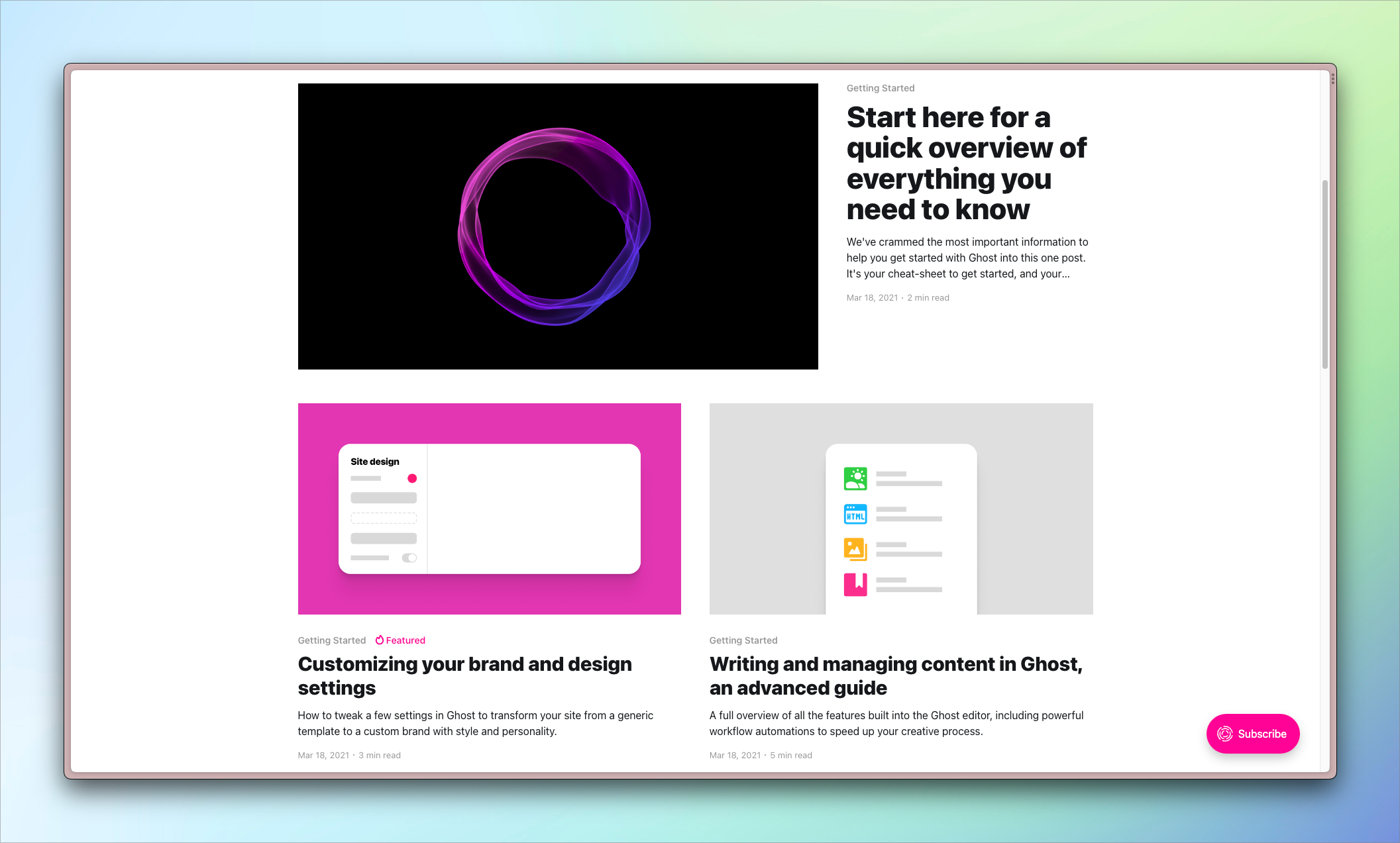
Of Record outputs the post list with cards and uses CSS grid to achieve its layout.
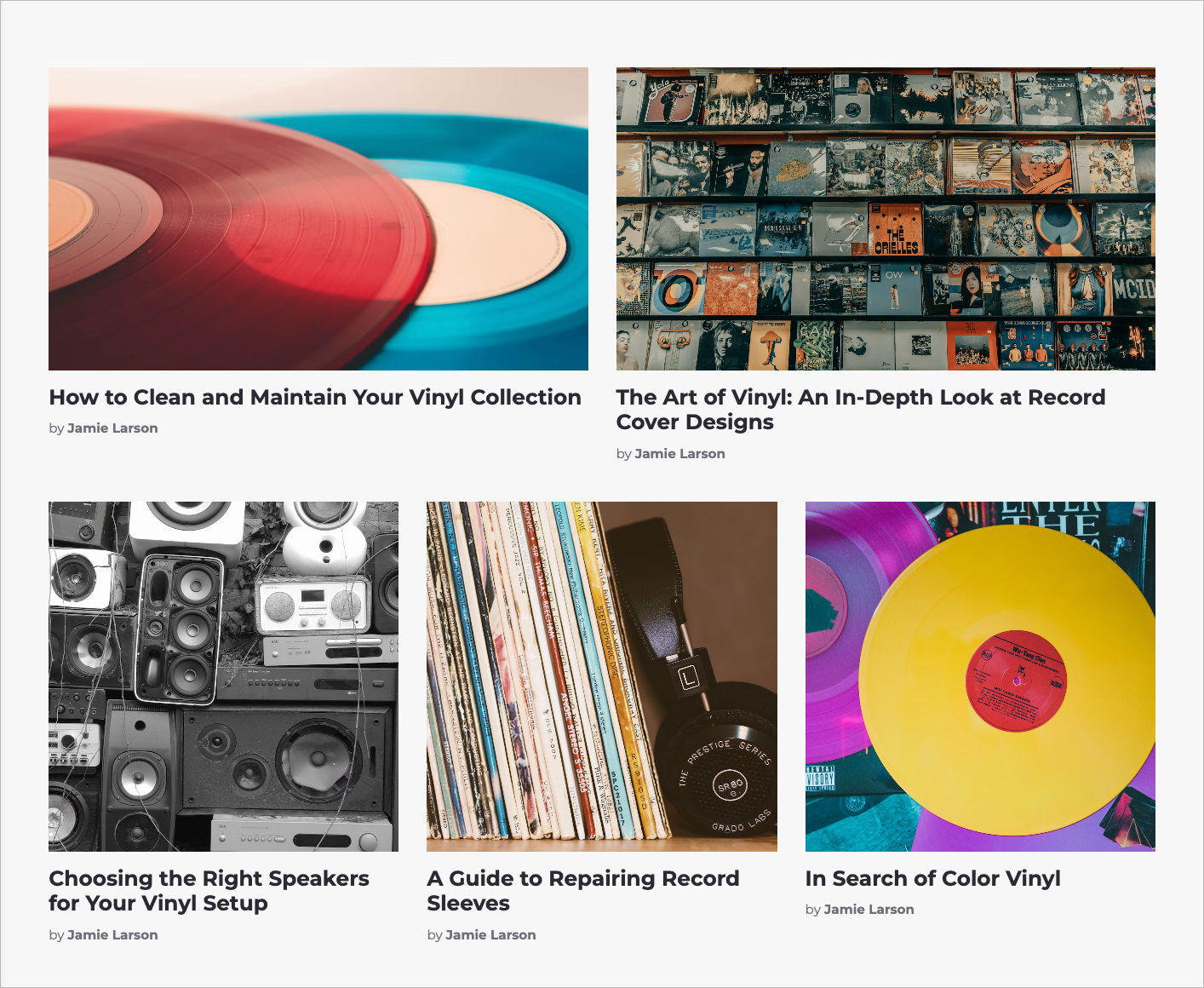
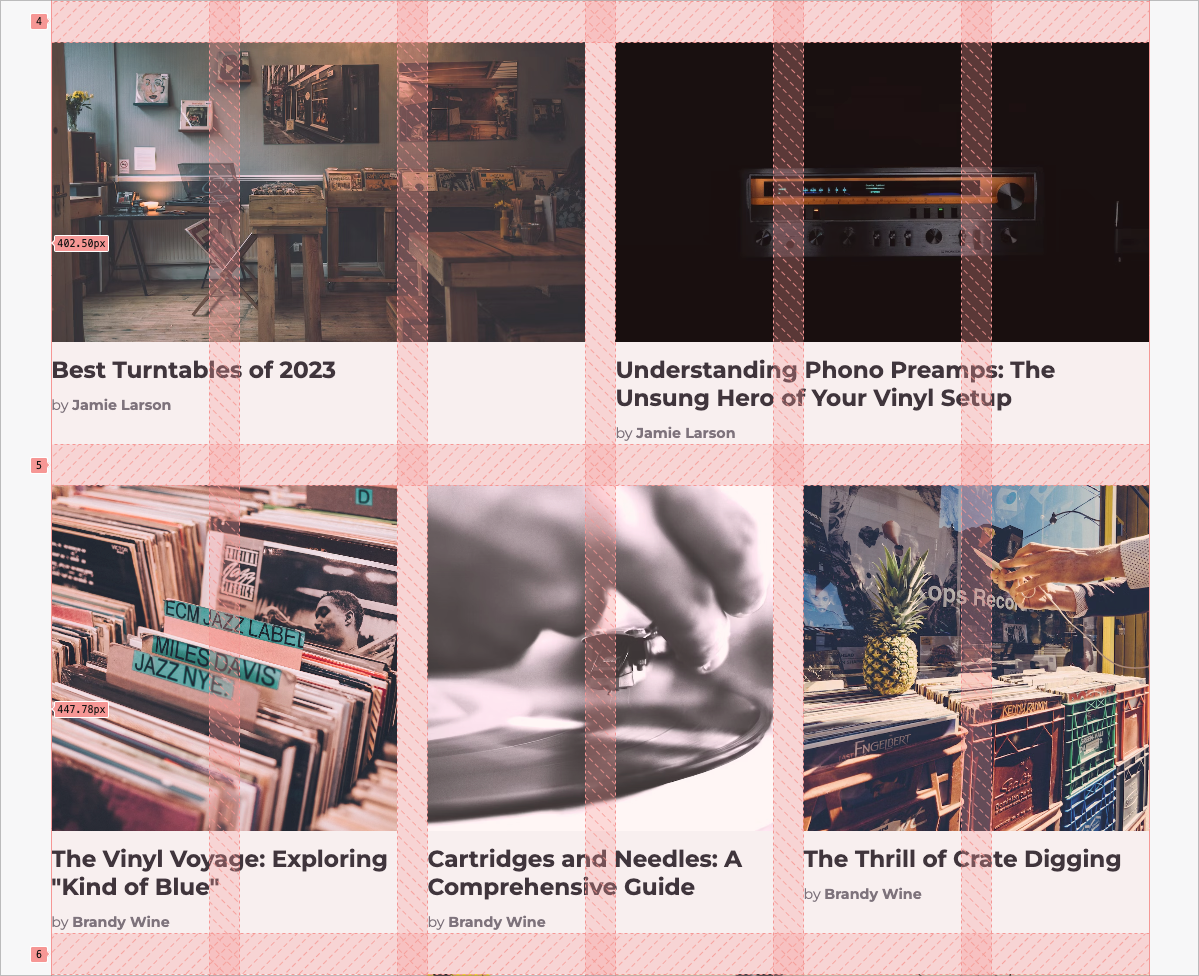
Here’s the CSS that controls the grid.
.or-post-grid {
    display: grid;
    grid-template-columns: repeat(6, 1fr); // Make 6 columns that take up the available width
    gap: var(--gap);
}

.or-post-card {
    grid-column: span 6; // On smaller viewports, cards take up the whole width

}

@media (--tablet) { // Above tablet viewports, cards span 2 or 3 cols
    .or-post-card {
        grid-column: span 2;
    }

// Target card 1, 2, 5, 6
    .or-post-card:where(:nth-of-type(5n + 1), :nth-of-type(5n + 2)) {
        grid-column: span 3;
    }
}
And, as exciting as the options are for styling this list of posts, it’s important to understand what’s happening in the template to make this possible: the post loop!
The data available to the index template includes a collection of posts (via the posts array). The exact number of posts available per page is set in the theme's package.json file. Of Record sets this number to 15. This means the homepage will have 15 posts, and Ghost will automatically create additional pages, each with 15 posts, as necessary (at page/2, page/3) until the post list is exhausted.
To loop through these posts, use the foreach Handlebars helper. Its most basic usage looks like this:
{{#foreach posts}}
    {{!-- Do something with each post --}}
{{/foreach}}
The foreach helper renders the code between its open and closing tags for each post. If you’re not working with loops every day, this concept might seem a little obscure, so let’s look at a basic example.
Suppose we have a collection of three posts with the following titles:
In our template, then, we create the post loop:
{{#foreach posts}}
  <p>{{title}}</p>
{{/foreach}}
And Ghost renders it to HTML, which is sent to the browser:
<p>I'm post #1</p>
<p>I'm post #2</p>
<p>I'm post #3</p>
Inside the loop, you have access to all post data, including the title, feature image, excerpt, tags, and more. In Of Record’s template, a card partial is used to render this data. Partials or partial templates are bits of code that can be reused across your Ghost theme. Learn more about using partials.
In the loop from Of Record’s theme, the foreach includes additional attributes that enhance its functionality. (See all available attributes in the docs).
Specifically, instead of looping through all the posts, we only loop through the first five. Remember that there are a total of 15 posts on the page, so this only represents a third of the collection.
{{!-- Loop through posts 1 to 5 --}}
{{#foreach posts from="1" to="5"}}
    {{> "card"}}
{{/foreach}}
Why would we want to do this, though? It provides an opportunity to pause the post loop and introduce a call to action (CTA).
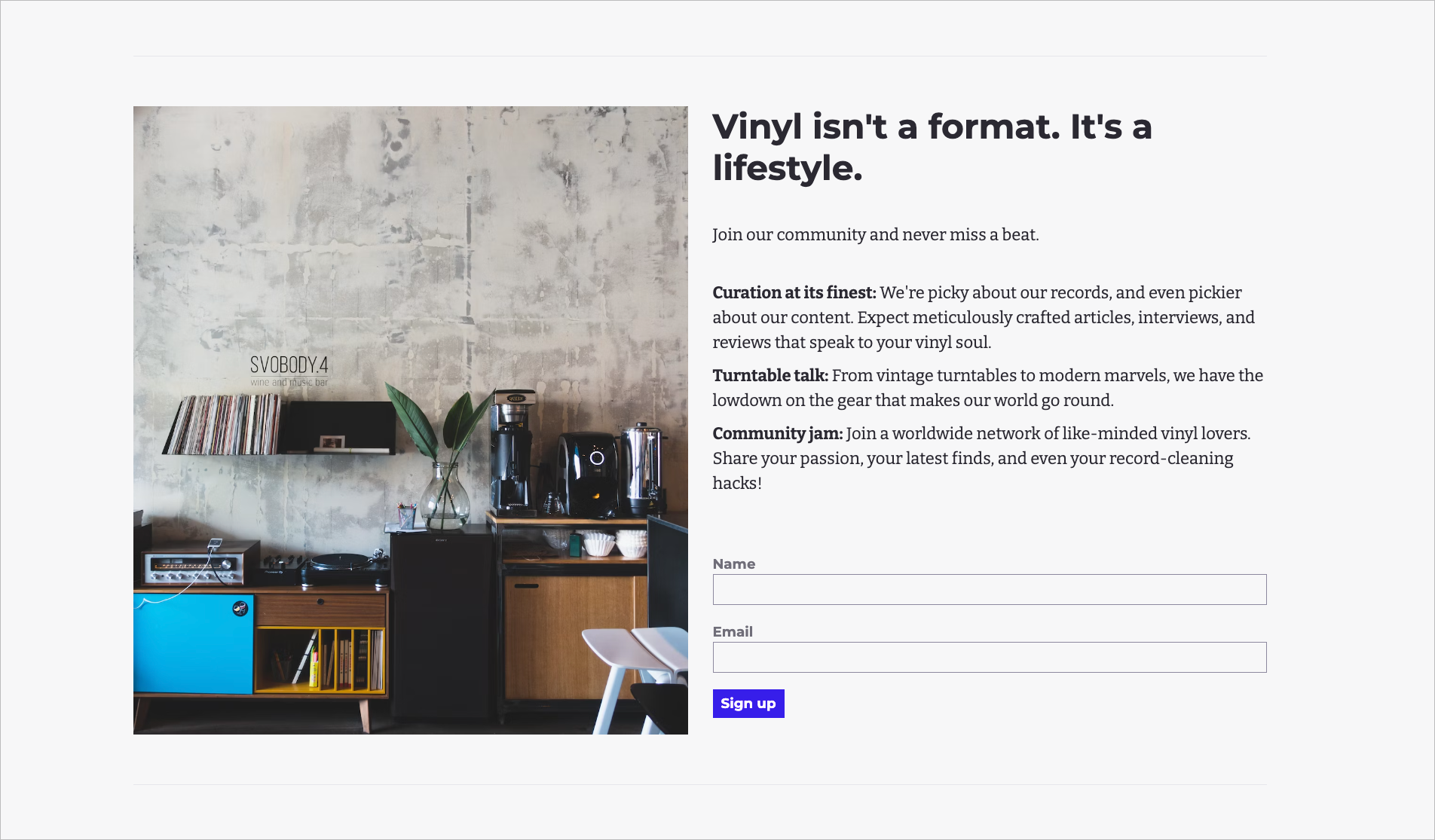
The code to introduce this CTA is included in the index.hbs template.
{{!-- If a visitor isn't a member, show a CTA to sign up --}}
{{^if @member}}
  {{> "cta"}}
{{/if}}
What’s clever is that the CTA only shows for visitors who aren’t logged in. This saves us from being tacky and asking already logged-in members to sign up again 🙃
It’s possible to check for a user’s logged-in status by using Ghost’s if helper in conjunction with the member object. Usually, you use the if helper like this:
{{#if value_to_check}}Notice that if is preceded by “#.” This is the default way to use the helper, checking if a value is true or not. However, in the index.hbs file, we use {{^if value_to_check}}. That little caret (^) does a lot of work. Instead of saying, “if so and so is true,” it says the opposite, “if so and so is not true.”
It can take a minute to wrap your head around it, but the caret can be used with many Ghost helpers to check for the inverse state of things. Our CTA, {{^if @member}}, is checking whether the current visitor is not a member. If they aren’t, then we show them the CTA, via the cta partial. If they are a member, then we hide it and carry on with the regularly scheduled programming, the remainder of the posts.
{{!-- Loop through the rest of the posts--}}
{{#foreach posts from="6" to="15"}}
    {{> "card"}}
{{/foreach}}
The template then closes up the grid, which leaves us with one remaining element to discuss: pagination.
As noted, Of Record is configured to include 15 posts per page. But these are ardent vinyl aficionados. They’re going to have a lot more than 15 posts. So, where do they all go?
Ghost automatically paginates your content, which means that since Of Record has 150 posts total, they’ll have 10 pages of posts. The final part of the index template renders the UI for visitors to get to those pages.
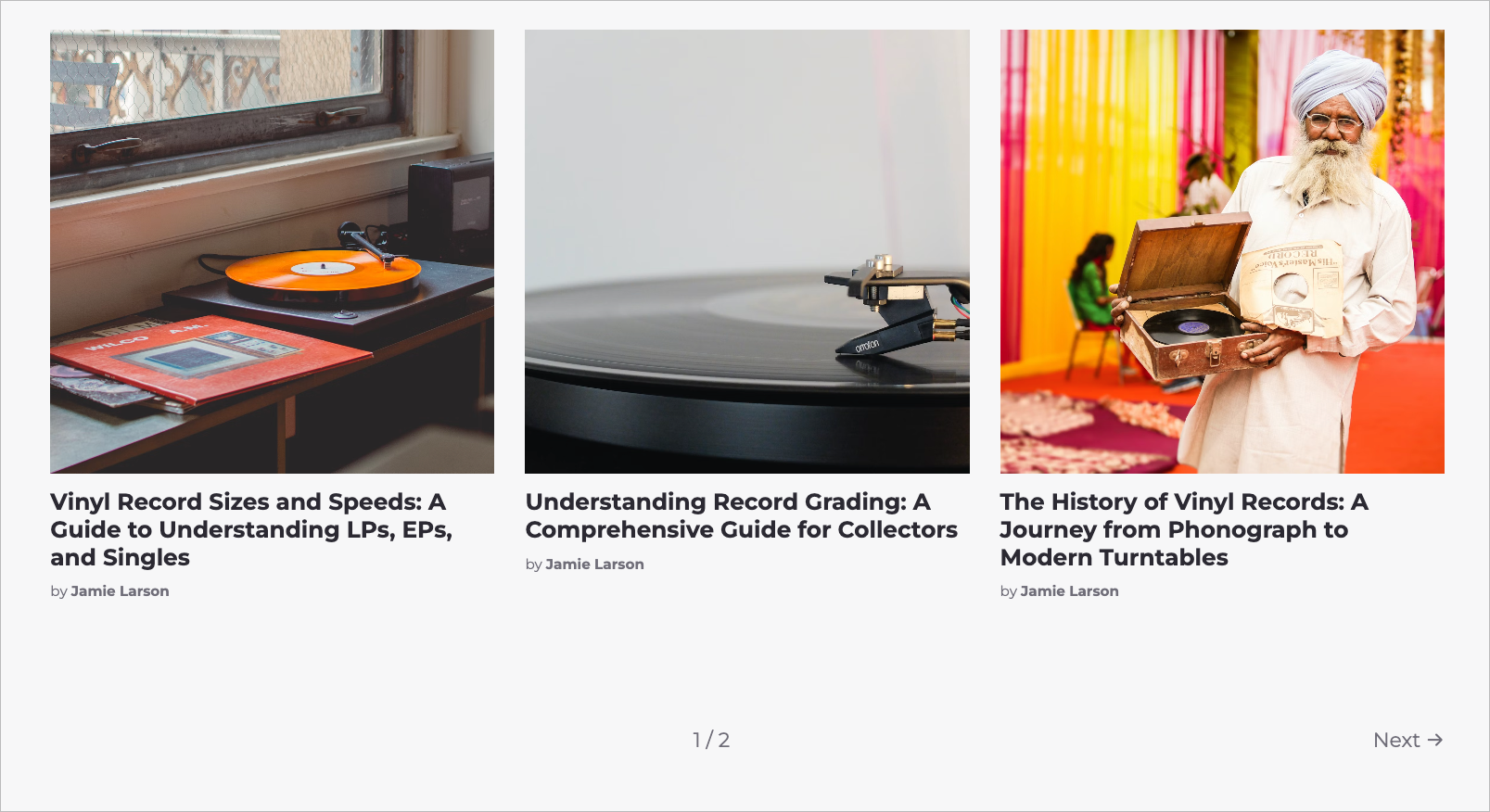
Here’s the code in the template.
{{!-- Show the pagination helper when there's more than one page --}}
{{#match pagination.pages ">" 1}}
    {{pagination}}
{{/match}}
We first check whether there’s more than one page. No use in showing the pagination element if there’s only one page! This check is done by using the match helper. It’s like the if helper above, except that it’s able to check for more than just true and false values. In this case, we’re checking whether the number of pages is greater than one. The syntax of the match helper takes two values separated by an operator like <, >=, and <=.
If the expression evaluates to true, then the code between the match helper tags is rendered. For Of Record, their total number of pages is greater than 1, so the pagination helper is shown. It provides pagination metadata and links to previous and next pages.
And, speaking of pages, we have just about reached the end of the index.hbs template. The only thing that’s left is to close up the main tag and recap our progress.
In this tutorial, you've gained a comprehensive understanding of how the index.hbs template works in Ghost. We've explored how it functions to assemble and display your posts, and how to utilize the power of the post loop effectively. We also dipped our toes into some advanced techniques to customize your Ghost theme. You learned how to break up your post loop to insert a dynamic call to action (CTA), style your layout with CSS, and implement pagination to manage your content effectively.
With this newfound knowledge, you are well-equipped to start customizing your own Ghost site 💪 Consider experimenting with different layouts for your posts to find out what works for your publication. If you're in need of some inspiration, subscribe to the monthly Build with Ghost newsletter. In addition to providing tips and tricks for creating custom themes, we always feature a Ghost site of the month and some other gorgeous sites sure to get the creativity flowing.
此内容由惯性聚合(RSS阅读器)自动聚合整理,仅供阅读参考。 原文来自 — 版权归原作者所有。