







Since its release in 2016, AirPods have exploded in popularity. I feel like you cannot go anywhere without seeing them in people’s ears. AirPods have become one of Apple’s most impactful products, and they might even be my most-used Apple devices. I use them in every scenario, from just listening to media to phone calls, workouts, live translation, and transparency. There is always something I am using them for. But one feature was missing that Apple finally added with iOS 27. So let’s talk about the new features of the AirPods and how to install the beta update.
Be sure to check out our hands-on video below, which walks through how to install the beta update and all the new features!
Unlike iOS 27 developer beta, installing the beta firmware on AirPods is actually a bit tricky. There is no dedicated update button. But if you follow the instructions below, you can have the update within a few hours.
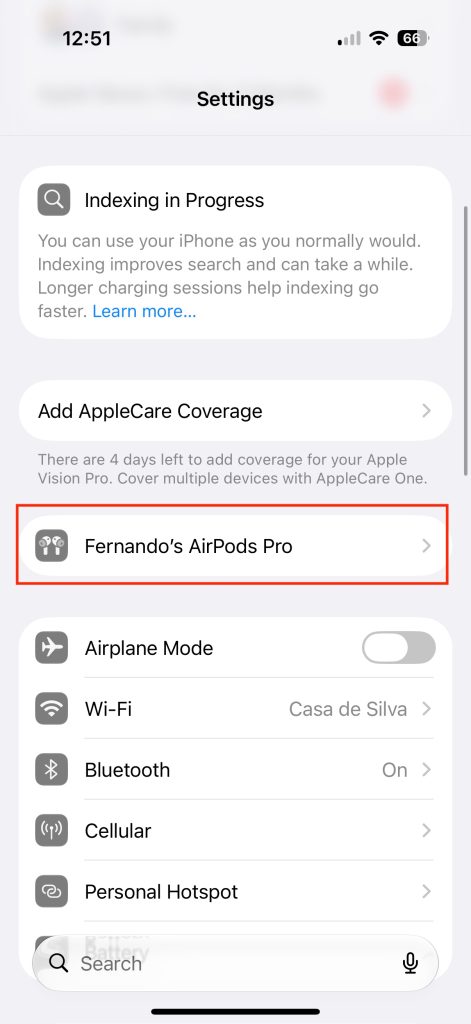
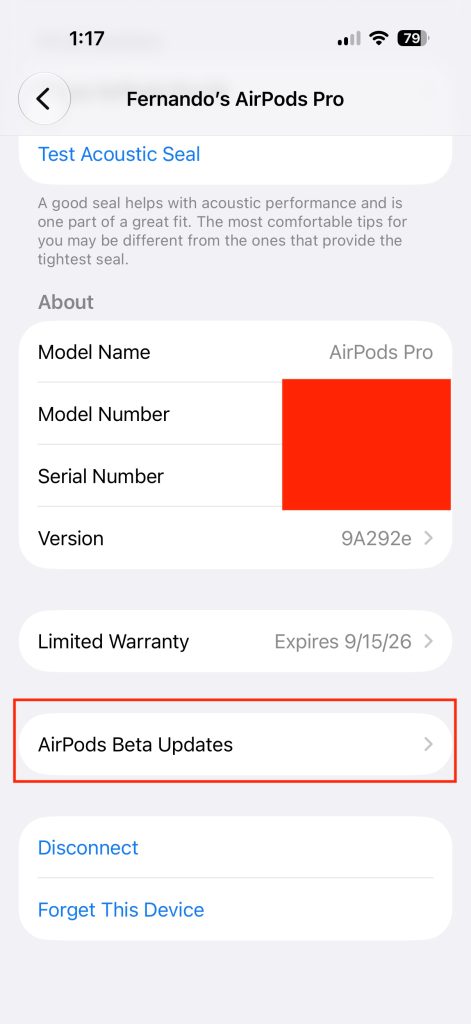
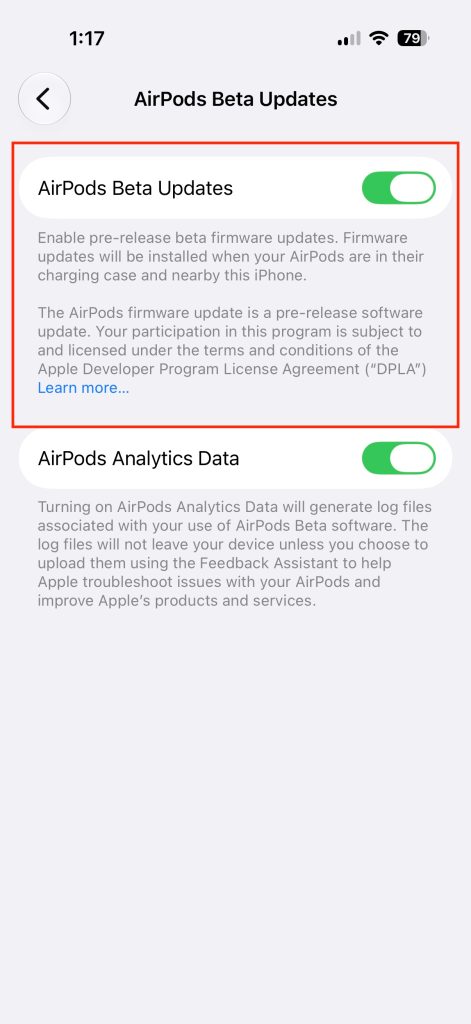
The best bet is to just let it happen overnight instead of constantly checking it. I put it on my new Nomad Stand One and when i woke up my AirPods Pro 3 were ready to go with the new update.
In terms of supported AirPods, they are listed below:
Other AirPods will technically get the same firmware update, but only the H2-equipped AirPods will get the features we mention below.
By far the biggest addition was the support for a custom EQ. For years, Apple has omitted this feature. They mention that they have always set the best EQ for each media genre with their adaptive EQ, but this is the first time we have control over it. Here is how to use it:
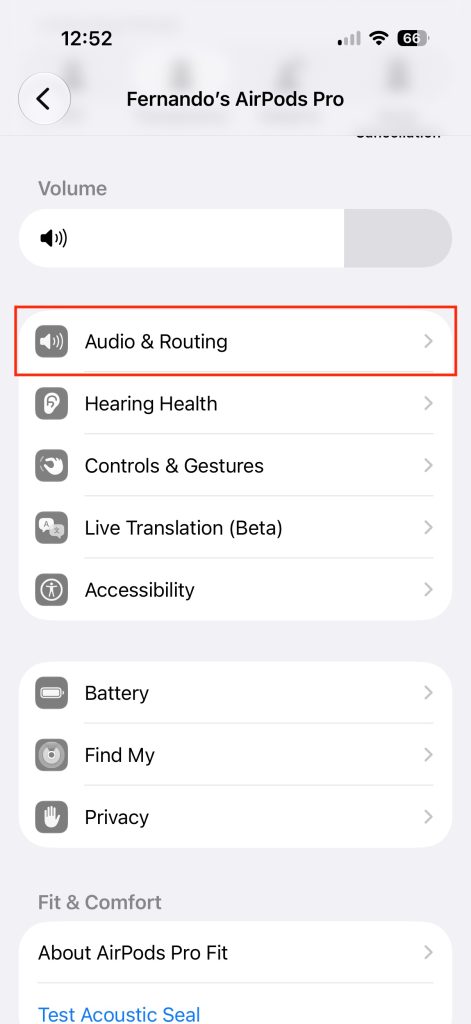
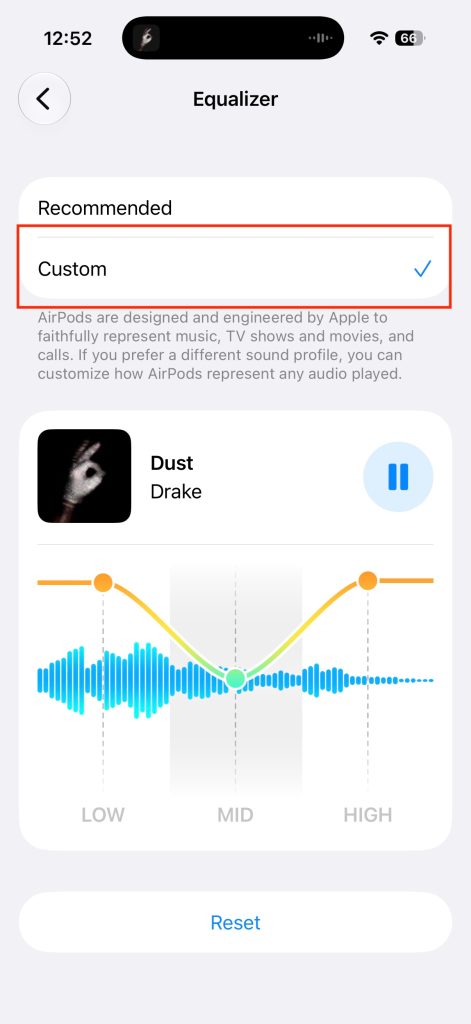
Custom EQ is something I have wanted as a native setting for years. I love being able to control how much bass comes through or how much of the vocals come in. It is not the most granular EQ customizer I have seen, but it is still much better than nothing. One thing I do hope they add is the ability to save multiple EQs, depending on the media type you listen to. Right now, you can only really have one custom EQ setting. Again, you need an H2-powered pair of AirPods to get this setting.
If you have ever been to a commercial gym, you might have noticed that some treadmills or other machinery have a tap-to-sync option. This has been around for years, but up until now, the only way to engage with this feature was through your Apple Watch. This feature allows the treadmill to sync with your heart rate readings on your watch. So on the treadmill display, it will show your real-time heart rate reading from your Apple Watch. But now that the AirPods Pro 3 have heart rate sensors built in, you don’t need your Apple Watch for this feature! It is easy to set up:
Again, this is exclusive to the AirPods Pro 3 because they are the only AirPods with a built-in heart rate sensor. I think this is a great new quality-of-life feature because it truly lets you enjoy the benefits of an Apple Watch without actually needing one.
Precision finding is another awesome Apple ecosystem feature. It was first introduced as a way to interact and find AirTags, but it has expanded well past that. The best part about this feature is that when you pair it with WatchOS 27, you can use precision finding on your Apple Watch to locate your AirPods Pro. It’s masterful and so easy to use:
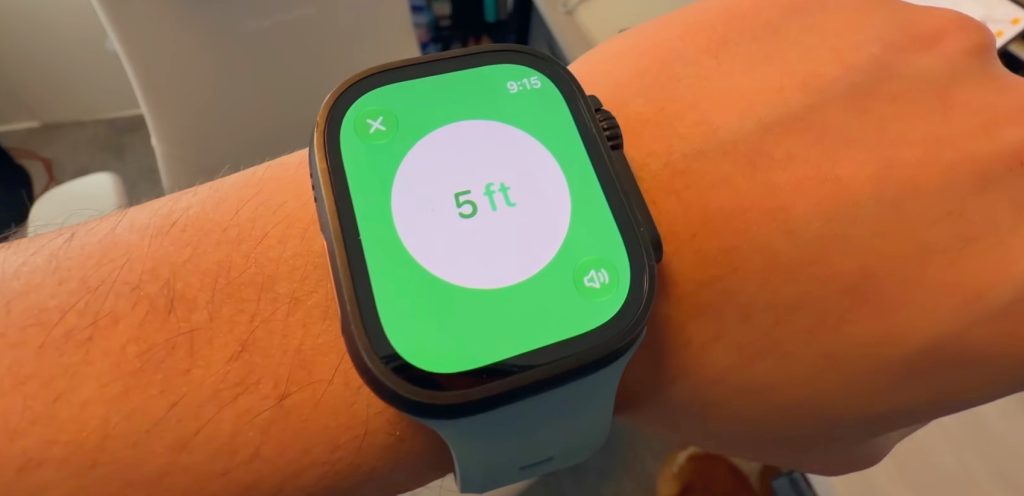
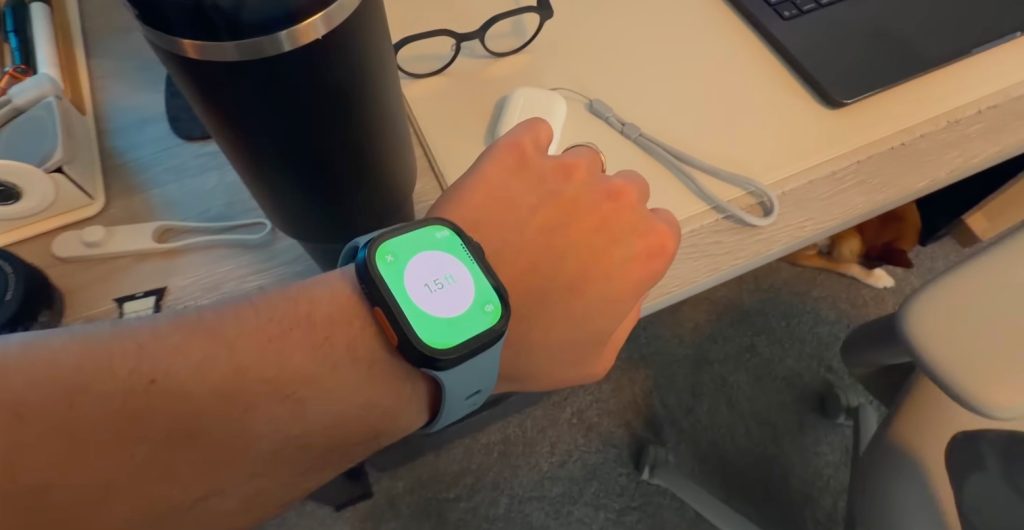
Now I just hope we can do this for the Apple TV remote moving forward! I also hope that Apple allows third-party accessories to implement precision finding because right now, that feature is exclusive to Apple products.
Again, AirPods Pro have to be one of my most-used Apple products of all time, and while they did not steal the spotlight at WWDC, they still got some major improvements. Custom EQ alone feels like one of the biggest improvements to the AirPods experience in recent years. What is even crazier is that, as of writing this post, AirPods Pro 3 are on sale on Amazon for just $179. That is $70 off compared to the Apple retail price. So if you have ever thought about upgrading your AirPods or are just in the market for a pair, now is the time to buy. Even the new AirPods Max 2 are on sale for $499!
I’m also really excited to see how the new SiriAI evolves alongside your AirPods. What do you think will happen? Let’s discuss below!


FTC: We use income earning auto affiliate links. More.

此内容由惯性聚合(RSS阅读器)自动聚合整理,仅供阅读参考。 原文来自 — 版权归原作者所有。