惯性聚合 高效追踪和阅读你感兴趣的博客、新闻、科技资讯
阅读原文 在惯性聚合中打开

推荐订阅源

D
DataBreaches.Net
GbyAI
GbyAI
aimingoo的专栏
aimingoo的专栏
freeCodeCamp Programming Tutorials: Python, JavaScript, Git & More
月光博客
月光博客
大猫的无限游戏
大猫的无限游戏
M
MIT News - Artificial intelligence
腾讯CDC
博客园 - Franky
Engineering at Meta
Engineering at Meta
C
Check Point Blog
T
The Blog of Author Tim Ferriss
有赞技术团队
有赞技术团队
Microsoft Azure Blog
MyScale Blog
MyScale Blog
I
InfoQ
Blog — PlanetScale
Blog — PlanetScale
P
Proofpoint News Feed
The GitHub Blog
The GitHub Blog
N
Netflix TechBlog - Medium
Last Week in AI
Last Week in AI
S
SegmentFault 最新的问题
Cyber Security Advisories - MS-ISAC
WordPress大学
WordPress大学

9to5Mac

Apple permanently closing three US stores, here’s when [Updated] Apple Arcade just added 4 new ad-free games with these titles now available At least for now, Liquid Glass in Pixelmator Pro remains a Creator Studio exclusive Several Mac mini and Mac Studio configs are now completely out of stock at Apple Apple @ Work: How to add an existing Mac to Apple Business Manager without wiping it Hands-on: SkyDex turns your daily weather check into a Pokémon adventure App Store fight continues as Apple and Epic clash over court-ordered stay OpenAI says to update Mac apps including ChatGPT and Codex as security precaution Apple TV in-person ‘experience’ coming later this month in LA New iPhone Fold leaks cover ‘Ultra’ name, launch timing, more Report: Apple tops global smartphone market for first time in Q1 as overall shipments drop Car Keys in Apple Wallet coming soon to major new vehicle brand Apple previews AI, accessibility, and AirPods Pro 3 research for CHI 2026 April 10, 2026 – Apple Store closures, more VSCO report explores how photographers perceive, adopt, and actually use AI XChat, X’s standalone messaging app, launching soon with these features Apple TV has three shows with finales this week, here’s what’s ending iOS 26.4 adds setting to let you change new Liquid Glass effect Hands-on: Satechi’s 3-in-1 Qi2 charger brings 25W of power with a clean Apple aesthetic [Video] iOS 27 adding new ‘Siri’ app to Home Screen: Here are the rumored features Deals: All 15-inch M5 MacBook Air models $150 off, Series 11 $99 off, Nomad leather iPhone 17 cases, more Amazon launches ‘Prime Video Ultra’ with new features, higher price How the Mac changed the way I clear mental clutter YouTube Premium is getting a US price hike of up to $4/month Tribit StormBox Micro 3: My favorite travel speaker just got better and cheaper FBI used iPhone notification data to retrieve deleted Signal messages Adobe’s low-processing camera app expands support to select iPads and the iPhone 17e New Apple TV movie starring Keanu Reeves now available to stream Apple collector showcases 50 years of Mac startup sounds [Video] WhatsApp is bringing Status updates to the top of the Chats tab
watchOS 26.4 fixes a major Apple Watch Workout app complaint
2026-04-07 · via 9to5Mac
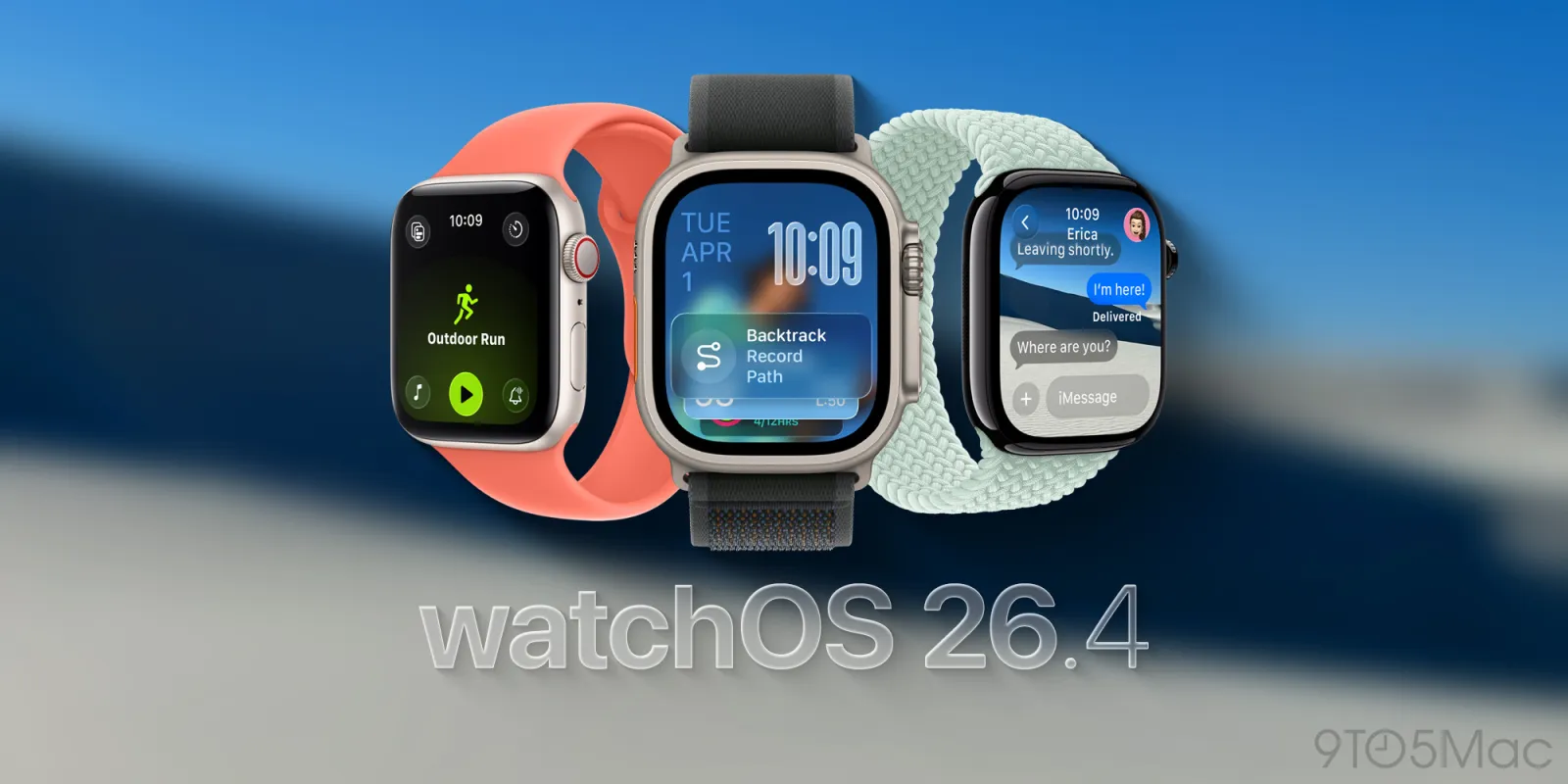
watchOS 26.4

Apple redesigned the Workout app in watchOS 26, but not everyone has loved the new Apple Watch exercise tracking experience. It turns out Apple has been listening, because watchOS 26.4 addresses a major complaint about the new design.

watchOS 26.4 improves Workout app user experience

A common complaint about the Workout app on watchOS 26 is that it feels slow or requires more interactions to simply start a workout.

The redesign is a huge change after a decade of using the Apple Watch Workout app one way, of course. The current design is also just a little less intuitive.

The problem is what worked like a tappable button in previous design was now just a decoration that ignored your tap.

With watchOS 26.4, however, Apple is adapting the Workout app’s existing design to work how users expect.

Per the release notes: Workout type icon in the Workout app lets you start a workout with a single tap.

Boom, that’s the fix people have needed. Now the workout icon/label and the play button do the same exact thing: start tracking your workout.

Tapping the icon from the list view still requires the rest of the workout view to load in. If you’re fast enough and tap the workout icon while the list is still visible, your tap is still ignored.

That’s one more area where this could be improved, but the watchOS 26.4 change is a great user experience improvement from the watchOS 26.0 to watchOS 26.3 behavior.

What went wrong and how Apple fixed it

Prior to watchOS 26.4, the Workout app presented a scrollable list of workout type icons and labels.

Naturally, you would expect to be able to tap the workout icon from the list to get started. Instead, the full workout layout needed to load in, and tapping the centered workout type icon did nothing.

The design seems more optimized for avoiding accidentally starting a workout. It also may lead you to pause and observe the new design while encouraging you to tap the four corner buttons before starting your workout. These are for adjusting Workout Views, Goals and Targets, Media, and Workout Buddy and Alerts.

It wasn’t exactly optimized for speed or previously established muscle memory.

Instead, a “Play” icon was the only way to start the workout. This is already mixing metaphors in a confusing way … since you’re recording a workout and not playing a session.

Anyway, watchOS 26.4 fixes this messy situation with the simple change mentioned above.

For me, I had adjusted to the new behavior after running watchOS 26.0 through watchOS 26.3 since June. Still, I’m glad Apple is listening to feedback and improving the user experience. The new design still felt slower in the back of my brain. Something about the bottom center play icon placement made me want to scroll up, especially since the center icon did nothing.

Anyway, the goal should be to have a great first run experience, not to adapt to the less intuitive system after enough repetition. It’s good to see this fixed in watchOS 26.4.

Apple Watch update availability

watchOS 26.4 is now available.

Buy the new Apple Watch Series 11 to start tracking your exercise and reach your fitness goals.

Add 9to5Mac as a preferred source on Google Add 9to5Mac as a preferred source on Google

FTC: We use income earning auto affiliate links. More.