惯性聚合 高效追踪和阅读你感兴趣的博客、新闻、科技资讯
阅读原文 在惯性聚合中打开

推荐订阅源

U
Unit 42
罗磊的独立博客
博客园 - 聂微东
T
The Blog of Author Tim Ferriss
博客园 - 司徒正美
Stack Overflow Blog
Stack Overflow Blog
F
Fortinet All Blogs
A
About on SuperTechFans
腾讯CDC
Apple Machine Learning Research
B
Blog RSS Feed
IT之家
IT之家
V
Visual Studio Blog
freeCodeCamp Programming Tutorials: Python, JavaScript, Git & More
宝玉的分享
宝玉的分享
C
Check Point Blog
Cyber Security Advisories - MS-ISAC
Vercel News
Vercel News
爱范儿
爱范儿
Microsoft Security Blog
月光博客
月光博客
T
Tailwind CSS Blog
The Cloudflare Blog
Hugging Face - Blog
Hugging Face - Blog

9to5Mac

Apple permanently closing three US stores, here’s when [Updated] Apple Arcade just added 4 new ad-free games with these titles now available At least for now, Liquid Glass in Pixelmator Pro remains a Creator Studio exclusive Apple @ Work: How to add an existing Mac to Apple Business Manager without wiping it Hands-on: SkyDex turns your daily weather check into a Pokémon adventure App Store fight continues as Apple and Epic clash over court-ordered stay OpenAI says to update Mac apps including ChatGPT and Codex as security precaution Apple TV in-person ‘experience’ coming later this month in LA New iPhone Fold leaks cover ‘Ultra’ name, launch timing, more Report: Apple tops global smartphone market for first time in Q1 as overall shipments drop Car Keys in Apple Wallet coming soon to major new vehicle brand Apple previews AI, accessibility, and AirPods Pro 3 research for CHI 2026 April 10, 2026 – Apple Store closures, more VSCO report explores how photographers perceive, adopt, and actually use AI XChat, X’s standalone messaging app, launching soon with these features Apple TV has three shows with finales this week, here’s what’s ending iOS 26.4 adds setting to let you change new Liquid Glass effect Hands-on: Satechi’s 3-in-1 Qi2 charger brings 25W of power with a clean Apple aesthetic [Video] iOS 27 adding new ‘Siri’ app to Home Screen: Here are the rumored features Deals: All 15-inch M5 MacBook Air models $150 off, Series 11 $99 off, Nomad leather iPhone 17 cases, more Amazon launches ‘Prime Video Ultra’ with new features, higher price How the Mac changed the way I clear mental clutter YouTube Premium is getting a US price hike of up to $4/month Tribit StormBox Micro 3: My favorite travel speaker just got better and cheaper FBI used iPhone notification data to retrieve deleted Signal messages Adobe’s low-processing camera app expands support to select iPads and the iPhone 17e New Apple TV movie starring Keanu Reeves now available to stream Apple collector showcases 50 years of Mac startup sounds [Video] WhatsApp is bringing Status updates to the top of the Chats tab iOS 26’s Messages app got a big upgrade for an essential feature
iOS 26.4 moves App Store updates, here’s how to open them...
Ryan Christoffel · 2026-04-16 · via 9to5Mac

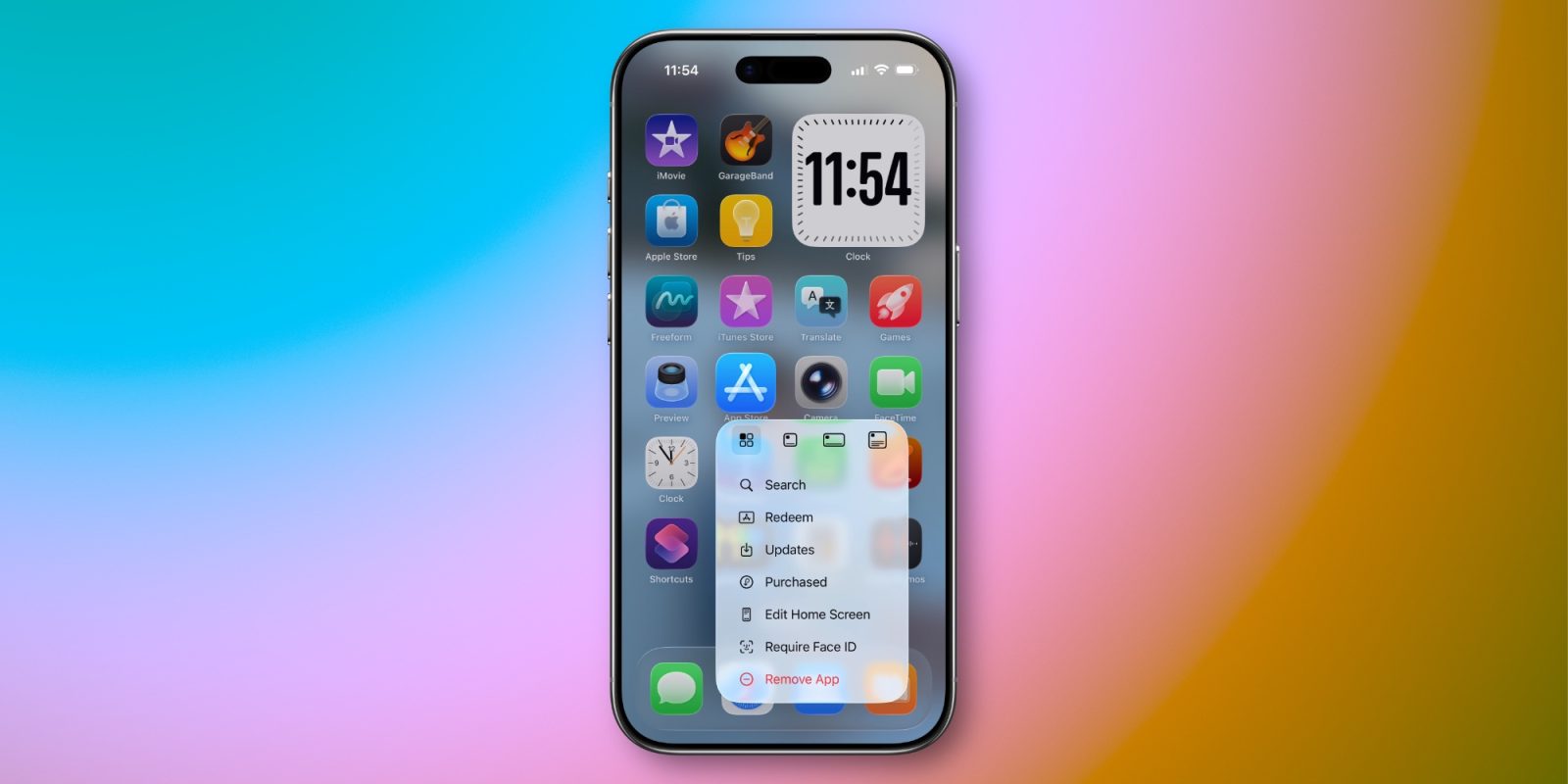
iOS 26.4 made some changes to where app updates are located in the App Store. But there’s a shortcut available to find them just as quickly as before.
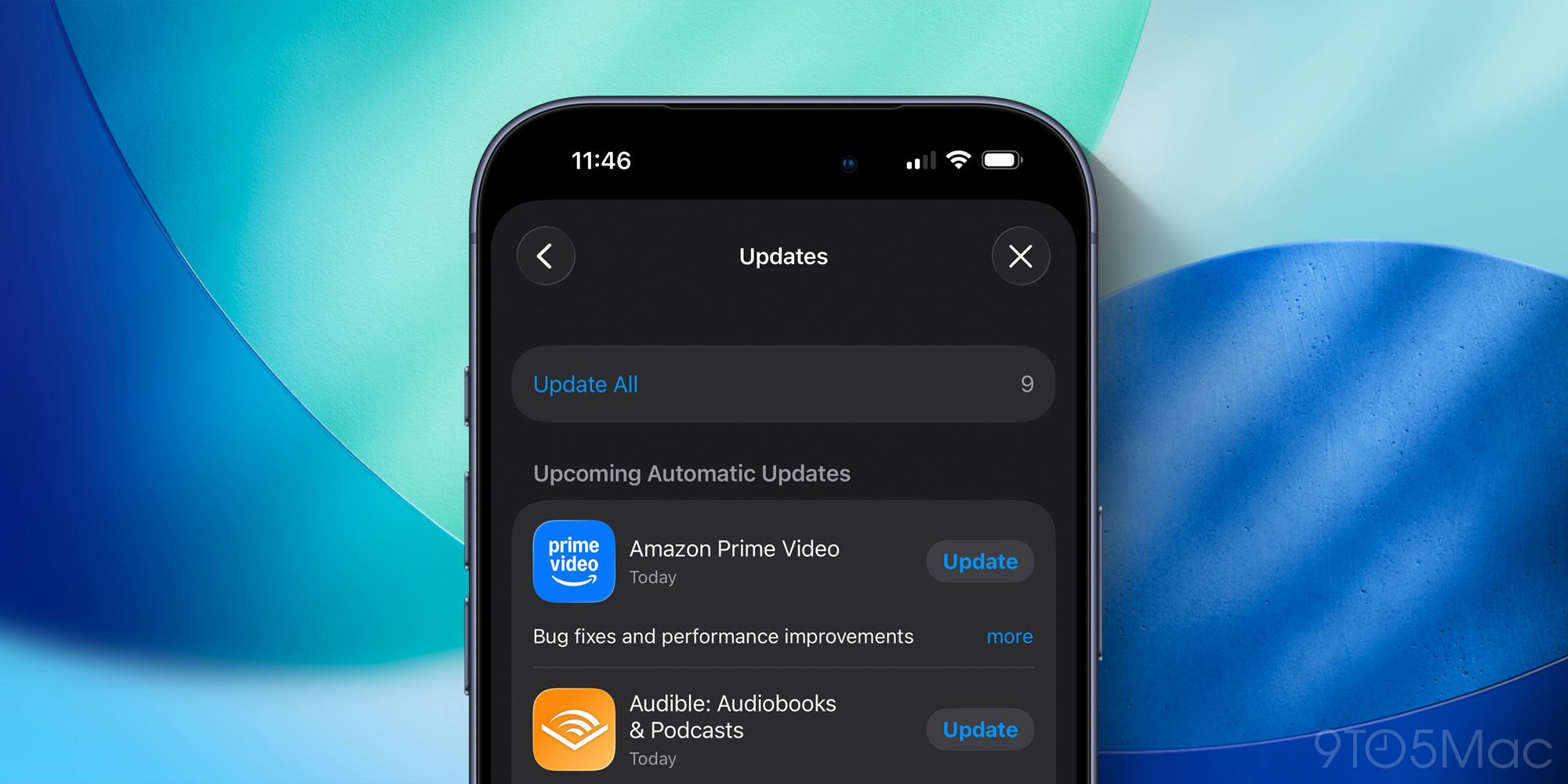
Home Screen offers shortcut to launch into App Store’s ‘Updates’ screen

Most iPhone users probably never bother checking the details on app updates inside the App Store.

But if you’re like me, and perusing the latest updates is a regular habit, iOS 26.4 made a change you might not appreciate.

In previous versions of iOS 26, you could view a list of new app updates by opening the App Store and tapping your profile image in the top-right.

Now in iOS 26.4, you still go to the same place, but there’s one extra step: tapping the new ‘Updates’ menu option.

One more tap isn’t a huge deal, but if you check on app updates often, it can certainly be annoying.

But there’s a shortcut iOS has long supported—and still does—for getting to the Updates screen as fast as ever.
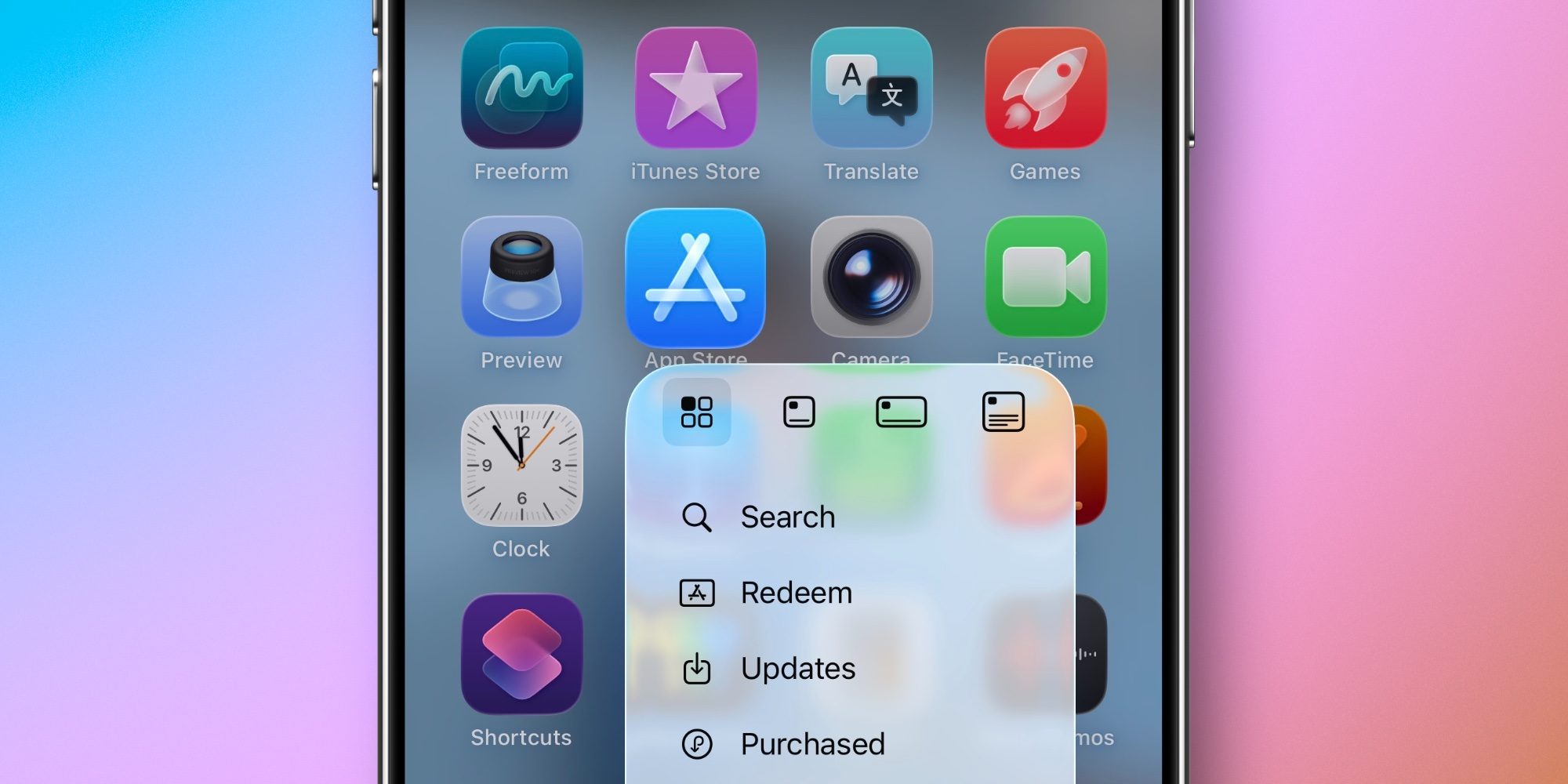
On your iPhone (or iPad), you can long-press on the App Store icon to find an ‘Updates’ option in the popup menu.

Tapping ‘Updates’ will open the app and take you straight to the Updates screen. It’s fast, simple, and convenient.

So if you’re bothered at all by iOS 26.4 making App Store updates a little more buried, I highly recommend getting in the habit of using the long-press icon shortcut.

Did you know you could jump quickly to Updates using this shortcut? Let us know in the comments.

Best iPhone accessories

Add 9to5Mac as a preferred source on Google Add 9to5Mac as a preferred source on Google

FTC: We use income earning auto affiliate links. More.