








We’re thrilled to share our first release candidate for GIMP 3.2! It represents a major step in our roadmap, and months of hard work by contributors. We look forward to your feedback as we move towards the stable release of GIMP 3.2! Note that this is still a development snapshot, not yet a final release: please do report any problems or crashes you find.
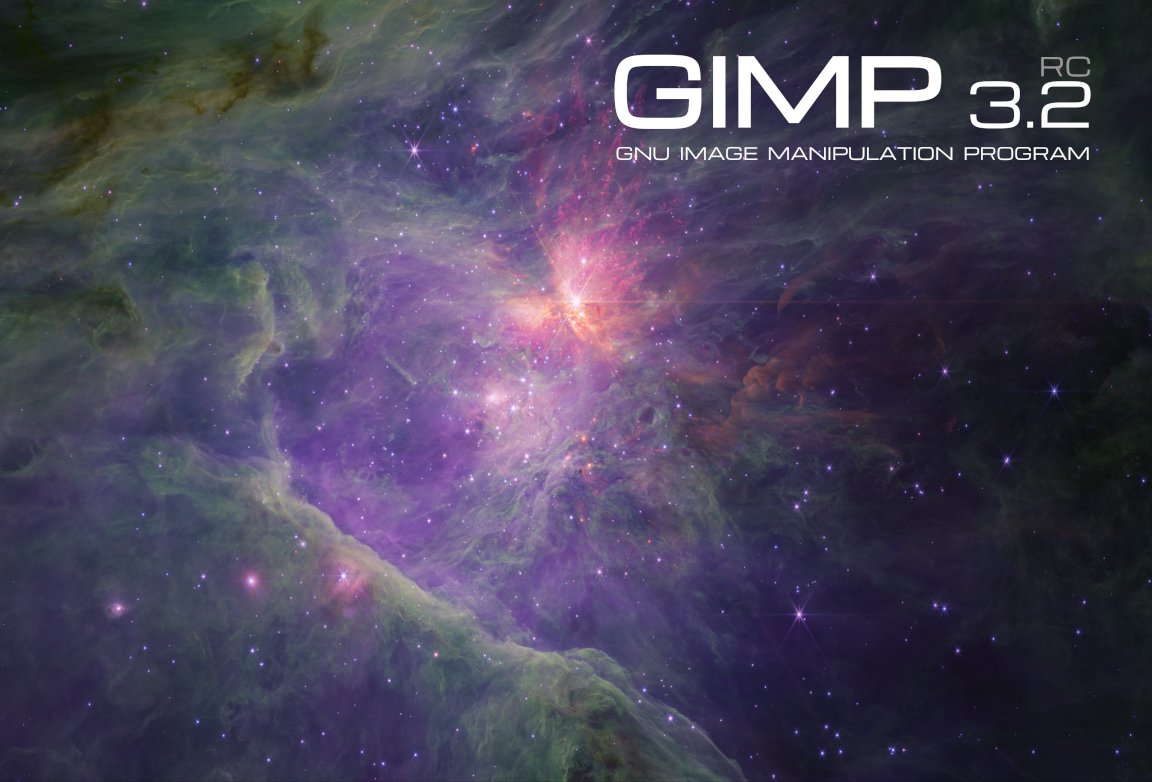
Our super cool 3.2 release candidate splash screen was created by astronomer Mark McCaughrean!
It shows the Orion Nebula at infrared wavelengths made using the James Webb Space Telescope, and is one of his many photographs of space, processed in GIMP as an important tool in his workflow.
As with our previous splash artist Sevenix, we will have an interview with him detailing his design process and motivation that we hope to share in the near future.
This news post will cover some of the main updates since our last development release. If you haven’t already tested out GIMP 3.1.2 and 3.1.4, we encourage you to read over the prior news posts to see the other new features and fixes. As always, the full changelog can be seen in the NEWS section of our repo.
We’ve made a number of bugfixes and improvements to the new link and vector layers, thanks to your feedback from GIMP 3.1.4. Jehan in particular has been focused on internal updates and UI improvements for both features. The “Rasterize” and “Revert Rasterize” operations have been made much clearer, allowing for easy changes between different states. These changes apply to text layers as well, since they are a type of vector layer too.
We discovered that link layer monitoring was not working on Windows due to a bug in the GLib library. Jehan has submitted an upstream patch with a proper fix, but for now we have a temporary workaround so that this feature works on Windows.
Gabriele Barbero has continued his work on the text editor from his Google Summer of Code project. One major aspect has finally been merged - the ability to move the on-canvas editor across the screen! This allows you to move it out of the way while working on close-up text, without having to hide it in the tool options. You can also click the reset button on the editor to place it back in its original position.
Idriss Fekir has continued their work on making text editing more robust. They’ve updated the internal code to support text rendering even on very large dimensions.
Also, a new patch by Lleu Yang lets you use Shift + Ctrl + V in the on-canvas editor to paste unformatted text. This follows a previous update that added a shortcut for Bold, Italics, and Underline styling.
Jehan revived one of his older projects and added support for swapping between your current tool and the previous one
you used. By default, you can press Shift + X to switch back and forth between your paintbrush and
eraser while drawing. Of course, you can also change the shortcut with the Edit -> Keyboard Shortcuts dialog.
This new feature also allows us to help with a common point of confusion. Internally, GIMP considers filters to be a tool just like the rotate or airbrush tools. This means that when you’re applying a Brightness-Contrast filter to your image, you’re actually “switching” to the Brightness-Contrast tool.
Thanks to Jehan‘s update, we now automatically switch back to your prior tool once the filter is applied, which we believe is more in-line with what users expect to happen.
We continue to update our non-destructive filter code. One request we’ve received a few times is for “adjustment layers” - layers where you can apply a filter and have it affect all layers below it. We do not have this as an official concept since it would be a GUI duplicate of layer effect, yet you can now simulate adjustment layers with layer groups!
Set an empty layer group to “Pass through” and then apply filters to it - since Pass through groups cover all layers below, by definition, this is basically the same as what is commonly called adjustment layers. Furthermore, you can add a mask to the layer group and adjust the render to only cover certain areas.
We continue to work with users and designers on our UX repo to improve GIMP’s user experience. While a lot of smaller adjustments have been made since 3.1.4, there’s also been several larger updates.
GIMP was first created with a multi-window interface, with each image shown in a separate window. You could drag and drop a file onto the floating toolbox to open it as a new image. Single Window mode introduced an image tab bar to show all of your open images. We have now connected that tab bar to the drag and drop code, so you can easily open multiple images by dragging them over to the image tab bar and releasing!
Ondřej Míchal has been on a mission to replace many of our Spin Entry widgets with the newer Spin Scale.
You can now drag and drop color swatches from the Color History. This was always intended, but previously did not work because the color history buttons grabbed focus instead of the color history swatch.
Gabriele Barbero further improved our macOS port by restoring missing features to the App Menu. Now macOS users have options to hide GIMP, hide other applications, and to check the related services. Additionally, the macOS “Quit” command is now connected to our closing code, which will reduce the chance of losing unsaved data on exit.
The Document History dockable is now multi-selection aware. You can select multiple image previews and either open or remove all of them at once.
Denis Rangelov developed a new design for our image toggle buttons (seen in places such as the Mode section of the Move
and Selection tools). This redesign more clearly groups the buttons together visually, so you know that they’re toggle buttons
and that only one can be selected at a time.
When typing hex colors in the Color Selector dialog, the selected color will automatically update as soon as you enter a valid text. This removes the need to press Enter whenever you type a new color.
Support for a few new image formats have been added, and updates to existing formats have been made during the last stretch of our 3.2 RC1 development.
With the addition of vector layers in GIMP, we can now export SVG as actual vectors. Our new exporter allows raster layers to be optionally embedded as either PNGs or JPEG. We hope this will encourage further workflow collaboration with Inkscape, a fantastic vector graphics editing program that we highly recommend!
Note that currently our SVG import plug-in still rasterizes the imported vectors. We are looking into ways of fixing this (it would likely require to change our dependency library to read SVG) - if you’d like to help, please reach out!
Similarly, the PDF plug-in now exports vector layers as actual vectors. This means that those layers can be further edited in other vector graphics software. The “Fill with Background Color” option has also been extended to work on all layers of a multi-layer PDF, instead of just the first one.
We’ve added support for importing PowerVR (PVR) texture files. This format is most commonly used for SEGA Dreamcast games and mods.
We had a long-standing request to support importing hgt.zip images, which were recorded by NASA’s Shuttle Radar Topography Mission (SRTM). As a side effect, we now support loading any supported image that’s compressed by our standard compression algorithms (previously this was only officially used by our compressed XCF project files).
One of the major updates in GIMP 3.0 for plug-in developers was the auto-generated GUIs - you can easily
make a dialog with widgets just by defining your input variables! However, a few datatypes were not implemented
in the original release. For GIMP 3.2, we’ve added GimpImage and GimpItem widgets to GimpProcedureDialog.
The new widgets look similar to the existing layer and channel widgets.
Work on the SVG export feature required us to add many additional public API commands for text, vector, and link layers. You can see the full list in our NEWS section under API, or by checking the Procedure Browser under the Help menu in GIMP itself.
The Zero Day Initiative regularly reviews applications to find potential vulnerabilities and report them. Jacob Boerema and other contributors have responded to and fixed the following reports:
Sabri Ünal and Luzpaz have been reviewing our GUI and standardizing capitalization and grammar of the user interface.
Aruius fixed a bug where some full-color brushes were not mirrored properly when Symmetry modes were set.
Bruno Lopes reworked our console output code on Windows to work just like Linux and macOS. This means you can run GIMP from CMD or PowerShell and see all output messages there.
Lukas Oberhuber created a new format for our color drag and drop code. We previously used application/x-color
when our color code was sRGB only. Now that we pass the colorspace information as well, this is not sufficient.
While it only caused visible problems on macOS (to our knowledge), it’s good to use the proper standard for all platforms.
Our .exe installer is now gorgeous when you run it on Windows 10/11
with Dark Mode enabled.
This is not only due to the new splash screen, which is used on the
Installer too, but also thanks to the triaging work done by Jernej
Simončič and Bruno Lopes in tandem with Inno Setup developers on
the Inno Setup 6.6.0 development cycle.
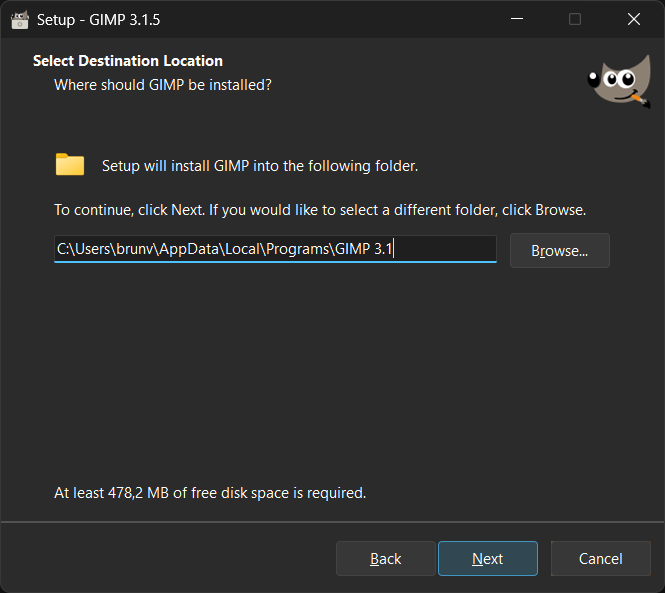
That Inno Setup version we use on 3.2.0-RC1 and subsequent installers
supports automatic Dark Mode natively.
While very few changes were done to our GIMP packaging scripts, we can’t
stop praising the incredible work done by Martijn Laan, main
Inno Setup developer, on Google Groups after our small feedback.
Just run the .exe and give it a try.
Since GIMP 3.1.4, in the main GIMP repository:
42 people contributed changes or fixes to GIMP 3.2.0 RC1 codebase (order is determined by number of commits; some people are in several groups):
Contributions on other repositories in the GIMPverse (order is determined by number of commits):
gimp-macos-build (macOS packaging scripts) release had 16 commits by 1 contributors: Lukas Oberhuber.Let’s not forget to thank all the people who help us triaging in Gitlab, report bugs and discuss possible improvements with us. Our community is deeply thankful as well to the internet warriors who manage our various discussion channels or social network accounts such as Ville Pätsi, Liam Quin, Michael Schumacher and Sevenix!
Note: considering the number of parts in GIMP and around, and how we
get statistics through git scripting, errors may slip inside these
stats. Feel free to tell us if we missed or mis-categorized some
contributors or contributions.
As we noted on our previous news about GIMP Developer website, the GIMP Developer website has been completely rewritten to use modern web technologies so it is easier to maintain (and to look prettier). But due to the enormous amount of content to be migrated and the limited human resources we have, the process took longer than expected.
Now, finally, thanks to Bruno Lopes, who has been working on reviewing the dozens of pages of the Developer website to be kept up to date (and recently has been commiting changes to address its UI), we believe that you can navigate the site more easily.
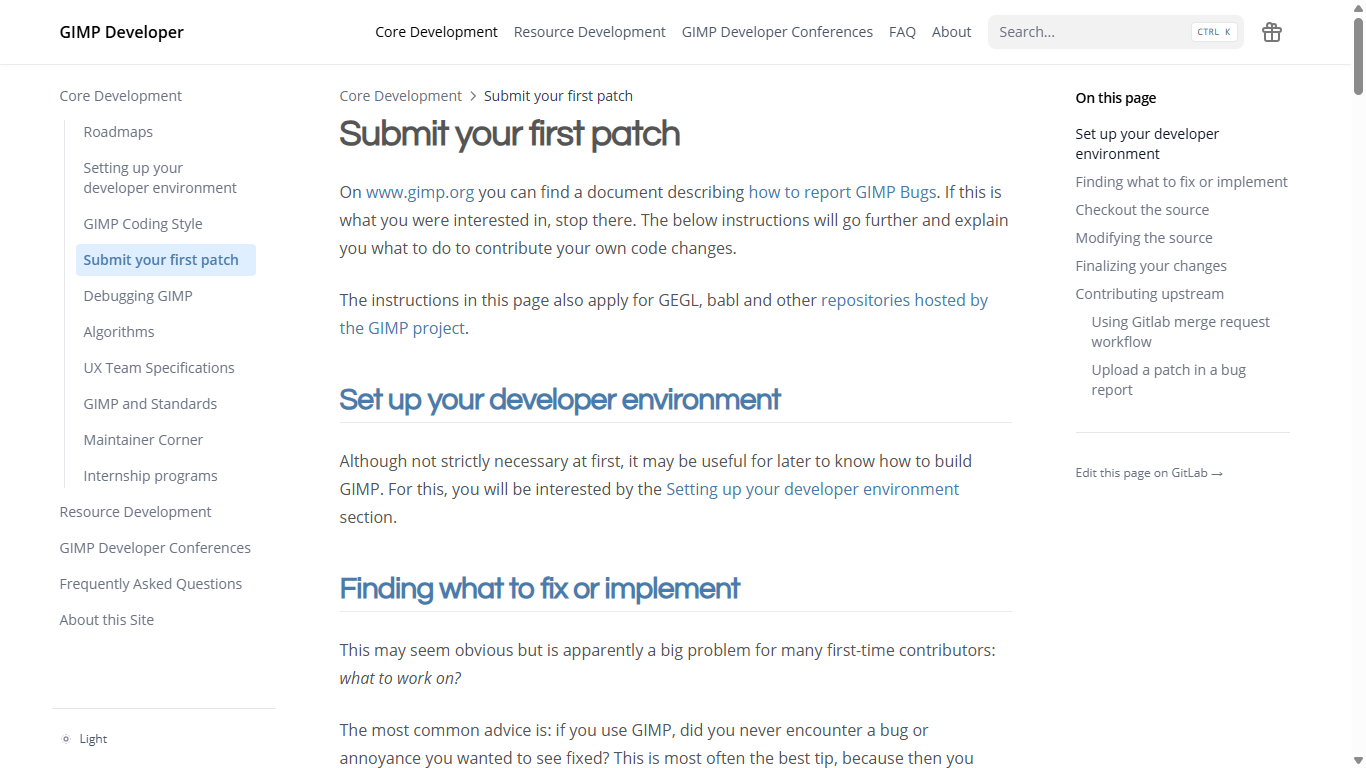
This new theme, called “Hextra”, allows us to have a search bar and the much requested navigation menu.
It also adds a link Edit this page on GitLab → to every page, so you can contribute fixes more directly.
You will notice that it looks a bit like the main GIMP website, and that’s because we modified it to follow the same visual identity designed by Pat David, making use of the same color palette and fonts.
You will find all our official builds on GIMP official website (gimp.org):
Other packages made by third-parties are obviously expected to follow (Linux or *BSD distributions’ packages, etc).
There is no development release for the manual, but you can continue to use the existing GIMP 3.0 documentation.
Notes:
We had mentioned our accelerated release policy when releasing GIMP 3.0.0. Well I’m not sure if many people actually thought we’d manage to stick to the schedule! Yet here we are, barely 8 months after GIMP 3.0.0 release, and already publishing our first 3.2.0 release candidate!
Now we still haven’t released actual GIMP 3.2.0 yet, of course. But this RC is our milestone for freezing features (and strings, hence giving time for translators to do their thing! Awesome work by all of them across the world, by the way! 🤗) so we are now focusing on fixing bugs and possibly some minor UX improvements (more on the side of papercuts rather than anything implying major UI changes).
That also means that we are really looking forward your issue reports! If there was any time for you to get your voice heard and tell us of any issues we may have missed before we publish the next stable minor version, that would be now!
Don’t forget you can donate and personally fund GIMP developers, as a way to give back and accelerate the development of GIMP. Community commitment helps the project to grow stronger!
此内容由惯性聚合(RSS阅读器)自动聚合整理,仅供阅读参考。 原文来自 — 版权归原作者所有。