










☣️ GIMP 2.99 releases are development snapshots. There are known bugs, sometimes crashes and definitely unfinished features; that’s why it’s not yet a final release. Use at your own risk! ☣️
GIMP 2.99.6 contains quite a few visible and interesting improvements, yet the biggest changes are hidden from the public eye into the quite steadily evolving API (Application Programming Interface for plug-in developers).
⚠️ Many of the third-party plug-ins already ported for GIMP 2.99.2 or 2.99.4 will end up broken, and there is a high chance they will break again in further development releases until we stabilize the API. We apologize for this, though this is the price of making plug-ins for a program in-development. We figured it’s better to do this now rather than ending up stuck with a bad interface for the years to come (as stability will be ensured once GIMP 3 will be out).
Release highlights:
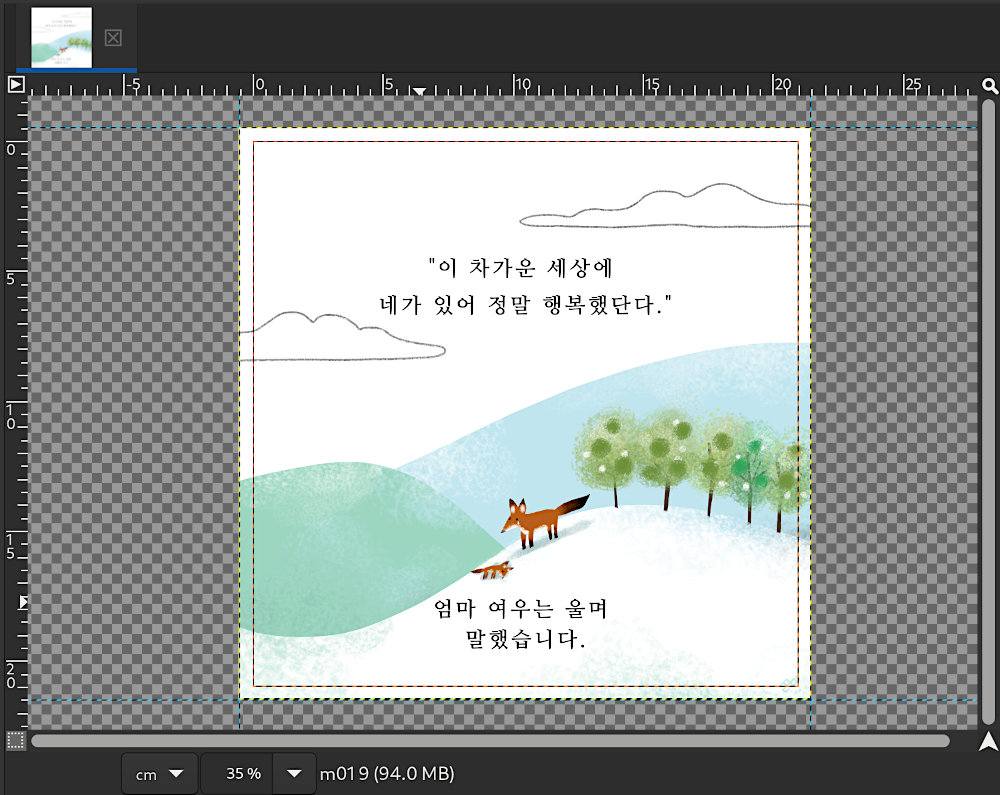
In the continuation of out-of-canvas area visibility, guides can now be placed outside the canvas. This was deemed useful for various use cases when you want to work on bigger areas than your canvas.
For people worried of graphical interaction with guides, the workflow to delete them (dropping the guides off-canvas) just changed to be about dropping the guides off-viewport, which turns out to not be so different after experimenting with this change in production for a few months.
It is common usage to resize your canvas to a standard format, for instance paper formats. For this reason, our recent and quite prolific contributor Stanislav Grinkov implemented a template selector in the Canvas Size dialog.
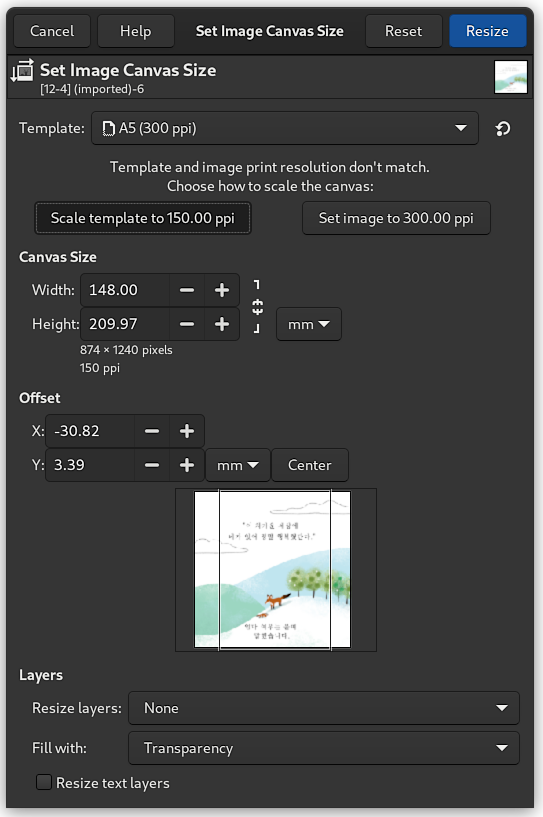
In order to handle the cases when you choose a template with expected pixel density differing from the image’s, you may be queried to decide whether you want to set your image to the template’s density or scale the template’s dimensions to match the image’s density.
This is very fresh news as we merged this code (by Povilas Kanapickas, brand new contributor!) only a few days ago: GIMP now has pinch gesture support for touchpads, some tablets or touch screens (it might not work with all tablets and touch screens). In other words, if you have a device with touch support, you can zoom in and out through pinching movements with your fingers.
This is known to work on Linux/Wayland (tested successfully on a laptop touchpad and a Wacom Intuos Pro) and it might work in a few months in X11 (after this patch gets merged). Someone reported the feature working on Windows 10 too with one’s touchpad and integrated laptop’s touch display. We have not found anyone yet to test the feature on macOS (it relies on generic GTK code, but the exact support depends on specific per-platform implementation and on the touch device firmware and/or driver implementation). I guess this will be the surprise for this release. We welcome any feedback in the associated report.
As a note of interest, we used to say that gesture support was not our biggest priority, hence might not make it to GIMP 3. Yet here it is! Another great example that GIMP is made by anyone. All it takes for your dream features to happen is someone willing to contribute code! It might be you! 🙂
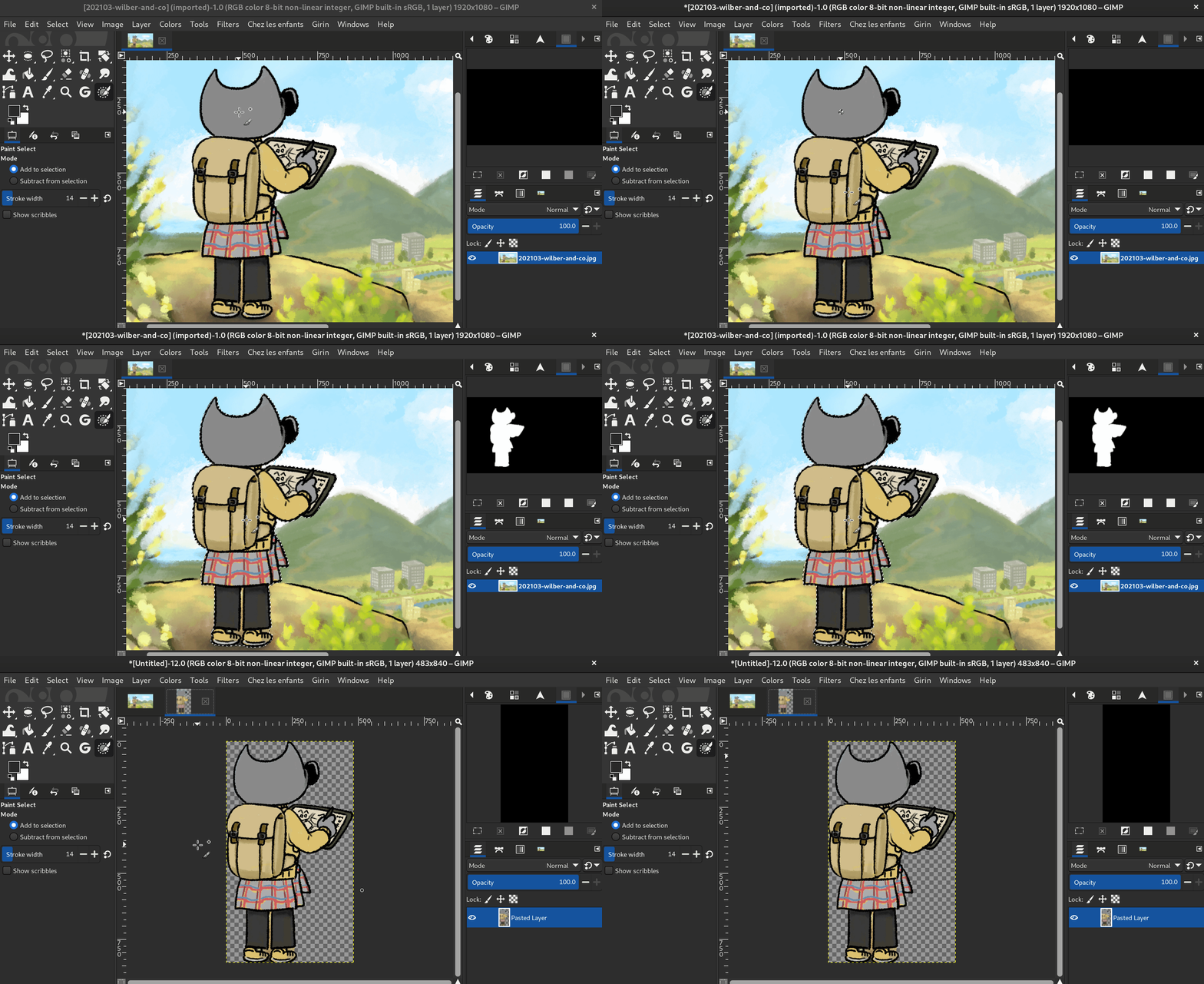
The tool is still listed as experimental as it is not yet deemed finished by its contributor, Thomas Manni. Nevertheless it has already improved quite a bit and starts getting really interesting.
Several bugs were fixed and selection is now viewport-based which allows it to be much faster already depending on the zoom. Yet this is not even the expected optimization which is planned to make the tool work really fast. Expect more to come!
This work has been happening both on GIMP code base and on our graphics engine library’s code base, GEGL.
As a side note, the Paint Select tool now has its own icons, original design by Yash Arya, with collaborative work and design finalisation by Aryeom.

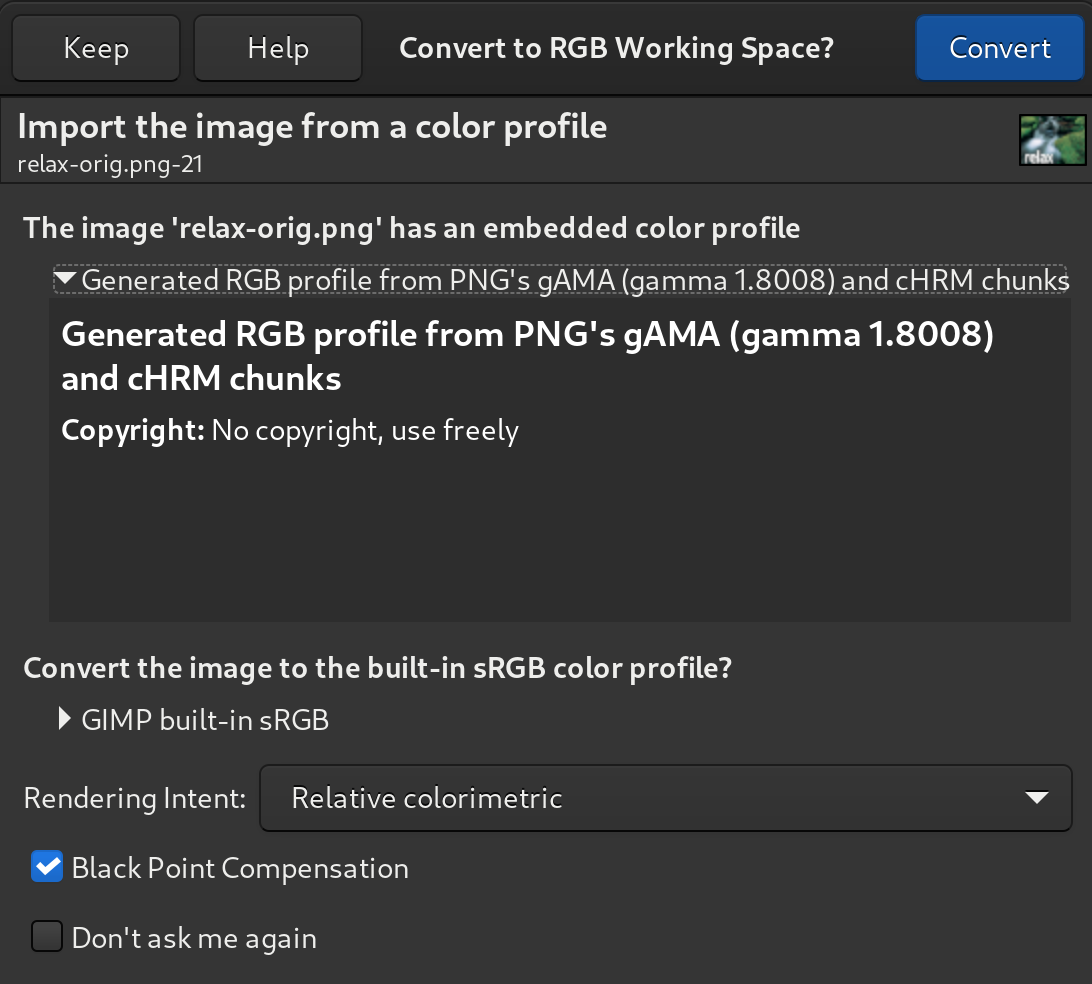
The PNG format has several ways to manage colors, one of them is through color profiles, which is also the logics in GIMP as in any modern graphics editor. In the PNG specification, the presence of a color profile is considered priority and overrides any of the other color management methods.
The other ways were through the gAMA, cHRM and sRGB chunks (a
“chunk” is basically a PNG metadata), where instead of giving a full
profile, a PNG could store its gamma correction as a single value (hence
exact sRGB gamma curve cannot be stored this way, but an approximation
of it can) in gAMA while the primary chromaticities can be stored in the cHRM chunk.
GIMP’s core logics never supported (and still won’t because it is an old
deprecated method which should not be implemented to new code) only
using such a single gamma value. Yet we wanted to be able to read and
display such images correctly.
Our historical workaround was to store the gAMA and cHRM values in a
parasite on the XCF file, and just put it back when exporting to PNG
again which means that the image was wrongly displayed in GIMP itself
but fine after export.
Now GIMP will propose creating an actual ICC profile from the gAMA and
cHRM chunks, thus the image will be properly displayed. Since we don’t
store anymore the PNG chunks, the “Save gamma” export option has been
removed from PNG export dialog. Only proper profile is supported now
(i.e. an old-style PNG image which goes through a roundtrip
import-export in GIMP will come in with gAMA/cHRM chunk and out with an
equivalent ICC profile). Note that it is also recommended by the PNG
spec to export with ICC profiles when a encoder software supports
it.
Note: a crash cause has been discovered in babl when opening indexed
images with embedded color profiles. Since we are now creating color
profiles when a PNG had these chunks, this change can provoke this
crash.
Fortunately a patch has already been
written, and
we expect it to be present in the next version of babl.
Our screenshot plug-in has several implementations and used to always display a dialog. Nowadays with portals on Linux (especially for Wayland and sandbox-style packaging), more of the logics is moved toward the portal itself. This is the case in particular for the Freedesktop portal which asks what and how to shoot your screen contents. Therefore when GIMP uses the Freedesktop portal, it won’t show anymore our now-redundant dialog.
Color profile and comment are now saved on each layer of an exported TIFF file to prevent any ambiguity for other programs (since every layer can have its own profile and comment in the TIFF format). As usual, while GIMP tries to be lenient on errors in files it imports (allowing to salvage even broken files), it should be strict on its own exported files.
Other plug-ins got some minor improvements, such as progression feedback during PDF export, multi-layer selection support in PSD, Qbist ported to the new API…
Work continued on GUI generation for plug-ins, allowing to generate a GTK dialog in just a few lines of code (options being introspected from the plug-in procedure’s arguments).
Plug-in procedure’s default argument used to give a single image and drawable. It was changed to give an image and an array of drawables, since now GIMP has multi-layer selection ability. This is the main reason why most plug-ins out there which used to work on earlier 2.99.x versions will break. Sorry about this, it’s for the greater good and goes with the new abilities of GIMP for better handling of complex images!
Some more work is also ingoing on the concept of a plug-in procedure’s “sensitivity”, i.e.: when is the plug-in usable? Up until GIMP 2.10.x series (and even in the first development releases 2.99.2 and 2.99.4), plug-ins were sensitive when an image is opened with a single drawable selected. Now with the new multi-selection abilities, it became clear that maybe you want a plug-in which works also on several layers at once, or even only when several layers are selected! And what if you wanted a plug-in which doesn’t care if an image was opened at all? We therefore added a new function to set the sensitivity cases for a plug-in, though we are already thinking on improving this even further (which is why we are not going to name the function here and we don’t advise to use it yet if you find it).
Moreover many functions have been renamed for consistency, and also
sometimes avoiding some name clashes on language binding generation,
such as gimp_parasite_name() becoming gimp_parasite_get_name().
Here is the list of updated function
names in
GIMP 2.99.6.
“Parasites” (which is the technical name for random data attached to an image, a layer, or to GIMP itself) are now usable as plug-in procedure arguments. While this seems like a weird change, it is useful when you want to store random data (even binary data) between several GIMP runs. We already use this trick in the QBist plug-in from default plug-ins.
Many more changes happened on the API, you may have a better overview by checking the NEWS file, though even this file might not be exhaustive (in case we forgot to note some changes!).
Our Windows installer for the development release got a new full translation in Hebrew (GIMP itself was already partially localized in Hebrew).
Once again, we want to thank all the translators doing an incredible work!
Since we released a stable version not long ago, GIMP 2.99.6 relies on the same versions of babl 0.1.86 and GEGL 0.4.30, which is getting stabler as time goes.
As previous development versions, GIMP 2.99.6 is available on GIMP official website (gimp.org):
The Linux flatpak has been published so that anyone who installed it
previously should have an update proposed by their software manager
(or from terminal: flatpak update org.gimp.GIMP).
The Windows installer is available on the download page.
Note: we realized a few changes listed in this news post were not integrated in the last 2.99.6 installer (like the Hebrew translation of the installer and the Paint Select tool). Expect us to add these in a further installer!
Let’s also take the opportunity to thank all past and current packagers. Without them, GIMP would be a lot less easy to install, right? They are also doing a core contribution to the community!
Lately, a lot of the focus has been on the application interface (libgimp), which we are still tweaking in order to provide the best
plug-in interface possible, based on 25
years of shared
community experience. Even though this part is not very visible, it is
important because we ensure major API version stability, i.e. that any
API change after GIMP 3.0 release can only be incremental, cruft over
more cruft. This is our one chance to do things better (as well as we
can, errors will be made of course, but let’s keep these limited).
Even for non-developers, a good API will mean that you will be able to install many useful plug-ins in the future.
On GTK3 side itself, the port of GtkAction is still the main big
remaining area. Some serious Wayland issues remain to be investigated,
the space invasion is ongoing, and so on.
Even though some progression has happened on most topics, the development
report we
shared a few months ago is still quite accurate.
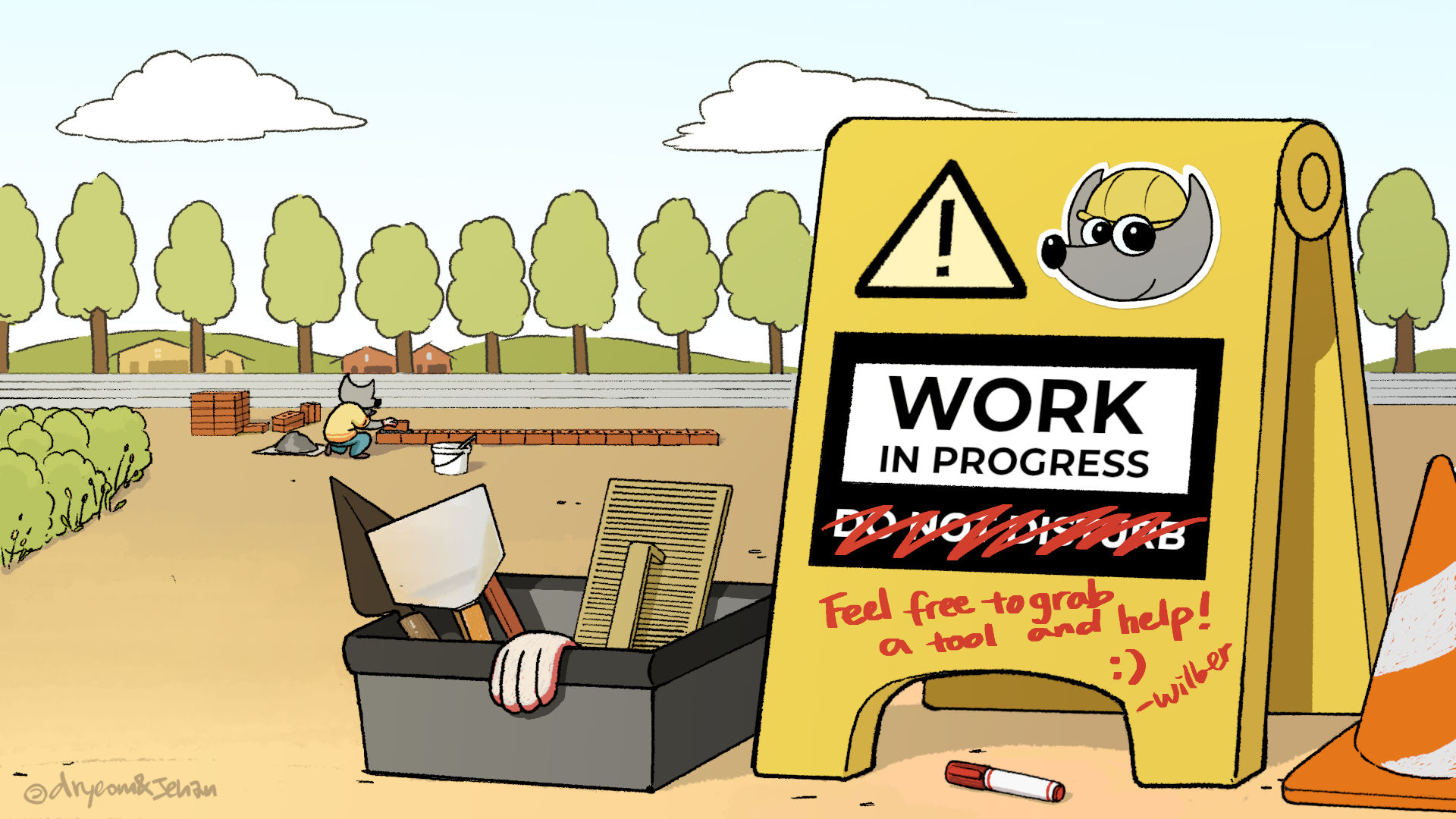
As usual, we won’t give any type of deadline or release date for GIMP 3.0. We don’t know ourselves, and because it depends on volunteer time, we can’t know. We are very happy to have seen some new talented contributors these last few months (hopefully they will stay with us for a long time). We would enjoy getting more so if anyone wants to help, you are more than welcome to join the fun! So please “grab a tool!” as Wilber proposes you to do in the above comics strip! 👷
Finally, please don’t forget you can donate to the project and personally fund several GIMP developers, as a way to give back and accelerate the development of GIMP. As a community project, GIMP is indeed able to continue only thanks to contributors giving their time. This is why we have recently updated the donation page to put an emphasis on the importance of funding the developers in order to ensure the project sustainability.
此内容由惯性聚合(RSS阅读器)自动聚合整理,仅供阅读参考。 原文来自 — 版权归原作者所有。