










Newly released GIMP 2.10.0-RC1 is the first release candidate before the GIMP 2.10.0 stable release. With 142 bugs fixed and more than 750 commits since the 2.9.8 development version from mid-December, the focus has really been on getting the last details right.
All the new features we added for this release are instrumental in either improving how GIMP handles system resources, or helping you to report bugs and recover lost data. For a complete list of changes please see NEWS.
(Update): Thanks to Ell the windows installer (64-bit) is now available from the Development Downloads page.
A new Dashboard dock helps with monitoring GIMP’s resource usage to keep things in check, allowing you to make more educated decisions about various configuration options.
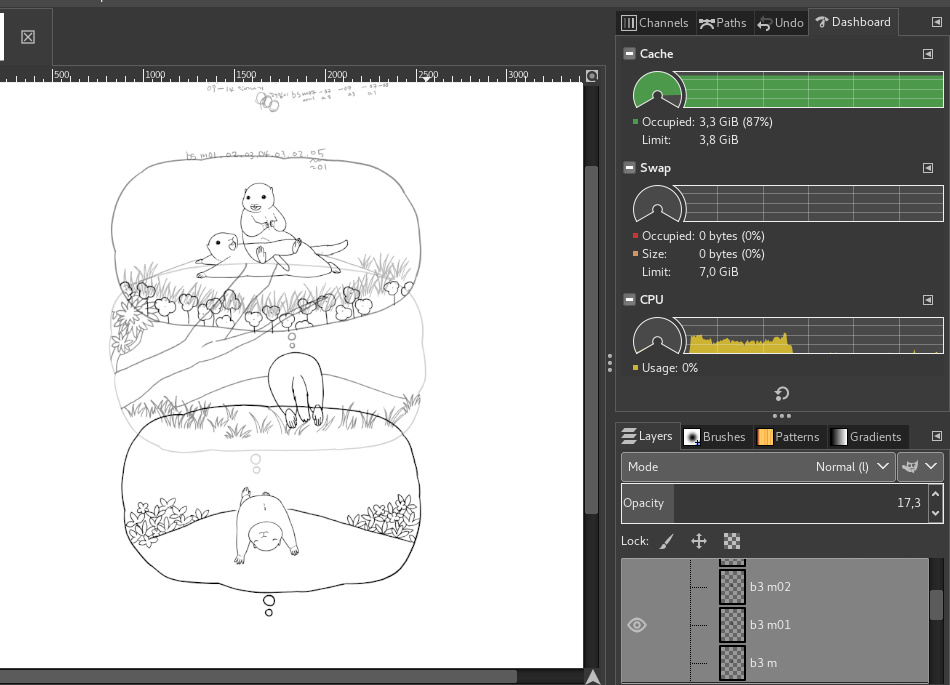
On the developer side, it also helps us in debugging and profiling various operations or parts of the interface, which is important in our constant quest to improve GIMP and GEGL, and detect which parts are the biggest bottlenecks.
The feature was contributed by Ell — one of GIMP’s most productive developers of late.
What we consistently hear from users is that they have had zero GIMP crashes in years of using it. Still, as with any software, it is not exempt from bugs, and unfortunately sometimes might even crash.
While we encourage you to report all bugs you encounter, we do admit that producing useful information for a report can be difficult, and there is little we can do about a complaint that says “GIMP crashed. I don’t know what I was doing and I have no logs”.
So GIMP now ships with a built-in debugging system that gathers technical details on errors and crashes.
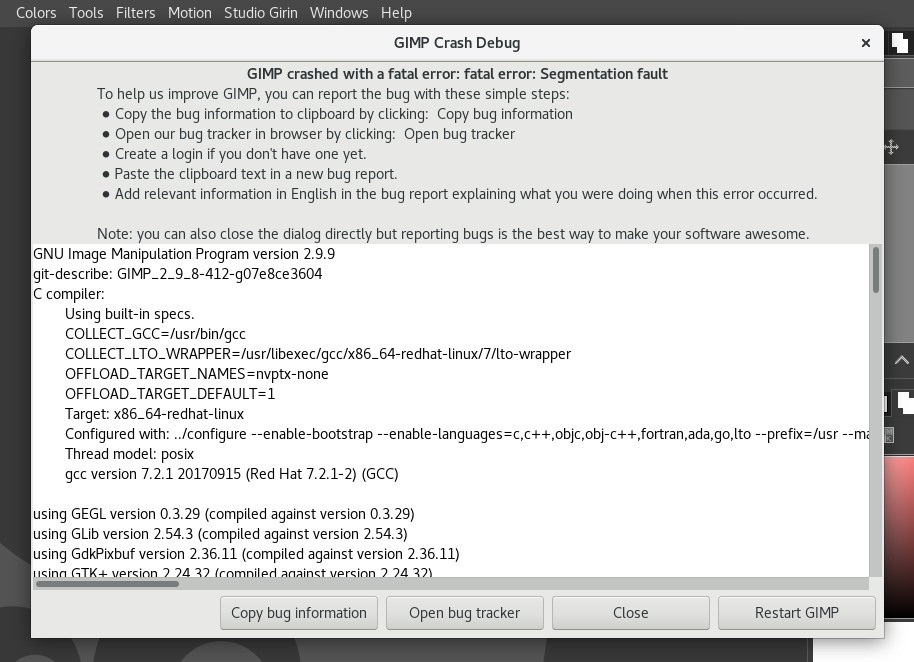
On development versions, the dialog will be raised on all kind of errors (even minor ones). On stable releases, it will be raised only during crashes. The default behavior can be customized in Edit > Preferences > Debugging.
Note: you are still expected to write down contextual information when you report bugs, i.e.: What were you doing when the bug happened? If possible, step by step reproduction procedures are a must.
The feature was contributed by Jehan Pages from ZeMarmot project.
With the debugging system in place to detect a crash, it was easy enough to add crash recovery. In case of a crash, GIMP will now attempt to backup all images with unsaved changes, then suggest to reopen them the next time you start the application.
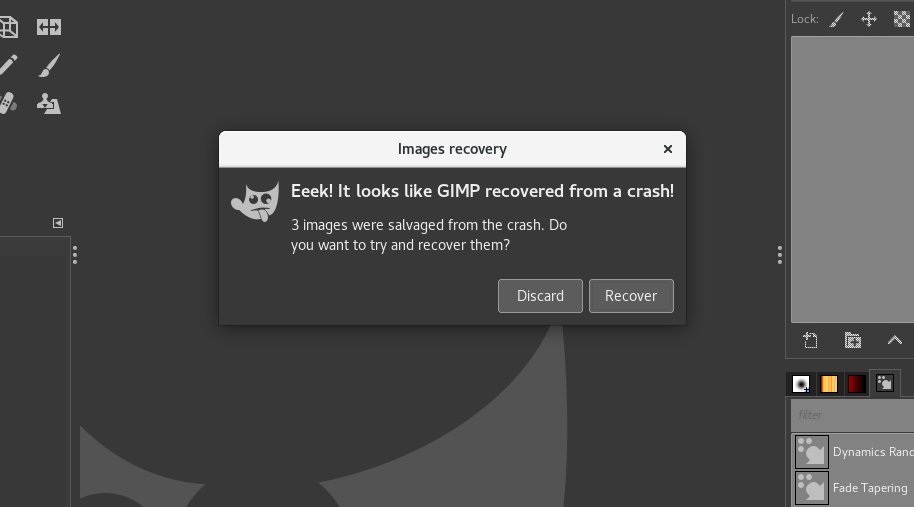
This is not a 100%-guaranteed procedure, since a program state during a crash is unstable by nature, so backing up images might not always succeed. What matters is that it will succeed sometimes, and this might rescue your unsaved work!
This feature was also contributed by the ZeMarmot project.
This new filter is now available in GIMP in the Colors menu thanks to a contribution by Thomas Manni who created a likewise named GEGL operation.
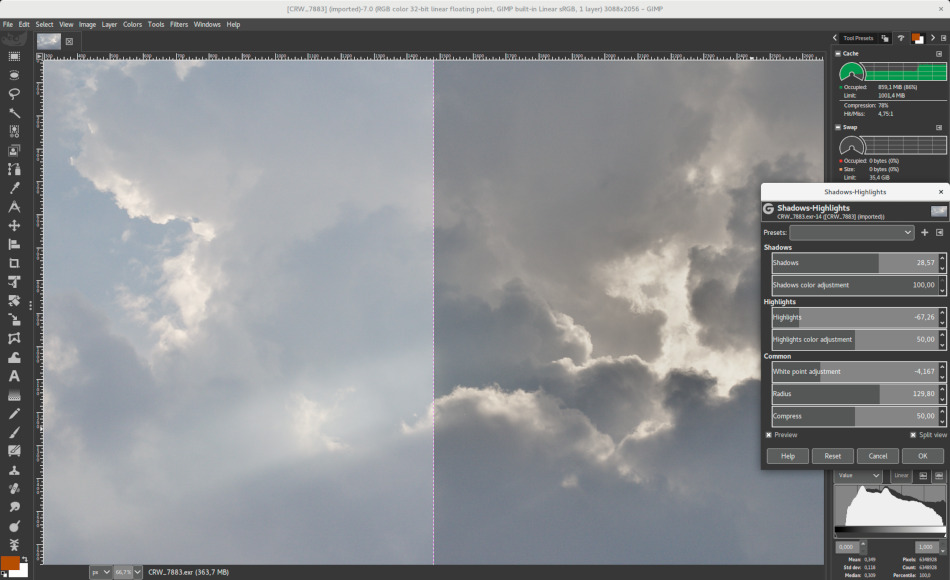
The filter allows adjusting shadows and highlights in an image separately, with some options available. The implementation closely follows its counterpart in the darktable digital photography software.
Masks on layer groups are finally possible! This work, started years ago, has now been finalized by Ell. Group-layer masks work similarly to ordinary-layer masks, with the following considerations.
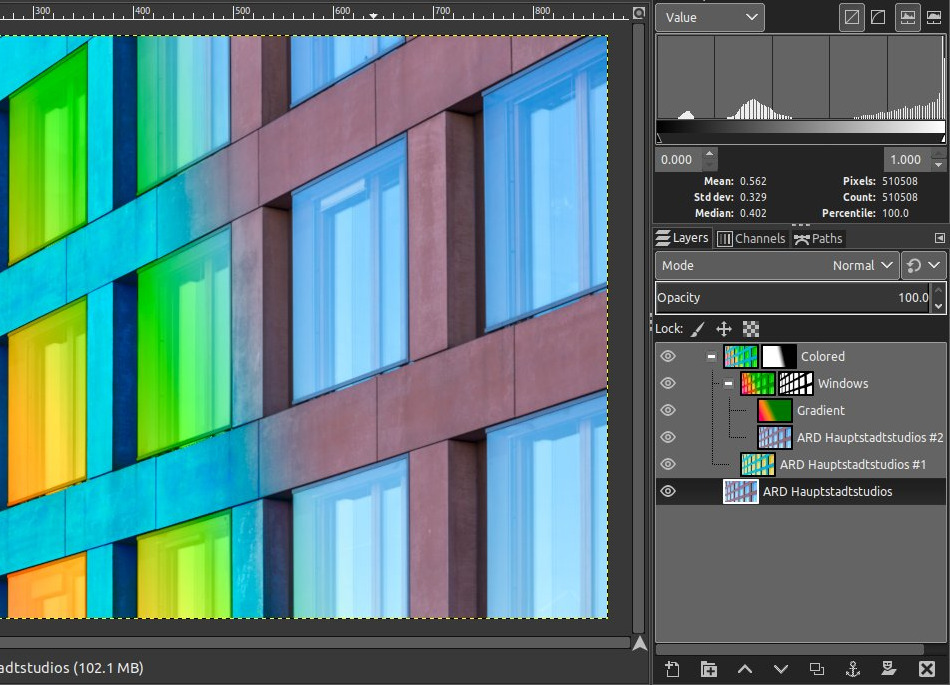
The group’s mask size is the same as group’s size (i.e., the bounding box of its children) at all times. When the group’s size changes, the mask is cropped to the new size — areas of the mask that fall outside of the new bounds are discarded, and newly added areas are filled with black (and hence are transparent by default).
JPEG 2000 images importing was already supported, using the library called Jasper. Yet this library is now deprecated and slowly disappearing from most distributions. This is why we moved to OpenJPEG.
The port was initially started by Mukund Sivaraman. It was later completed by Darshan Kadu, under the FSF internship program, and mentored by Jehan who polished it up.
In particular, now GIMP can properly import JPEG 2000 images in any bit depth (over 32-bit per channel will be clamped to 32-bit and
non-multiple of 8-bit will be promoted, for instance 12-bit will end up as 16-bit per channel in GIMP). Images in YCbCr and xvYCC color spaces will be converted to sRGB.
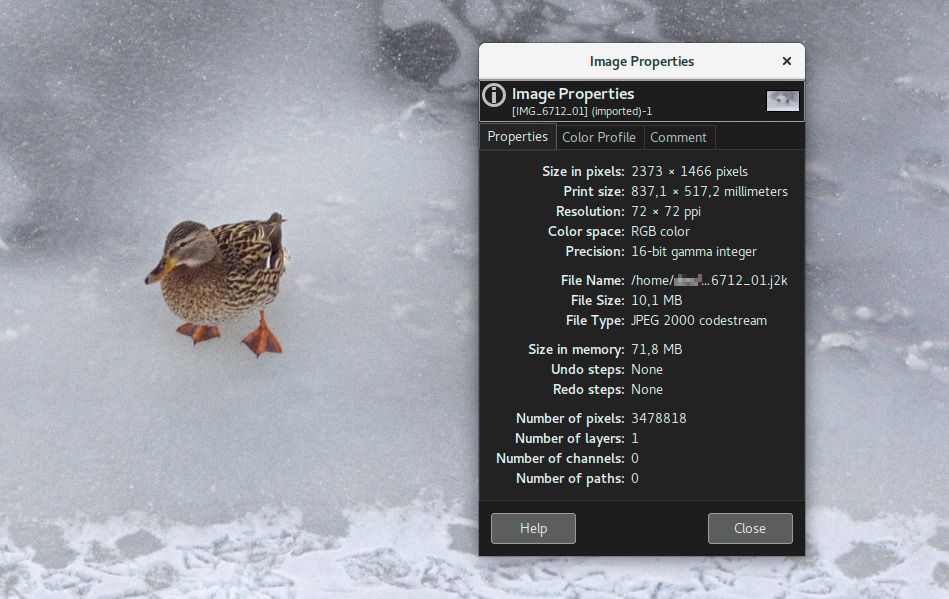
JPEG 2000 codestream files are also supported. While color space can be detected for JPEG 2000 images, for codestream files you will be asked to specify the color space.
Curves and Levels filters have been updated to have a switch between linear and perceptual (non-linear) modes, depending on which one you need.
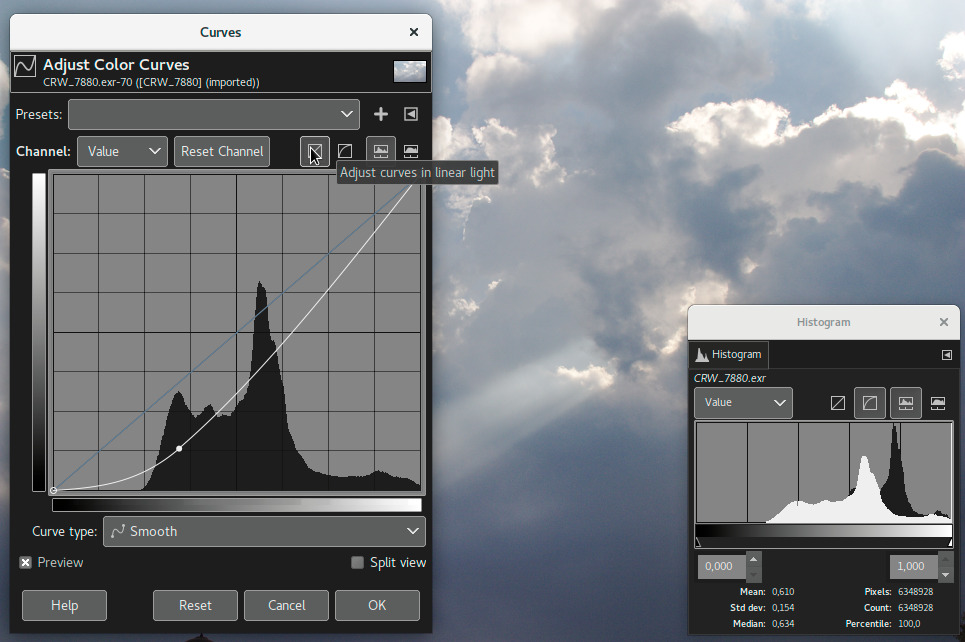
You can apply Levels in perceptual mode to a linear image, or Curves in linear mode to a perceptual image — whichever suits you best for the task at hand.
The same switch in the Histogram dock has been updated accordingly.
On Linux, taking screenshots with the Freedesktop API has been implemented. This should become the preferred API in the hopefully near future, especially because it is meant to work inside sandboxed applications. Though for the time being, it is still not given priority because it lacks some basic features and is not color-managed in any implementation we know of, which makes it a regression compared to other implementations.
On Windows, Simon Mueller has improved the screenshot plug-in to handle hardware-accelerated software and multi-monitor displays.
On macOS, color picking with the Color dock is now color-managed.
Settings were added for metadata export handling in the “Image Import & Export” page of the Preferences dialog. By default, the settings are checked, which means that GIMP will export all metadata, but you can uncheck them (since metadata can often contain a lot of sensitive private information).
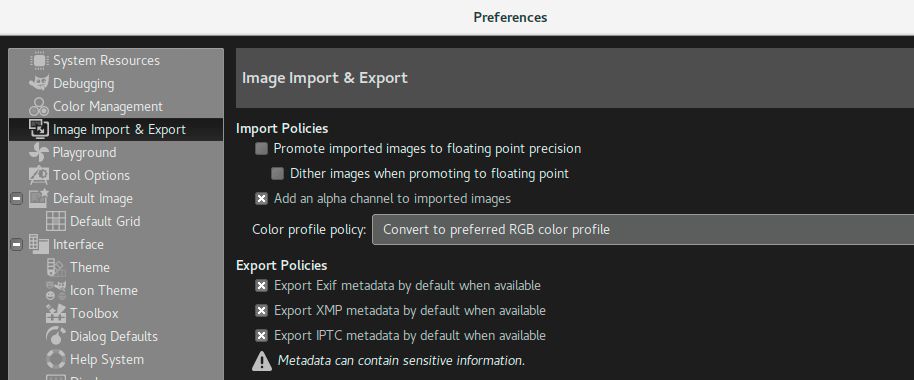
Note that these options can also be changed per format (“Load Defaults” and “Save Defaults” button), and of course per file during exporting, just like any other option.
GIMP finally gives you a choice whether you want a brush locked to a certain zoom level and rotation angle of the canvas.
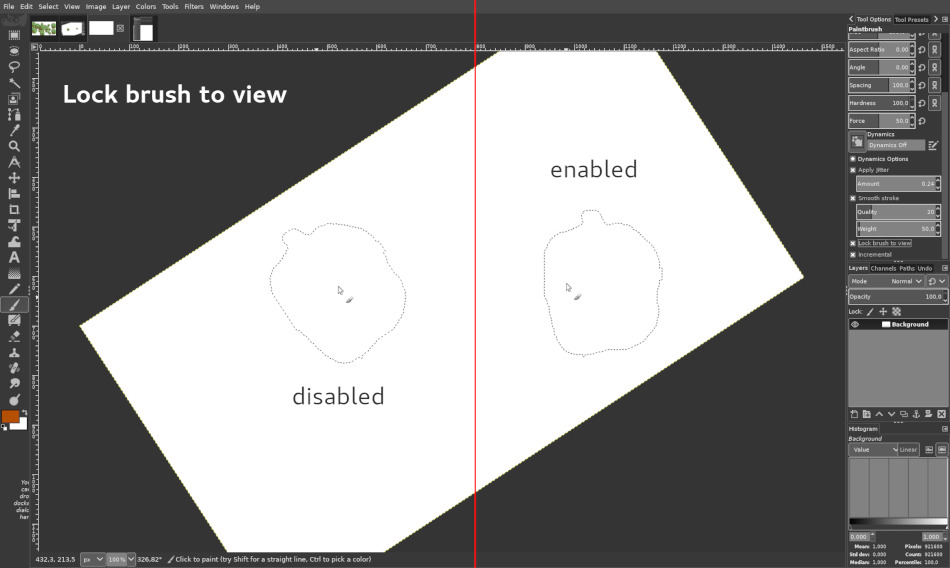
The option is available for all painting tools that use a brush except for the MyPaint Brush tool.
8 new icons were added by Alexandre Prokoudine, Aryeom Han (ZeMarmot film director), and Ell.
Many last-minute details have been handled, such as renaming the composite modes to be more descriptive, shortened color channel labels with their conventional 1- or 2-letter abbreviations, color models rearranged in the Color dock, and much more!
String freeze has started and GIMP has received updates from: Basque, Brazilian Portuguese, Catalan, Chinese (Taiwan), Danish, Esperanto, French, German, Greek, Hungarian, Icelandic, Italian, Japanese, Latvian, Polish, Russian, Serbian, Slovenian, Spanish, Swedish, Turkish.
The Windows installer is now also localized with gettext.
The GEGL library now used by GIMP for all image processing has also received numerous updates.
Most importantly, all scaling for display is now done on linear data. This produces more accurate scaled-down thumbnails and more valid results of mipmap computations. GIMP 2.10.0-RC1 doesn’t use mipmaps yet, but it will further down the line.
More work has been done to improve performance of GEGL across many parts of the source code. Improvements to pixel data fetching and setting functions have led to performance boosts across many GEGL operations (in particular, Gaussian blur), and for some performance-critical display cases, performance should have improved two- to three-fold since the release in December 2017.
There are 5 new operations in the workshop now. Among those, enlarge and inpaint are part of the new experimental inpainting framework by Øyvind Kolås, domain transform by Felipe Einsfeld Kersting is an edge-preserving smoothing filter, and recursive-transform is Ell’s take on the famous Droste effect.
We’d like to remind you that GIMP is free software. Therefore the first way to help is to contribute your time. You can report bugs and send patches, whether they are code patches, icons, brushes, documentation, tutorials, translations, etc.
In this release for instance, about 15% of changes were done by non-regular contributors.
You can also contribute tutorials or news for our website, as Pat David explained so well in his talk Why the GIMP Team Obviously Hates You. Pat David is himself one of the important GIMP contributors on the community side (he also created our current website back in 2015).
Last but not least, we remind that you can contribute financially in a few ways. You can donate to the project itself, or you can support the core team developers who raise funds individually, in particular Øyvind Kolås for his work on GEGL, GIMP graphics engine, and ZeMarmot project (Aryeom & Jehan) for their work on GIMP itself (about 35% of this release is contributed by their project).
This is the last stretch before the final GIMP 2.10.0 release. There are a few more changes planned before we wrap it up. For instance, Americo Gobbo is working (with minor help from ZeMarmot) on improving our default brush set. His work will be available either in another release candidate (if we make another one) or in the final release.
We are currently 12 blocker bugs away from making the final release. We’ll do our best to make it quick!
此内容由惯性聚合(RSS阅读器)自动聚合整理,仅供阅读参考。 原文来自 — 版权归原作者所有。