






Almost four months have passed since GIMP 2.10.0 release, and this is already the fourth version in the series, bringing you bug fixes, optimizations, and new features.
The most notable changes are listed below (see also the NEWS file).
GIMP finally gets support for vertical text (top-to-bottom writing)! This is a particularly anticipated feature for several East-Asian writing systems, but also for anyone wishing to design fancy vertical text.
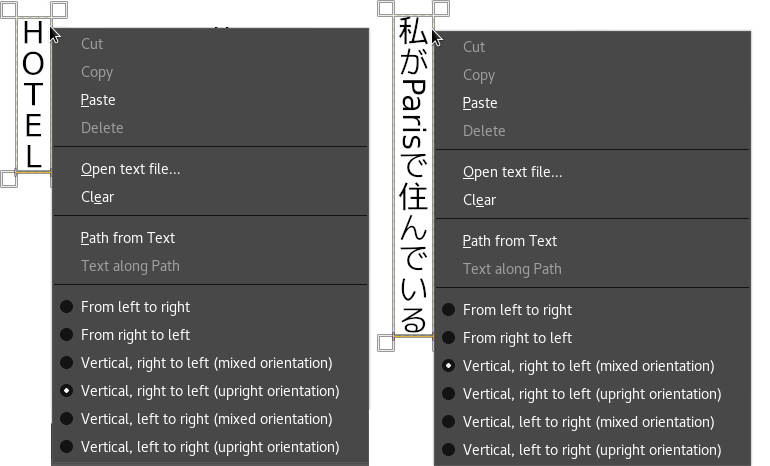
For this reason, GIMP provides several variants of vertical text, with mixed orientation (as is typical in East-Asian vertical writing) or upright orientation (more common for Western vertical writing), with right-to-left, as well as left-to-right columns.
Thanks to Yoshio Ono for the vertical text implementation!
Two new filters make an entrance in this release:
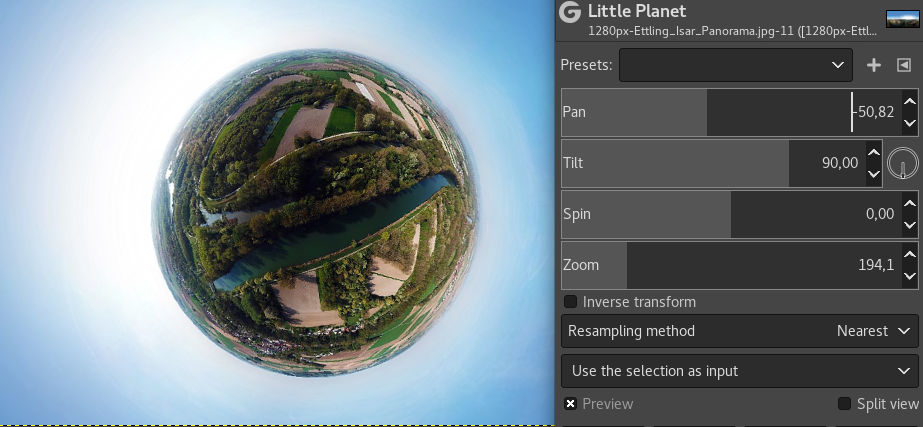
This new filter is built on top of the pre-existing
gegl:stereographic-projection operation and is finetuned to create
“little planets” from 360×180° equirectangular panorama images.
This new GEGL-based filter simplifies creating long shadows in several visual styles.
There is a handful of configurable options, all helping you to cut extra steps from getting the desired effect.
The feature was contributed by Ell.
A lot of people appreciated the new Horizon Straightening feature added in GIMP 2.10.4. Yet many of you wanted vertical straightening as well. This is now possible.
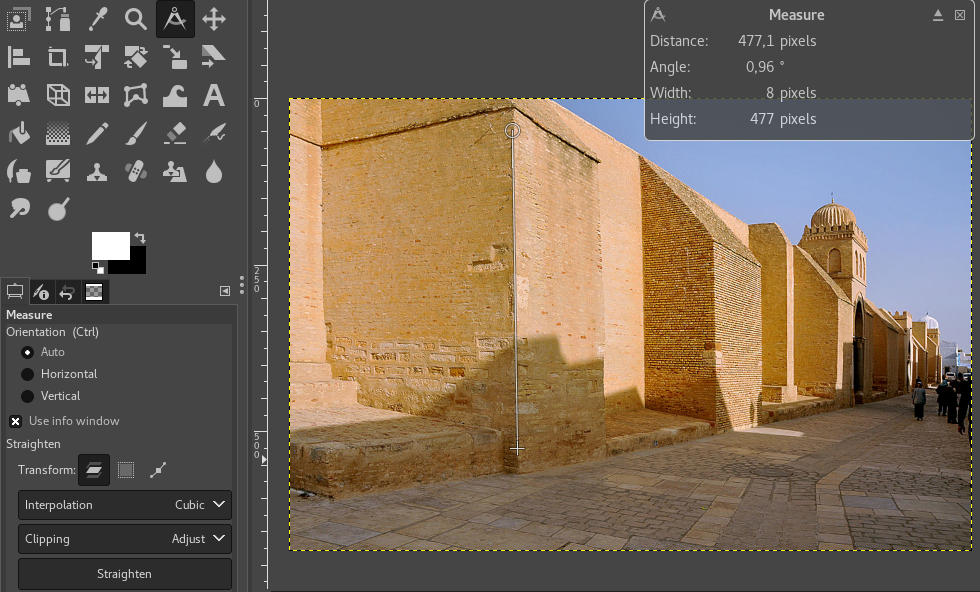
In the Auto mode (default), Straighten will snap to the smaller angle to decide for vertical or horizontal straightening. You can override this behavior by specifying explicitly which it should be.
Most creators working on complex projects in GIMP have had bad days when there are many layers in a large image, and GIMP can’t keep up with scrolling the layers list or showing/hiding layers.
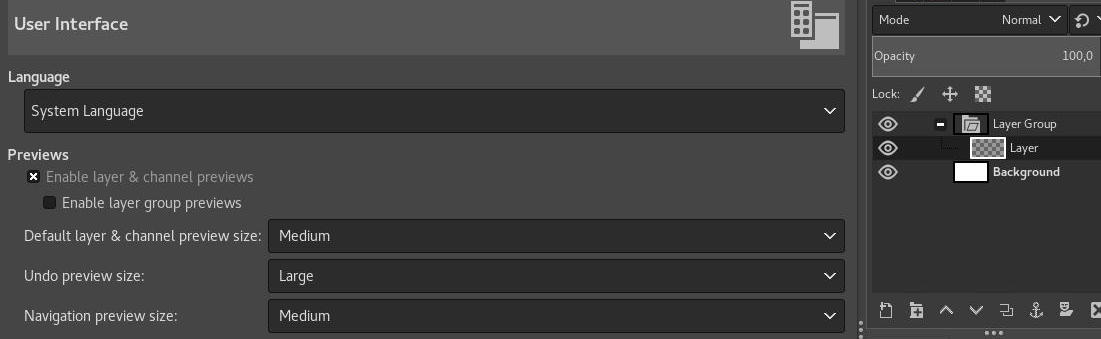
Part of the reason was that GIMP couldn’t update user interface until it was done rendering layer previews. Ell again did some miracles here by having most drawable previews render asynchronously.
For now, the only exception to that are layer groups. Rendering them asynchronously is still not possible, so until we deal with this too, we made it possible for you to disable rendering layer group previews completely. Head over to Preferences > Interface and tick off the respective checkbox.
One more thing to mention here. For technically-minded users, the Dashboard dockable dialog (introduced in GIMP 2.10.0) now displays the number of async operations running in the Misc group.
GIMP was already available in 80 languages. Well, it’s 81 languages now!
A team from the North Maharashtra University, Jalgaon, worked on a Marathi translation and contributed a nearly full translation of GIMP.
Of course, we should not forget all the other translators who do a wonderful work on GIMP. In this release, 13 other translations were updated: Brazilian Portuguese, Dutch, French, German, Greek, Italian, Latvian, Polish, Romanian, Russian, Slovenian, Spanish, and Swedish.
Thanks everyone!
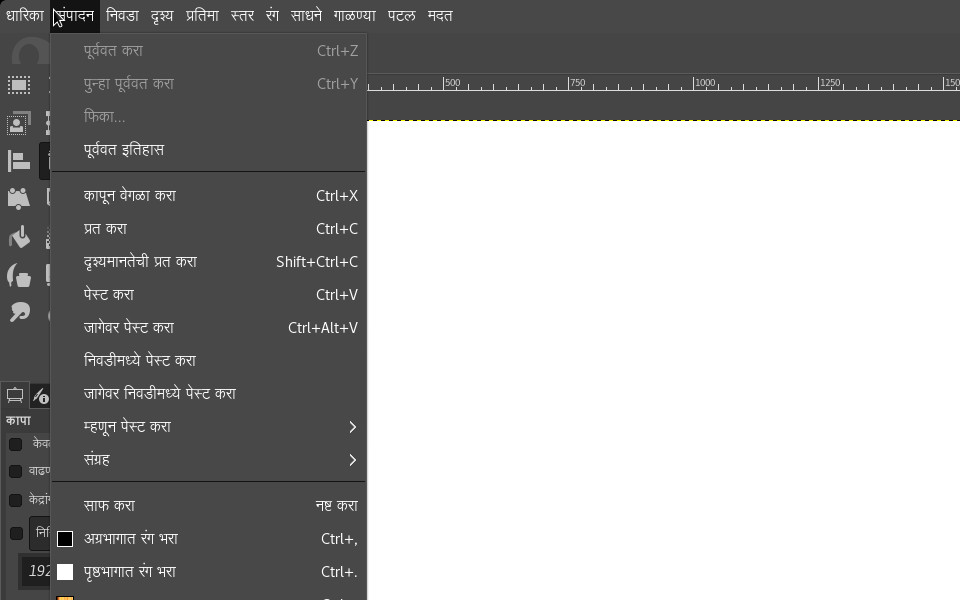
A common cause of confusion in the file dialogs (opening, saving, exporting…) was the presence of two file format lists, one for displaying files with a specific extension, the other for the actual file format choice. So we streamlined this.
There is just one list available now, and it works as both the filter for displayed images and the file format selector for the image you are about to save or export.
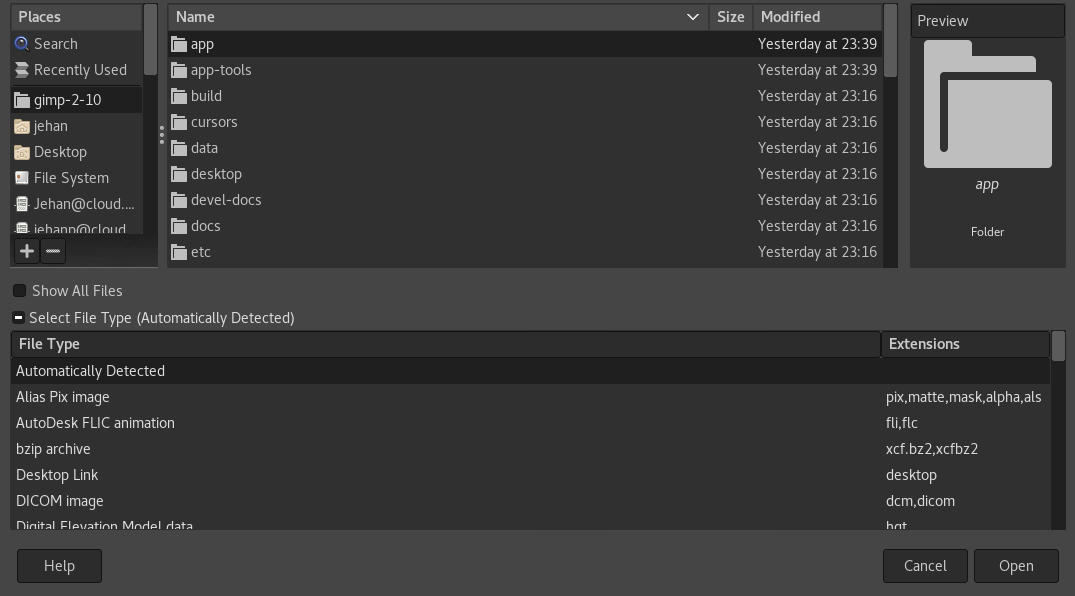
Additionally, a new checkbox allows you to display the full list of files, regardless of the currently chosen file format. This could be useful when you want to enforce an unusual file extension or reuse an existing file’s name by choosing it in the list and then appending your extension.
A major problem over the years, on Windows, was what developers call the DLL hell. This was mostly caused either by third-party software installing libraries in system folders or by third-party plug-ins installing themselves with shared libraries interfering with other plug-ins.
The former had already been mostly fixed by tweaking the DLL search priority order. This release provides an additional fix by taking into account 32-bit plug-ins running on 64-bit Windows systems (WoW64 mode).
The latter was fixed already since GIMP 2.10.0 if you installed your plug-ins in its own directory (which is not compulsory yet, but will be in GIMP 3).
E.g. if you have a plug-in named myplugin.exe, please install it under
plug-ins/myplugin/myplugin.exe. This way, not only you won’t pollute other
plug-ins if you ever included libraries, but your plug-in won’t be prevented
from running by unwanted libraries as well. All our core plug-ins are now installed this way. Any third-party plug-ins should be as well.
Meanwhile, taking place simultaneously on the babl, GEGL, and GIMP 2.99 fronts, pippin and Mitch embarked on a project internally nicknamed the “space invasion”, the end goal of which is to simplify and improve color management in GIMP, as well as other GEGL-based projects.
About a year ago, babl, the library used by GIMP and GEGL to perform color conversions, gained the ability to tie arbitrary RGB color spaces to existing pixels formats. This, in turn, allowed GIMP to start using babl for performing conversions between certain classes of color profiles, instead of relying solely on the LCMS library, greatly improving performance. However, these conversions would only take place at the edges between the internal image representation used by GIMP, and the outside world; internally, the actual color profile of the image had limited effect, leading to inconsistent or incorrect results for certain image-processing operations.
The current effort seeks to change that, by having all image data carry around the information regarding its color profile internally. When properly handled by GEGL and GIMP, this allows babl to perform the right conversions at the right time, letting all image-processing operations be applied in the correct color space.
While the ongoing work toward this goal is already available in the mainline babl and GEGL versions, we are currently restricting it to the GIMP 2.99 development version (to become GIMP 3.0), but it will most likely make its way into a future GIMP 2.10.x release.
Lastly Jehan, from ZeMarmot project, has been working on extensions in GIMP. An extension could be anything from plug-ins to splash images, patterns, brushes, gradients… Basically anything which could be created and added by anyone. The end goal would be to allow creators of such extensions to upload them on public repositories, and for anyone to search and install them in a few clicks, with version management, updates, etc.
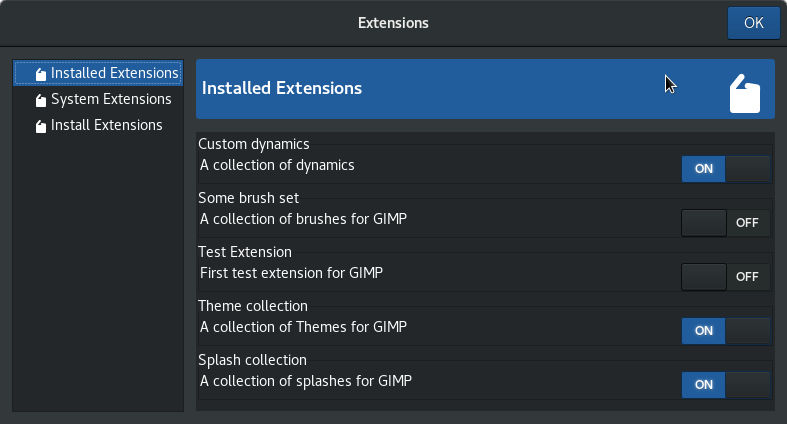
This work is also only in the development branch for the time being, but should make it to a GIMP 2.10.x release at some point in the future as well.
Keep in mind that pippin and Jehan are able to work on GEGL and GIMP thanks to crowdfunding and the support of the community. Every little bit helps to support their work and helps to make GIMP/GEGL even more awesome! If you have a moment, check out their support pages:
Most importantly: have fun with GIMP everyone!
此内容由惯性聚合(RSS阅读器)自动聚合整理,仅供阅读参考。 原文来自 — 版权归原作者所有。